
Deel Instant Card Transfer gives contractors instant access to their Deel balance through a card-to-card transfer. The withdrawal is deposited to a card-connected bank account instantly.
This withdrawal method is only available to independent contractors in eligible countries and in certain currencies. Not all contractors in eligible countries will have access to this feature immediately.
Deel Instant Card Transfer requires a Mastercard or Visa debit or credit card that is linked to a bank account.
In this article:
How to Use Deel Instant Card Transfer
How to Use Instant Card Transfer?
✅ Step 1 - Add a new withdrawal method
From the Deel home dashboard, open the withdrawal-method setup flow. Optional promotional dialogs can appear when you open the dashboard. Close them using the visible X before continuing.
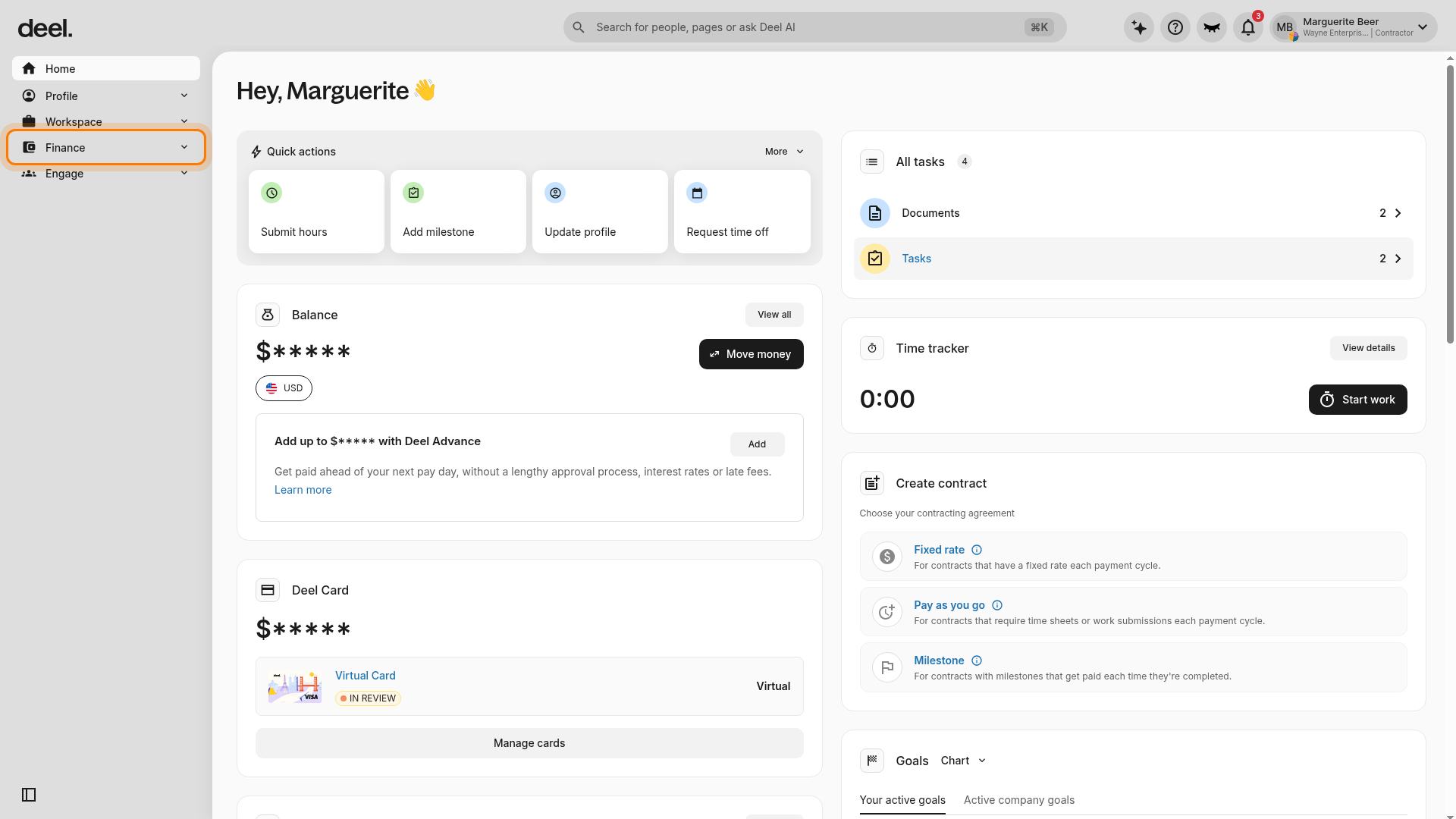
- In the left sidebar, select Finance to expand its menu.
- Expected result: Finance subpages appear, including Withdrawal methods.
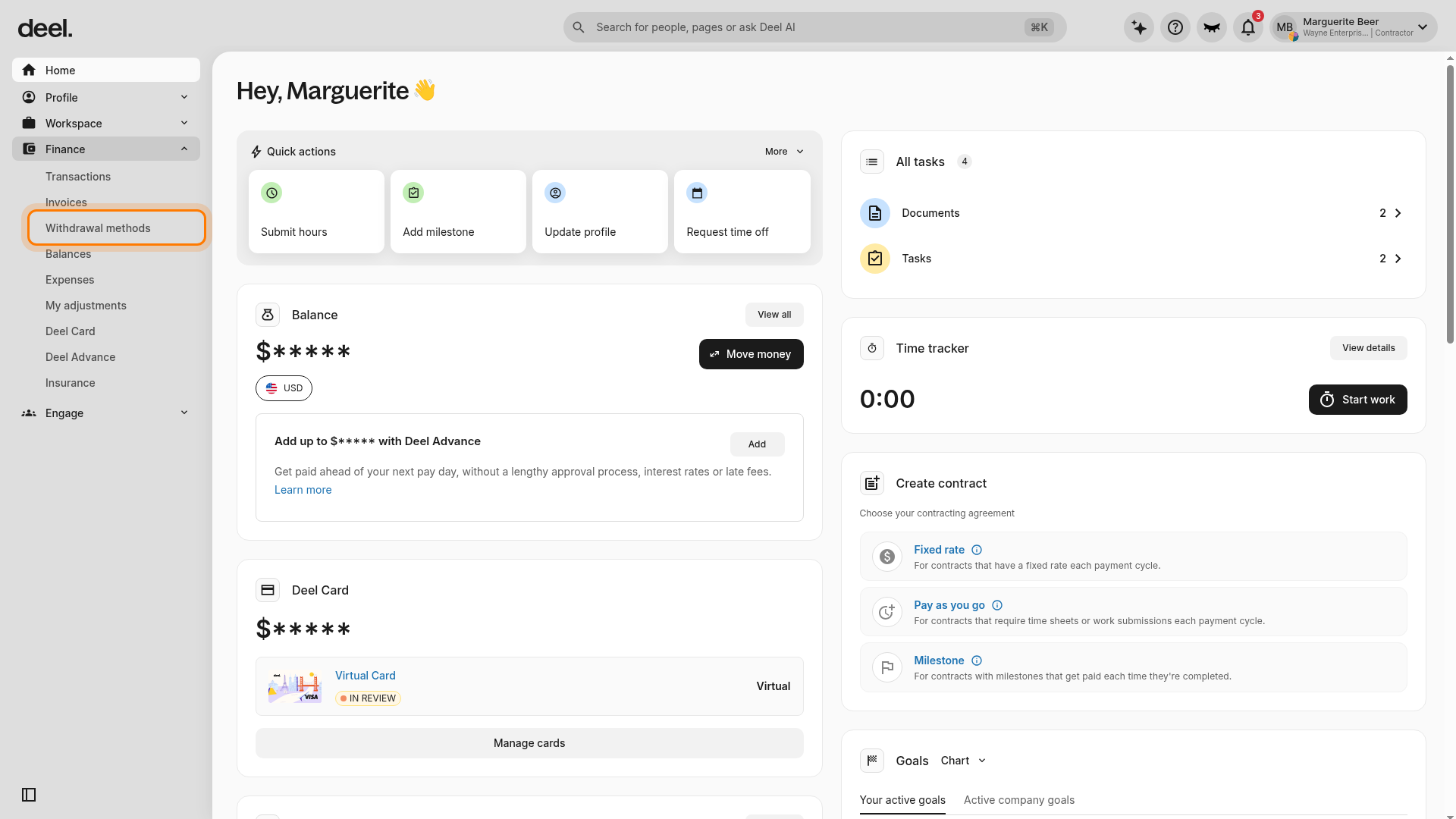
- Select Withdrawal methods from the expanded Finance menu.
- Expected result: The Withdrawal methods page opens.
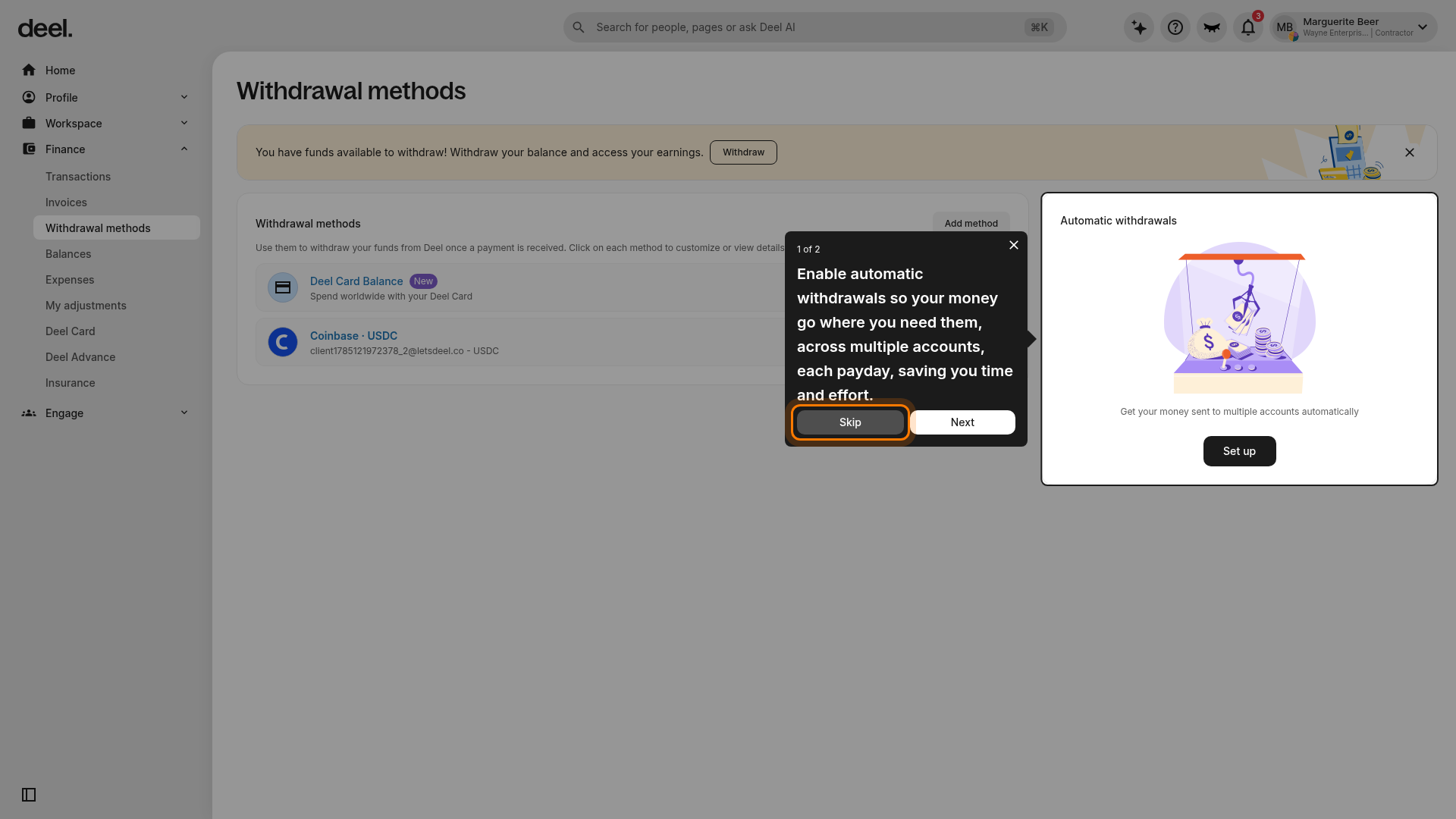
- If an Automatic withdrawals walkthrough appears over the page, select Skip.
- Expected result: The walkthrough closes and the Add method button is available.
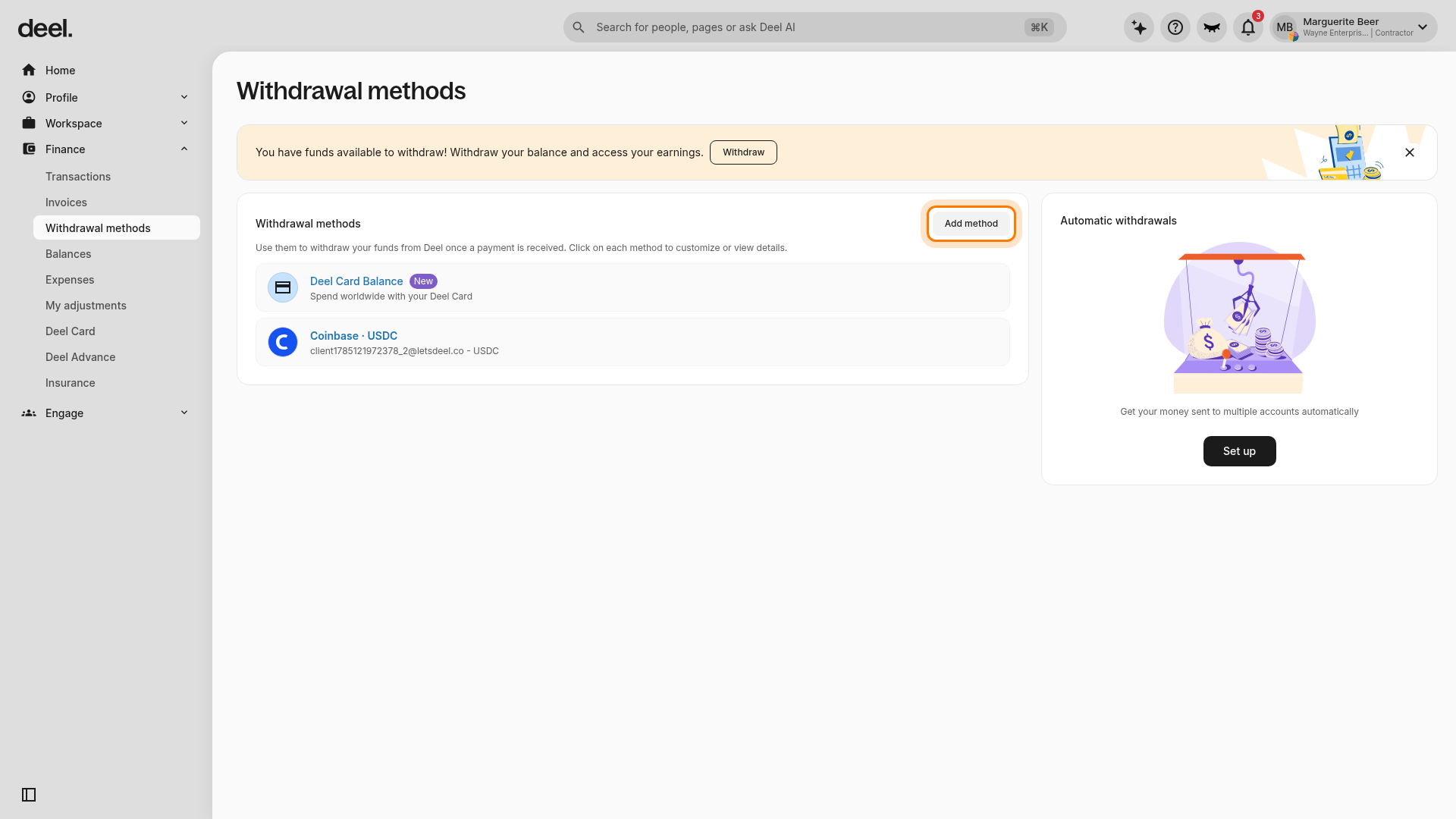
- On the Withdrawal methods page, select Add method in the upper-right corner of the Withdrawal methods panel.
- Expected result: The Add a withdrawal method flow opens at step 1, Select method.
✅ Step 2 - Choose Instant Card Transfer
On Add a withdrawal method, review the Transfer setting section. Keep Regular currencies selected, confirm that Recipient country and Recipient currency match the card and bank account you intend to use, and check Method options for Instant card transfer.
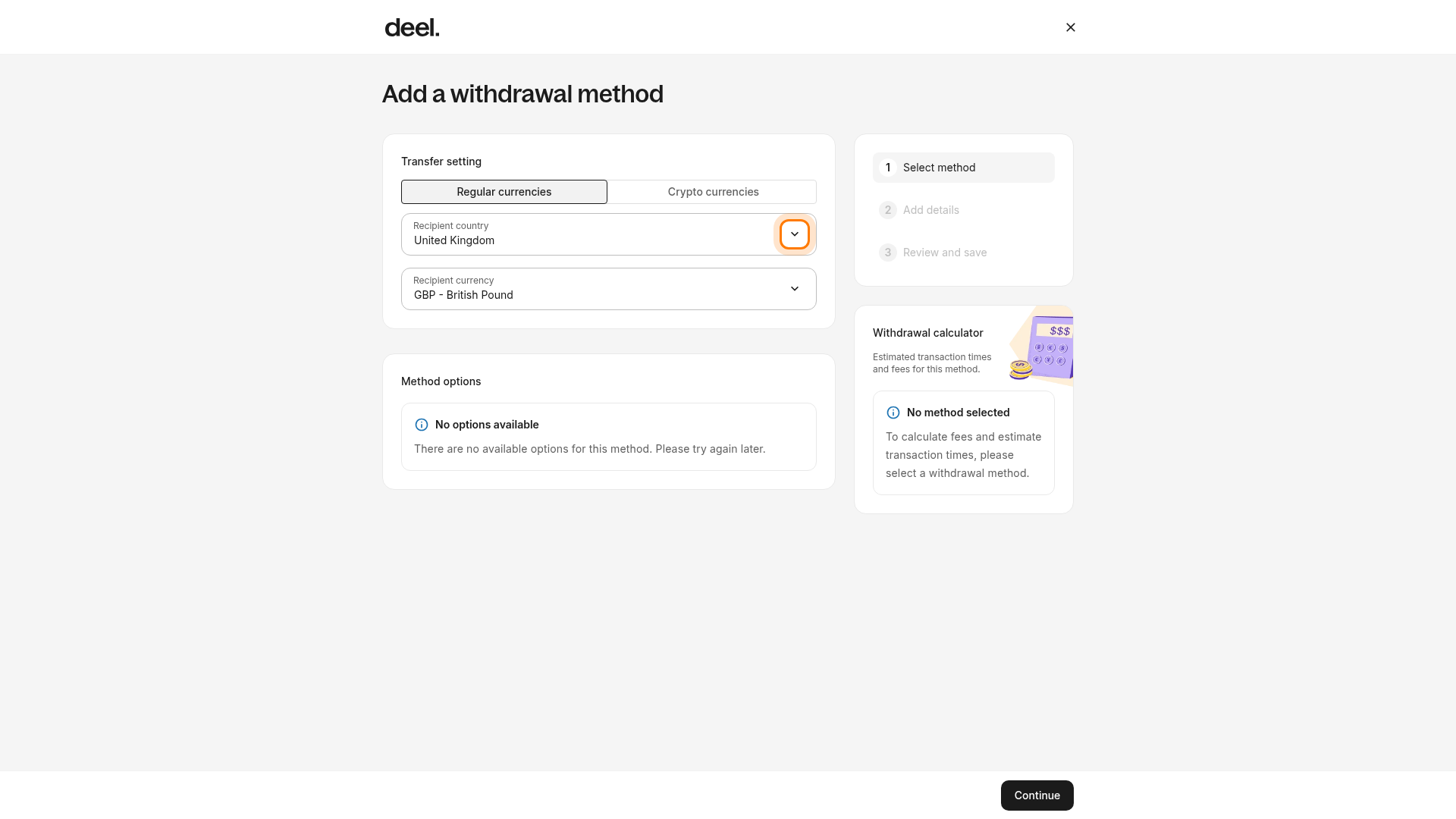
- Expected result: If supported for the selected country and currency, Instant card transfer appears as a selectable method.
- Select Instant card transfer when it appears.
- Expected result: The Instant card transfer setup flow opens.
Verification: Instant card transfer is visible in Method options for your selected recipient country and currency, and selecting it opens its setup flow.
If the Method options section displays No options available, no withdrawal method is available for the current transfer settings. Do not select Continue because no method has been selected.
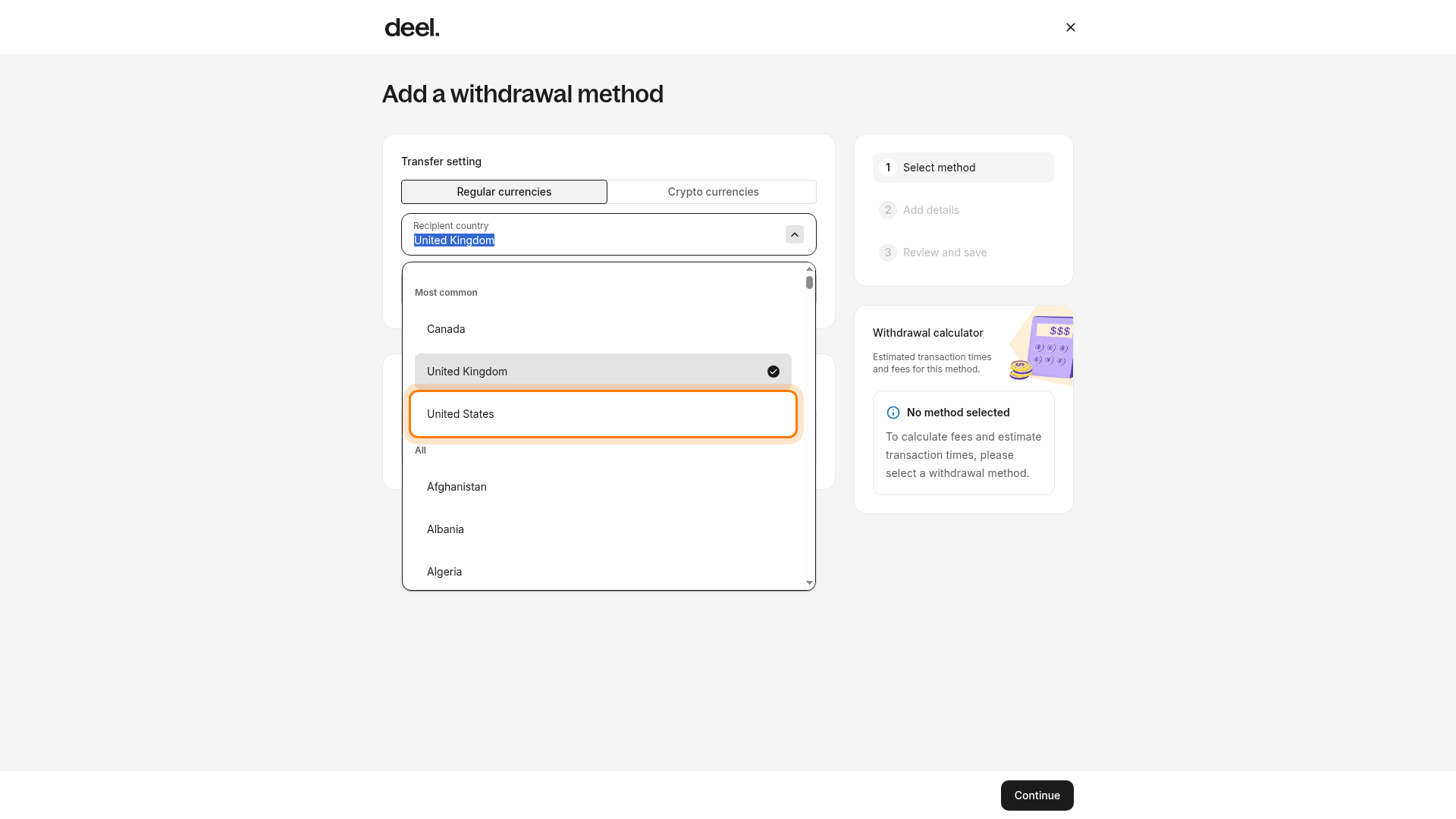
- Open the Recipient country dropdown.
- Select the applicable recipient country and allow the page to update the recipient currency and available methods.
- Review Method options again.
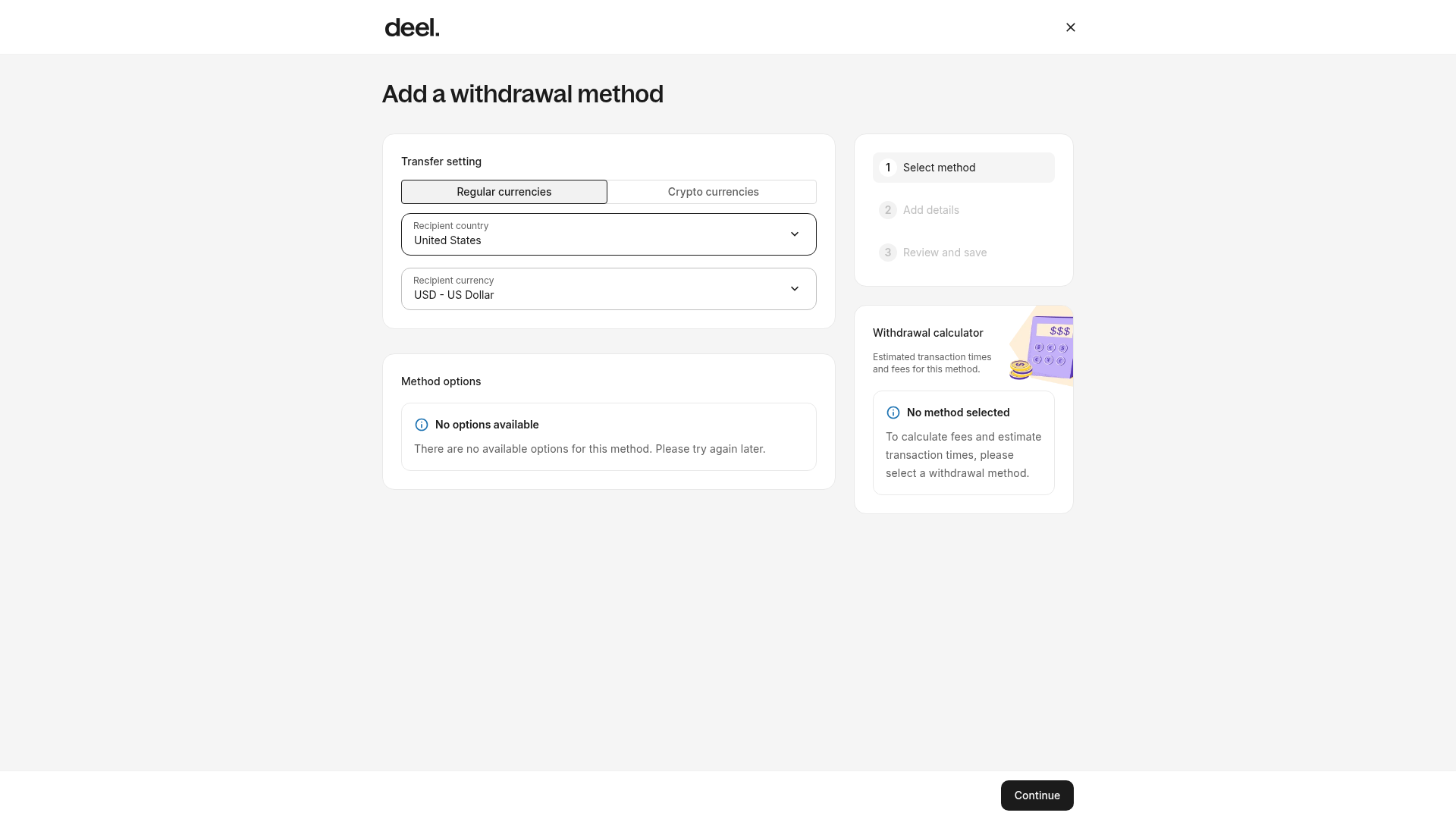
If Instant card transfer does not appear for the transfer settings that apply to you, it is not available in the current session. Try again later or contact Deel Support to confirm availability for your country and currency.
✅ Step 3 - Add card and banking details
The card to be added must be a Visa or Mastercard debit or credit card connected to a bank account.
The country, currency, and address information must match the banking information connected to the card.
While typing in the card number, a notification appears after a few digits to indicate whether the associated bank permits an Instant Card Transfer.

Please see Instant Card Transfer Availability for a list of supported countries and card types
✅ Step 4 - Withdraw your balance
Congratulations! Instant Card Transfer is now available in your saved withdrawal methods.
Set Instant Card Transfer as your preferred withdrawal method and turn on automatic withdrawals to get paid instantly every payday.
While Instant Card Transfers usually arrive in seconds, in some rare cases they may take up to one business day.
FAQs
[ACCORDION] Do all contractors have access to Deel Instant Card Transfer?
This withdrawal method is only available to Independent Contractors in eligible countries. Eligible users will find Instant Card Transfer as a new withdrawal option in the Account Settings menu.
If Instant Card Transfer isn’t available under withdrawal methods, check back soon. Deel is continually expanding this feature.
[ACCORDION] How much does Deel Instant Card Transfer cost?
The fee for Instant Card Transfers is 0.75% fee (maximum $25) for banks in the United States; and a 2% fee (max $15) for all other countries
[ACCORDION] How long does Deel Instant Card Transfer take?
Instant Card Transfers usually arrive in seconds! But it may take a few hours, depending on how fast your bank credits your funds.
On rare occasions, Deel's providers may run some additional checks on a withdrawal which may delay the process by one business day.
[ACCORDION] Can automatic withdrawals be set up with Deel Instant Card Transfer?
Yes. Instant Card Transfer can be set up as a preferred withdrawal method and then toggle on the automatic withdrawal option.
[ACCORDION] Why will a withdrawal status say Additional Screening?
On rare occasions, Deel's provider may run some additional checks on a withdrawal and may flag it for an additional check if a different card number or card holder name is used.
This one-time process to approve the new card number or name will delay a withdrawal by one business day.
Once the check is completed, any future withdrawals should arrive within seconds.