
Anonymous Reporting in Deel allows you to safely and confidently raise concerns such as harassment, discrimination, fraud, safety risks, or other misconduct. All reports are treated with strict confidentiality, and if you choose anonymity, your identity will never be disclosed.
This article explains how employees and contractors can use Deel’s Anonymous Reporting solution to raise concerns safely and confidentially.
In this article
- How Anonymous Reporting works
- Step 1. Submit a new report
- Step 2. Follow up on an existing report
- Frequently asked questions (FAQs)
How Anonymous Reporting works
Anonymous Reporting provides you with a secure, trusted channel to share concerns without fear of retaliation. Reports can be submitted fully anonymously, and only the case managers assigned by your organization will have access to review and respond. When you submit a report:
| What happens | What it means for you |
| Anonymous submissions | You choose whether to identify yourself or remain fully anonymous |
| Automatic acknowledgment | You’ll receive confirmation that your report was submitted |
| Secure follow-up | You can log back in with your case ID and passcode to check updates or chat with the case manager |
| Confidential handling | Your report and any attachments are encrypted, and only authorized case managers can view the details |
These safeguards are in place to protect your identity and ensure your report is handled seriously.
Step 1. Submit a new report
You can access the reporting feature from the left sidebar on your Deel Home dashboard.
To submit a new report:
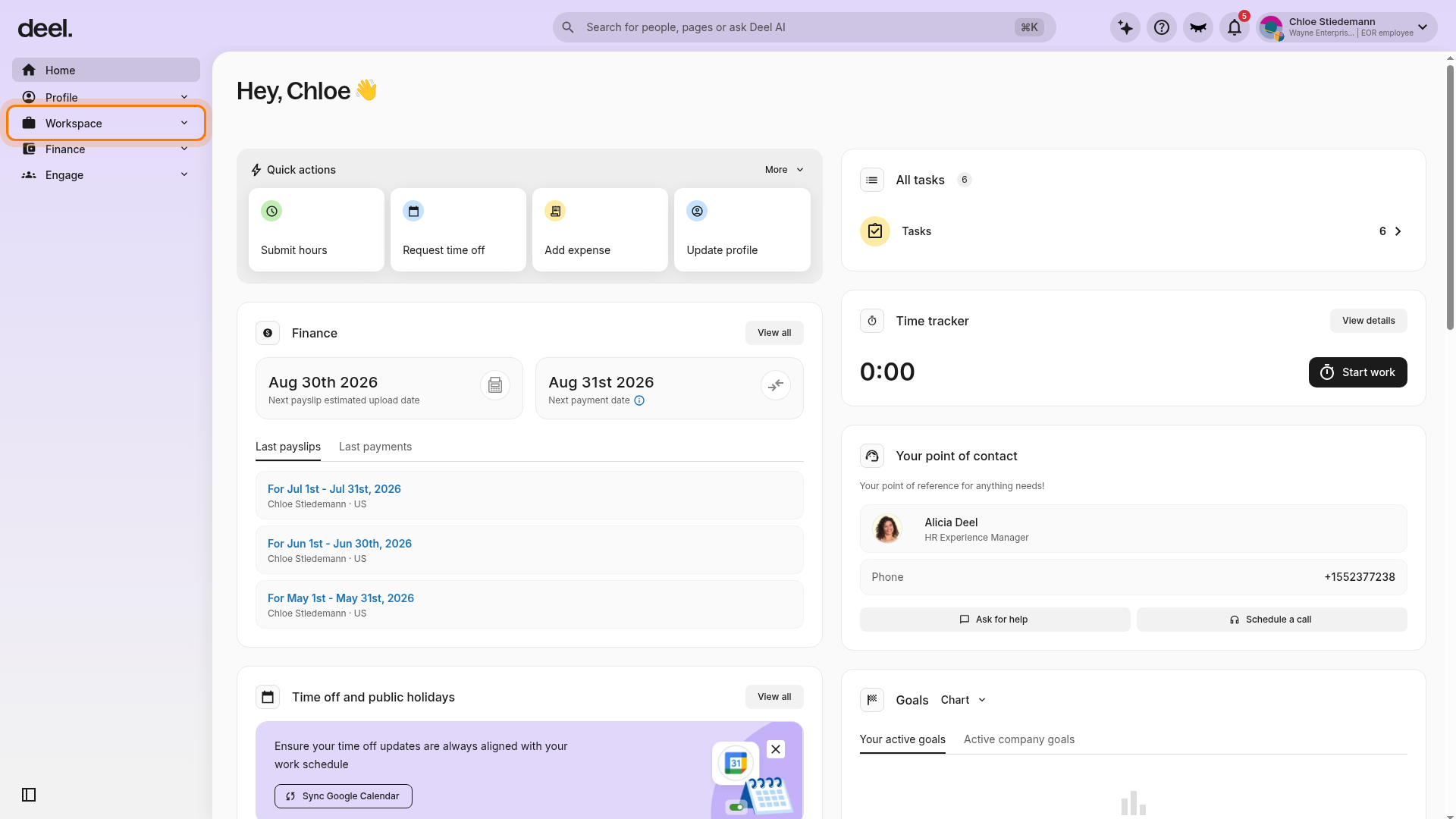
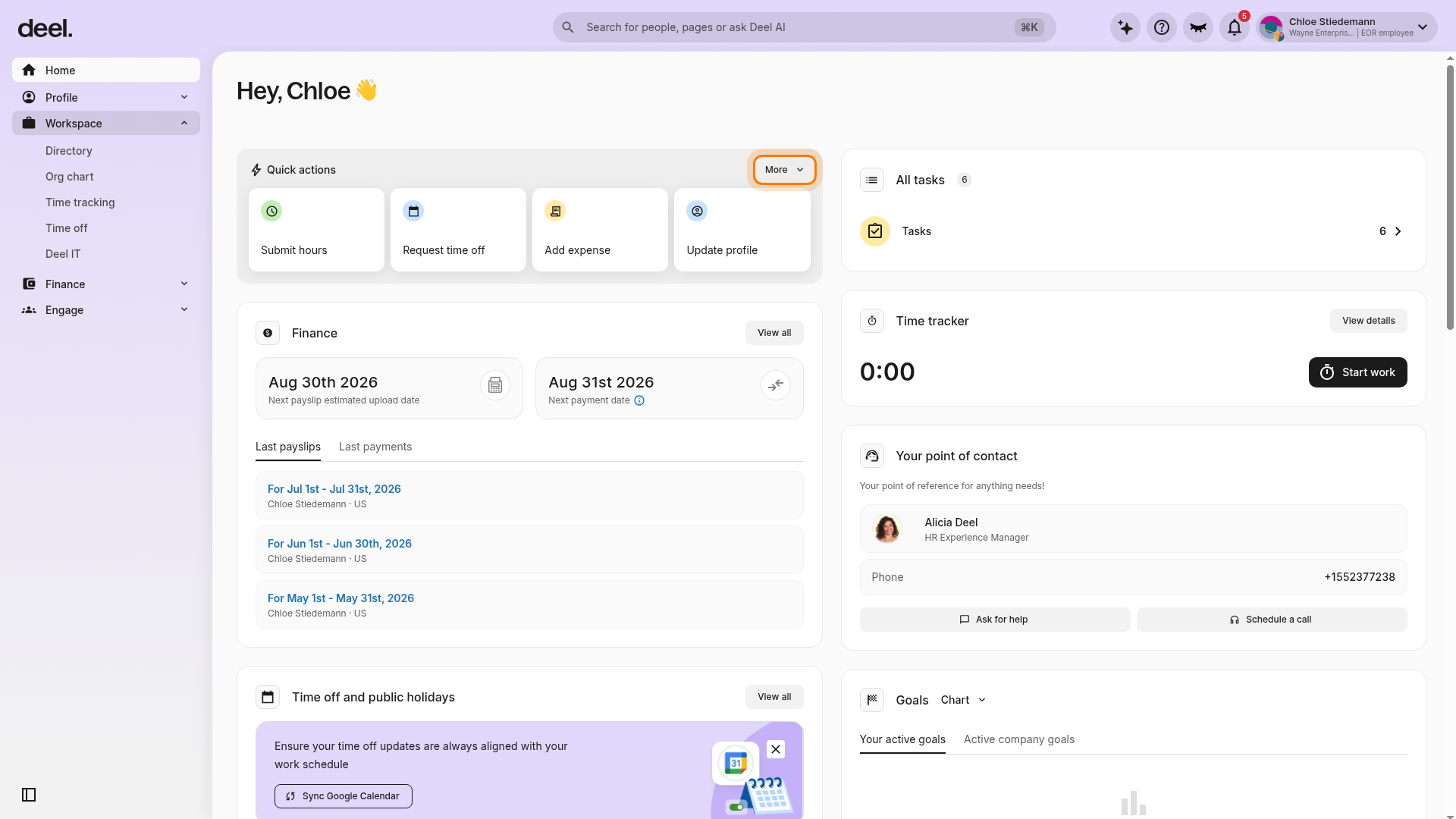
- In the left sidebar, select People. In some employee-style layouts, select Workspace instead. Then select Anonymous Reporting from the expanded submenu.
- Click New report.
- Select Create new report and report anonymously (your name and email will not be visible) or choose to identify yourself if you prefer.
- Fill in the required case details: category, date of the incident if applicable, people involved, witnesses, incident subject, and a description of the incident. Optionally, attach supporting documents or evidence.
- Acknowledge the confidentiality notice and click Submit.
You’ll receive a unique Case ID and a six-digit passcode. Save or download as a PDF, as you’ll need them to follow up on your case.
Step 2. Follow up on an existing report
You can check the progress of your report and communicate with the case manager.
To follow up on an existing report:
- In the left sidebar, select People or Workspace, then go to Anonymous Reporting > Follow up on existing case.
- Enter your Case ID and passcode.
- Review case updates, send secure messages, and upload additional evidence.
You’ll receive automatic notifications when updates are available.
Frequently asked questions (FAQs)
[ACCORDION] What if I lose my passcode?
Without your passcode, you won’t be able to access your case directly. Please contact Deel Support for assistance.
[ACCORDION] Who can see my report?
Only the assigned case manager(s). Even organization admins who are not case managers cannot view it.
[ACCORDION] Will my identity be revealed?
Not if you select anonymous reporting. Your identity will remain fully protected.
[ACCORDION] How will I know if my report is being taken seriously?
You’ll receive automatic acknowledgment after submitting, timely updates, and can securely chat with the case manager handling your report.