
As an employee, the payment will be made in local currency and deposited directly into their bank account.
There are no other options for getting paid; the salary will be deposited into the employee's bank account.
To view recent payslips, select Home in the left sidebar and locate the Finance card on the home page.
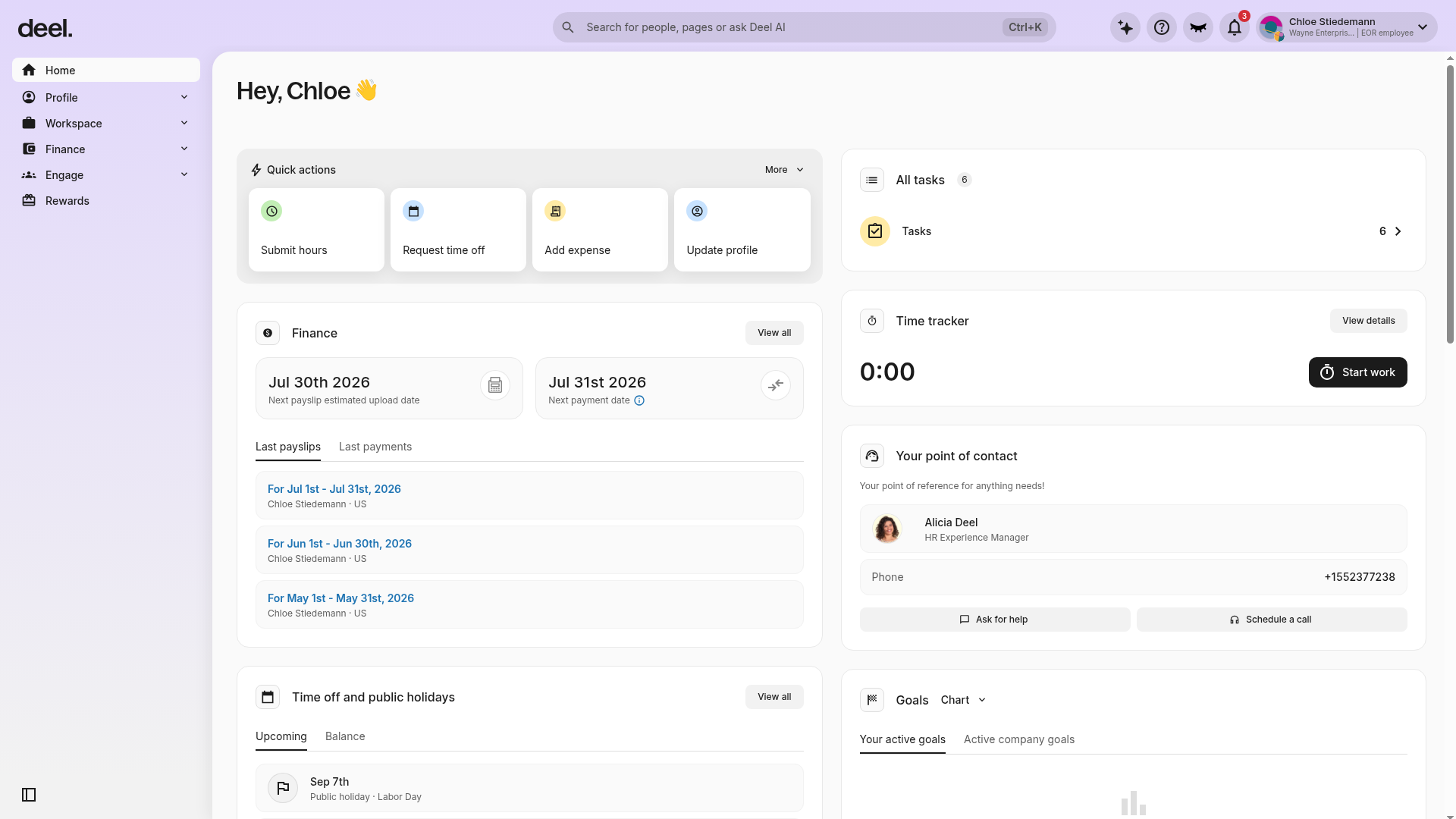
In the Finance card, select the Last payslips tab if it is not already selected. Recent payslips appear as pay-period links, ordered from newest to oldest.
To view all payslips, select Finance in the left sidebar to expand the section.
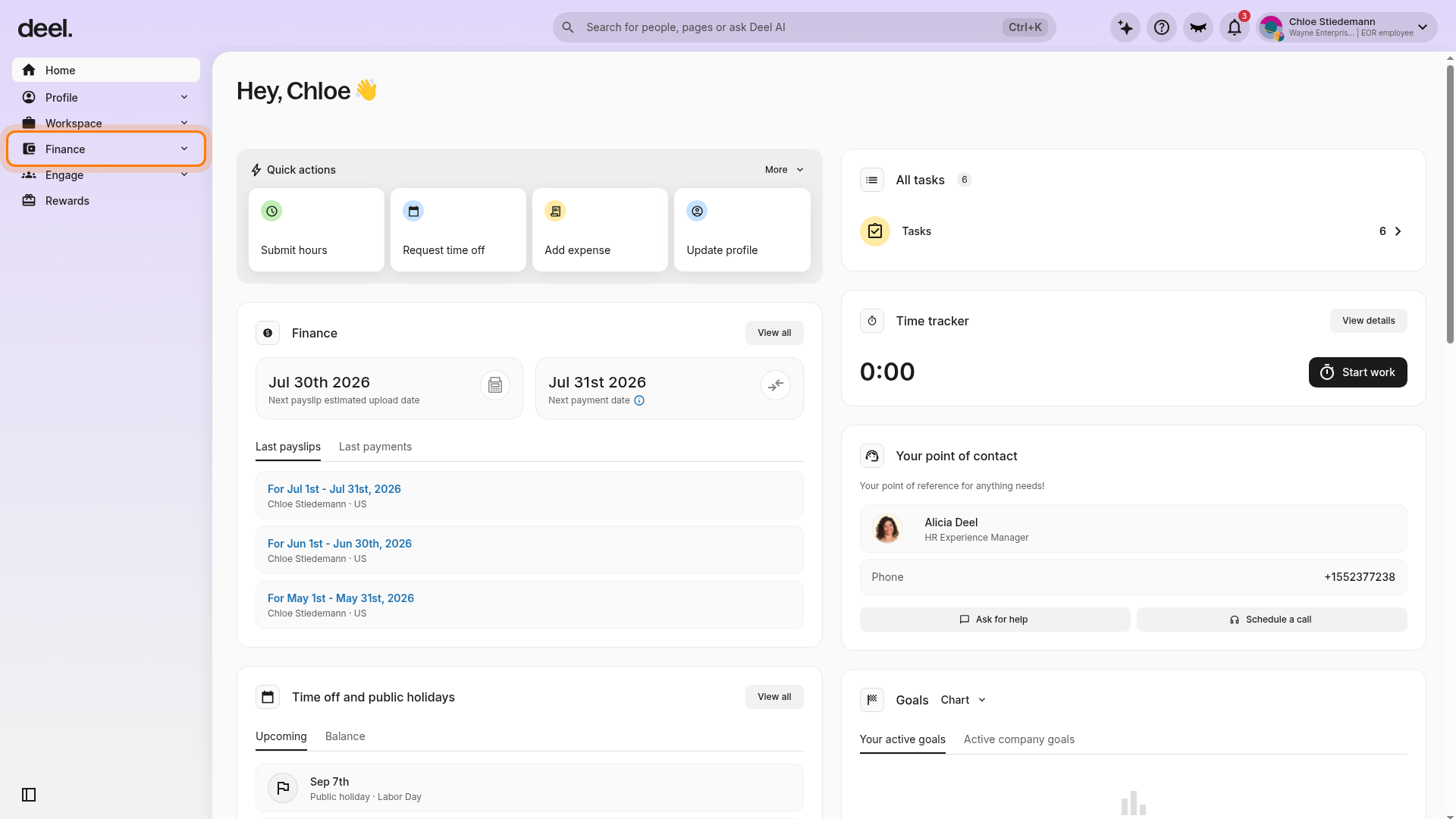
Under the expanded Finance section, select Payslips and payments.
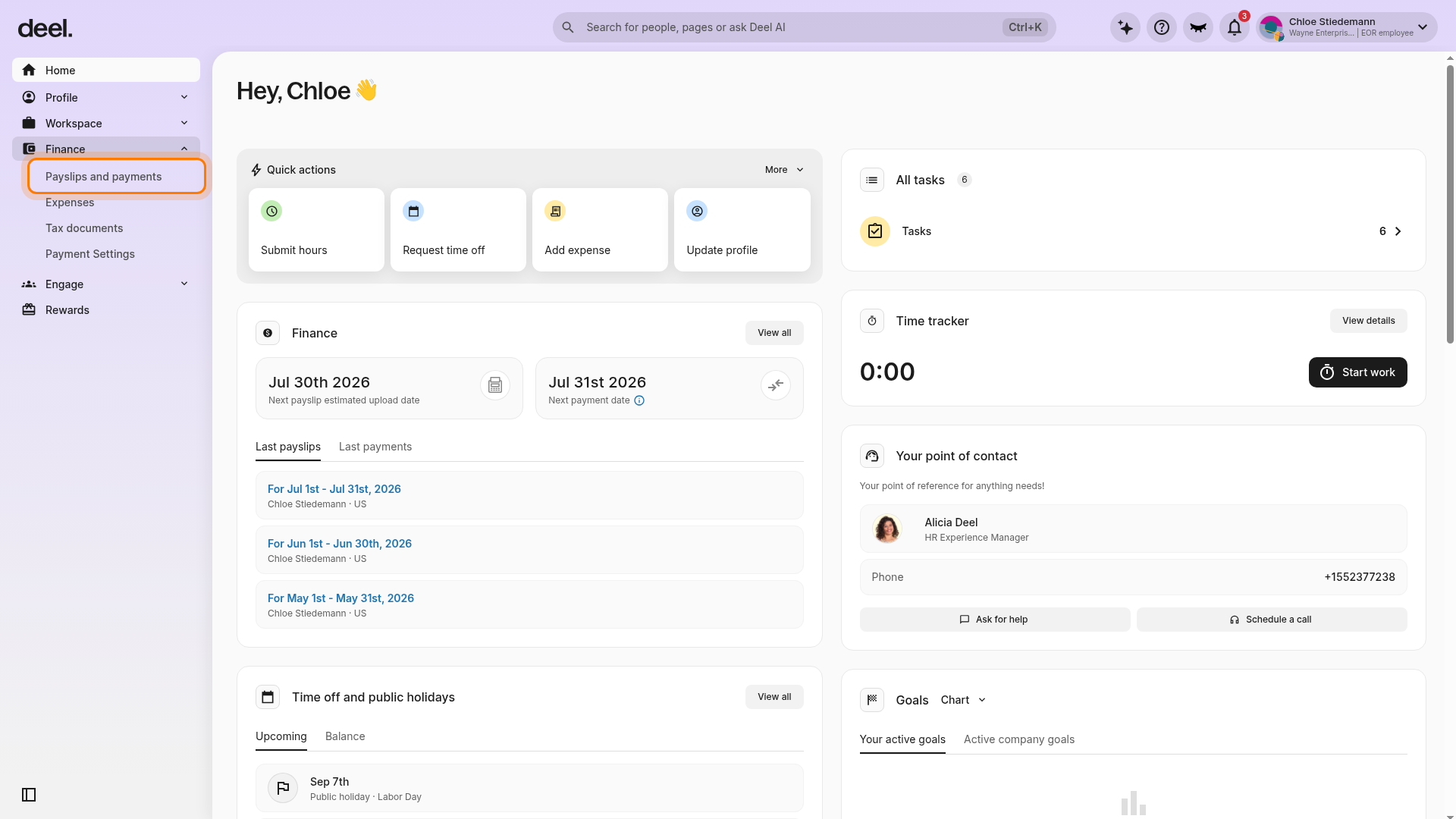
Wait for the page to load. To view all available payslips, leave the Date range and Payment type filters unchanged.
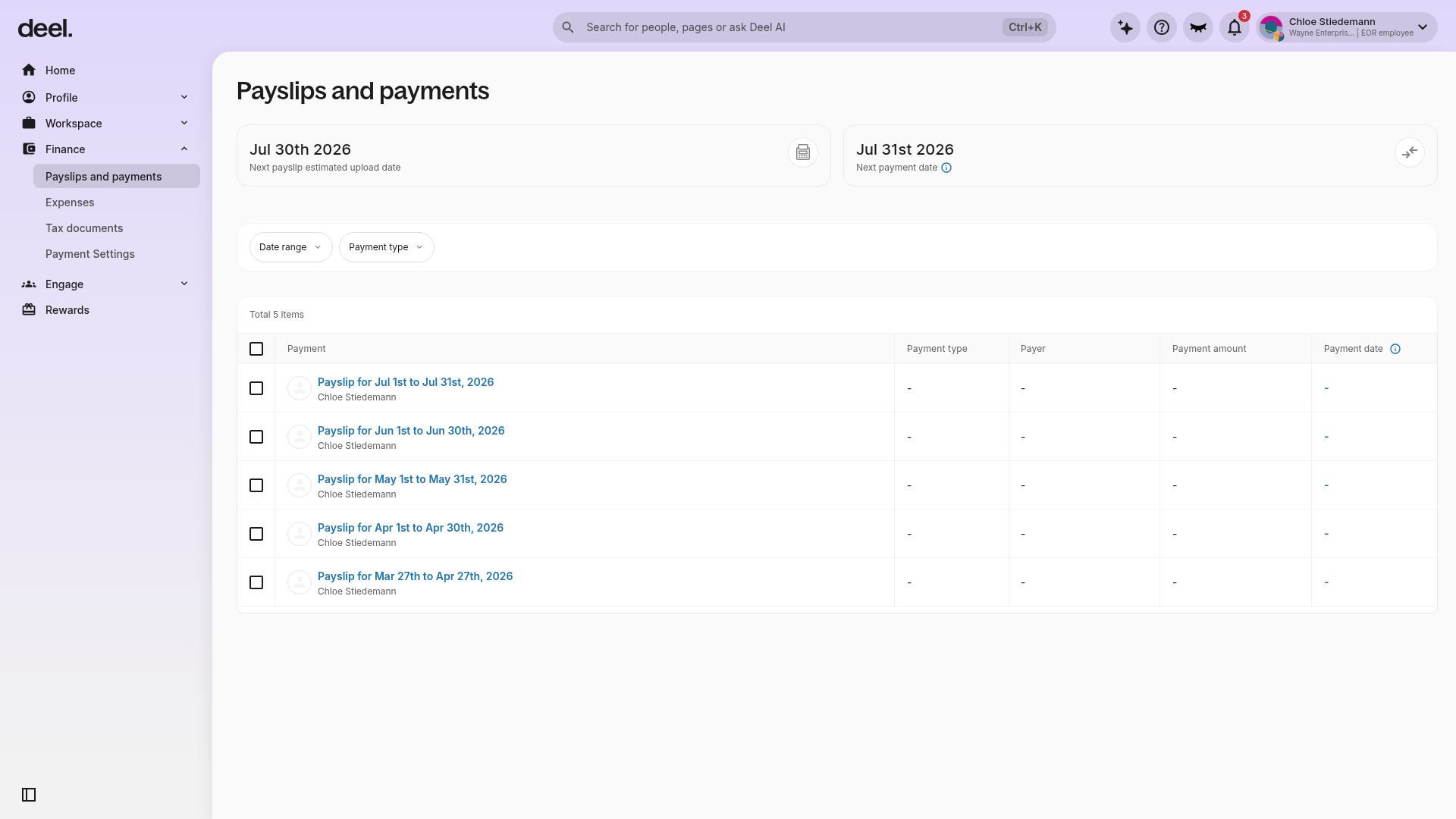
The Payslips and payments page displays a table of payslip records. Select a payslip entry and click Download payslip to download or view its full details.
Every payslip will include the gross salary, tax withholdings, and net salary. The payslip includes all legally required deductions.
The PTO balance is updated monthly and may be found at the bottom part of each payslip.
Note: Tax rates are calculated by the relevant tax authority in the country of employment.
Employees can find their payroll number directly on their payslip, in a field labeled Payroll Number. This number is the same as the employee's Deel OID, which can also be found in their Employee Information or Contract Details.