
Payroll clients with active entities can submit support tickets about payroll report generation, payroll processing, payroll packages, and more.
Once a ticket is submitted, we aim to respond in 1 business day to your query.
Step 1 - Select Payroll, then Payroll cycles
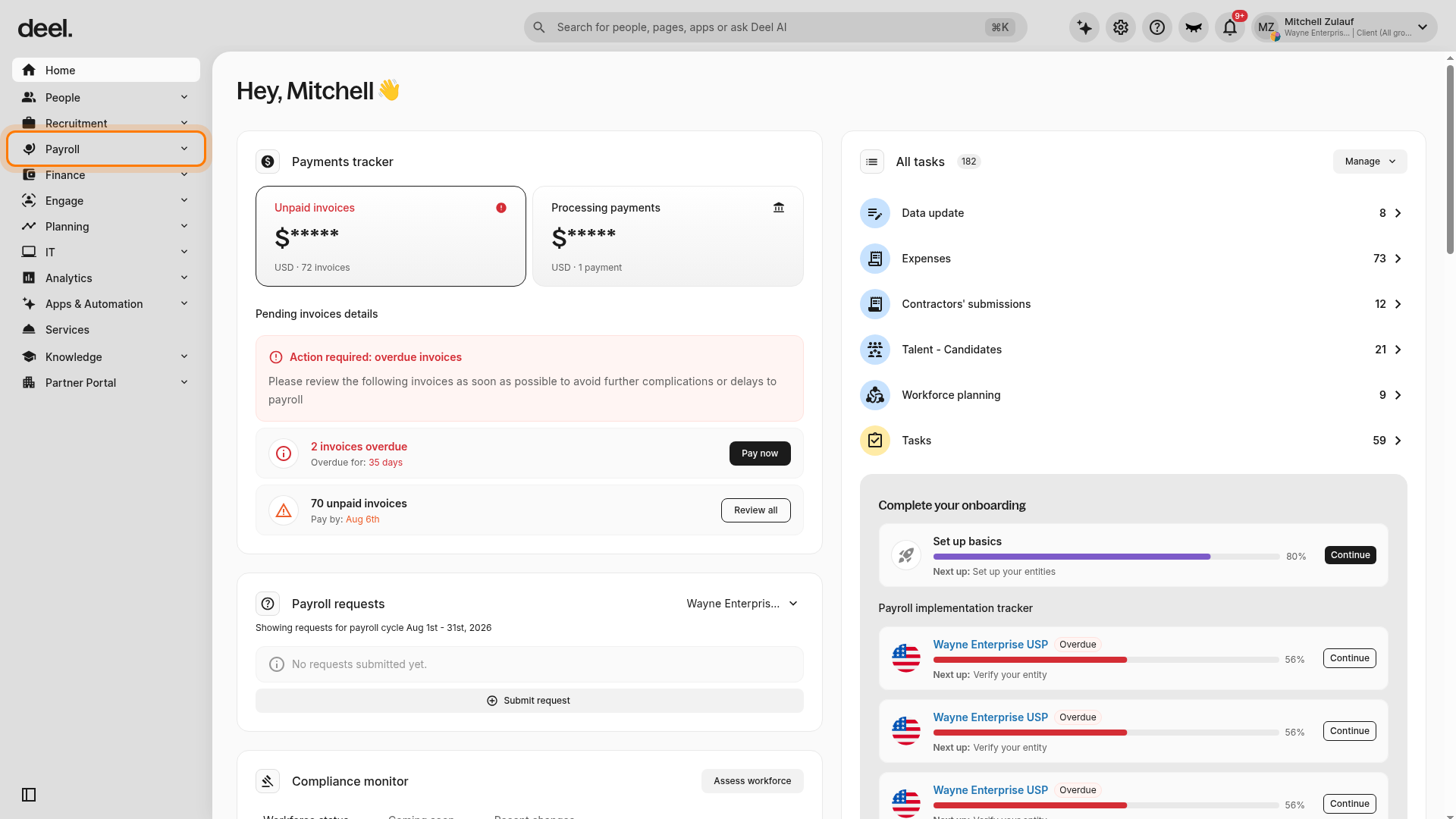
In the left sidebar, select Payroll to expand the Payroll section.
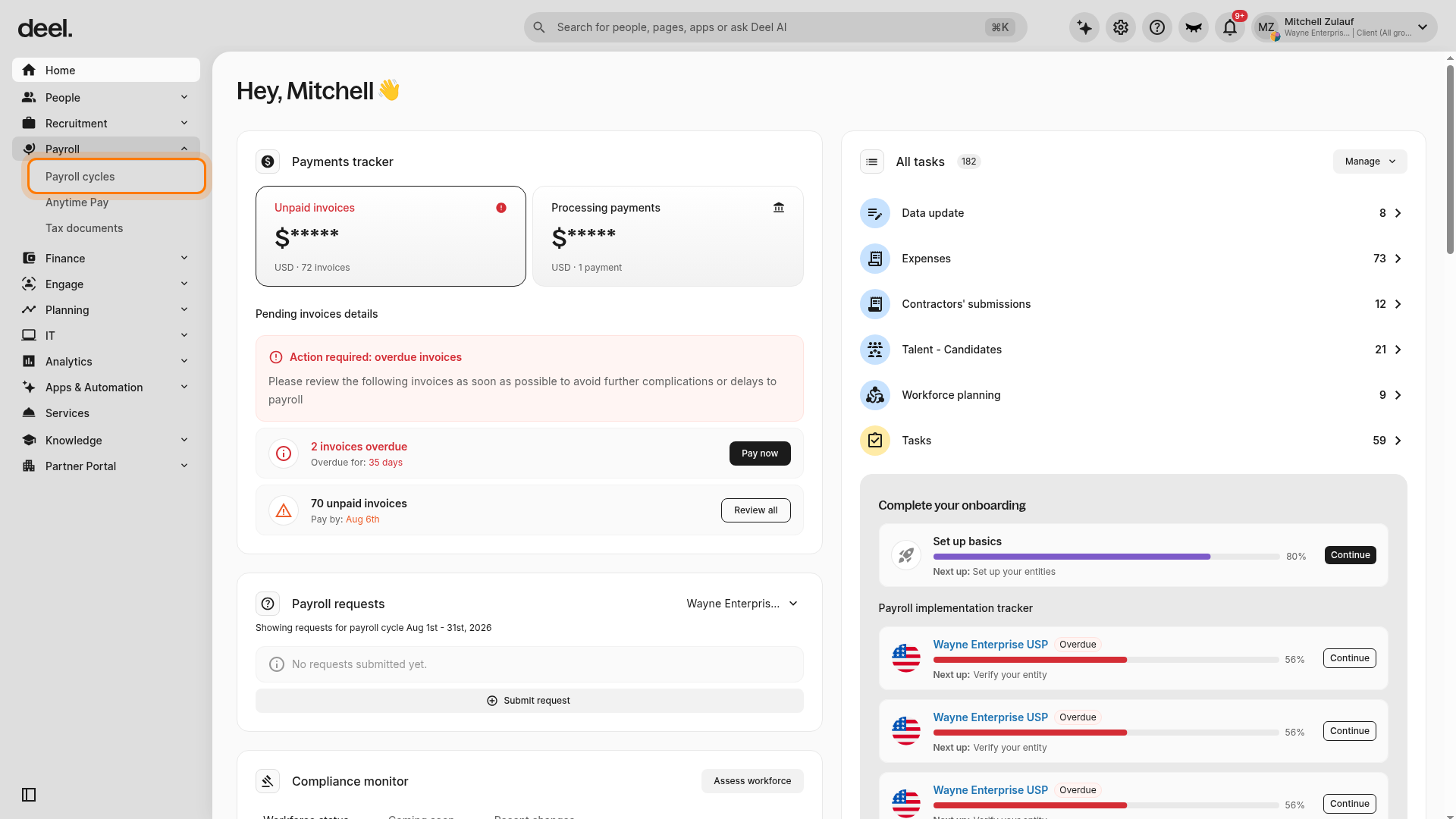
Under the expanded Payroll section, select Payroll cycles.
Step 2 - Select the active cycle
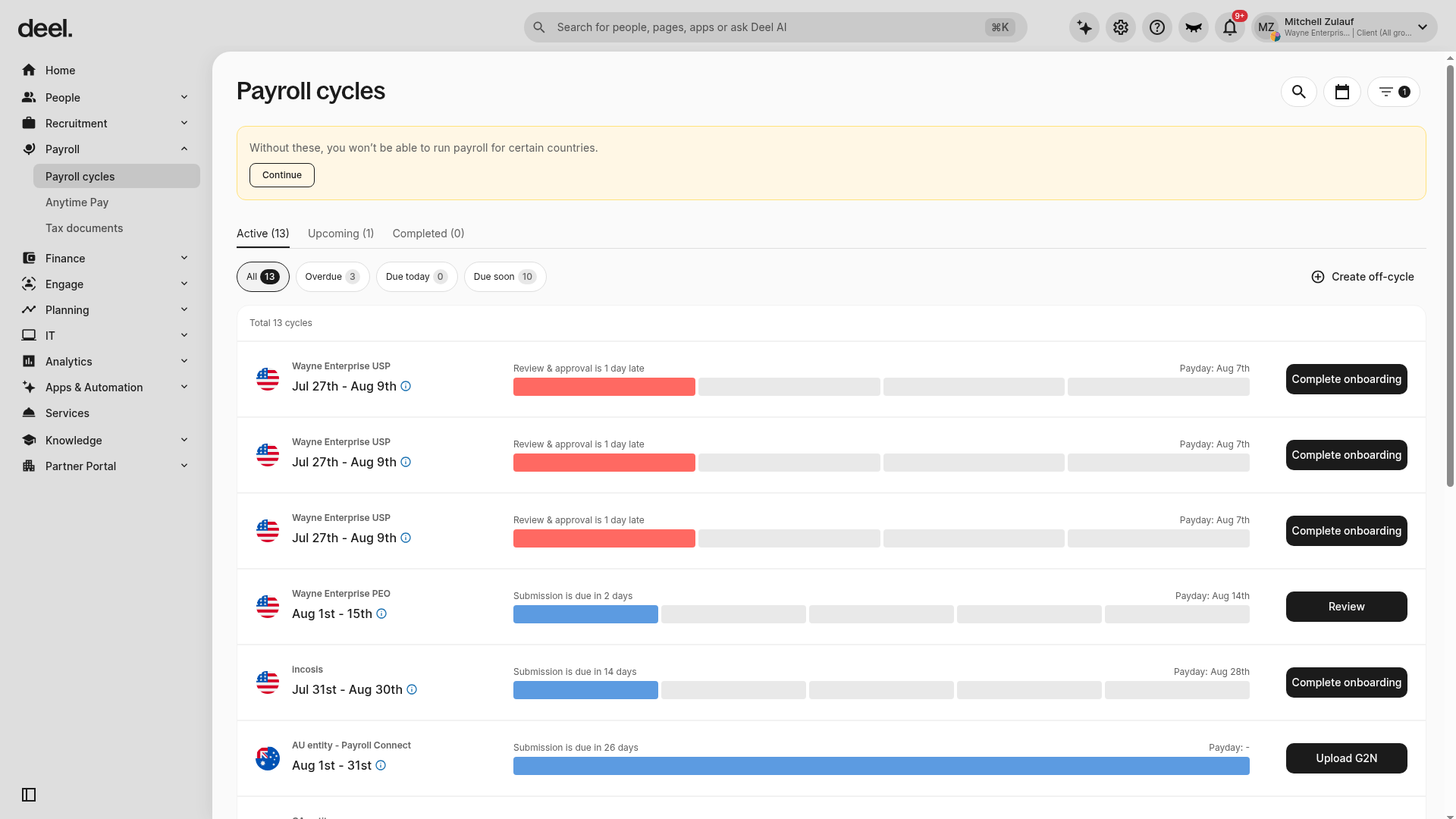
Confirm that the Active tab is selected, then locate the entity and pay cycle you want to work with. Select its cycle dates to open the cycle details page.
Step 3 - Click the Payroll Support button
On the cycle details page, select Payroll Support.
You can review the status of submitted support requests, or open up a new payroll ticket for Deel to review.
Step 4 - Click New Request
Please use this option to request assistance on payroll cycle issues only.
Select New request, then select the payroll cycle step that your issue is related to from the dropdown menu.
There are six options to choose from:
- Payroll submission - You can only report issues before submitting
- Payroll package 1
- Payroll payment
- Payroll item request
- General ledger inquiries - use this option to report issues on the received general ledger
- General inquiries - please see How To Contact Deel For Customer Support
Add the employees that are relevant to your request, or toggle All employees are affected.
If you have a query about payroll report submission, details should be sent before payroll is submitted for processing.
If an issue is created after the cut-off date, changes will be processed on the subsequent pay cycle or as an off-cycle.
Step 5 - Complete all fields and click submit
Please add as much detail as possible and upload supporting documentation that will help our team investigate.