
Equity tax events are specific moments when equity compensation becomes subject to taxation. Such events are RSU vestings, token releases, option exercises, and more. This article explains how clients can submit these events in the Deel platform.
Who Can Use This Feature
Employer of Record (EOR) clients
EOR clients can submit equity tax events directly in Deel for payroll processing.
Professional Employer Organization (PEO) clients
PEO clients can now submit equity tax simulation requests directly in the Deel platform, replacing the previous manual, email-based process.
How to Submit an Equity Tax Event or Simulation
✅ Step 1 - Go to the Equity tab
In the left sidebar, expand People by selecting its chevron. Then select Equity to open the Equity and token page.
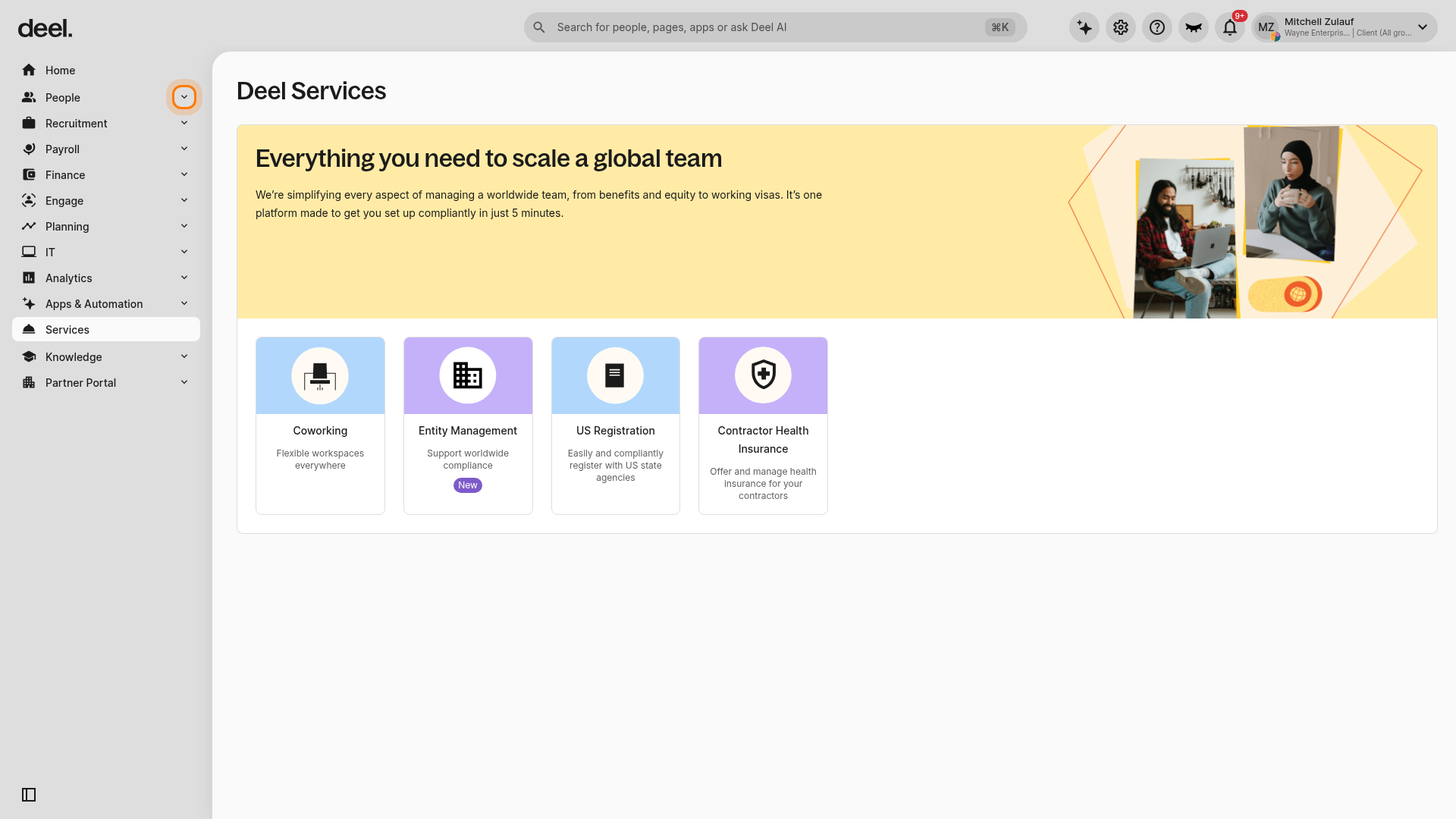
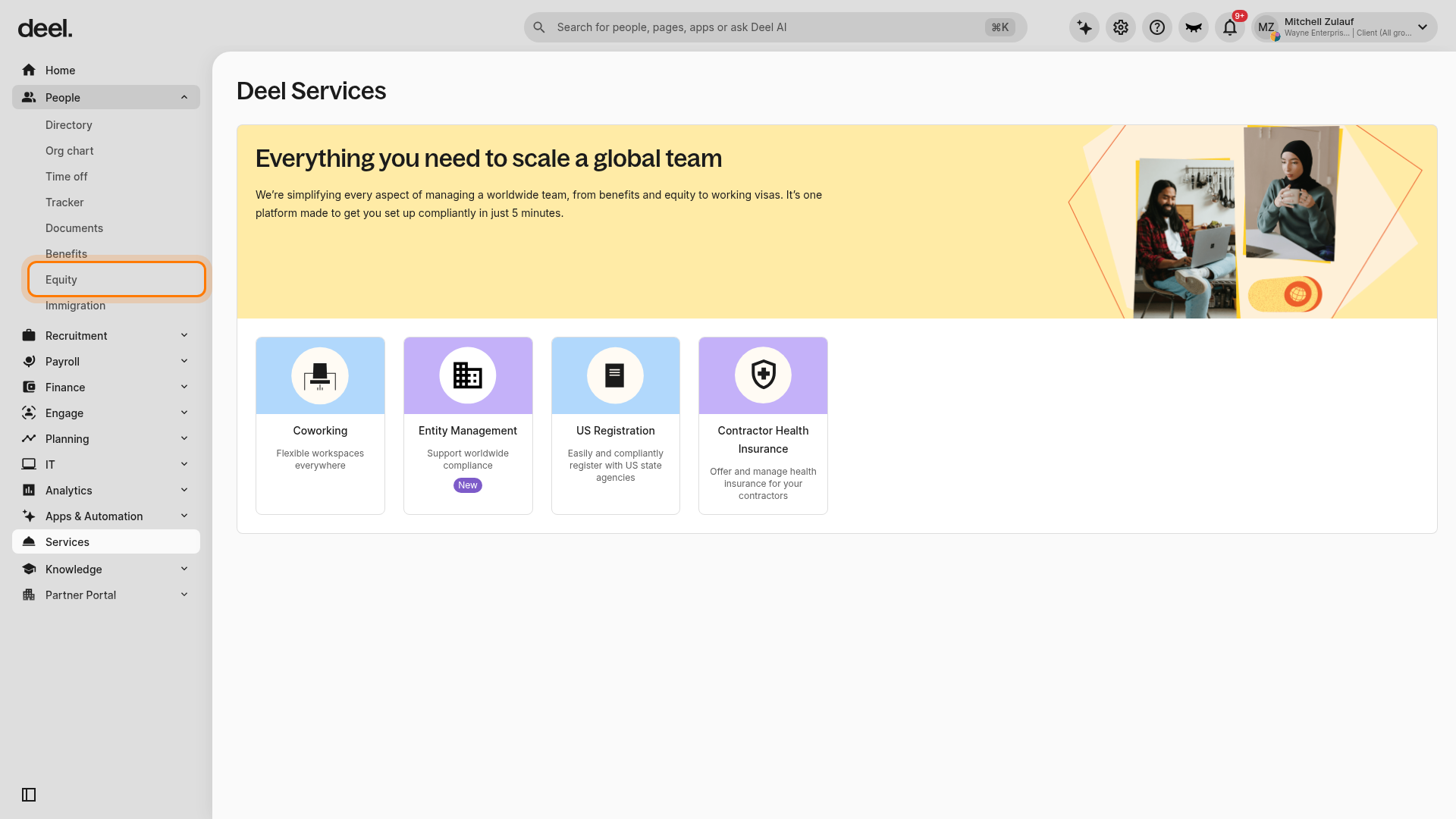
Note: Equity may not be displayed as a card on the Deel Services page. Use the People submenu in the left sidebar rather than the global search field.
✅ Step 2 - Select the Equity Tax Events tab
On the Equity and token page, select the Equity tax events tab and wait for the tax-event workspace to load.
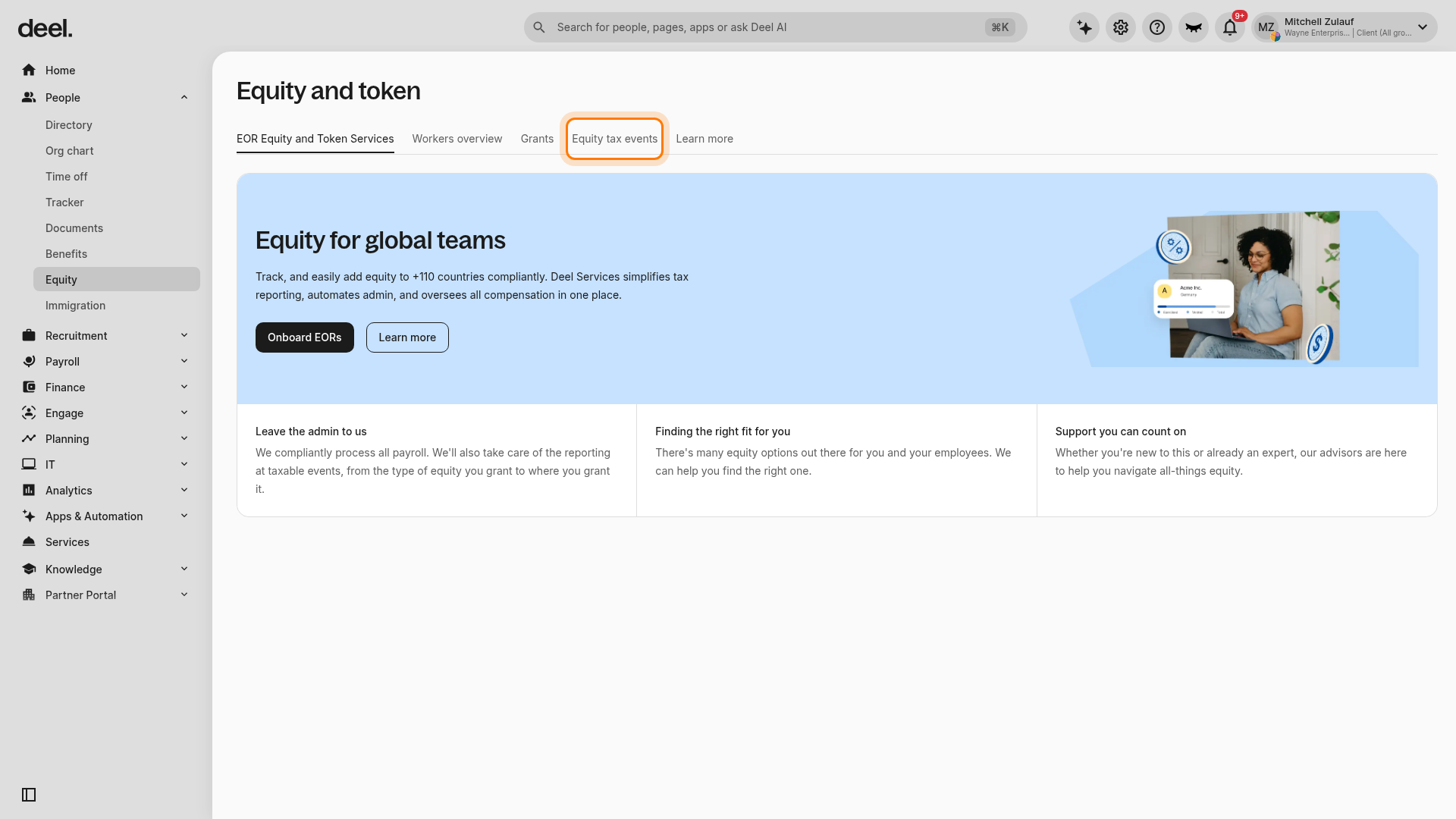
✅ Step 3 - Choose the appropriate action
Depending on your worker type, select one of the following options:
Submit tax events in the upper-right corner (EOR clients)
Request simulation (PEO clients)
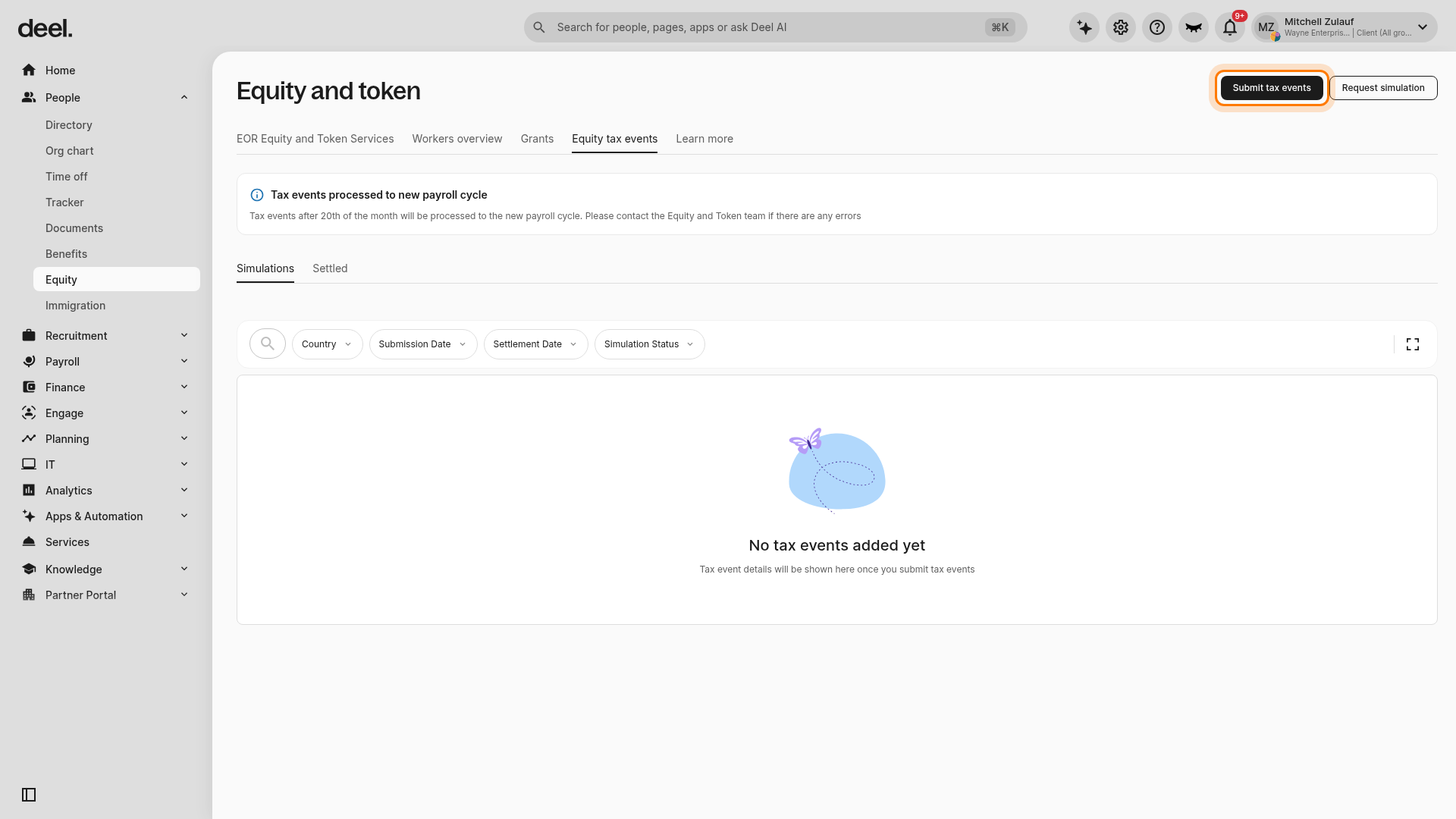
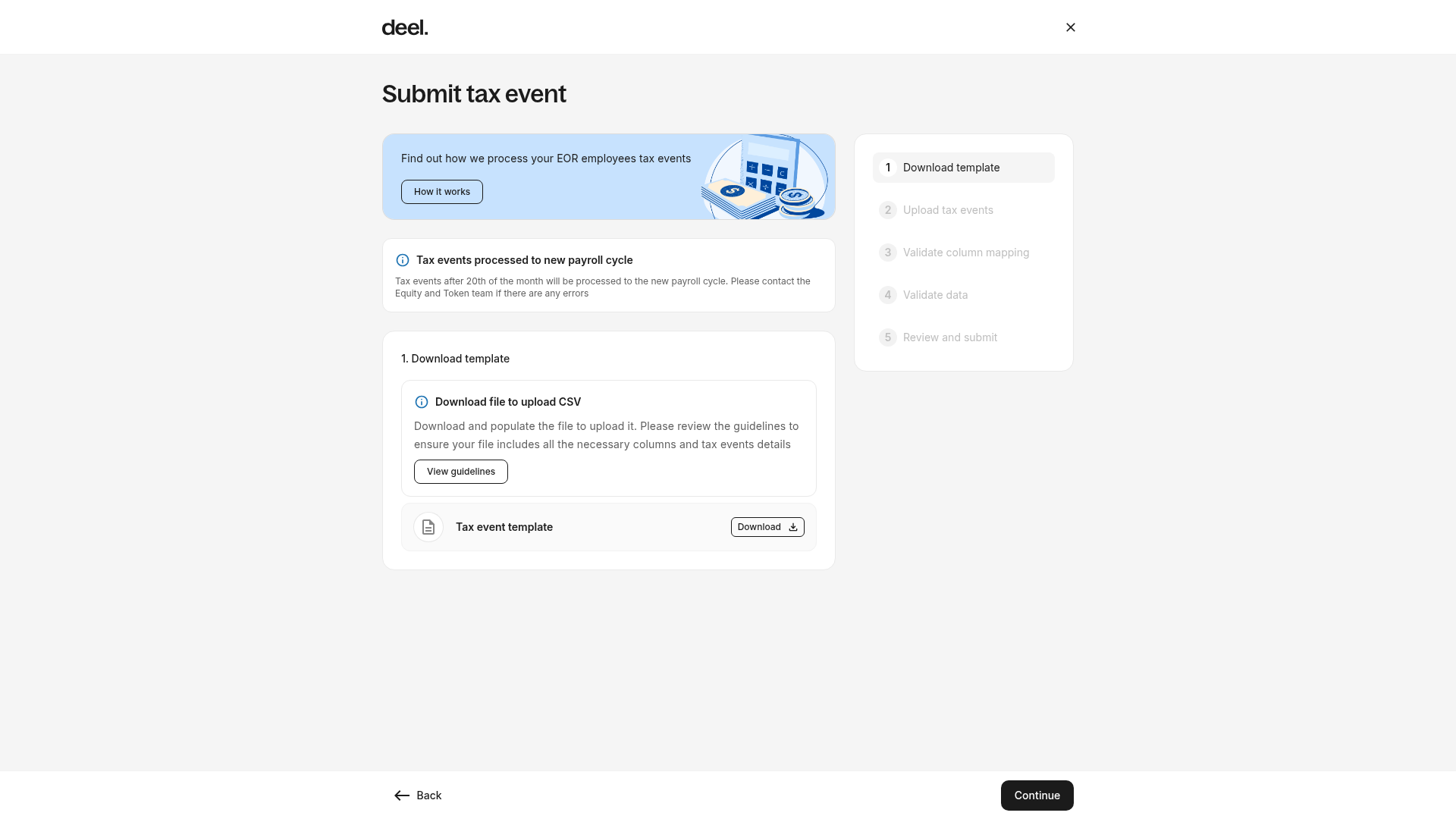
For EOR clients, the Submit tax event workflow opens. It includes the following steps: Download template, Upload tax events, Validate column mapping, Validate data, and Review and submit.
✅ Step 4 - Download and complete the CSV template
At 1. Download template, select Download next to Tax event template. Complete the downloaded CSV file before continuing.
You can select the workers to include before downloading the file.
To avoid errors, click View guidelines to review instructions on how to complete the file correctly.
✅ Step 5 - Upload the completed CSV file
Continue to 2. Upload tax events and upload the completed CSV file. Ensure the CSV includes all required fields, such as:
Country
Taxable gain or loss
Plan currency
Quantity exercised or released (if applicable)
Exercise price (if applicable)
Method of tax coverage (for EOR events)
Supporting documents (optional)
For EOR equity tax events, clients can upload supporting documentation, including:
409A or equivalent valuation reports
Exercise or release statements
Reports from equity administration tools
Any documentation confirming fair market value (FMV)
Supported formats: PDF, XLSX, PNG, JPG, DOCX
Maximum file size: 10 MB
✅ Step 6 - Validate data and submit
Complete 3. Validate column mapping and 4. Validate data. Review and correct any errors highlighted by the system, then click Continue. At 5. Review and submit, confirm the information and submit the tax events.
After Submission: What Happens Next
For EOR tax events
Deel processes the equity tax event
The event status updates to Processed
The adjustment is reflected in payroll
For PEO simulation requests
The request is assigned a unique ID
Status updates to Submitted
The PEO Payroll team reviews and completes the simulation
Results are uploaded directly in the platform
Clients are notified when results are ready
A full audit trail (timestamps, status changes, attachments) is available in the request details
Once reviewed, clients can proceed with payroll adjustments based on the simulation results.