
This article walks you through how to submit meal and rest breaks using Async and Time Tracker, understand real-time guidance, and respond to non-compliance alerts if they appear.
In this article
Submit breaks in Shift (single and multiple shifts)
Understand non-compliance alerts
Before you start
Your break requirements depend on your location and assigned policy.
-
Policies define:
Required break types
Minimum durations
When breaks must be taken
How to Submit Breaks in Shift
Single- shift submission
Step 1 - Navigate to the Time Tracking Section
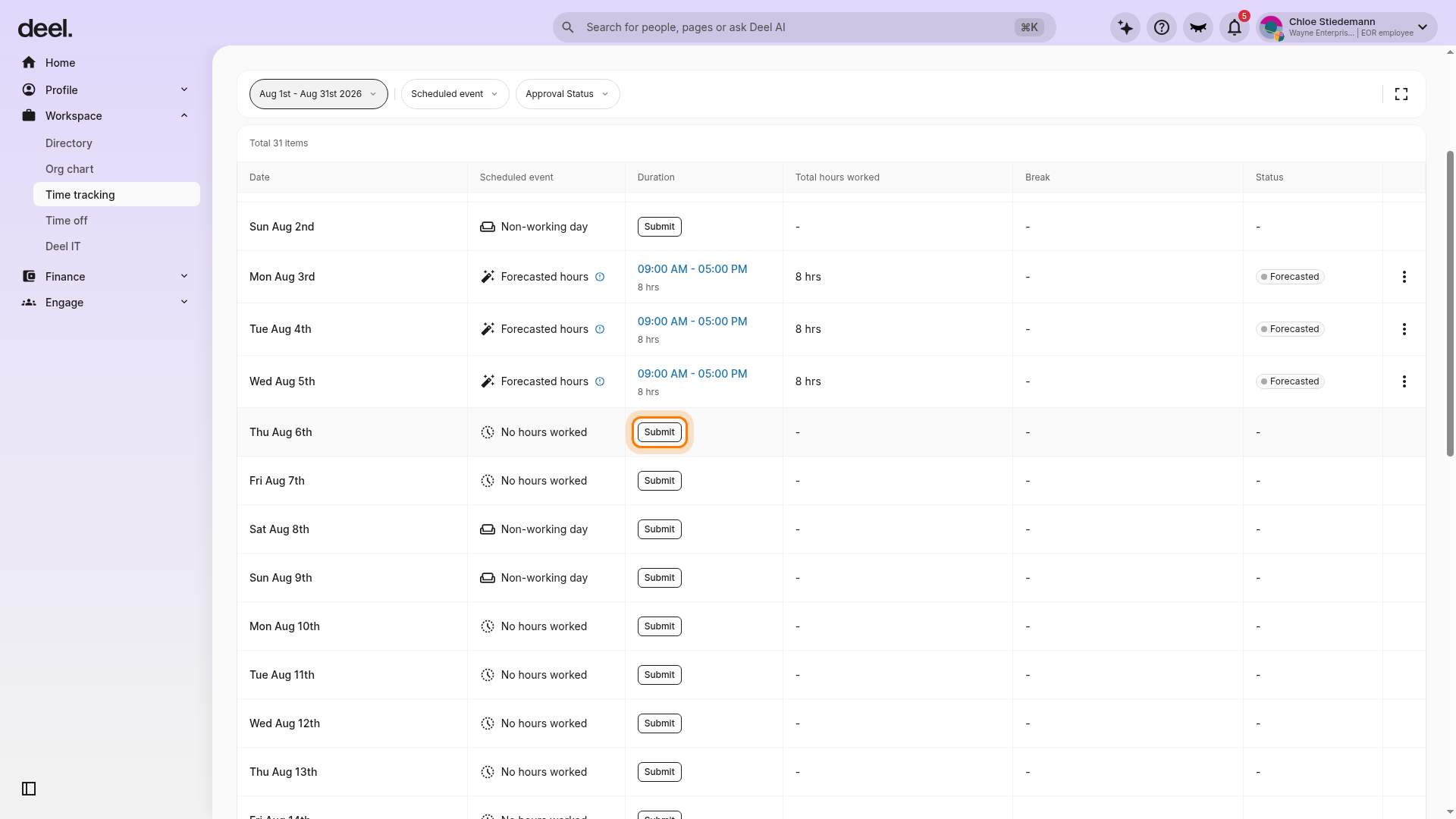
In the left sidebar, select Workspace to expand the section, then select Time tracking. Find the date you want to submit and select Submit in that date's Duration column. Use the per-date Submit button rather than the Submit hours control at the top of the page.
Step 2 - Click on the Submit Shift button
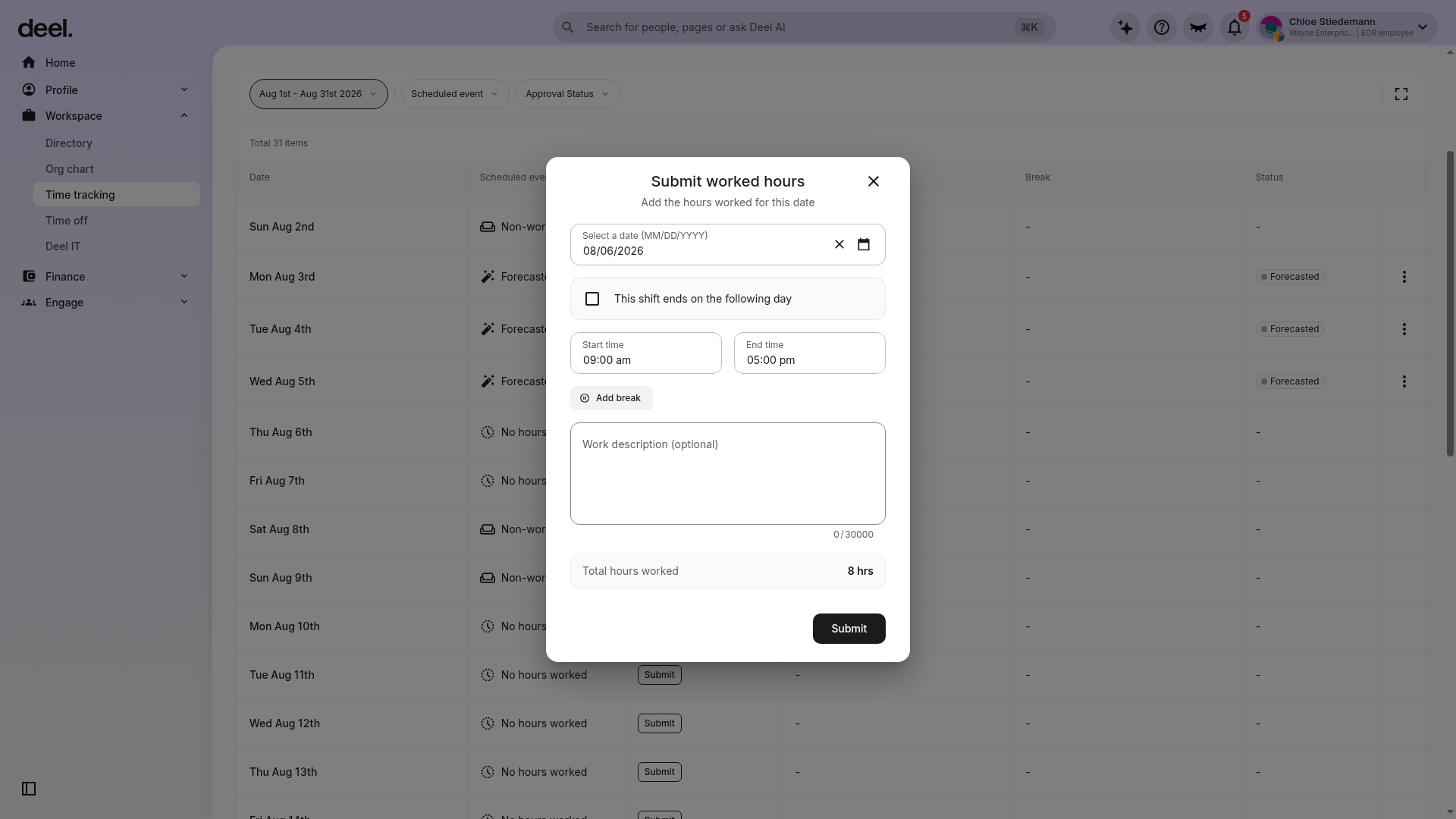
The form previously called Submit Shift is now called Submit worked hours. Enter the start and end times, then select Add break to add your meal or rest break details. You can also add an optional work description.
Review any guidance or alerts, adjust the break details if needed, and select Submit.
Tip: A date with forecasted hours or an existing time range may not display a Submit button. Check other dates in the current pay period or contact your HR team or org admin if you cannot submit the date you need.
Multiple-shift submission
Step 1 - Navigate to the Time Tracking Section
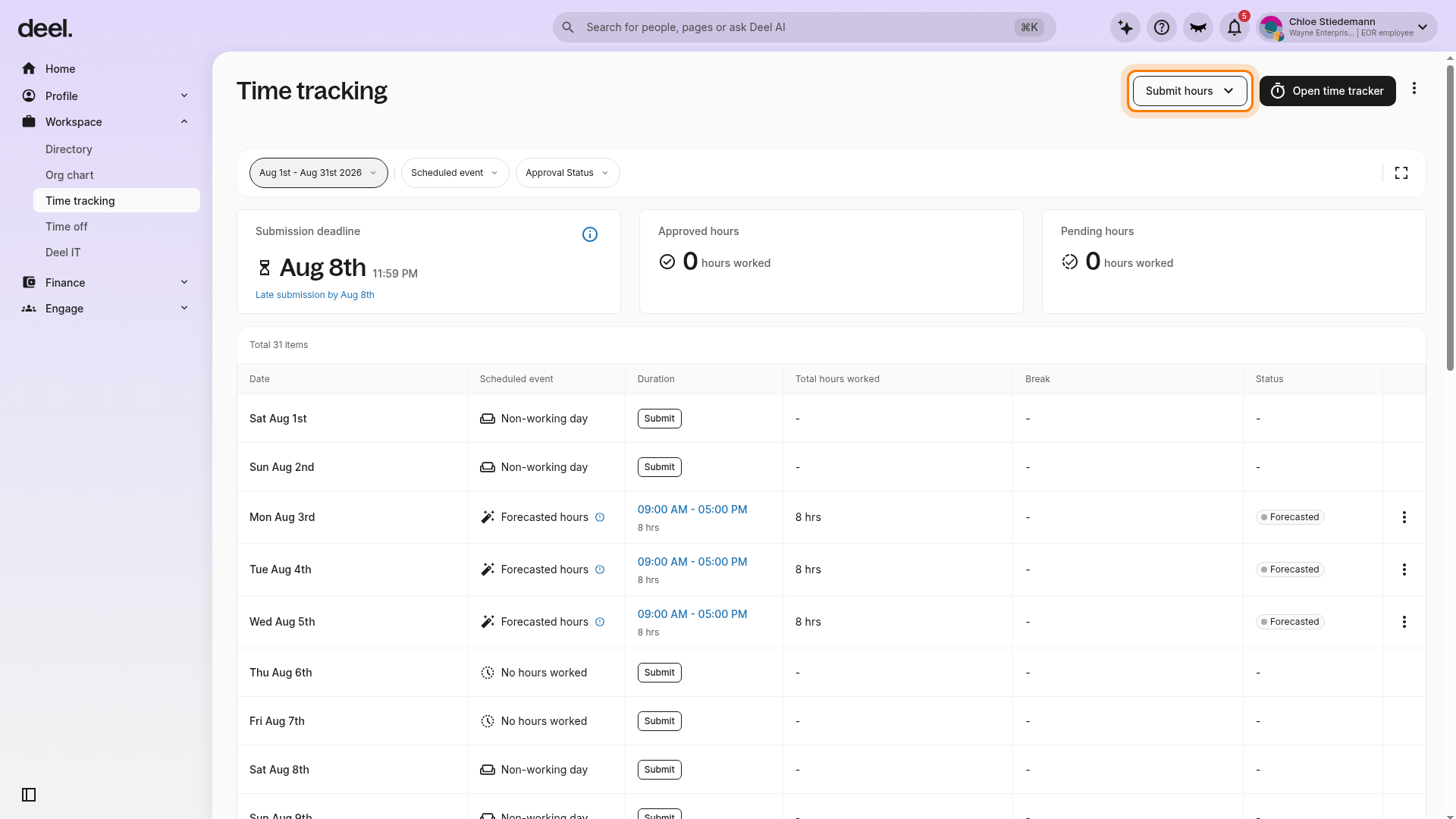
In the left sidebar, select Workspace to expand the section, then select Time tracking. Select Submit hours in the upper-right corner of the page.
Step 2 - Click on the Submit Multiple Shifts button
From the menu, select Submit multiple shifts.
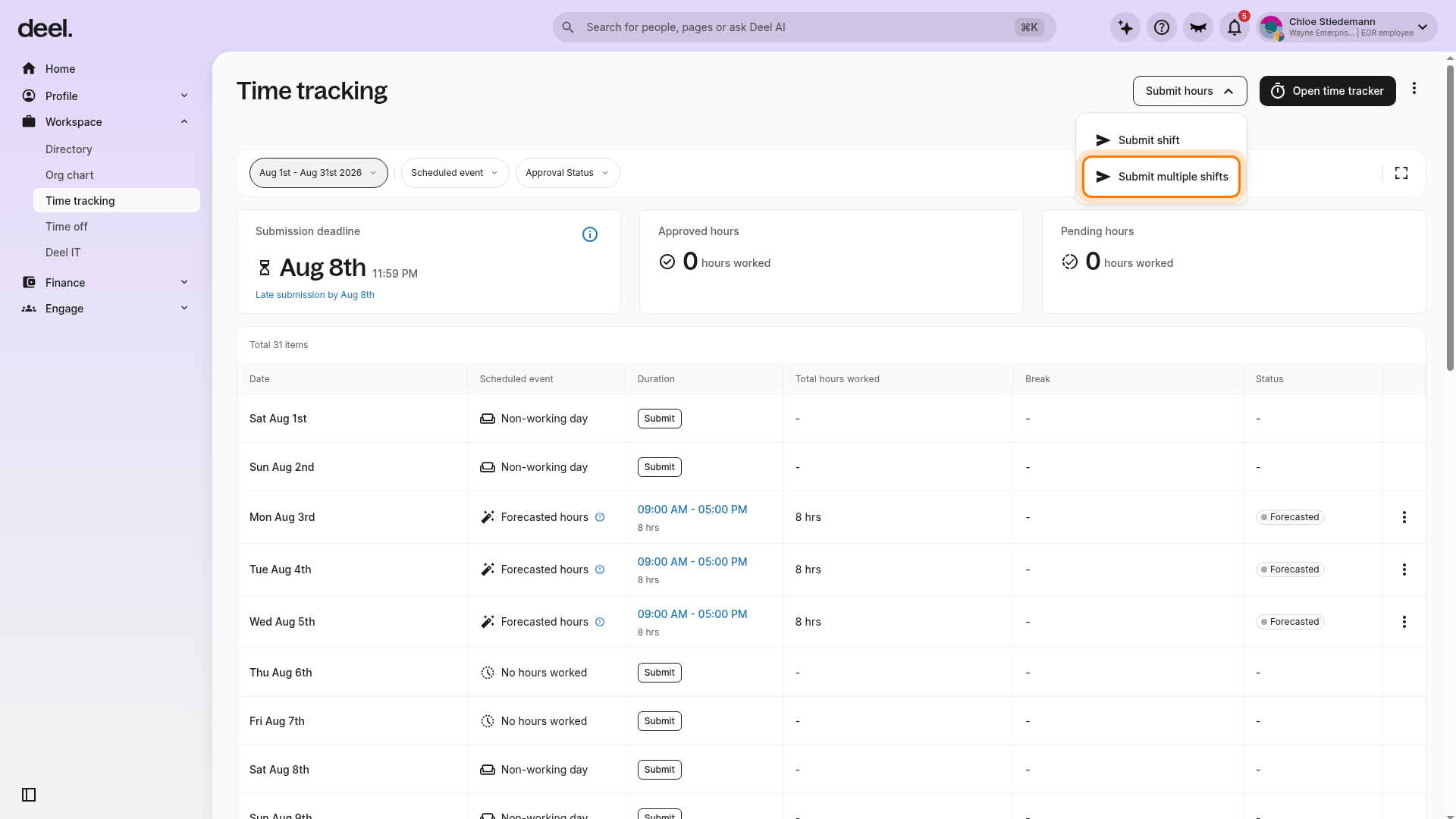
In the Submit multiple shifts form, select the days to submit, enter the start and end times in Work shifts details, and select Add break to add break details for the selected shifts.
Continue to review the entries, resolve any alerts, and submit.
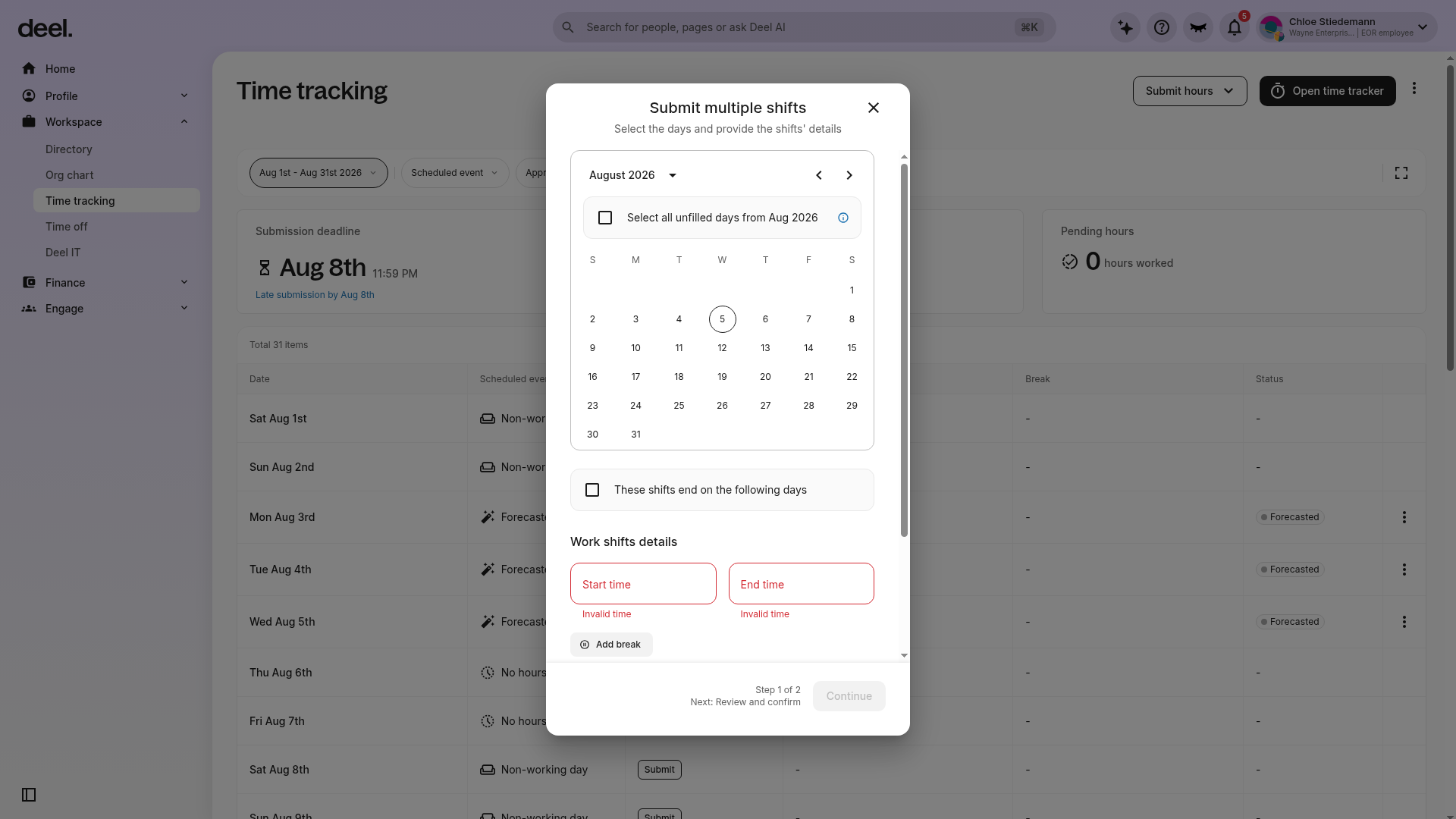
What to expect
The system suggests compliant breaks.
Non-compliant entries are flagged with guidance before submission.
How to Submit Breaks in Time Tracker
Step 1 - Navigate to the Time Tracking Section
In the left sidebar, select Workspace to expand the section, then select Time tracking. Confirm that the Time tracking page is open. It includes an Open time tracker button, a Submit hours control, hour-summary cards, and a time-entry table showing dates, durations, breaks, and statuses.
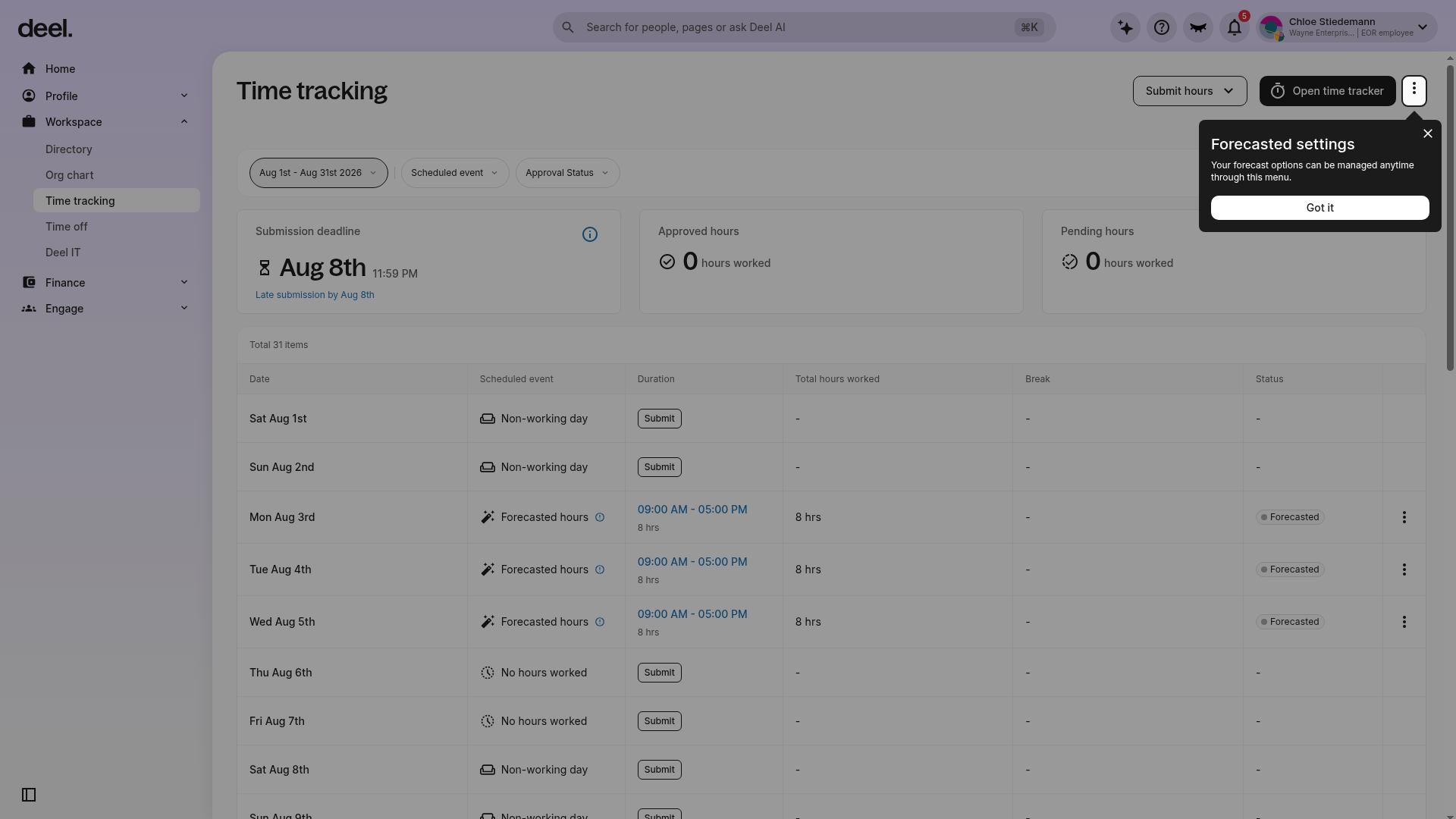
Step 2 - Open Time Tracker
Select Open time tracker, then start and end your shift. Add breaks when prompted or select Add break.
Review any alerts and submit the entry for approval.
Understand non-compliance alerts
You may see alerts if a required break is missing, a break is too short, a break is taken too early or too late, or the number of breaks does not match your shift length. Alerts explain what needs to be corrected before submission.
Frequently Asked Questions
[ACCORDION] Why am I seeing break suggestions?
Suggestions help you meet local labor requirements based on your assigned policy.
[ACCORDION] Can I submit a shift with a non-compliant break?
Yes, but it may require manager review or edits before approval.
[ACCORDION] Will this affect my pay?
In some regions, missing required breaks may result in payroll adjustments or penalties, depending on local law.