
Time tracking email reminders help ensure hours are submitted and approved on time. By default, these reminders follow a fixed schedule.
With configurable reminder settings, clients can now control when reminder emails are sent to Workers and Approvers to better align with internal workflows and compliance needs.
In this article
How time tracking email reminders work
How to set email reminders for Workers and Approvers
How time tracking email reminders work
Time tracking reminder emails notify:
Workers to submit their timesheet
Approvers to review and approve the submitted timesheets
You can configure reminders separately for each role from Time Tracking → General Settings, allowing different reminder behavior for submissions and approvals.
For each role, clients can:
Enable or disable email reminders (subject to compliance rules)
Choose when reminders are sent, between 1 and 7 days before the applicable cutoff date
Default reminder behavior
To ensure continuity for existing customers:
Email reminders are enabled by default for both Workers and Approvers
Reminders are sent 1 day before the submission or approval cutoff date
In mandatory time-tracking markets, Worker reminders are enforced and cannot be disabled to maintain compliance.
How to set email reminders for Workers and Approvers
Step 1: Open Time Tracking settings
- Open Organization settings.
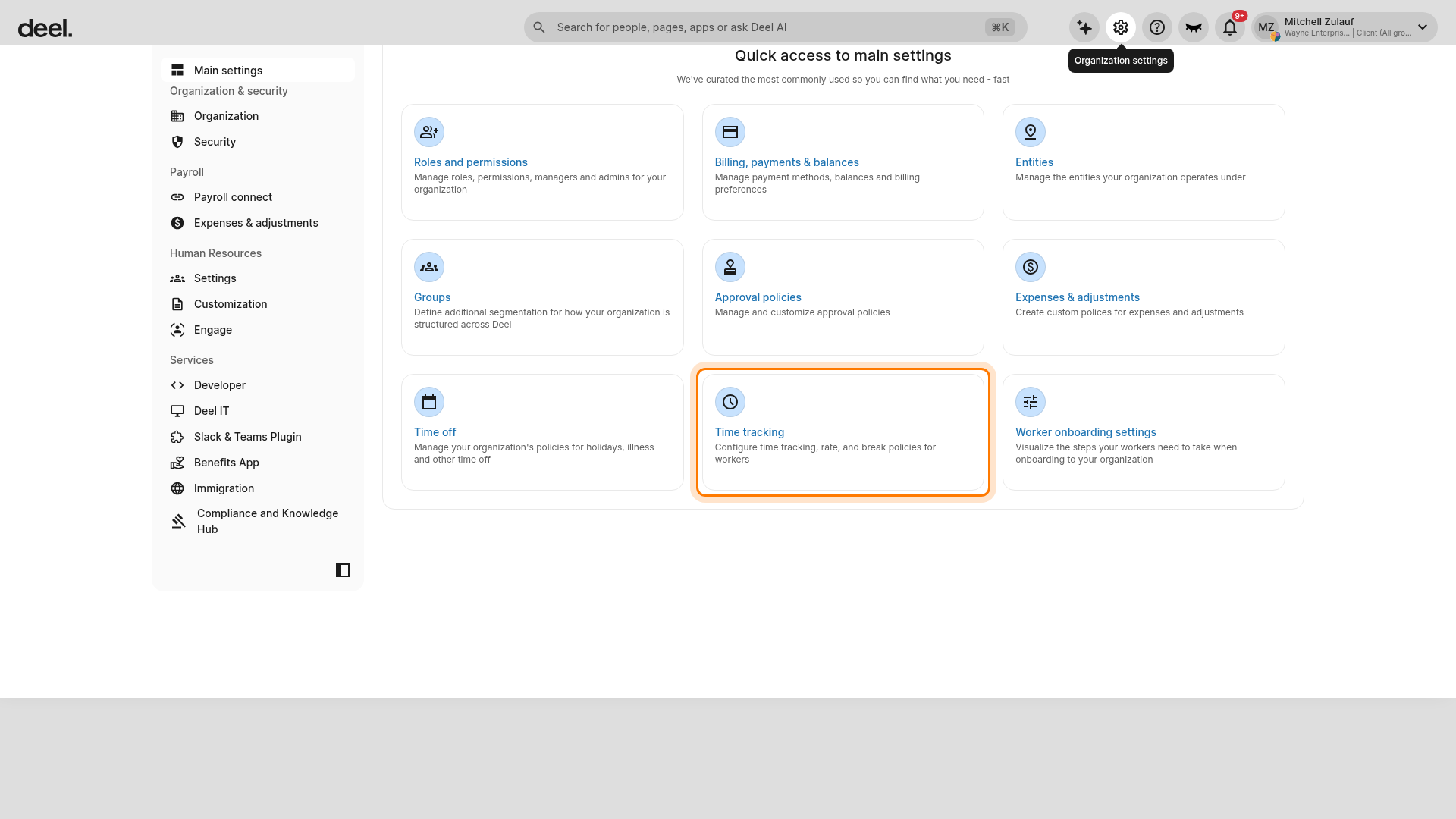
- On the Organization settings page, select the Time tracking card.
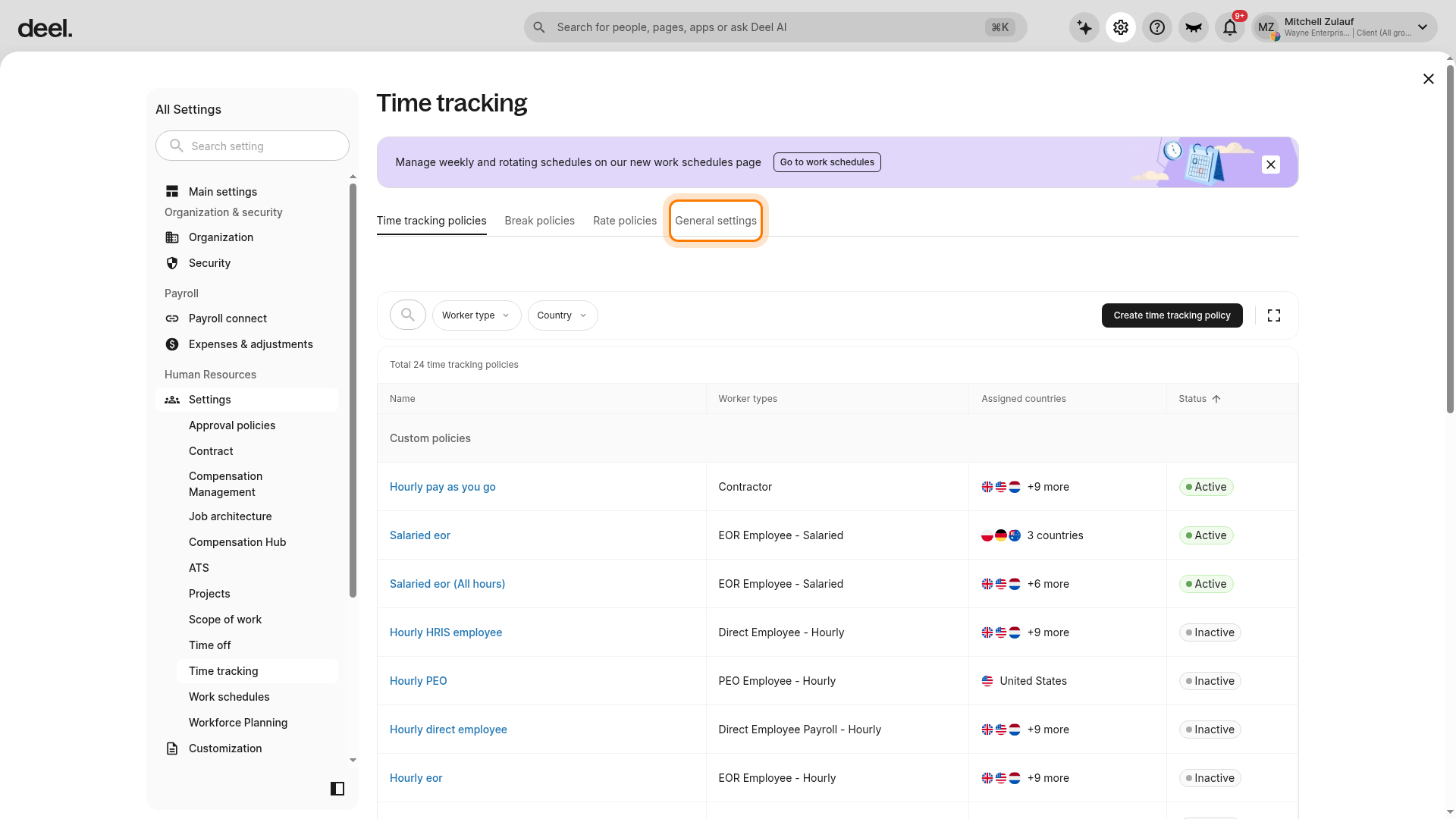
- In the tab row at the top of the Time tracking page, select General settings. Do not select Time tracking policies, Break policies, or Rate policies; these are separate tabs.
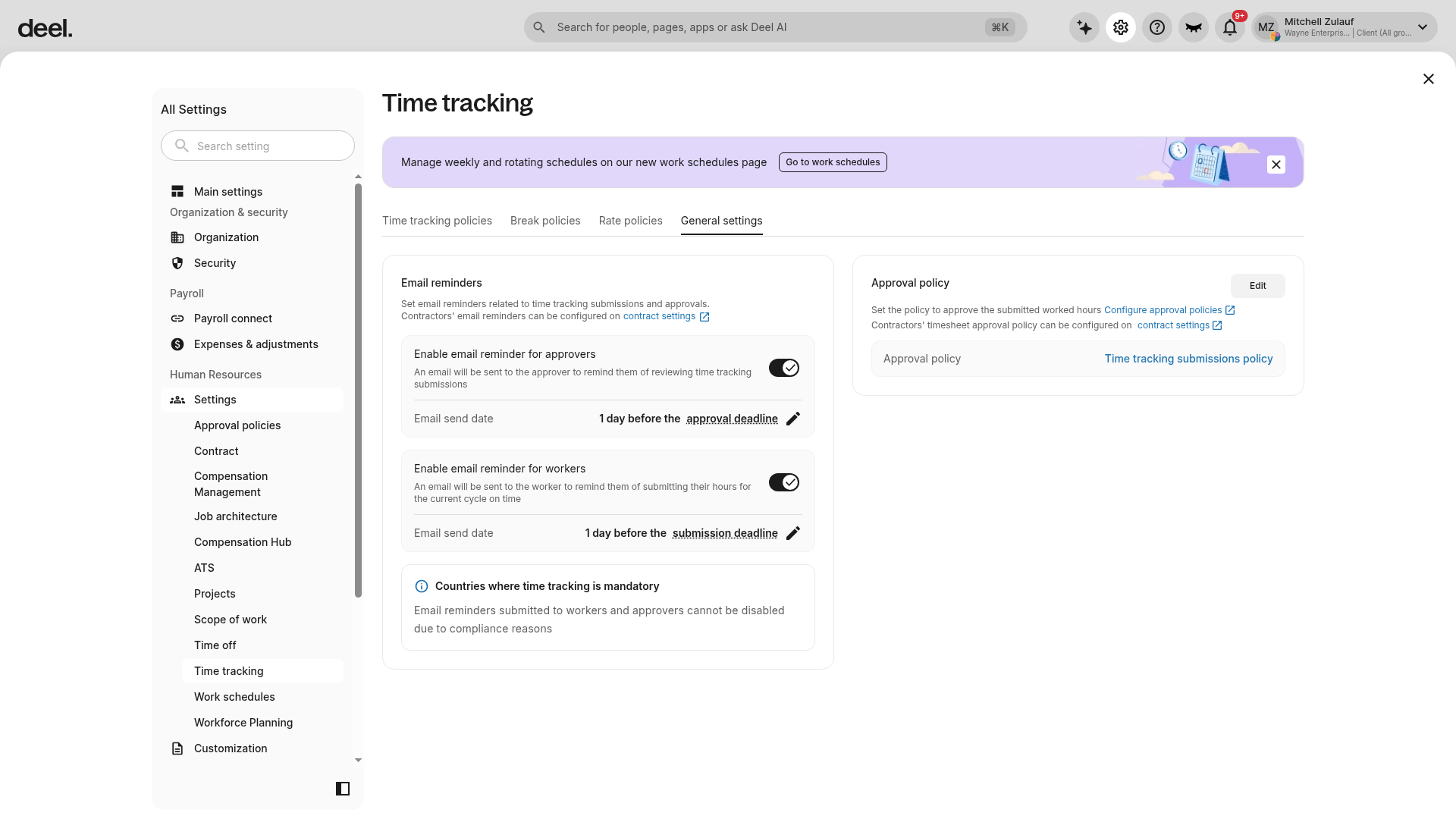
The General settings tab is active when it is underlined and the page displays Email reminders, Approval policy, and information about countries where time tracking is mandatory.
Step 2: Configure email reminders
- In General settings, scroll to the Email reminders section.
- Configure reminders separately for Approvers and Workers:
- Turn the email reminder on or off, where permitted.
- Set the reminder timing to between 1 and 7 days before the applicable approval or submission deadline.
Note: Changes apply to future time tracking cycles only. By default, reminders are enabled for both Workers and Approvers and are set to 1 day before the applicable cutoff date.
Caution: In mandatory time-tracking markets, Worker reminders cannot be disabled. The Worker reminder toggle will be unavailable in those markets.
Frequently Asked Questions
[ACCORDION] Can I set different reminder schedules for Workers and Approvers?
Yes. Worker and Approver reminders are configured separately, allowing different enablement and reminder timing for each role.
[ACCORDION] Can I disable time tracking email reminders?
You can disable reminders for Workers or Approvers unless your organization operates in a mandatory time-tracking market, where Worker reminders must remain enabled.