
The Deel Local Payroll integration is designed for users who use Deel HR as their primary HRIS and continue to run local payroll within Deel Local Payroll, powered by Payspace.
With the Integration you can:
Create workers, update information, and push completed payslips from Deel Local Payroll into Deel for employee access.
In this article
- Supported worker types
- Before you begin
- Step 1: Connect the Integration
- Step 2: Map paygroups to entities
- Step 3: Syncing employee data
- Step 4: Accessing payslips
Step 1: Connect the Integration
- In the left sidebar, select Apps & Automation to expand the section, then select App Store.
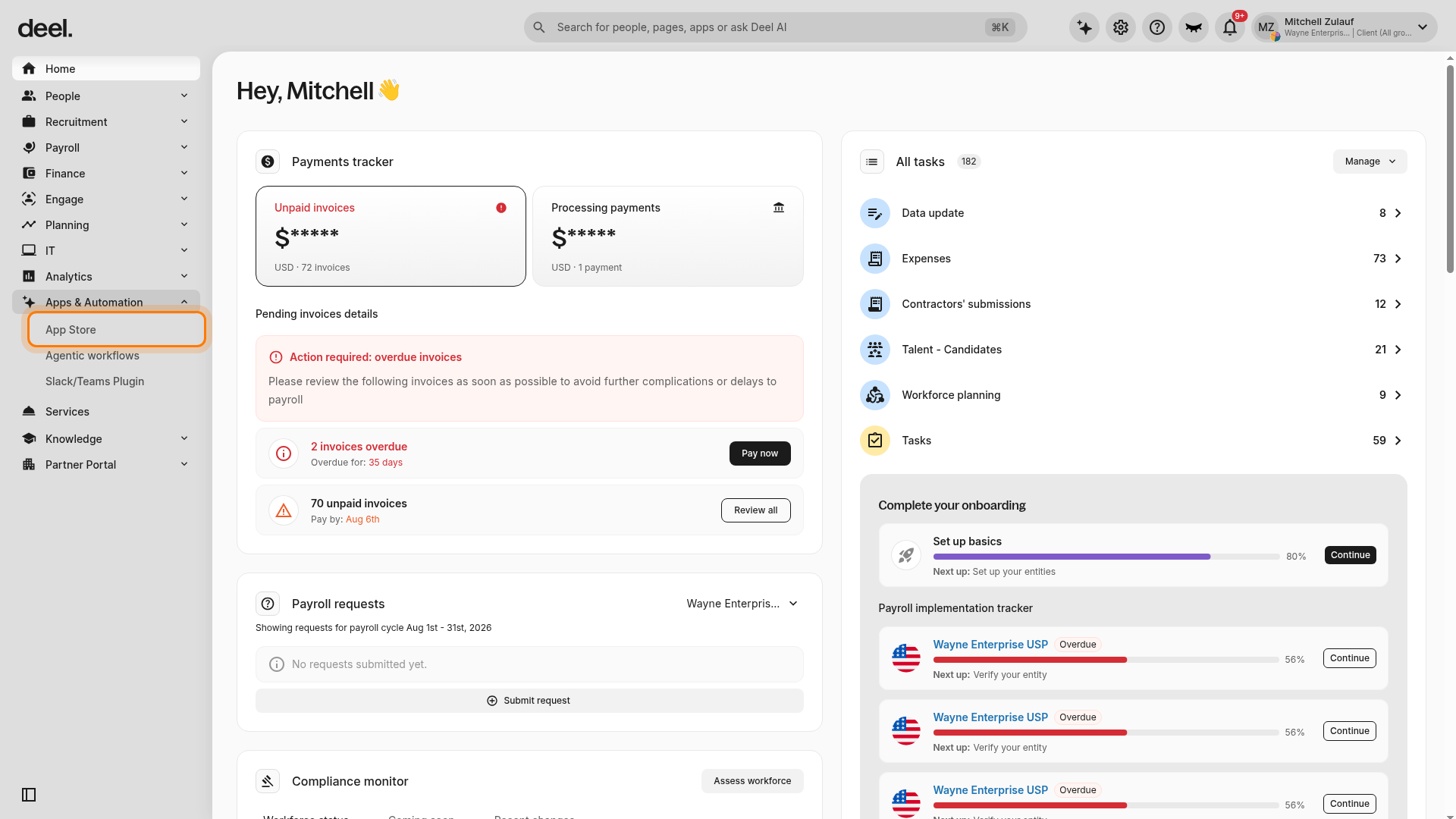
- If the Welcome to your Deel Apps & Integrations dialog appears, select I'll do that later or the X to close it. The dialog can block the app search field.
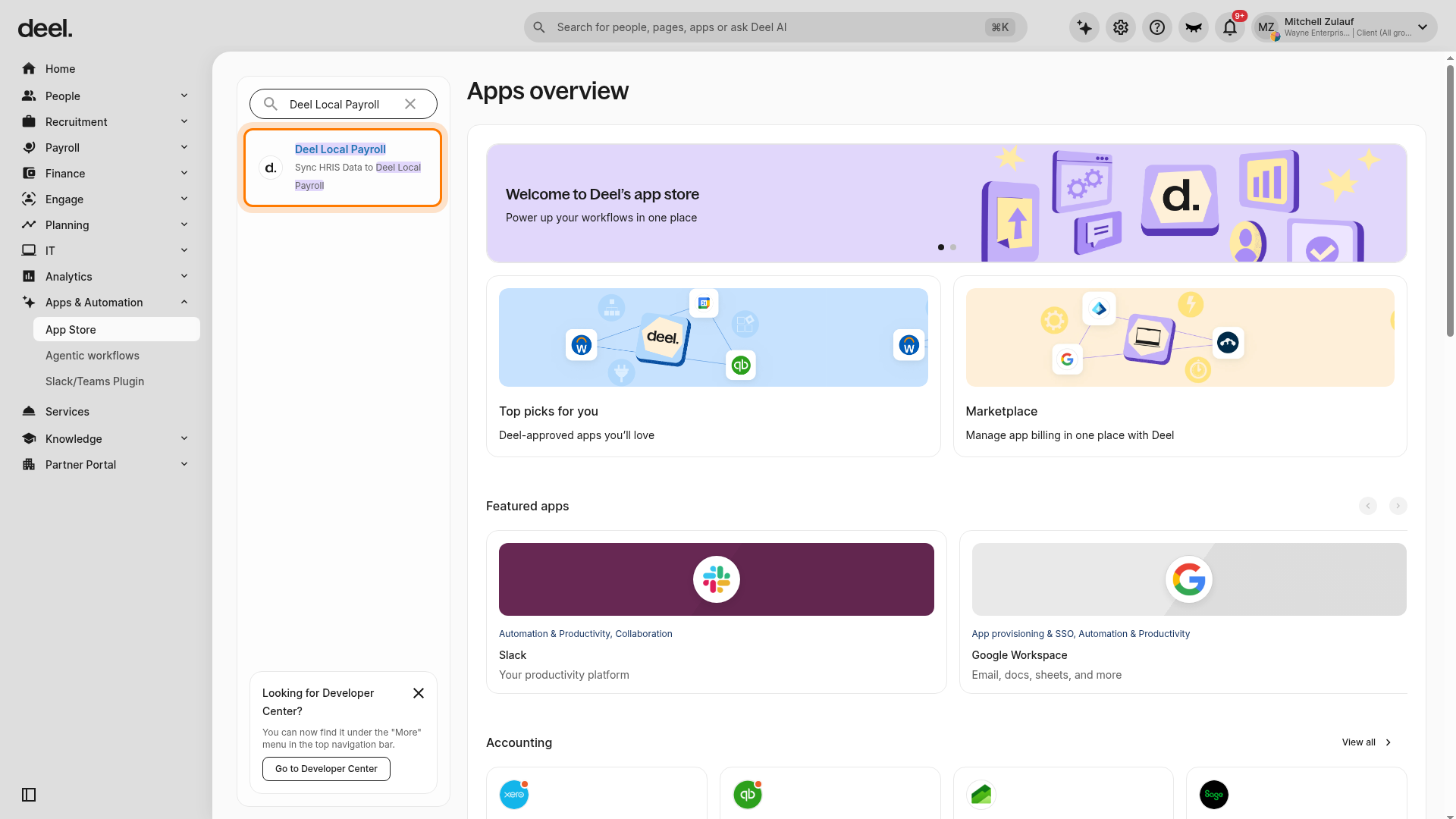
- In the Find apps field, enter Deel Local Payroll. Select the result named Deel Local Payroll, with the description Sync HRIS Data to Deel Local Payroll.
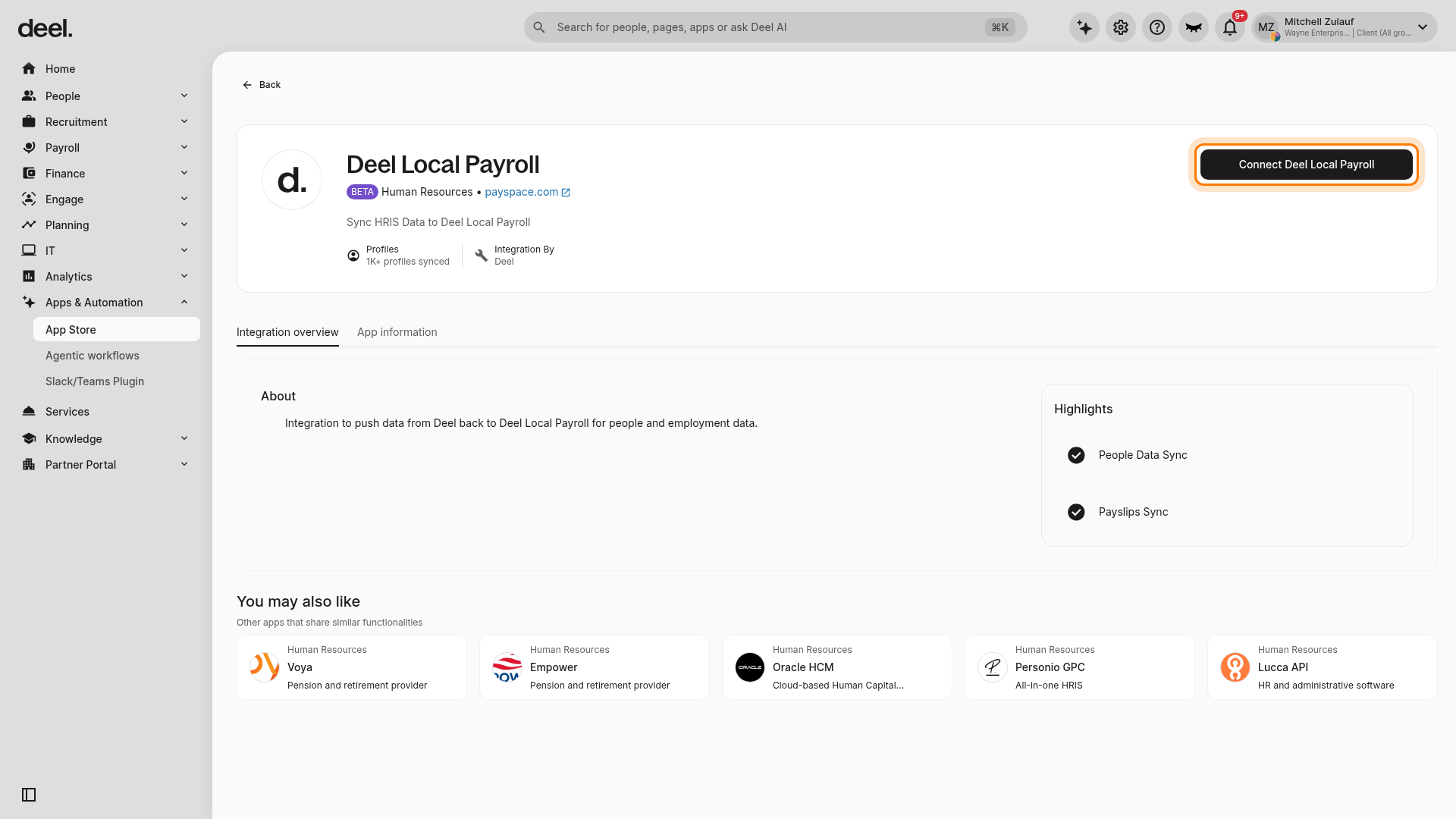
- On the integration details page, confirm the page title is Deel Local Payroll, then select Connect Deel Local Payroll. In some versions, the action that proceeds to setup may be labeled Connect & go to settings.
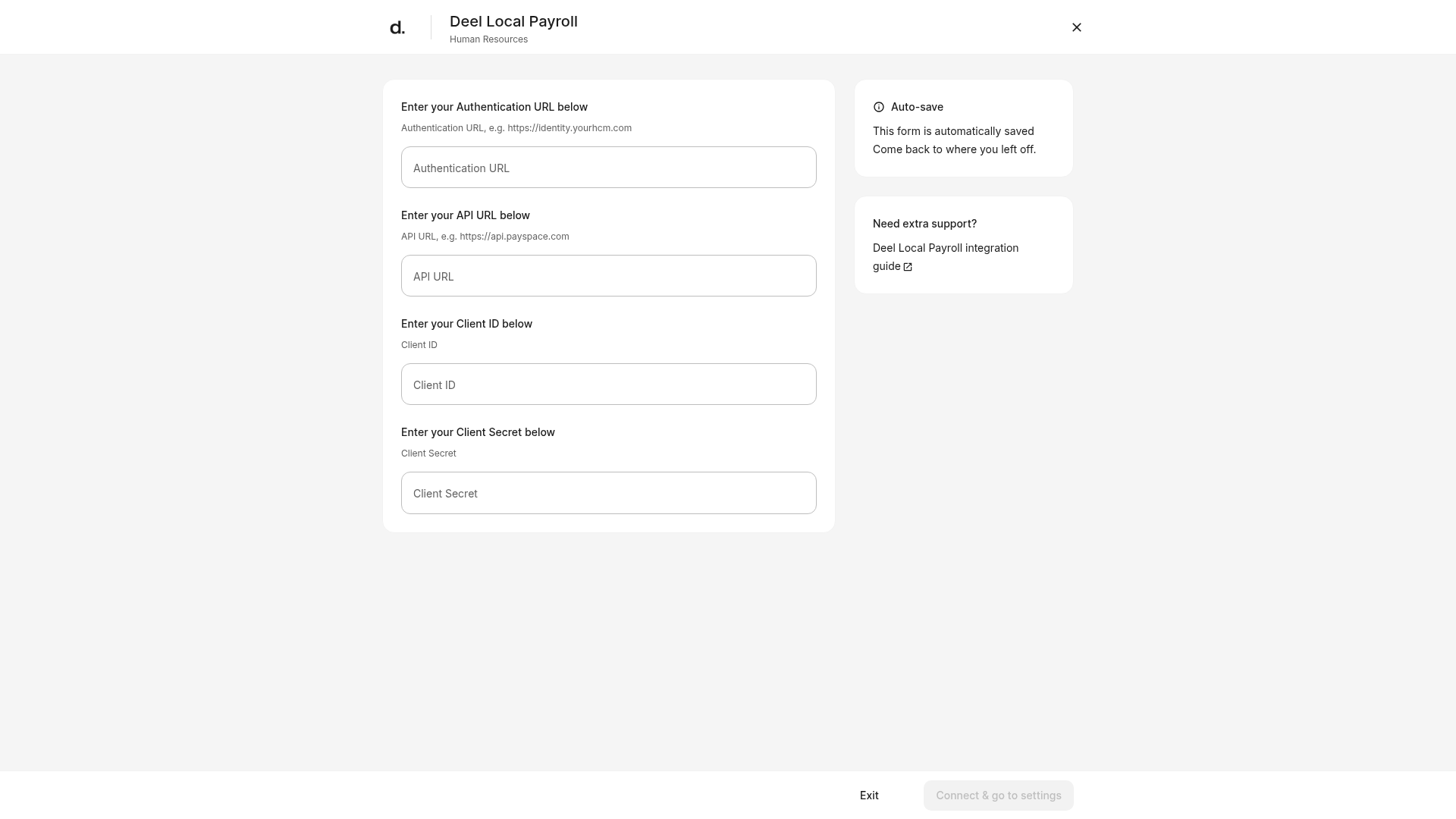
- Enter the values supplied for your organization:
- Authentication URL
- API URL
- Client ID
- Client Secret
- Wait for the connection to complete. Plugins and settings becomes available when the integration is connected.
Step 2: Map paygroups to entities
To ensure data flows to the right place, you must link your Deel Local Payroll groups to your Deel Legal Entities.
Important: Paygroup mapping controls are available only after Deel Local Payroll is connected with valid credentials.
- Open the connected Deel Local Payroll integration and select Plugins and settings.
- Select User provisioning and sync settings.
- Select Enable, then select Add paygroup.
- In the mapping form, select the Deel Local Payroll paygroup and its corresponding Deel Legal Entity. Confirm the intended relationship, then save the mapping. Repeat for each entity you want to sync.
Paygroups can be updated or removed after creation
Step 3: Syncing employee data
Once your integration is set up, updates to an existing worker’s details in Deel sync to Deel Local Payroll automatically. No manual action is required for existing workers.
For new workers, creation in Deel Local Payroll only occurs if they meet these criteria:
- Person Status in Deel: Onboarded or Active
- Uses Deel for HRIS, not payroll - When adding people to Deel, select Direct Employee.
- Worker has a Work Email populated, as Deel Local Payroll requires this for record creation.
Step 4: Accessing payslips
Once payroll is finalized in Deel Local Payroll, manually refresh payslips as follows:
- Open the connected Deel Local Payroll integration from Apps & Automation > App Store. Search for and select Deel Local Payroll if needed.
- Confirm that Plugins and settings is available. If you only see Connect Deel Local Payroll, complete Step 1 first.
- Select Plugins and settings, then select Sync Payslips.
- Wait for the page to acknowledge the request if a status message or loading state appears. Processing time and confirmation wording can vary.
Employees can then view their payslips directly in their Deel profile.