
This article explains how clients can request immigration support through the Deel platform.
Most immigration services start with assessing a prospective employee’s eligibility for a visa in a given country. Deel can help with both long-term visas that include the right to work, as well as short-term visas for business travel.
Before Starting
Before requesting immigration support through Deel, clients must have a Deel account, be a Client Admin, and set up at least one active entity.
For more details on how to do this, please refer to our articles: How to Create a Deel Account as a Client and Adding New Global Payroll Entities and Groups.
How to Request a Visa
In the left sidebar, select People to expand its submenu, then select Immigration.
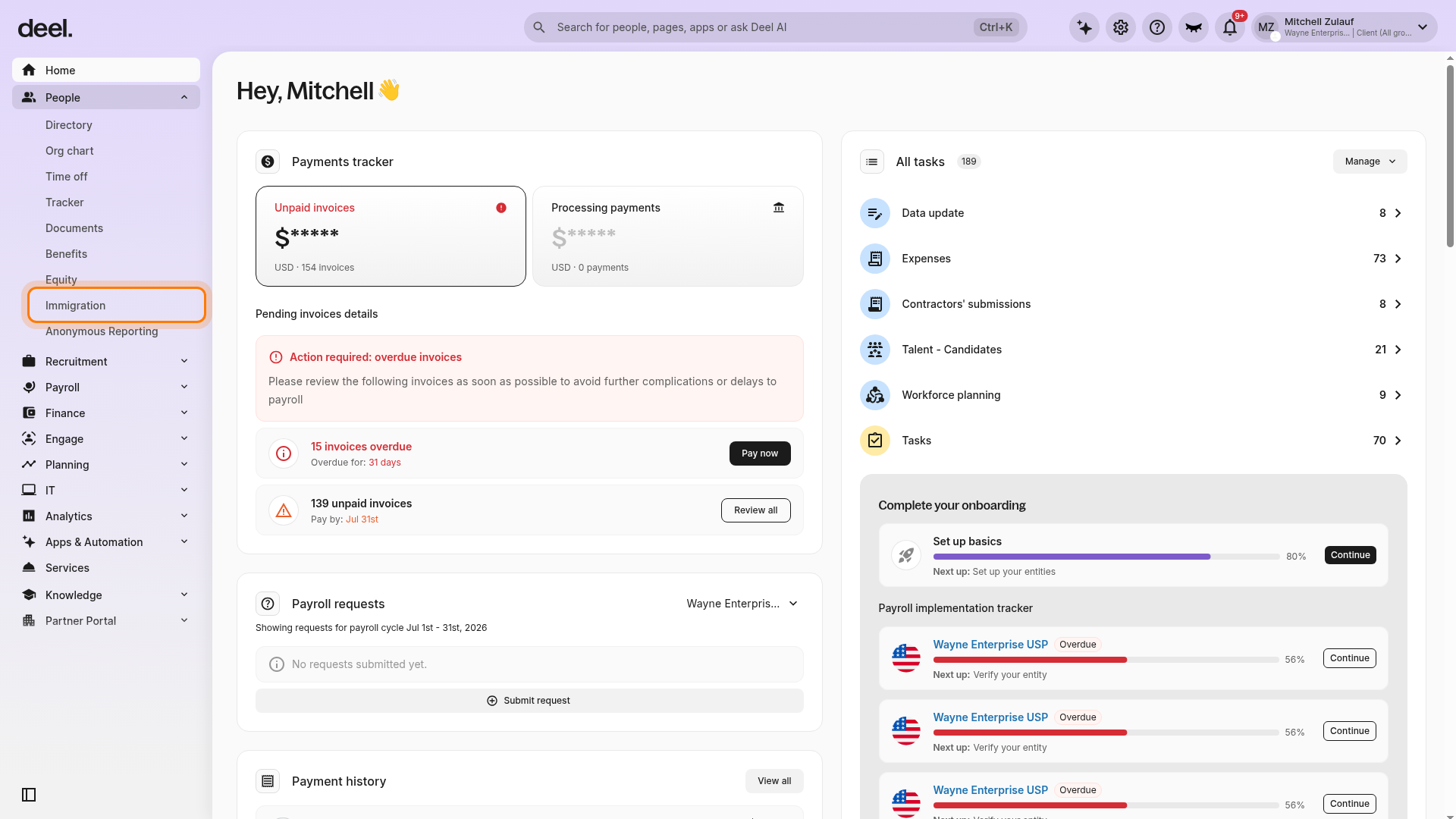
If the Welcome to Deel Immigration! pop-up appears, select the X in its upper-right corner to close it. In Quick access, select Start new visa. Do not select Start new services, which is for separate services such as a Business Visa Letter or Certificate of Coverage.
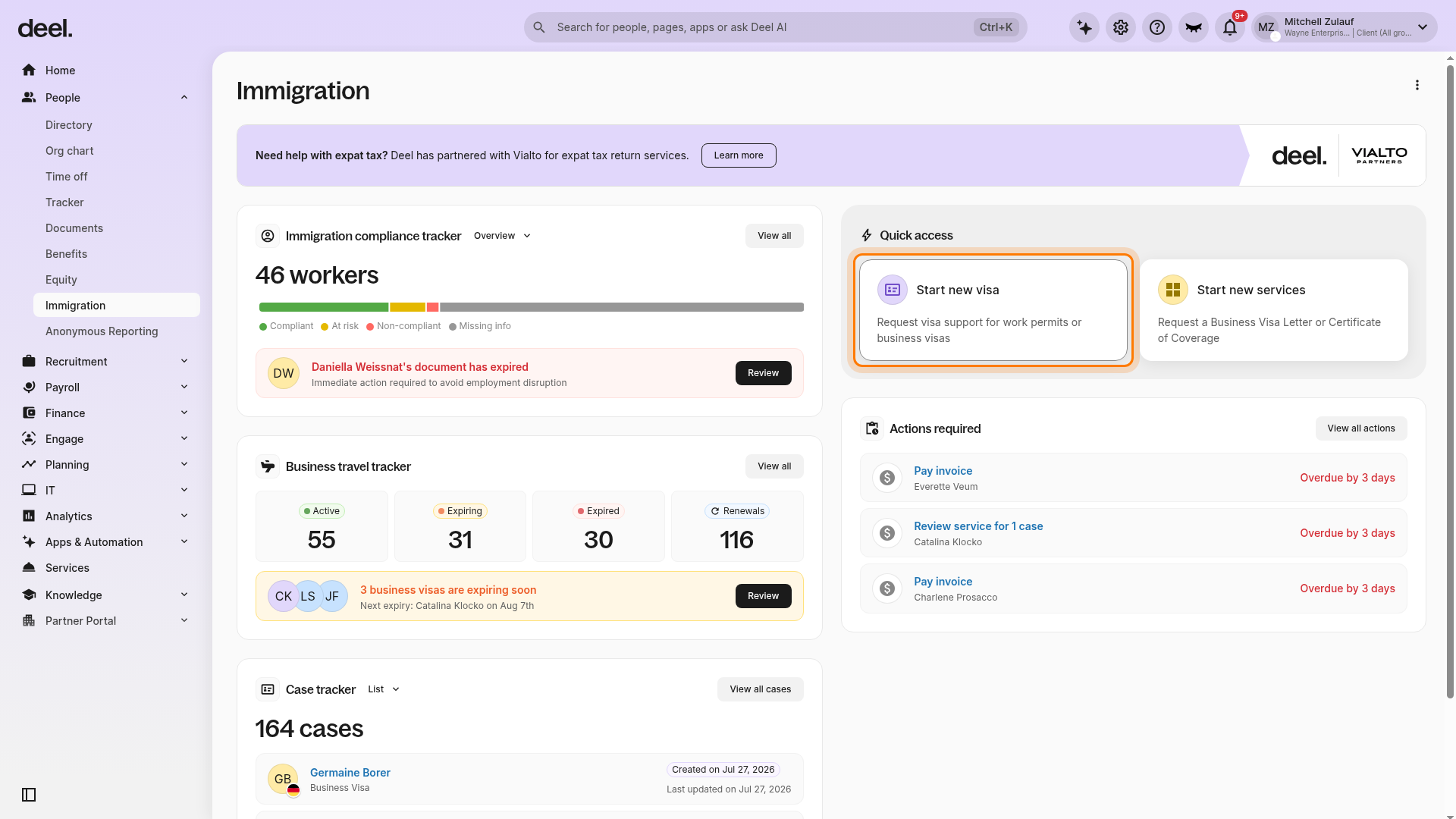
The assessment opens on the Welcome page under Start case. Choose Work or residence permit or Business visa.
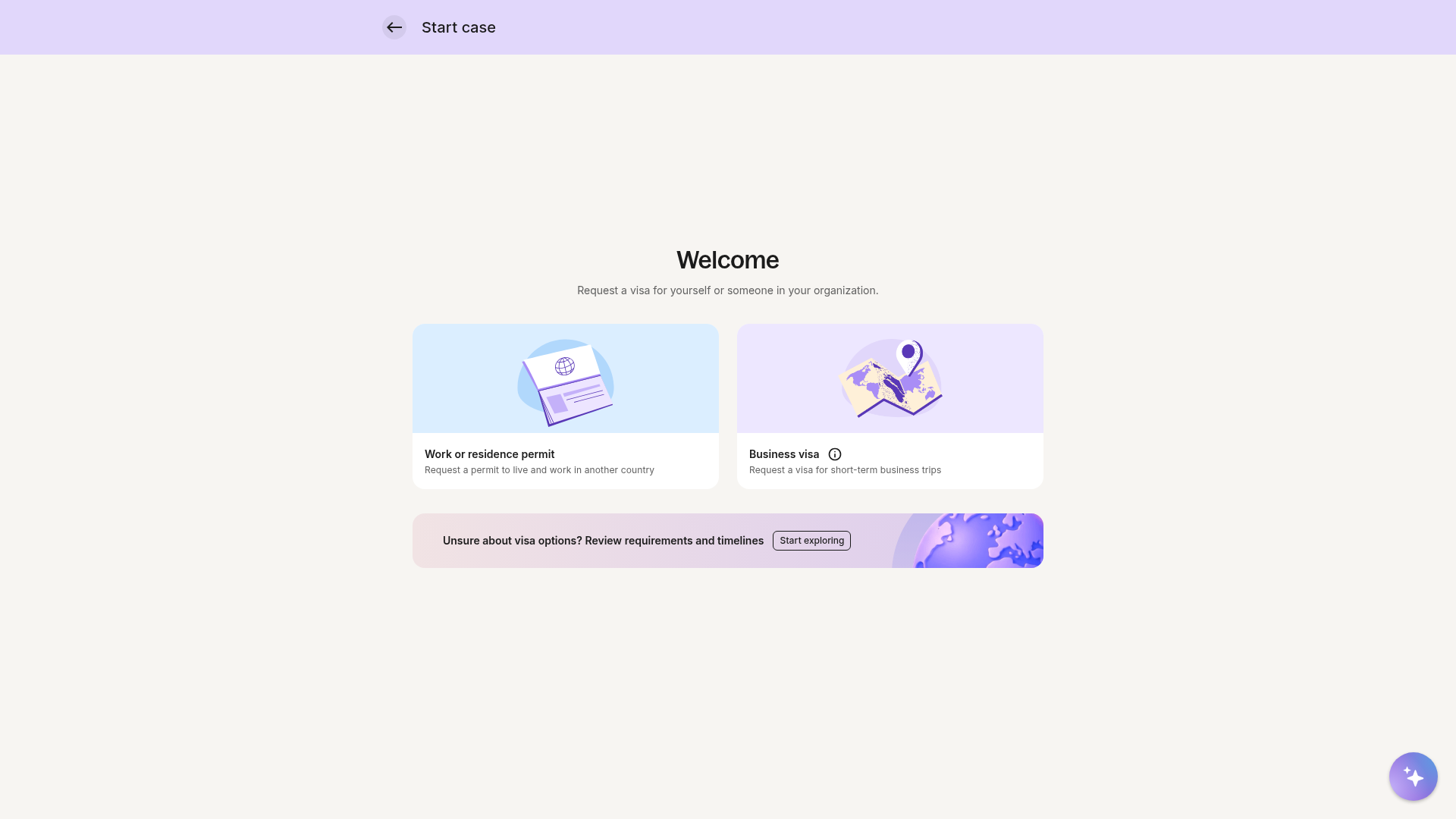
With Deel Immigration, clients can:
- Request a visa to start a work permit case for themselves or a worker
- Request a business visa for short-term travel
How to Start a Work Permit Case
Select the option Work or residence permit
Select the travel destination
- If Deel supports the selected country, clients will proceed to the next question.
- If the country is not supported, clients can choose to Join the waitlist.
Choose who will sponsor the visa
- Deel — Deel sponsors the visa as the Employer of Record. Available only for EOR employees. A valid EOR or COR contract is required to proceed.
- Your business — Your company sponsors the visa. You will be prompted to select the sponsoring entity. A valid HRIS or GP contract is required to proceed.
-
Not required — No sponsorship is needed for this visa type. Entity selection is optional, and a contract is not required to create the case.
Select who the visa is for
- Yourself
- An employee hired through Deel (you will be prompted to select the employee)
Confirm whether you know which visa you want to apply for
Choose one of the following options:
Select a visa manually
- Choose a visa type from the available options for the selected country
- Click Create case or Start Case
Use Deel AI
Use Deel AI to assess their options. If they choose this option, they will answer a few additional questions. If the applicant is eligible for a visa, the available types will be displayed, and the client can click Create case or Start Case for the most suitable visa.
How to Request a Business Visa
-
Select Business visa and select who the visa is for
- Yourself
- An employee hired through Deel (you will be prompted to select the employee)
Specify the purpose of the trip
Select the travel destination
Enter the nationality of the person seeking the visa
Select their country of residency
Enter the expected travel dates
If there are visa matches based on the request, clients will be able to create a case. If no match is found, Deel’s team will follow up to discuss alternative options.
After the case is created, track progress and required actions in the Case Tracker within the Immigration workspace.
Steps on the Visa Application
[ACCORDION] Check eligibility
The very first step in the case is for Deel to assess whether the person applying for the selected visa is indeed eligible for that visa in that country. This process will be carried out by the Deel Immigration team, and the client will be updated about the eligibility on the platform.
[ACCORDION] Review fees and timelines
Once the eligibility has been assessed, clients will see an Action Required within the case to review the costs of the application, timelines, and any additional requirements. Click Review to see a breakdown of this information and select Approve.
[ACCORDION] Create a contract
Depending on the country, for Deel to submit a visa application, a petitioner and a beneficiary are required. Even if they are the same person, a profile must be created on the Deel platform.
Clients will be asked to provide:
- Applicant personal details
- Job details
- Compensation and start date
- Compliance documents (if required)
- Benefits and extras (if necessary)
[ACCORDION] Fill out the intake form
The case has now moved from the assessment to the visa application stage. We will need to collect information from the client for the application. Click Fill Form to provide this information.
Clients will be asked to provide:
- Company information
- Corporate documents
- Corporate finances information
- Job and offer details
- Any additional immigration information
- Petition signatory details
Clients will be able to track the status of the application within the immigration case’s status timeline. Additionally, any updates, required documents, and forms will be visible there. If the client needs to get in touch with the person assigned to their case, they will also have the option to book a call with their immigration specialist.
[ACCORDION] Document review
Once the visa application is complete and approved, the final step will be the document review, where Deel will require the completed documentation to be uploaded on the platform. This will allow the case to be closed and enable us to store the documentation securely. Additionally, it will allow us to send reminders and compliance alerts to ensure that clients are prepared for renewal when the document is about to expire.
[/ACCORDION]
Immigration Settings
To manage immigration settings for your entire organization, select the Organization settings cog icon in the top-right corner. Under Services, select Immigration.
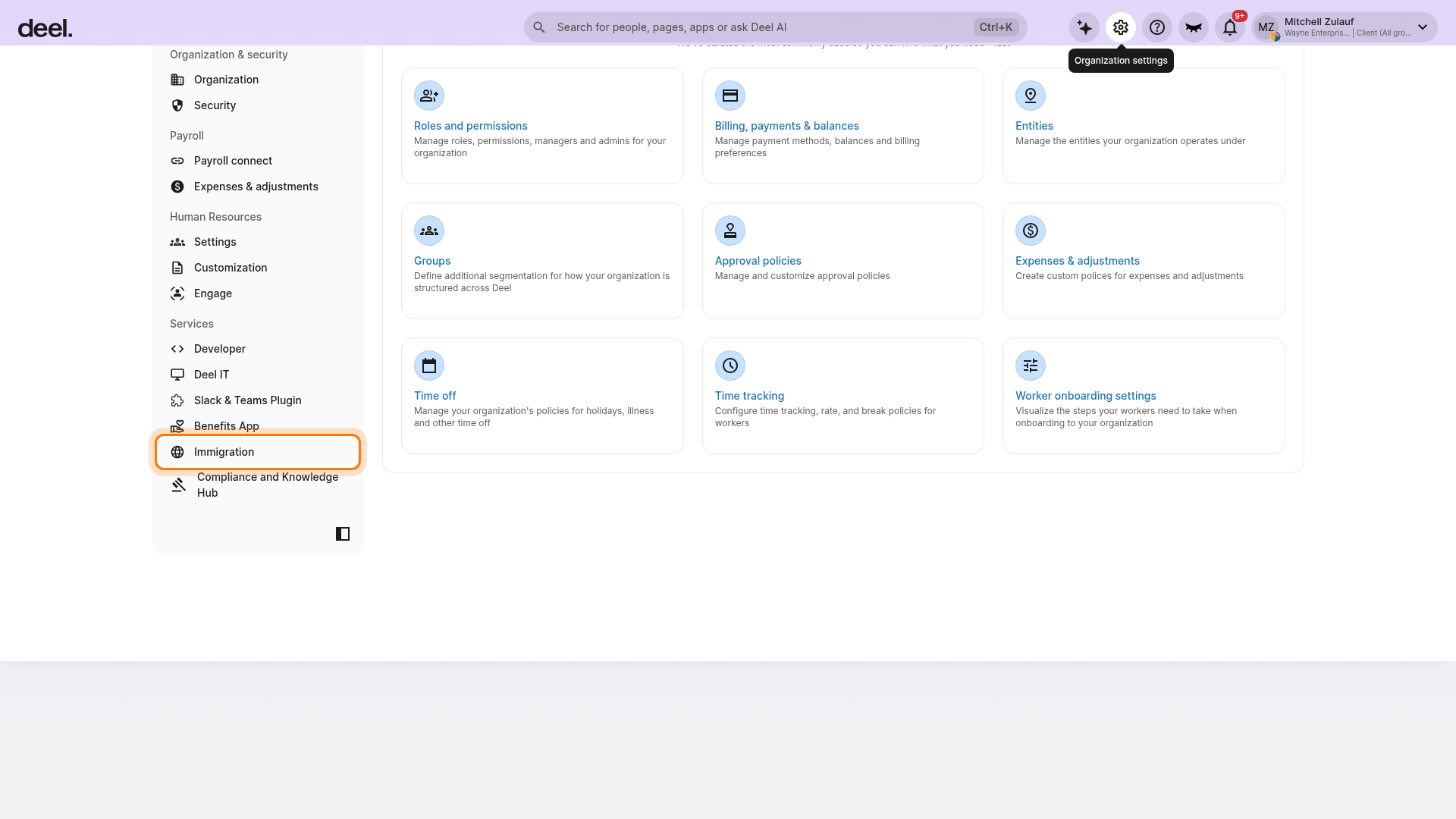
To allow workers to create their own business visa cases, turn on Short-term business visa under Allow workers to request visas.
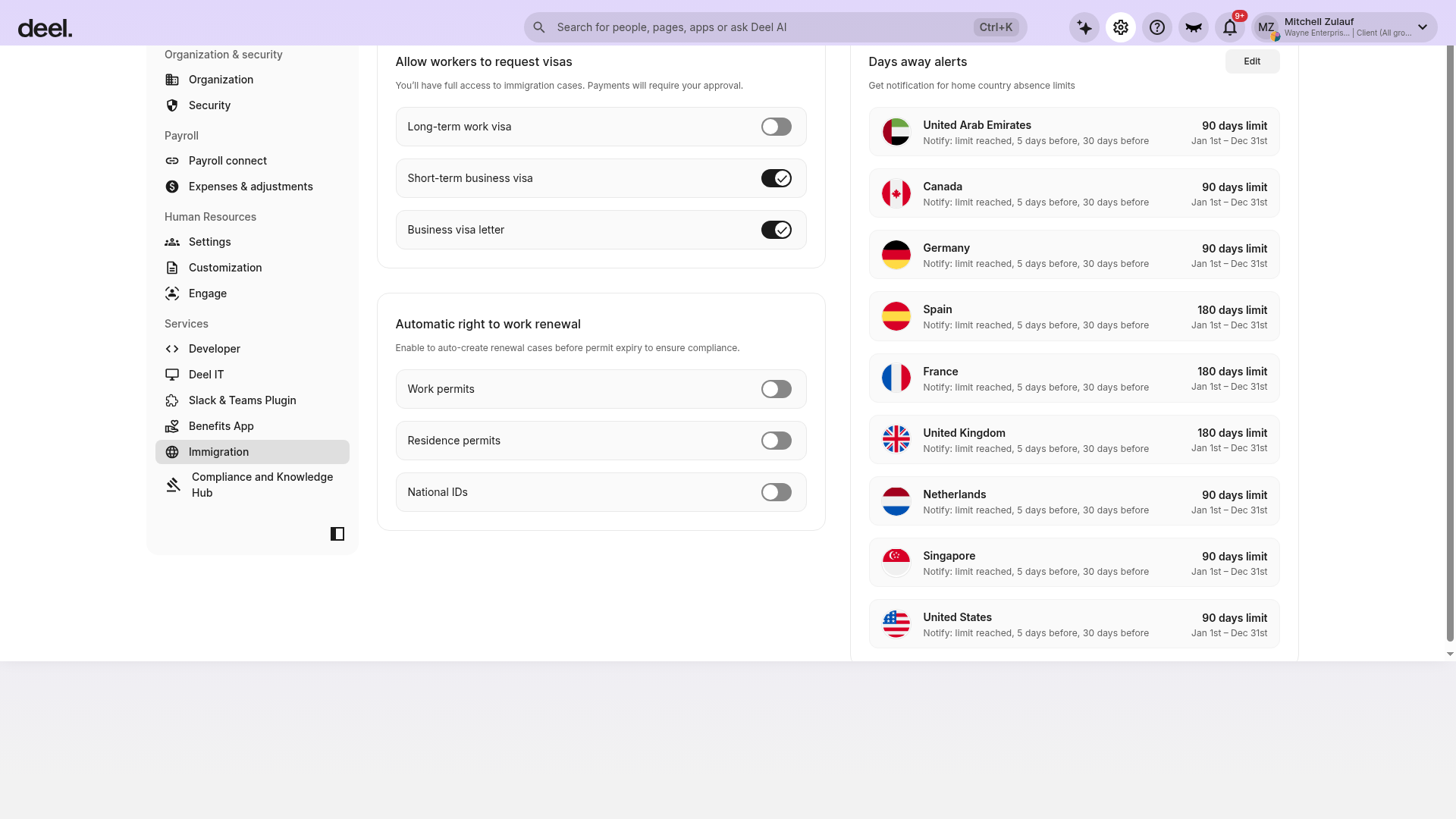
From here, you can:
- Allow workers to request visas (long-term work visas and short-term business visas)
- Enable automatic creation of renewal cases before permit expiry to help ensure compliance
- Configure email notifications for expiring documents