
This guide explains how clients who want to use Deel to hire remote workers across the globe can sign up with Deel and start creating contracts in a few simple steps!
✅ Step 1 - Sign Up on Deel
From the Deel website, Click Sign Up next to 'Need to create an account?'
✅ Step 2 -Choose how Deel will be used
Select As a business to sign up as a client.
✅ Step 3 - Enter your details
Add your email address and click Create your Deel Account, or choose Sign up with Google.
You’ll be asked to create a password, add your full name, and confirm your email.
Please note: If this is the first user from your organization signing up for Deel, they must use their company email address to register.
✅ Step 4 - Complete your profile
After email confirmation, provide your citizenship, date of birth, and phone number.
Click Continue when done.
✅ Step 5 - Set up your organization and entity
You'll be guided through a single, streamlined flow to set up your organization and add your first legal entity.
You'll be asked to provide:
- Your company website — used to help Deel recognize your organization and suggest pre-filled details
- Your organization name, headquarters location, and industry
- Your entity details — country of incorporation, entity name, entity type, and identification details (varies by country)
- Your entity address — registered address and operating address
- A financial point of contact for your entity
Please note: For compliance reasons, certain fields - such as your entity's legal name and organization details - must be entered manually to ensure accuracy, even where AI-assisted recognition is available.
You can then choose which Deel products to use, or skip this step and decide later.
If Deel Payroll is selected, a prompt will appear to schedule a call with a sales associate. The option to schedule the call immediately or at a later time is available.
Once submitted, your entity will appear in Organization Settings > Entities, where you can complete the entity verification process to unlock payments.
✅ Step 6 - Complete the onboarding
After signing up, clients can open their organization’s onboarding task list from the Home dashboard.
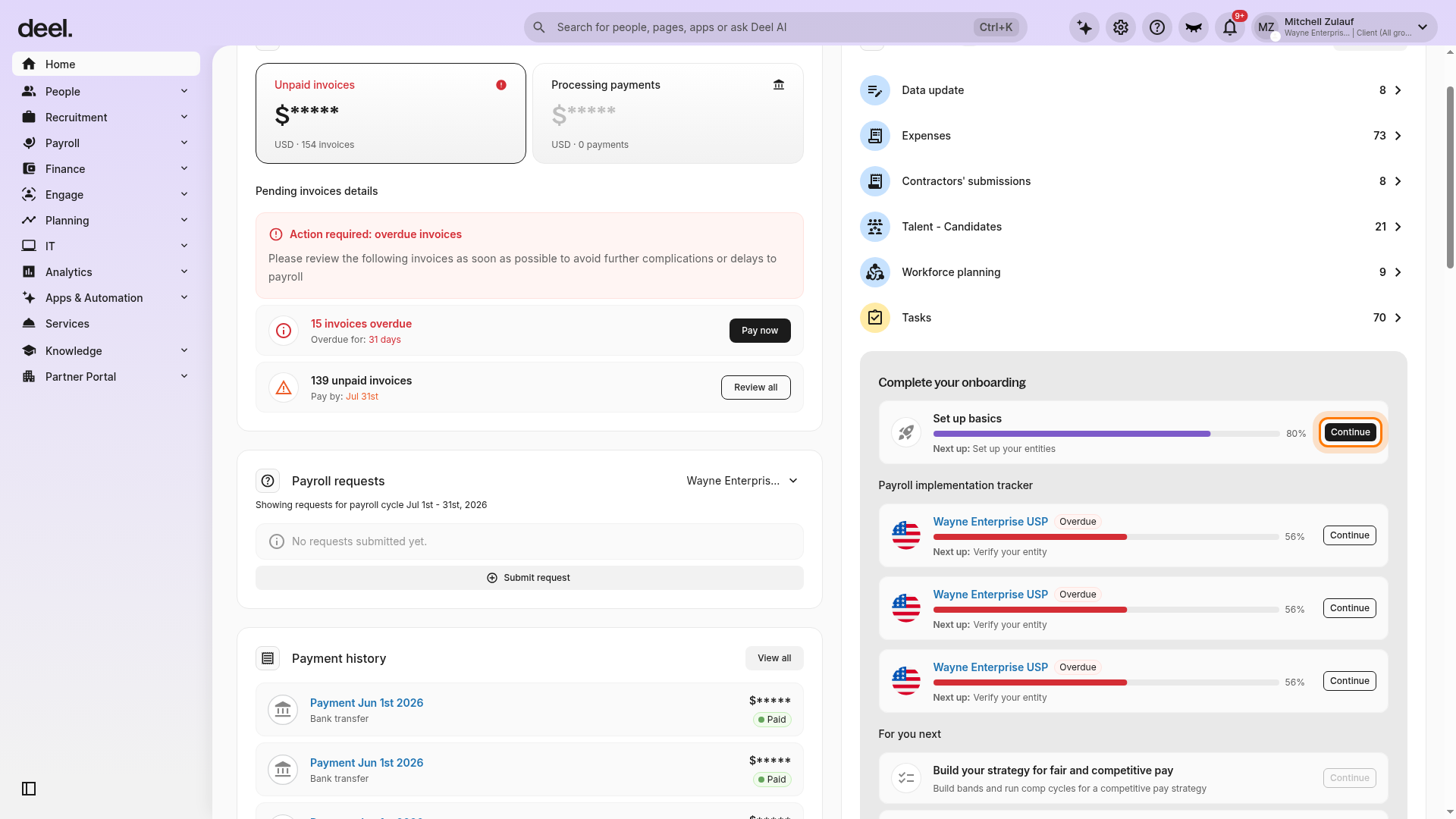
On Home, scroll down until the Complete your onboarding card is visible in the right-hand column.
The card shows a Set up basics progress bar, a description of your next task, and a Continue button.
The task and progress percentage vary by organization.
Select Continue on the Complete your onboarding card.
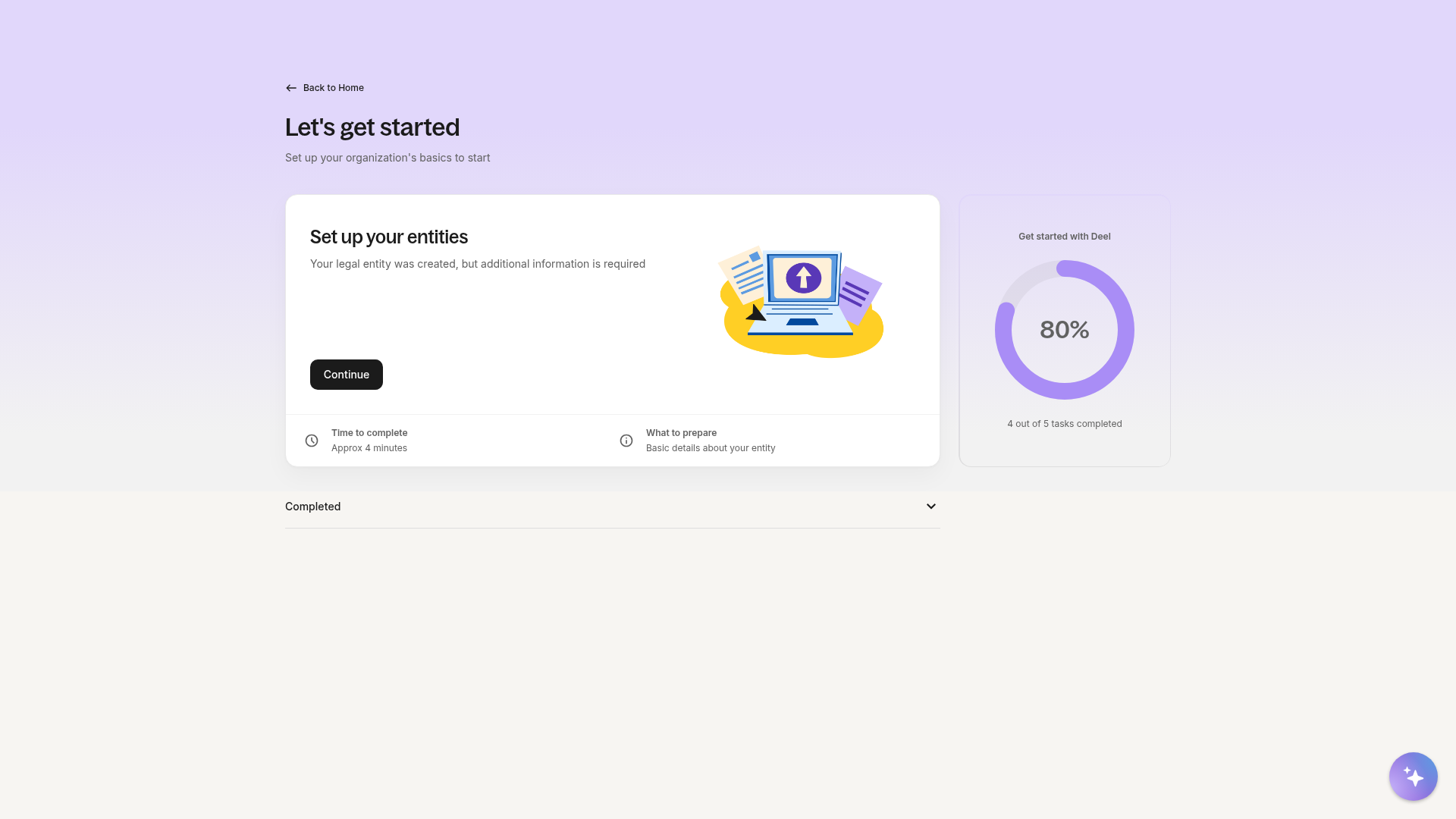
Wait for the onboarding task list to load. The page displays a Let’s get started heading, your remaining onboarding task or tasks, an overall progress indicator, and a collapsible Completed section. Select Continue on a task only when you are ready to begin that task.
Within the required tasks, clients will be asked to:
Add their entities
Add their workers
Set time off policies
Set up a payment method to pay workers
- Complete Deel Academy — Deel Fundamentals (Client Admins and Org Managers are automatically enrolled after Setup Basics is complete; a link to the Academy program appears directly in the onboarding task list)
Once these tasks are completed, clients can configure payroll and add administrators and managers.
Clients can track the progress of each task, review completed tasks, and return to remaining tasks at any time from the onboarding task list.
For the full onboarding flow, please see our interactive onboarding guide.
FAQ
[ACCORDION] What if, accidentally, the wrong account type was created?
If clients create a contractor profile accidentally, they will need to go through the sign-up process again and select As a business.