Interview feedback in ATS ensures a structured and consistent evaluation process. Feedback forms are configured by admins and completed by participants who can leave notes and recommendations.
This article explains how to submit candidate feedback after an interview in ATS.
To successfully submit candidate interview feedback in ATS, you’ll need:
To be added as a participant in the interview stage of a candidate's hiring process.
To submit feedback via your worker app.
Submit interview feedback
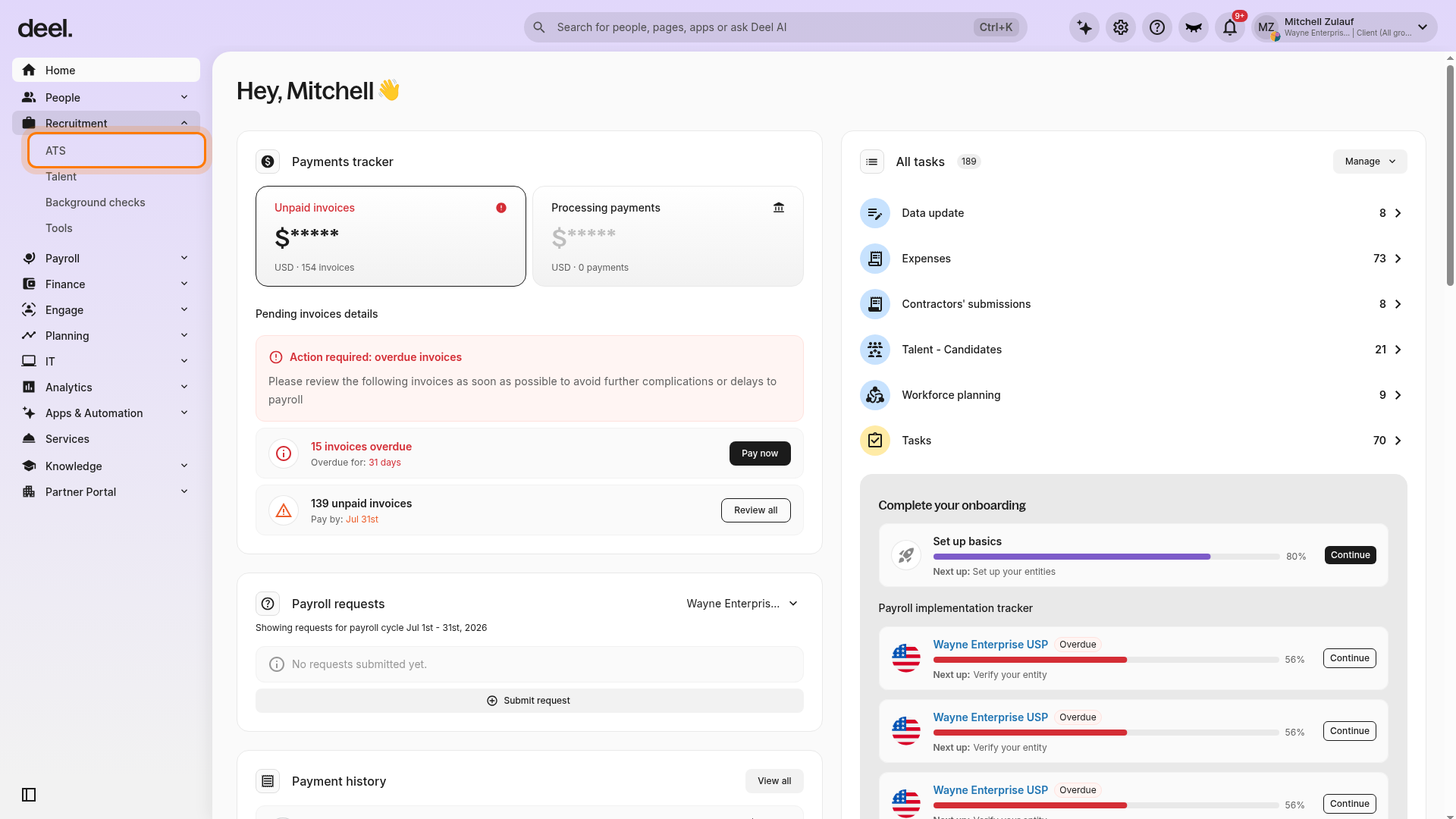
In the left sidebar, select Recruitment to expand its menu, then select ATS.
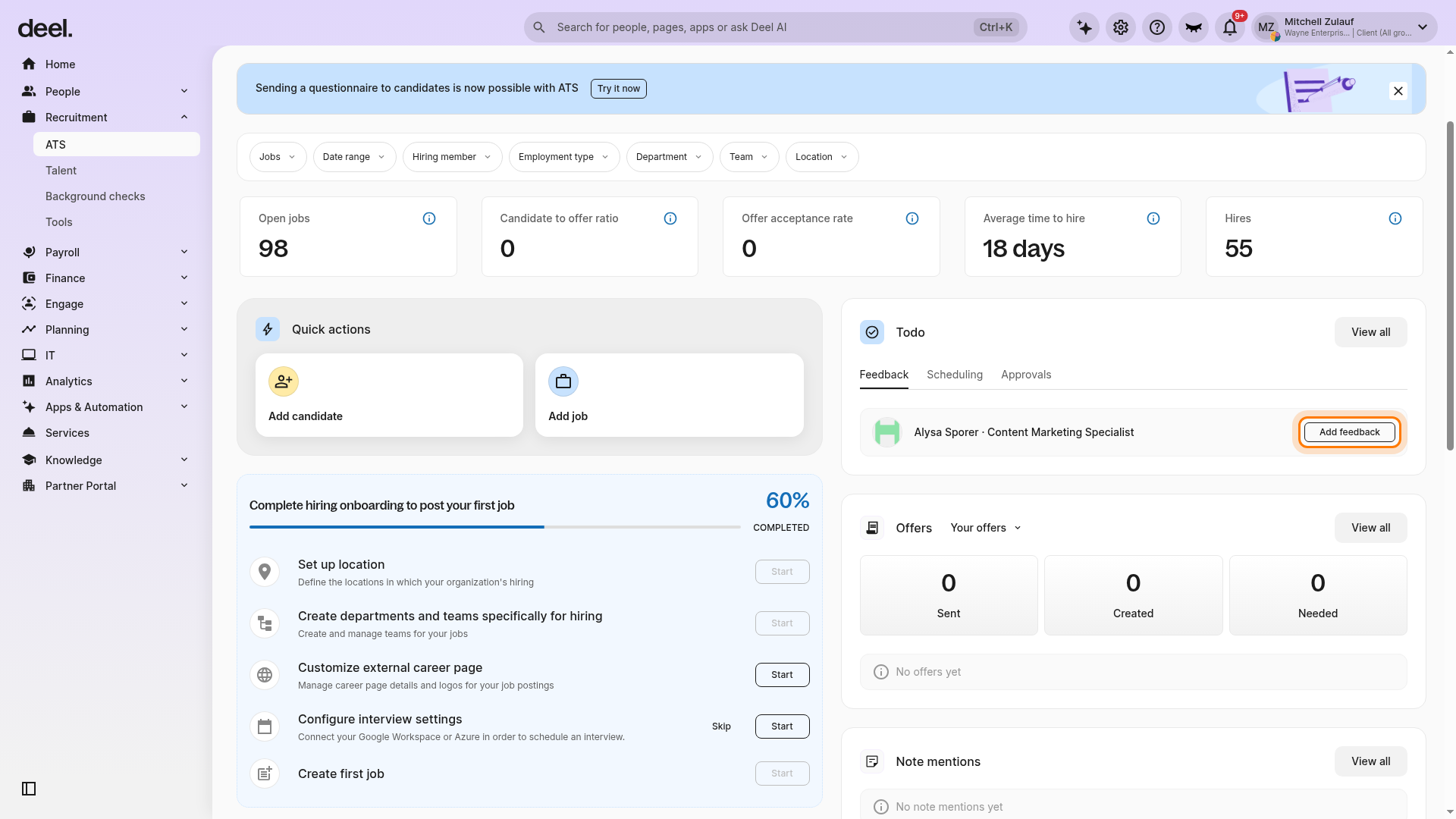
Wait for the ATS Home page to load.
If an informational announcement covers the page, select the X in its upper-right corner to dismiss it.
In the Todo panel, select the Feedback tab.
Find the candidate assigned to you, then select Add feedback.
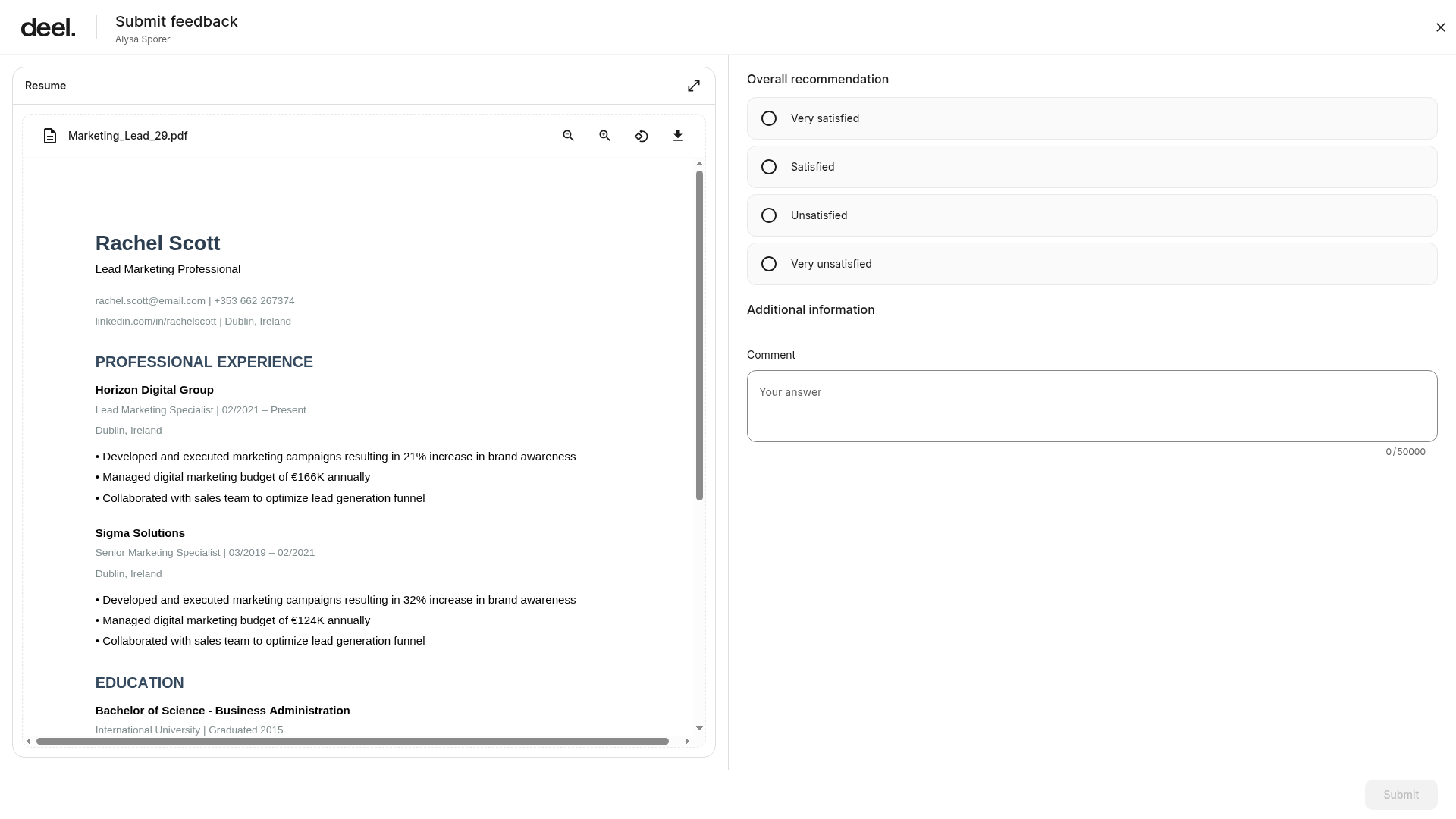
Review the candidate’s resume and complete all required fields in the feedback form. Select the applicable rating or recommendation, add written feedback or comments, and answer any additional configured questions.Select Submit to record your feedback in the candidate’s profile for the hiring team to review.
Frequently asked questions (FAQs)
[ACCORDION] Where can I view submitted feedback?
Feedback is stored in the candidate profile under the relevant interview stage.
[ACCORDION] Are feedback forms customizable?
Yes, hiring admins can configure feedback forms for different roles or job types.