
ATS makes it easy to plan and schedule interviews with candidates. Hiring managers can define interview plans, assign interviewers, and sync meetings with integrated calendar tools.
This article explains how to schedule interviews in ATS using predefined stages and tools to ensure a smooth and standardized process.
In this article
Before you begin
To successfully schedule candidate interviews in ATS, you’ll need:
- A user with an org admin role on Deel
- To connect a calendar to your ATS account, follow our guides to connect either your Google or Microsoft calendars.
Configure interview plans
You must define interview activities before scheduling interviews.
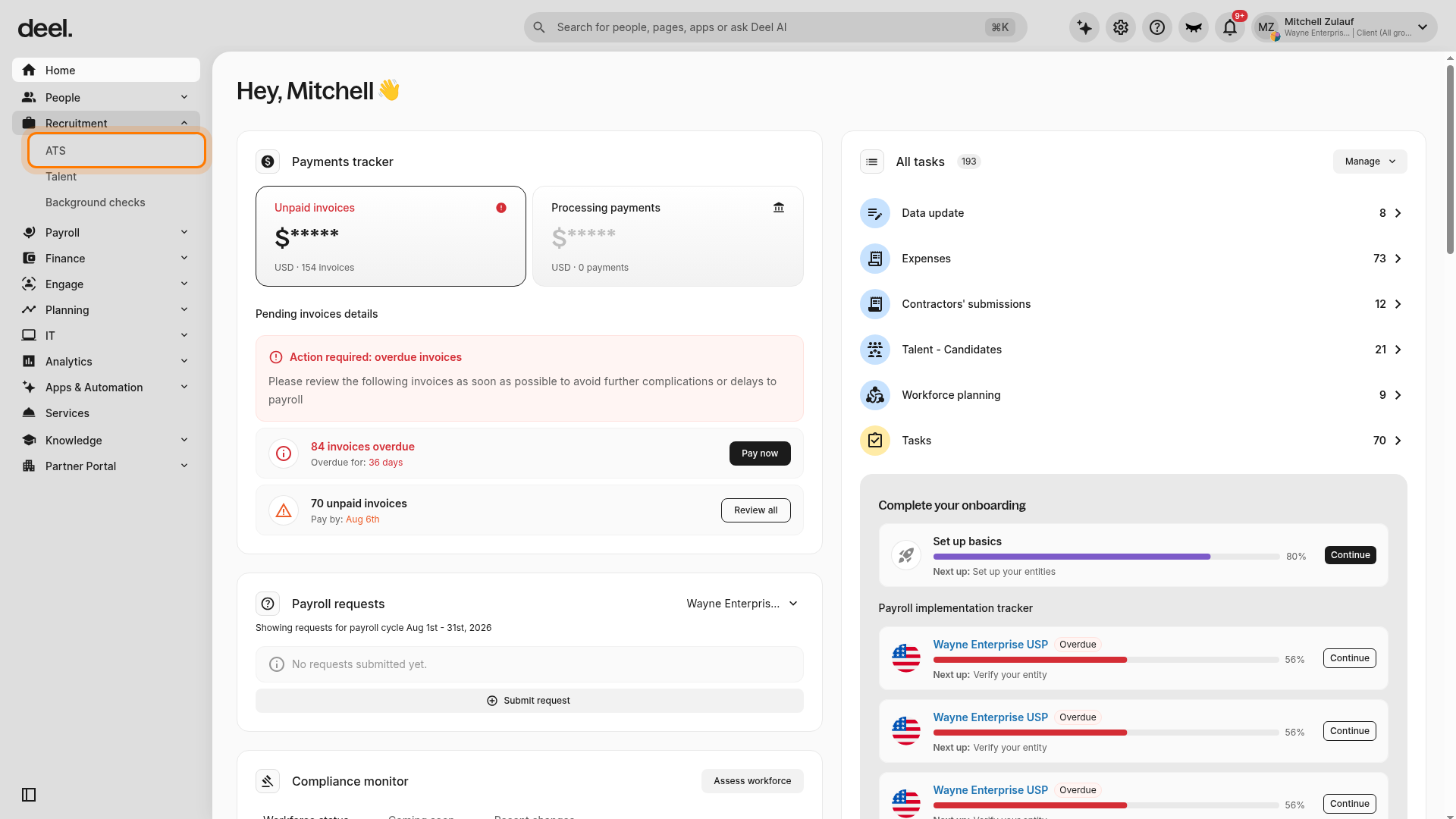
- In the left sidebar, select Recruitment to expand its options, then select ATS.
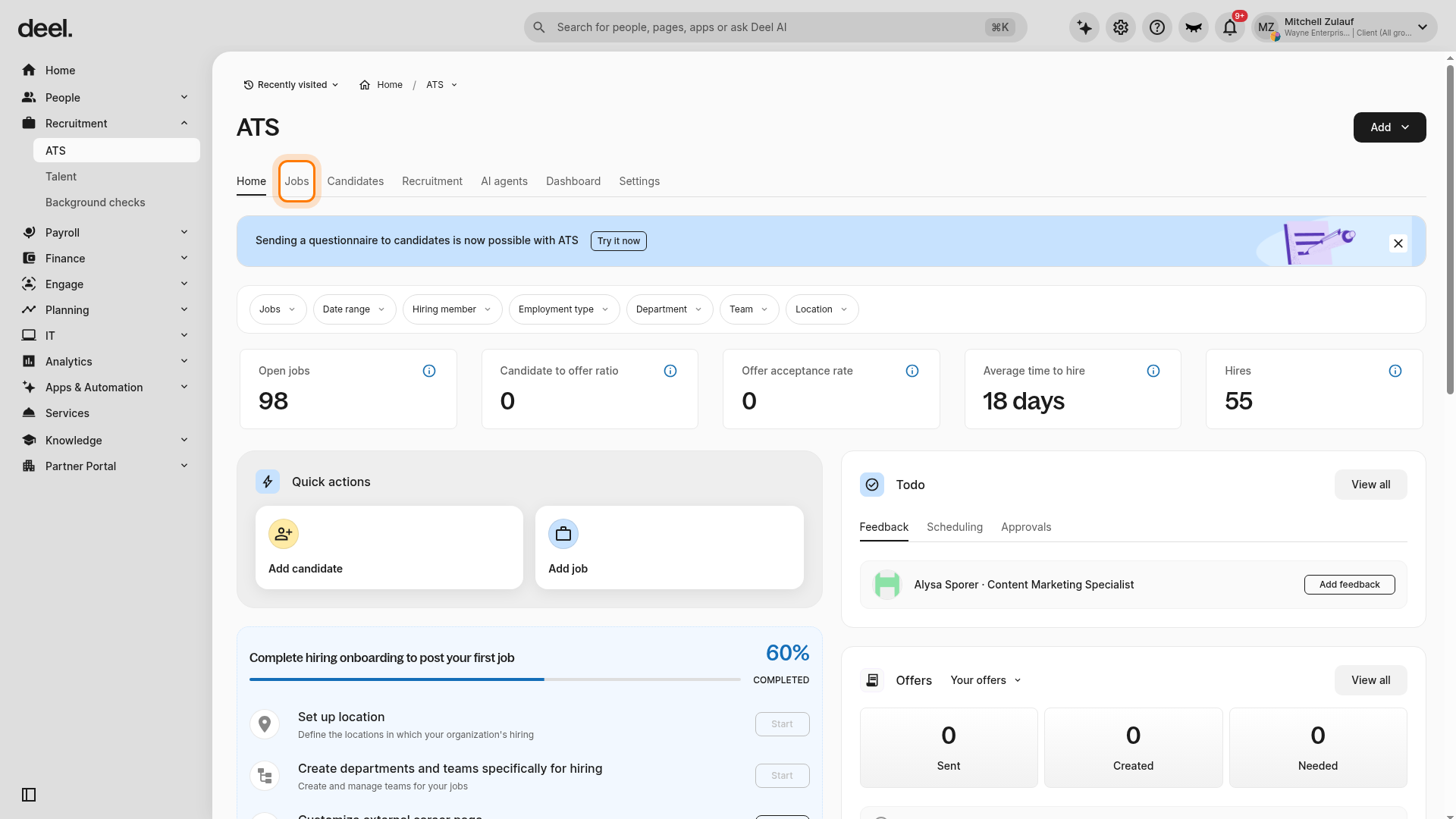
- In the ATS navigation, select Jobs.
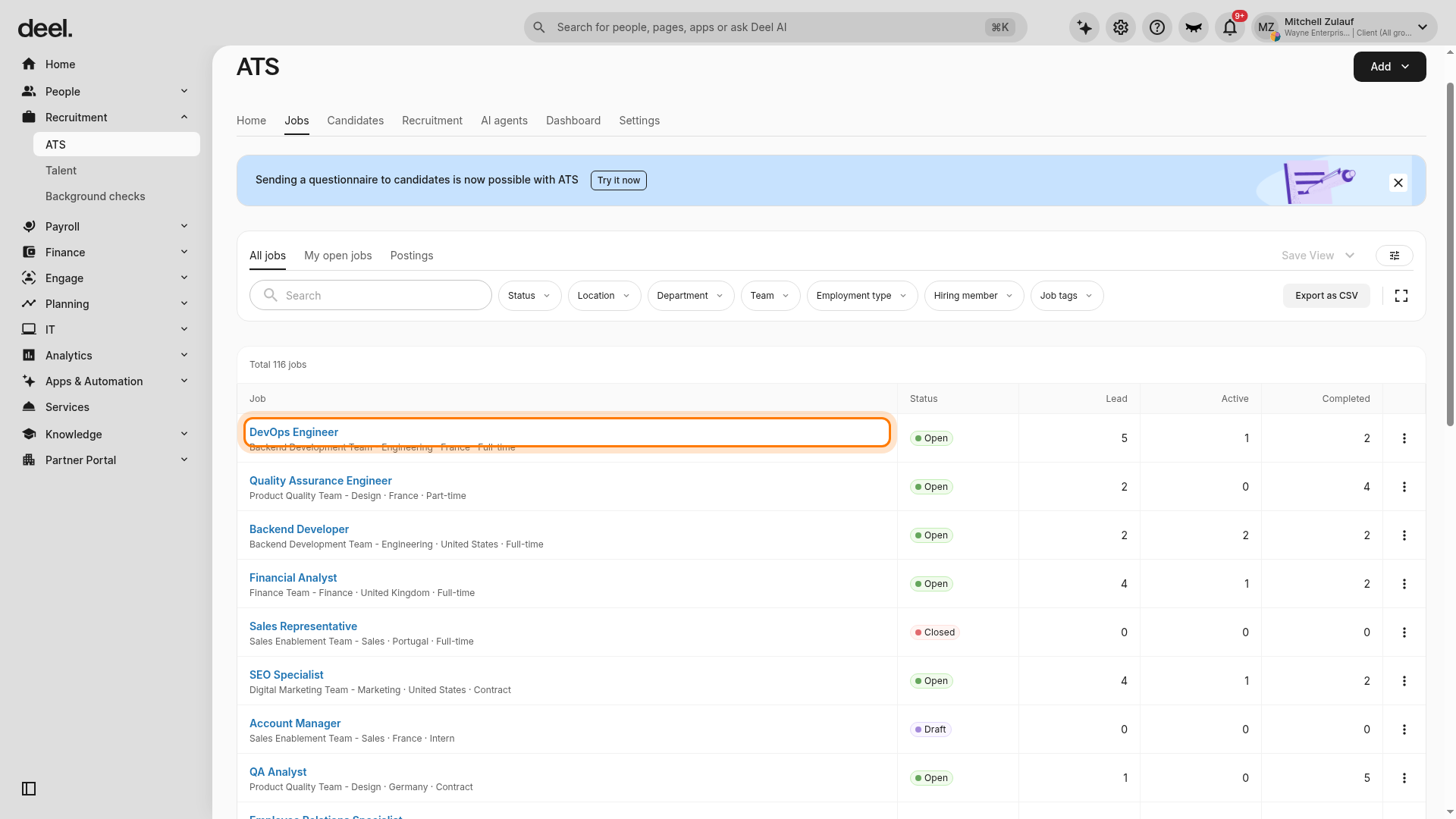
- Select the job you want to configure. If it is not listed, use the search and filter controls in the All jobs view.
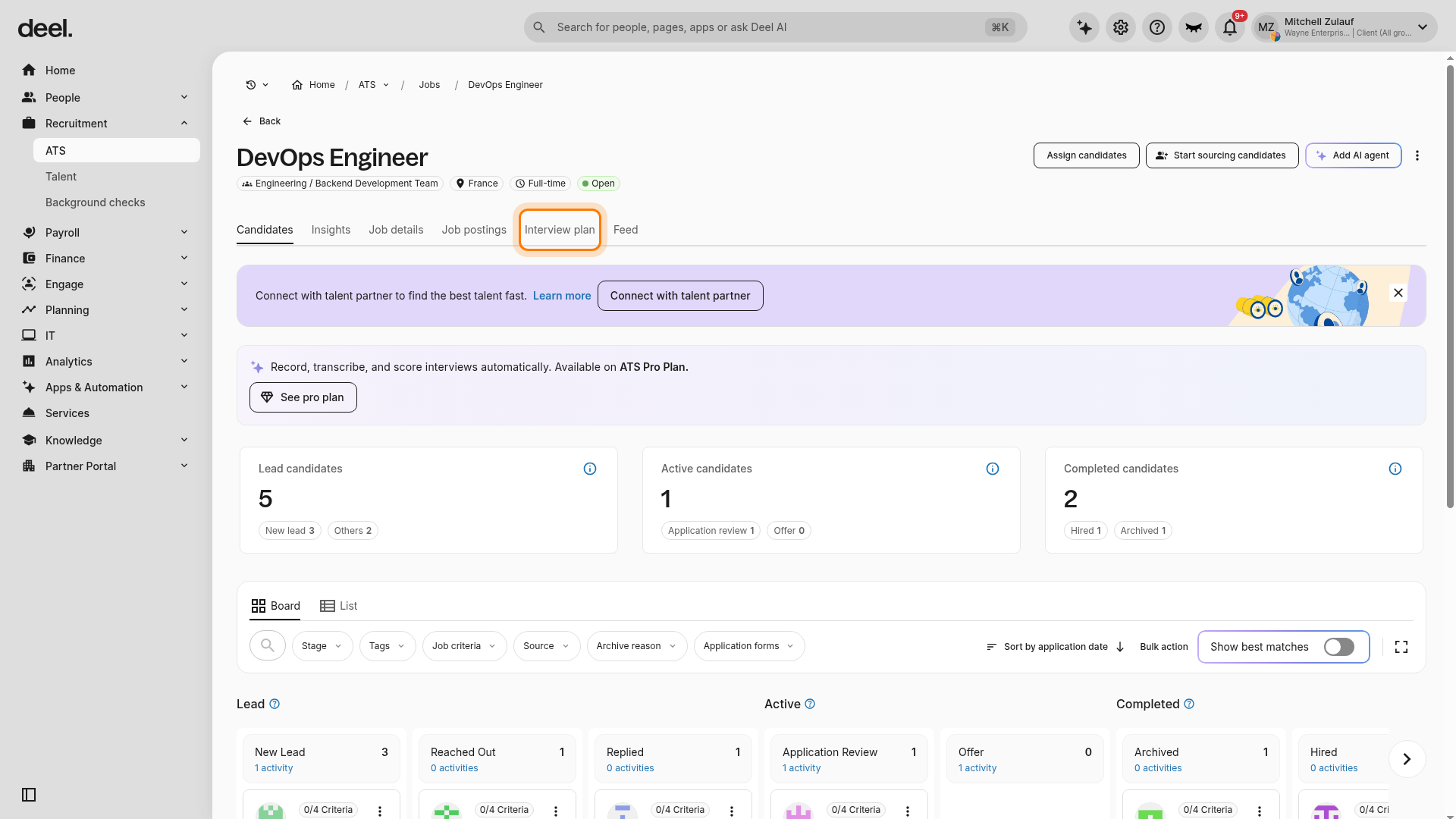
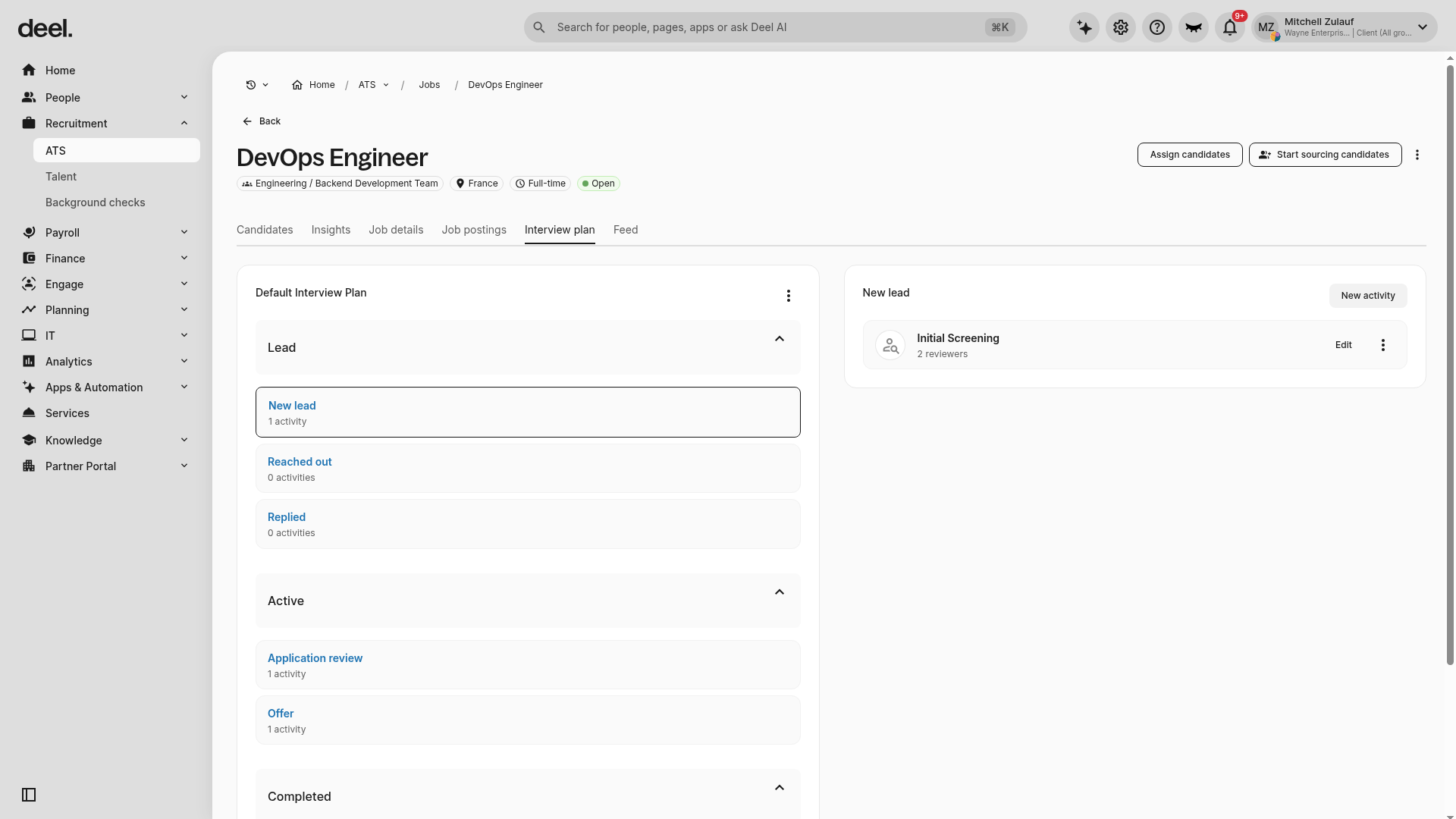
- On the job details page, select Interview plan.
- Select the relevant stage, such as Application review.
- Select New activity or Set Activity to add an interview activity.
- Define the activity, assign interviewers, and add the duration or notes.
- Click Save.
When the configuration is complete, the Interview plan tab shows the plan name, hiring stages, and activities assigned to each stage.
Schedule an interview
You can only schedule interviews when at least one activity is configured in the job’s Interview Plan.
- In the left sidebar, select Recruitment to expand its options, then select ATS.
- In the ATS navigation, select Candidates.
- Select a candidate and move them to the correct stage in the interview plan.
- Click Schedule Interview within the candidate’s stage.
- Choose a scheduling option.
Manual schedule
Select Manual schedule to assign a specific date and time yourself:
- Assign interviewers, select a date and time, and add any relevant notes.
- Click Send to dispatch calendar invites to the candidate and interviewers.
- Review the interview details in the candidate profile.
Send booking link
Select Send booking link to allow the candidate to choose a time that works for them:
- Deel ATS sends an automated email to the candidate with a calendar link showing the interviewer’s real-time availability.
- The candidate selects a time slot directly from the link.
- Both the candidate’s and interviewer’s calendars are updated automatically — no external tool such as Calendly required.
Frequently asked questions (FAQs)
[ACCORDION] Can I reschedule an interview after it's been sent?
Yes, return to the candidate profile, click the scheduled interview, and update the details.
[ACCORDION] Can I use external calendar tools to schedule interviews?
Yes, ATS integrates with Google and Outlook calendars.
[ACCORDION] Do interviewers receive reminders?
Yes, reminders are sent through calendar invitations and email notifications.