
A seat is a license your organization purchases to unlock the full suite of Deel IT features for a specific worker (e.g., worker self-service requests, Device Lifecycle Management, MDM, and Endpoint Protection).
Seats can be assigned to a worker or kept available for later use.
This article explains how Deel IT seating works and how to manage, purchase, and assign seats effectively.
In this article
Here’s what you’ll find in this article:
- Managing and Understanding Seats
- Purchasing Seats (Self-serve)
- Seat statuses
- Assigning Seats to a worker (Upgrade)
- Common workflows
- Frequently asked questions (FAQs)
You can track, purchase, and assign seats directly in Deel IT settings, no additional approval flow is needed.
For a detailed overview of the Per Seat plan and its features, please see our article on Deel IT pricing plans.
Managing and Understanding Seats
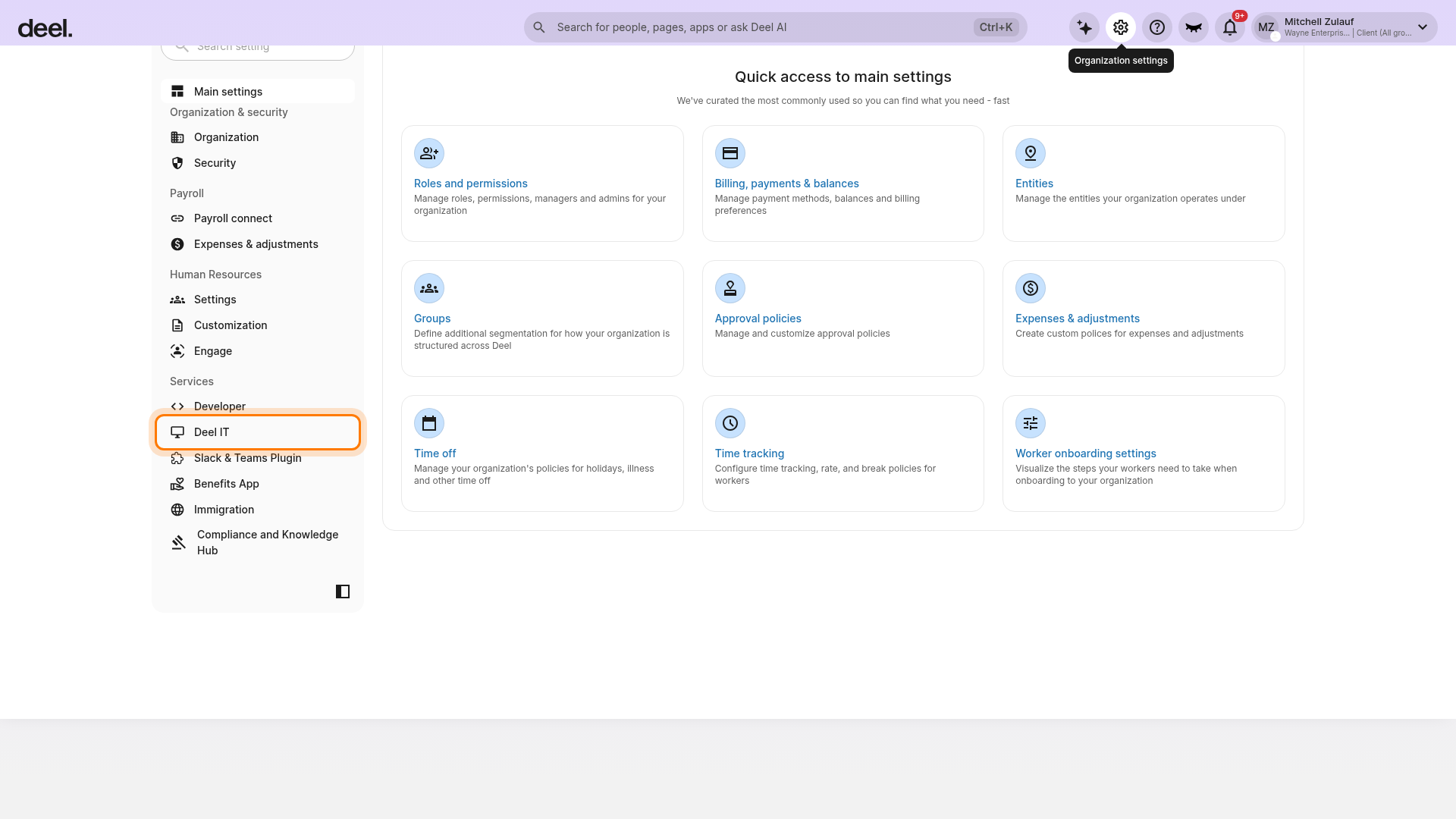
You can view and manage your seats in Organization settings → Services → Deel IT.
The Overview and Seats tabs help you monitor usage and availability.
Accessing Seat Management
Select the Organization settings cog in the upper-right corner of Deel. In the left settings sidebar, find the Services section and select Deel IT.
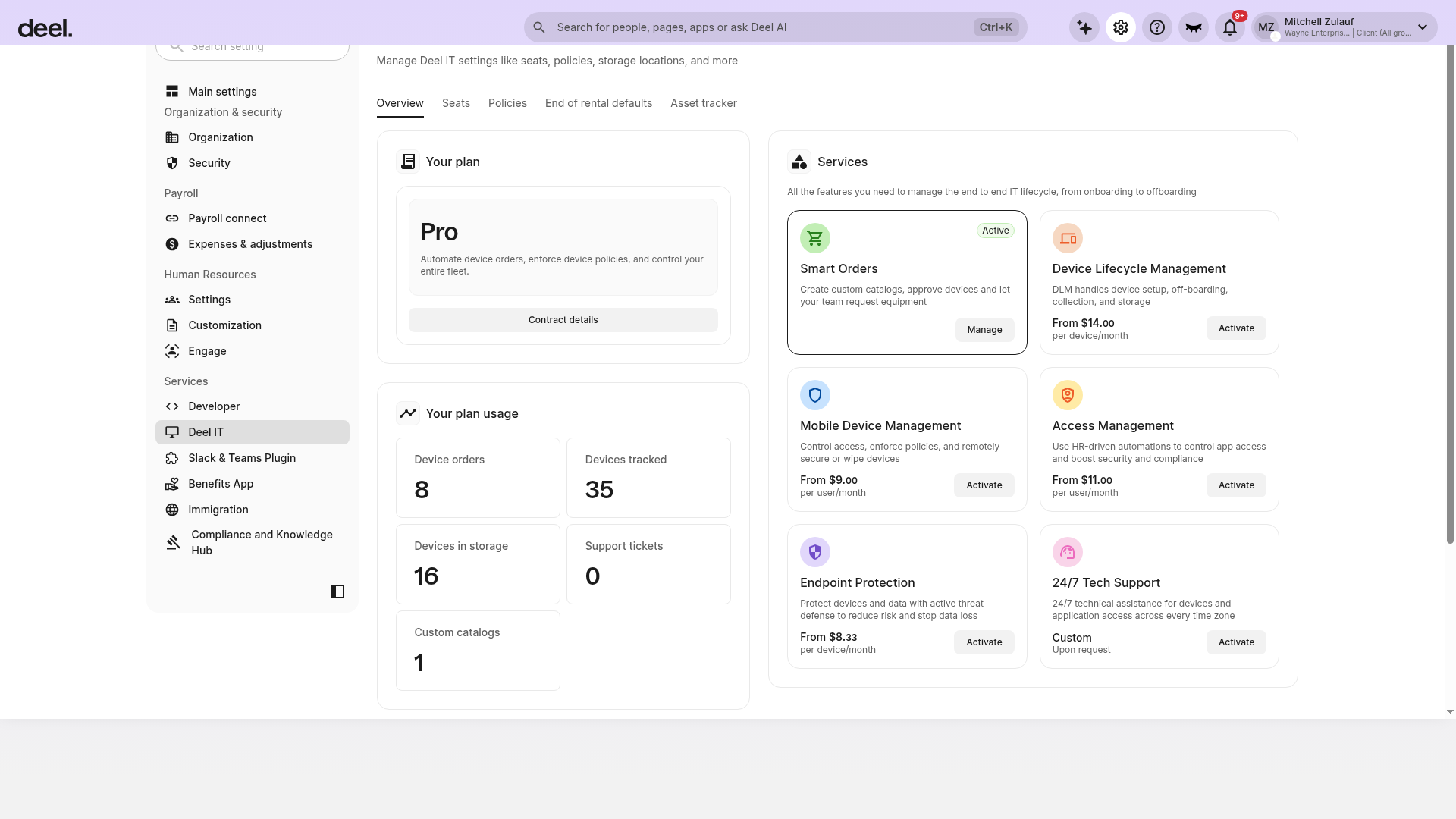
On the Overview tab, you’ll see:
A summary of Assigned vs Available seats
The Add seats button
A quick link to the detailed Seats list
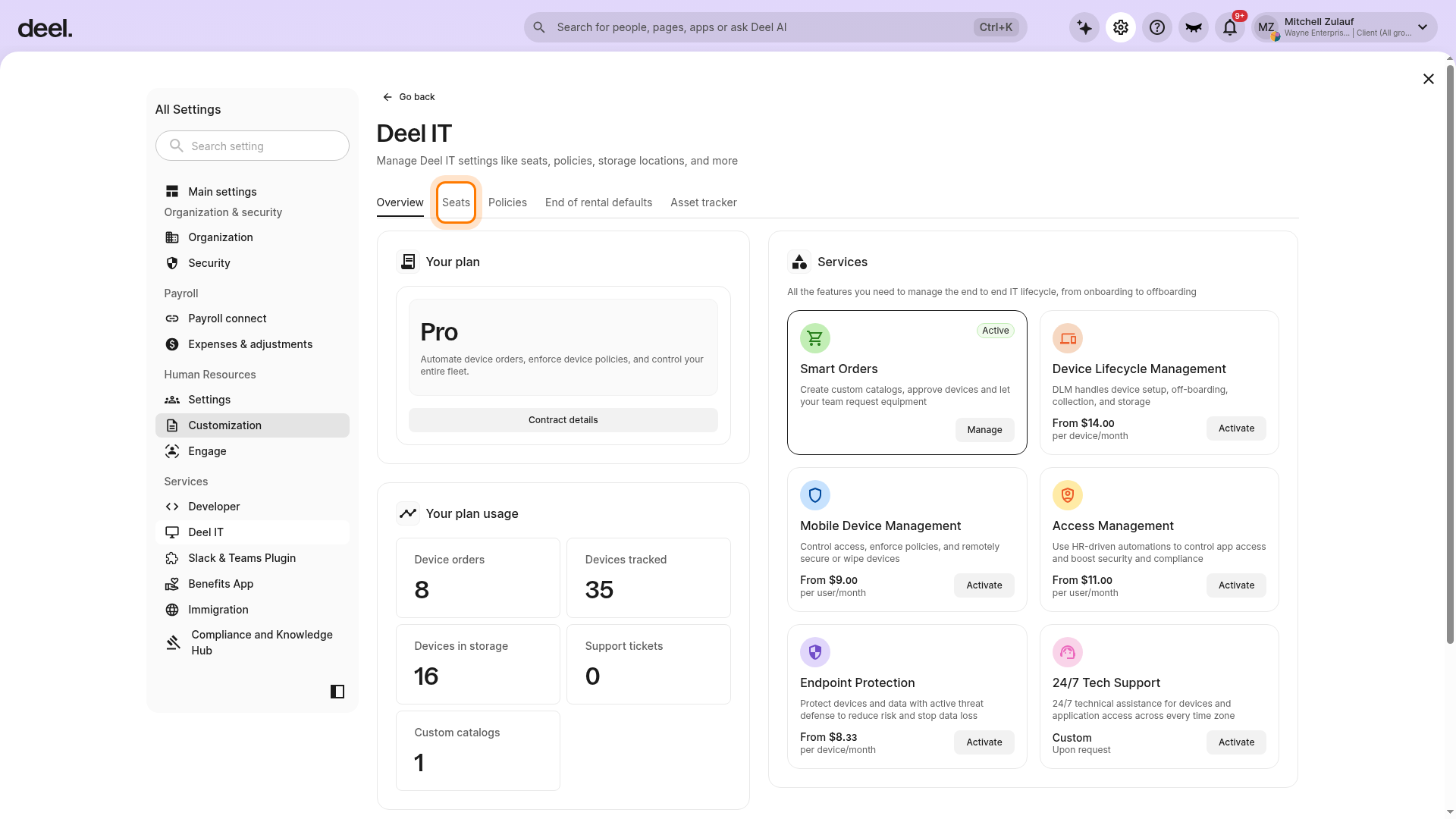
Select Seats in the horizontal tab bar to open the detailed list of workers with or without seats.
Seat Count Overview
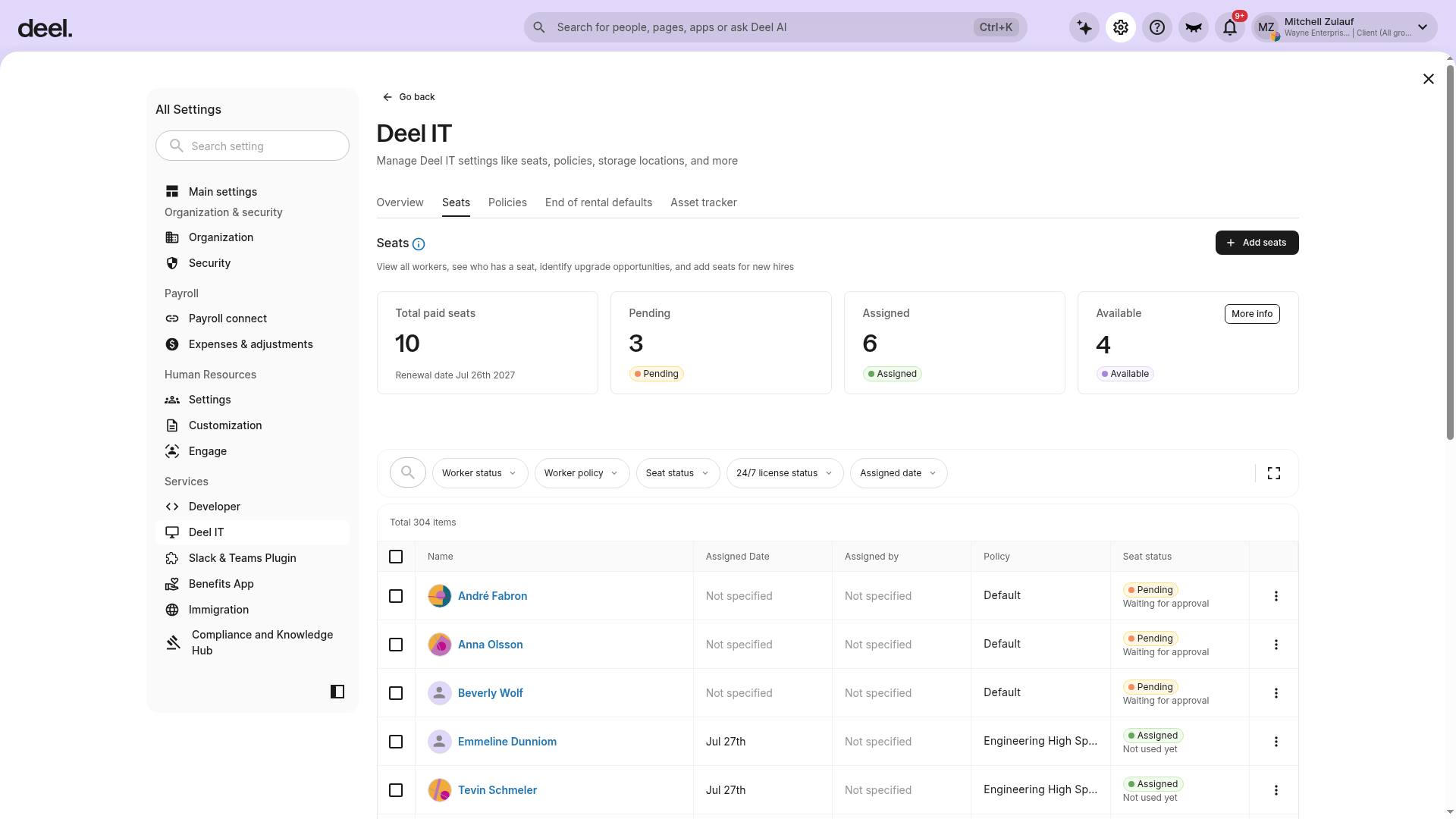
On the Seats tab, tiles display:
Total paid seats and renewal date
Pending seats (reserved for configuring policy rules)
Assigned seats
Available seats
Click More info to see renewal dates and contract details.
Purchasing Seats (Self-serve)
Once you understand your current seat allocation, you can purchase additional seats at any time.
You can buy seats from either the Overview or Seats tab in Deel IT Settings.
From the Seats tab, click Add seats in the upper-right corner of the page.
Choose the number of seats you want to buy.
Review the price breakdown (total, per seat, term).
Confirm your purchase; no approval flow is required.
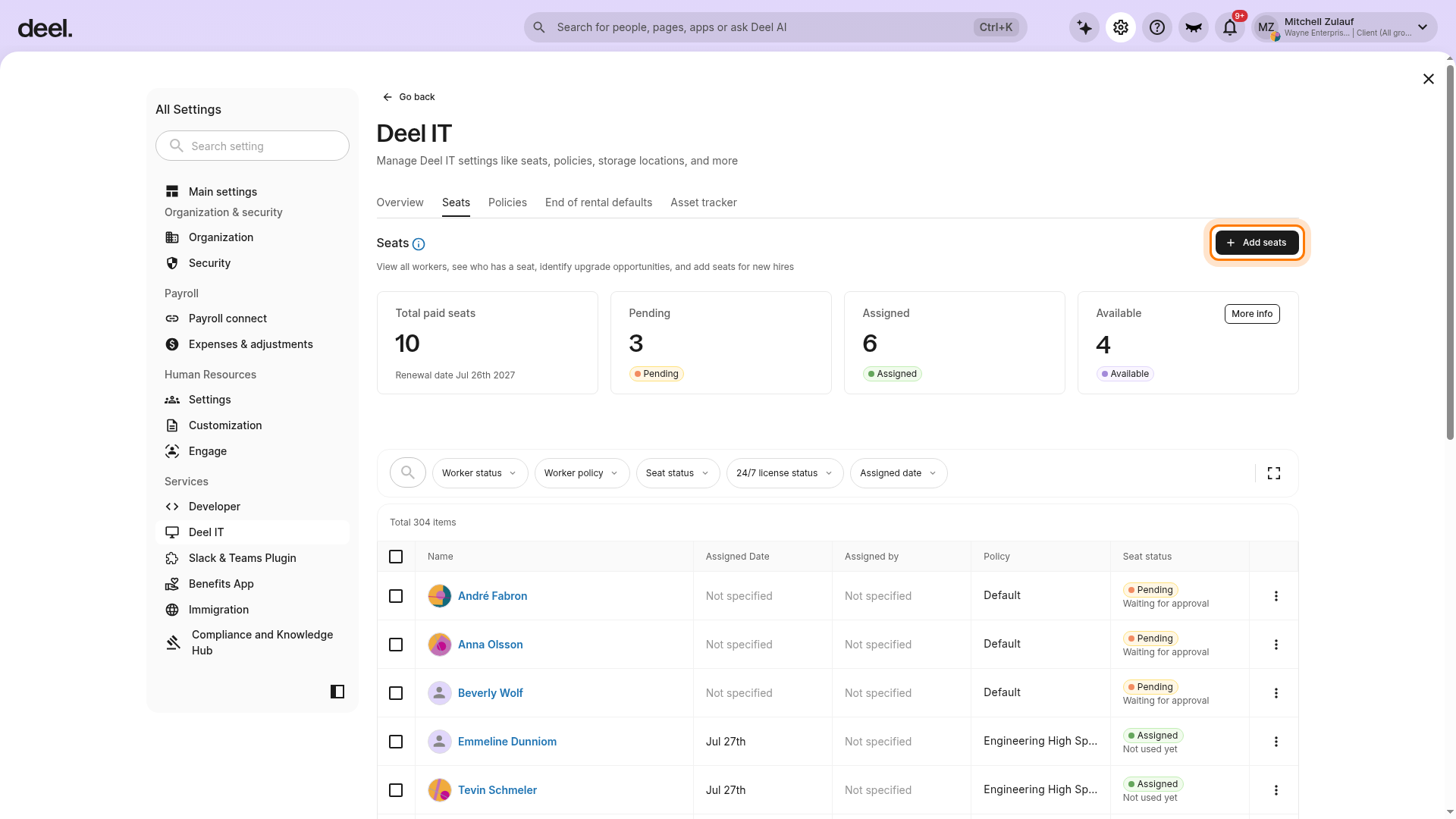
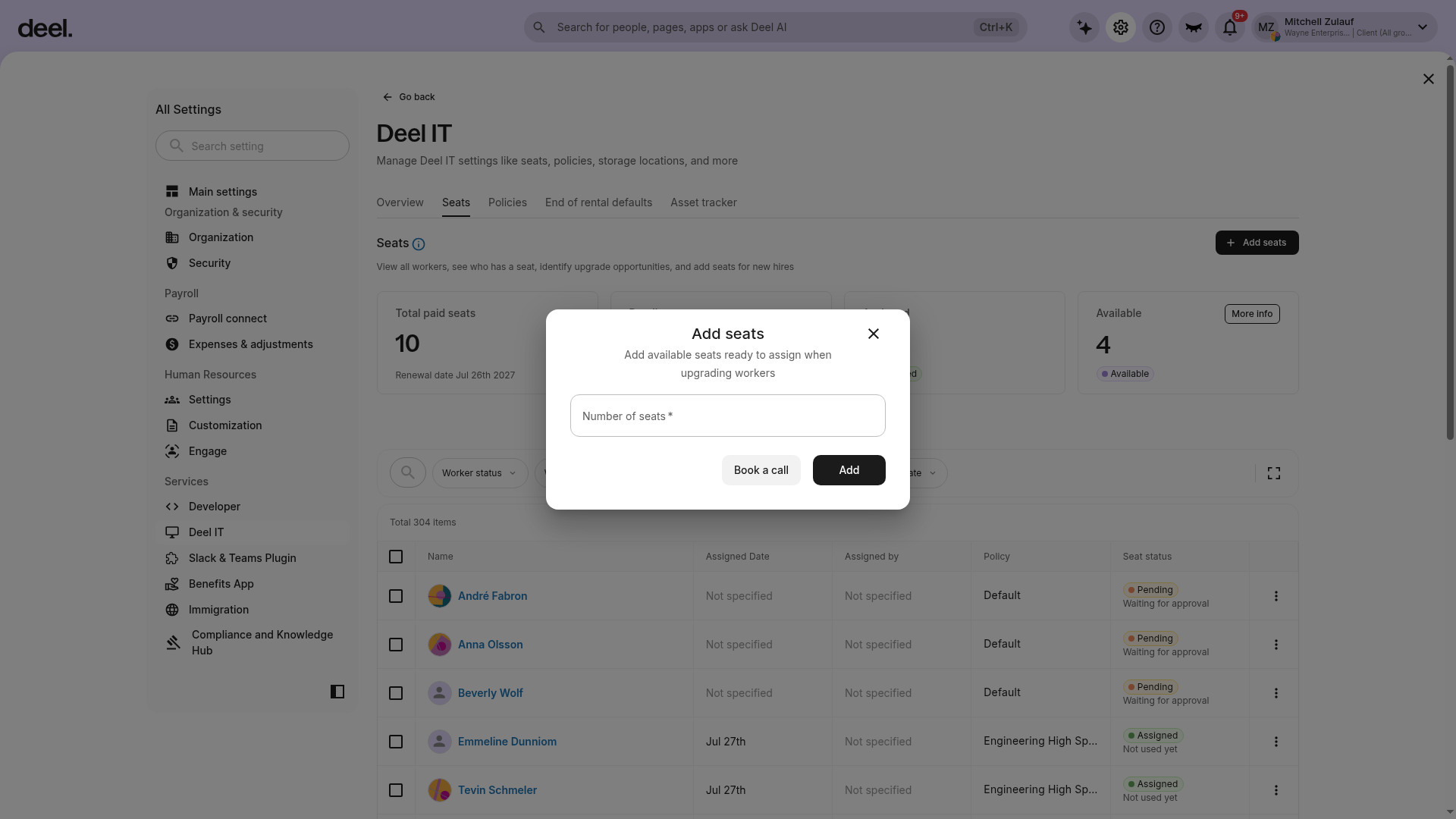
Purchased seats appear as available until assigned. You’ll also see the renewal date for paid seats in the tiles and under More info.
Seat statuses
Each seat can have one of the following statuses:
| State | What it means | What you can do |
|---|---|---|
| Available | Purchased but not yet assigned to any worker | Keep on hand to upgrade workers quickly (e.g., new hires); assign when needed |
| Assigned (not in use) | Seat attached to a worker, but no paid feature used yet | You can reassign it to another worker or downgrade the worker to the Default IT Policy |
| Assigned and in use | Worker has used any paid feature (e.g., pre-config, MDM) | Seat stays with the worker until they’re terminated and all equipment is managed (returned, stored, or transferred) |
Policies and Seats
Custom Policies:
- Workers added to custom policies have the "assign a seat" option activated by default, giving them a seat automatically (through available seats or purchased seats)—but admins can disable this if needed
- Workers without a seat can still be added to custom policies at the admin's discretion
- If a worker's seat is removed, they remain in the custom policy unless manually reassigned to another IT Policy by an admin
- Workers can be placed and remain in the default policy with or without an assigned IT Seat. By default they are added to the Default policy without a seat.
- If a worker with a seat is moved from a custom policy to the default policy, they can remain with their seat status unless removed by the admin.
Paid IT features and benefits are only available to workers who have a seat assigned. Even if a worker is enrolled in a policy, they need a seat assignment to unlock these paid features.
Assigning Seats to a Worker (Upgrade)
Once seats are available, you can assign them to workers who need access to paid IT features.
Go to Organization settings → Services → Deel IT and select the Seats tab.
Under Default policy, find the list of workers without a seat.
Click the Ellipsis (three dots) menu next to the worker’s name and select Upgrade worker.
Choose a policy, if required, and confirm.
If no seats are available, you’ll be prompted to purchase one prorated automatically.
Common workflows
Here are a few examples of how admins typically manage seats during the worker lifecycle:
- Give a new hire full access: Keep available seats. On start, upgrade/assign a seat to the worker to unlock paid IT features. Then assign the worker to the relevant Policy separately via the Policies tab. If you created a Policy Rule, the worker should already be in the matched Policy.
- Scale up quickly: Use Add seats to purchase in bulk; assign as teams grow
- Fix a mistaken upgrade: If the seat is not in use, move the worker back to the default or reassign the seat
- End of employment: When a worker is offboarded, and all associated equipment has been managed, the seat is released and returns to the available state
Frequently asked questions (FAQs)
[ACCORDION] Do all workers need a seat?
No, Admins can still place orders on their behalf.
[ACCORDION] What is the value of having a worker in a custom policy without an IT Seat?
- Governance and organization: Policies define device management rules, approval workflows, catalogs, and auto-ordering configuration. Workers in custom policies are governed by those rules, regardless of whether they have active paid features.
- Operational readiness: Workers can be organized into the right policy before paid features are activated. When you're ready to activate features (order placement, DLM enrollment, pre-configuration), the seat gets added.
Even without a Seat, a policy still governs which catalog items are available, Auto ordering rules, Policy rules/automated assignment logic, Organizational grouping and visibility.
[ACCORDION] Can I transfer/reassign devices without a seat?
No, device logistics like transfer and reassign are paid features. Both the worker releasing the device and the worker receiving it must be assigned a paid seat.
[ACCORDION] Which features require a seat?
Only paid features require a seat. Without a seat, a worker in a custom policy cannot access:
- Pre-configuration
- Storage & Retrieval (S&R)
- DLM enrollment
- Worker initiated ordering (workers requesting their own equipment, but an admin can place an order on their behalf)
Learn more about Deel IT Pricing Plans in our guide.
[ACCORDION] Can I buy seats in advance?
Yes, keeping a buffer of available seats helps you upgrade new hires immediately.
[ACCORDION] Will I see pricing before buying?
Yes, the Add seats flow shows a price breakdown before you confirm.
[/ACCORDION]