
Deel’s 24/7 Tech Support allows you and your team to raise IT support requests directly from the Deel platform and track progress from submission to resolution.
This is the fastest way to get help with issues like device troubleshooting, software access, account problems, or urgent IT requests.
With 24/7 Tech Support, you can:
- Track all the requests’ status and updates in one place
- Submit a support request anytime (24/7), for you or on behalf of your team
- Attach screenshots or files to help our team investigate faster
- Review key performance indicators such as request volume and resolution speed
How to Raise a 24/7 Tech Support Request
To raise a request, for you or on behalf of one of your organization’s users, simply follow these steps
-
From the Deel Home page, select IT in the left sidebar to open IT Overview. If IT is not available, select the chevron next to Workspace to expand its submenu.
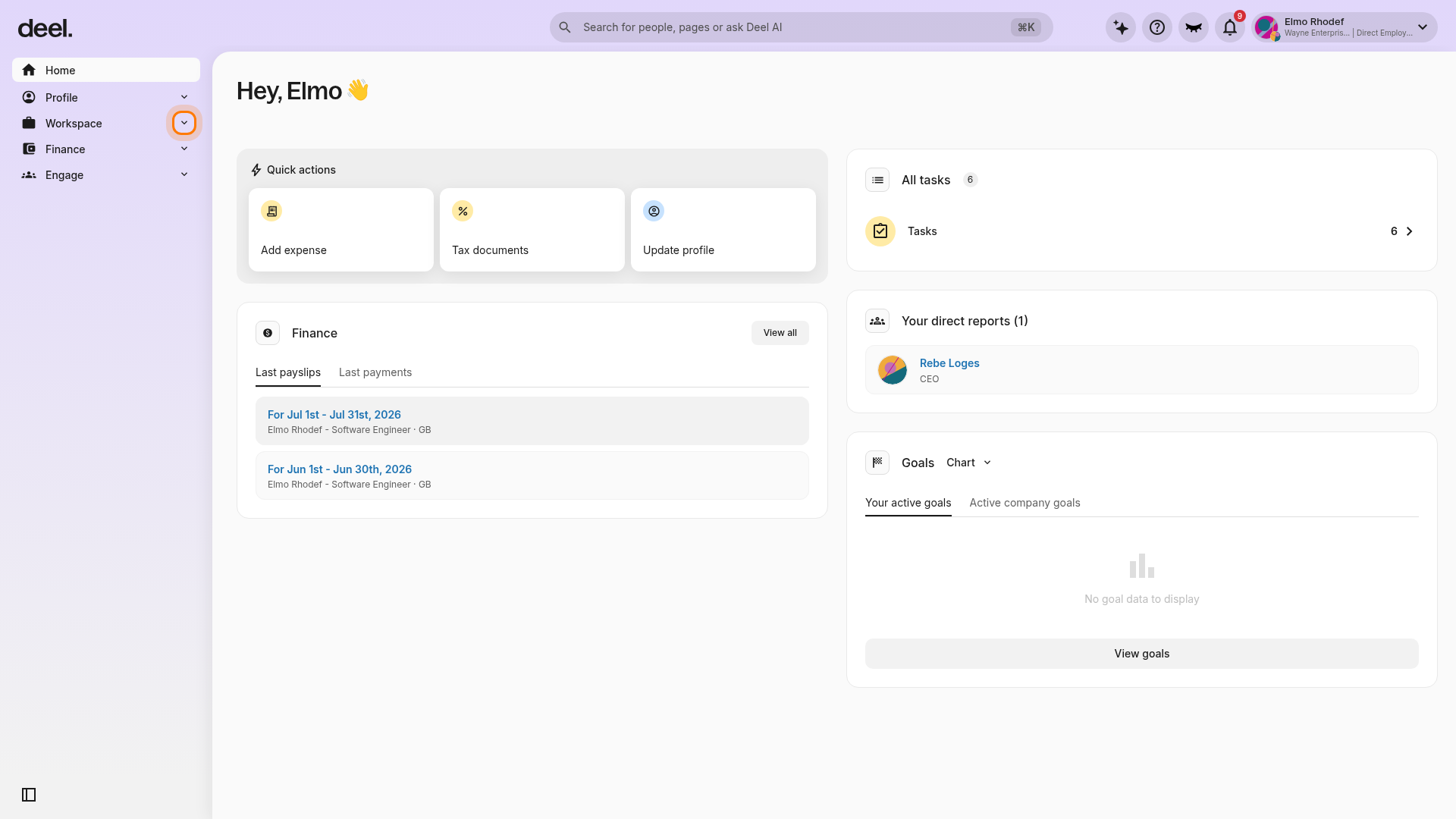
-
If you expanded Workspace, select Deel IT and confirm that the page is IT Overview.
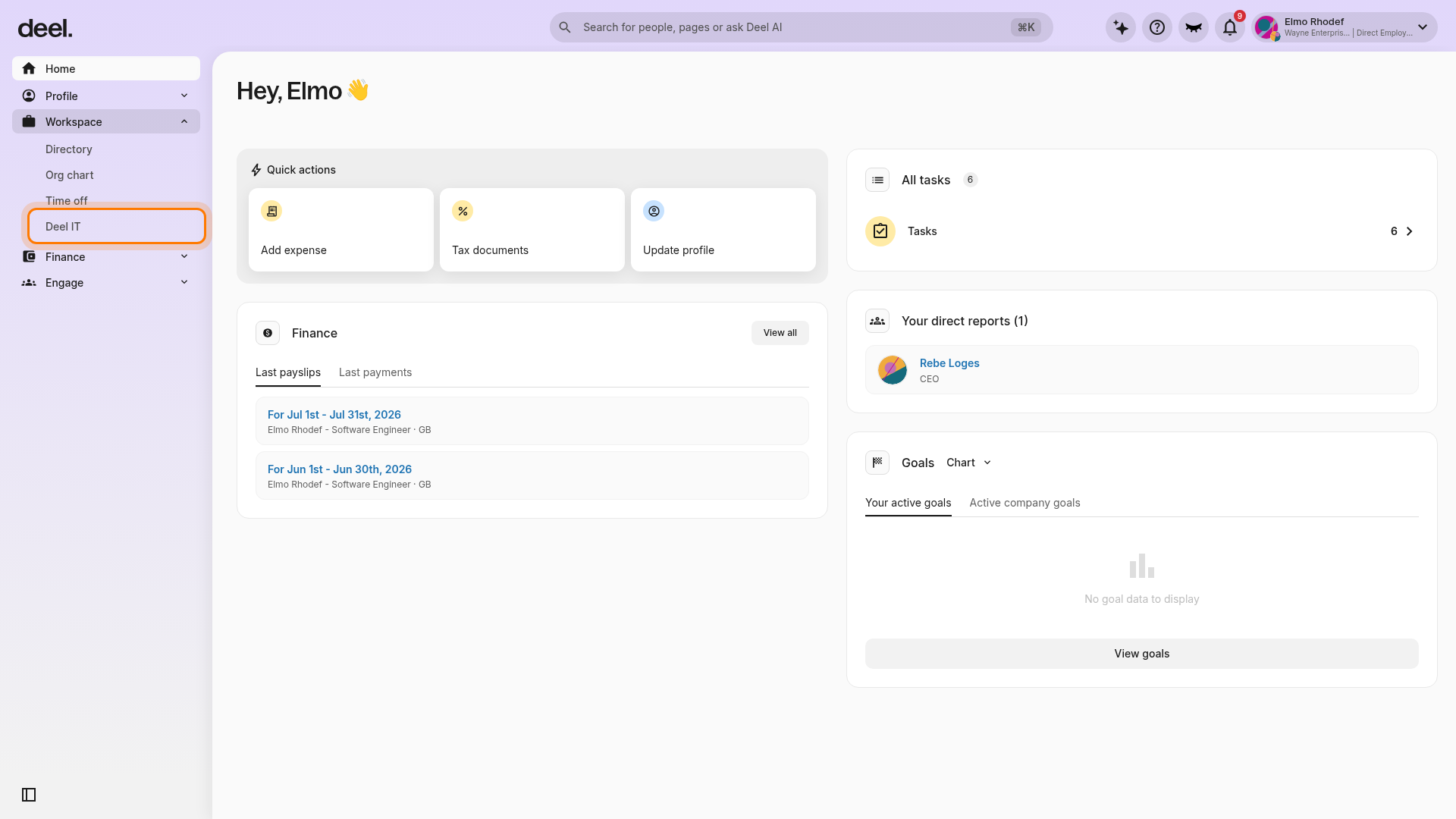
-
On IT Overview, select Request.
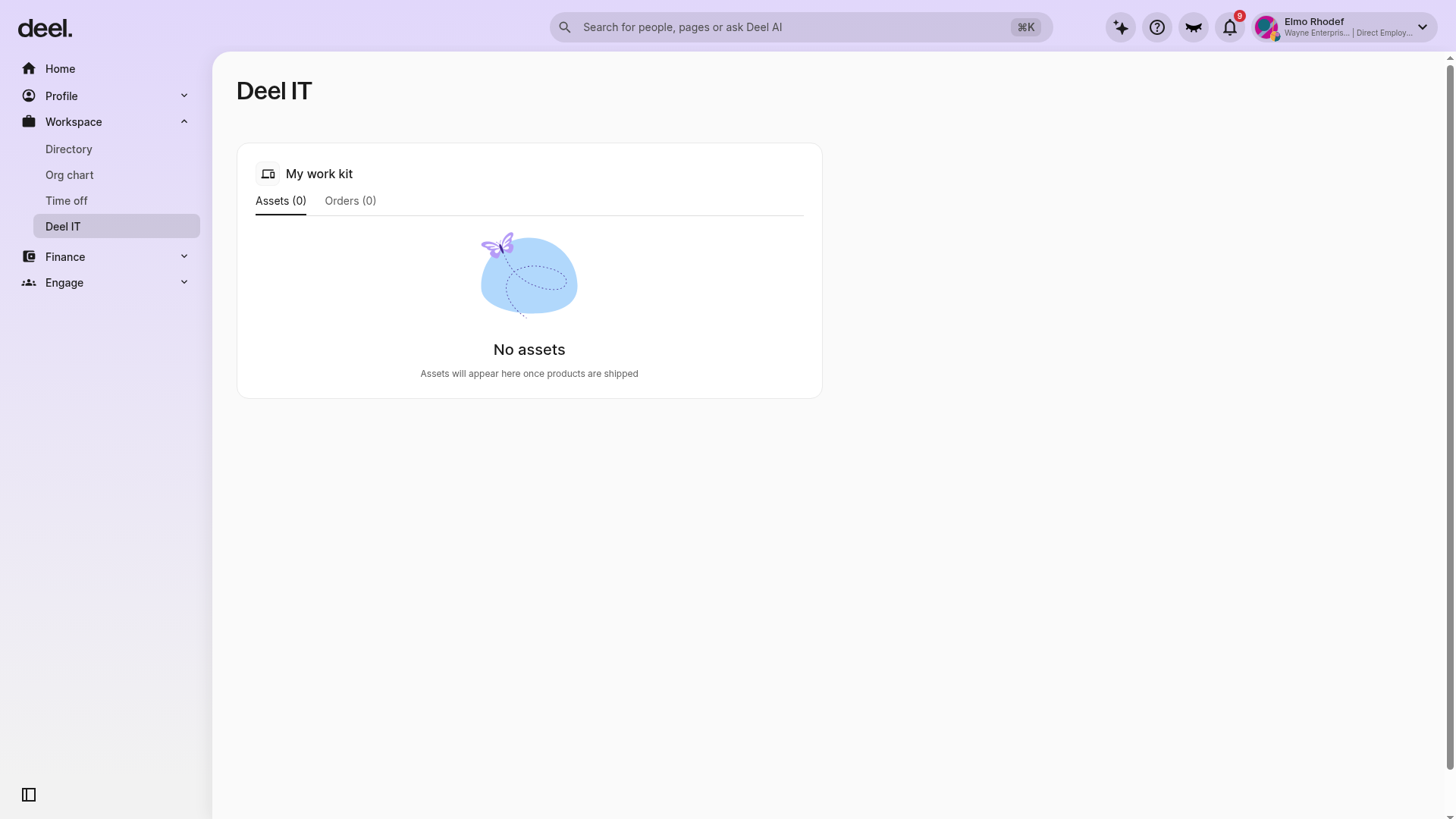
- Fill in the required details, such as:
- Requester - select who the request is for and who can view the request
- Request details - add the request type, description, urgency, and any supporting files.
- Review and submit the request
✅ Once submitted, your request is created and assigned to our team for review.
Requester and Privacy Controls
Submitting for Yourself
Simply select your own name as the requester. Your request will be tracked and you can view all updates.
Submitting for a Team Member
You can submit a request on behalf of a colleague:
- Select their name in the Requester field
- Use the privacy controls to limit visibility if the issue is sensitive (e.g., account access, personal device problems)
- Privacy restrictions prevent unnecessary visibility to other team members
Admin Responsibilities
If you're an IT admin: Make sure your team members have 24/7 Tech Support licenses assigned. Workers cannot submit requests without an active license. See Managing 24/7 Tech Support Licenses for step-by-step instructions.
Tracking Request Status and Updates
After submitting a request, open the Requests tab to monitor it.
What You Can View
From the Requests tab, you can:
- View all submitted requests – including their status, requester, submitter, and other details
-
Open a request to see:
- The original request details
- Any attachments uploaded
- Full support conversation and updates from the team
- Current priority and assigned status
- Close a request – once resolved, mark it as closed
- Reopen a conversation – if the issue resurfaces
Alternative Access Locations
You can also track your request in:
- Communication Center – Select Deel IT tab to view all tickets
- Deel IT Tab – Direct access from your workspace shortcuts
Request Statuses Explained
Your request will progress through the following statuses:
| Status | Meaning | Your Action |
|---|---|---|
| Open | Request received and waiting to be reviewed by the support team | Monitor inbox for updates |
| In Progress | Our support team is actively working on investigating or resolving your issue | Check for updates/responses |
| On Hold | We need more information from you to continue investigating | Respond with requested details |
| Closed | Request has been completed and resolved | See FAQ for next steps |
Exporting Request Data
For Admins: You can export all your organization's request data as a CSV file for deeper analytics and reporting:
- Go to Deel IT → 24/7 Tech Support → Requests
- Select Export (or similar option, depending on your dashboard)
- Download the CSV containing complete request information
- Use for trend analysis, volume monitoring, and resource planning
Frequently Asked Questions
[ACCORDION] Is 24/7 Tech Support included in the Deel IT paid plan by default?
No. This is a stand-alone service, separate from other forms of support in Deel IT and Deel as a whole.
[ACCORDION] Does this service cover the financial cost of repairing or replacing broken hardware?
No, it does not. The 24/7 Tech Support team handles the troubleshooting and coordination of hardware issues. The actual costs for repairs, providing loaner devices, or replacing equipment fall under Deel's Device Lifecycle Management (DLM) service, which is a separate add-on.
[ACCORDION] What if we already have an internal IT team?
This service can also complement your existing team. By outsourcing the repetitive, day-to-day user tickets (like password resets and access requests) or covering after-hours support, your internal IT staff is freed up from being overwhelmed and can focus on higher-impact, strategic projects.
[ACCORDION] Are support specialists able to assist my team in languages other than English?
Support is offered only in English.
[ACCORDION] Are we locked into a rigid contract for this support?
Deel IT paid features require an active contract. Our per-seat, per-worker, per-month pricing lets you manage who has access: you can assign individual workers from 24/7 support at any time. Note that your total license count is cotermed with your contract term: once you increase it, that count is locked in and can't be reduced until renewal, regardless of billing frequency.
[ACCORDION] Is there a fee to use 24/7 Tech Support?
24/7 Tech Support is a paid feature in the Deel IT catalog of Software Services, priced at $99 per user per month. Get in touch with our team to learn more.
[ACCORDION] Is Tech Support really available 24/7?
Yes! Requests can be submitted at any time, and the support workflow is designed to provide coverage around the clock.
[ACCORDION] What should I do if my issue is urgent?
When creating a request:
Select the most relevant category
Clearly mark the issue as urgent in the description
Include what is blocked (e.g., "cannot access laptop", "locked out of account")
[ACCORDION] How long will it take to receive a follow-up on my request?
Once your request is submitted, our support team will follow up as soon as possible. Response times vary depending on request volume and issue complexity.
Your organization's SLA (Service Level Agreement) defines guaranteed response and resolution times based on priority level. See About 24/7 Tech Support from Deel IT for the full SLA table (Priority levels P1-P4).
[ACCORDION] What should I do if my request isn't solved?
Deel IT operates with defined SLAs. If your issue hasn't been resolved within a reasonable timeframe:
Reach out to your IT Manager for escalation
Reference your Request ID in any follow-up
Include context on what you've tried and any workarounds you've found
The support team may need additional information to continue the investigation.
[ACCORDION] What happens after my request is resolved?
Once marked Resolved, the request is closed. If the issue continues:
Reopen the conversation (if available in the Deel platform), or
Submit a new request and reference the original Request ID in the subject line or description
This helps the team connect related issues and provide continuity.
[ACCORDION] I can't find the 24/7 Tech Support option. Where do I request support?
The 24/7 Tech Support feature isn't in Communication Center, it's a standalone widget on your IT Overview page. You can:
Submit a request through Deel
If you're an admin: Make sure your team members have 24/7 Tech Support licenses assigned. For step-by-step instructions, see Managing 24/7 Tech Support Licenses in the Help Center.
[ACCORDION] Can I submit a request for multiple team members with the same issue?
If multiple people are experiencing the same issue (e.g., "all design team members can't access Figma"), submit one request detailing:
How many people are affected
Which team/department is impacted
Whether it's blocking work (P1 priority indicator)
This helps the support team prioritize and assign appropriate resources. They may ask for follow-up details during investigation.
[ACCORDION] Can I attach files or screenshots to my request?
Yes! Attaching files helps the support team investigate faster. You can add:
Screenshots showing the error or issue
Log files or error messages
Configuration details or settings
Video recordings of the problem (if applicable)
Acceptable file types include: PNG, JPG, PDF, TXT, DOC, DOCX (check your Deel Help Center for full file type list). Keep files under 5 MB when possible.