
If your employer or Client has initiated an immigration case for you on Deel, you will receive an email invitation to join the platform and complete your part of the process.
Once logged in, you can view your case status, complete required actions, upload documents, and communicate with your assigned immigration specialist - all from one place.
In this Article
How to Access Your Immigration Case
Before You Start
To access your immigration case, you will need:
- A Deel account (you will receive an invitation email from Deel when your employer starts a case for you)
- Your case to have been initiated by your employer or Deel
If you have not received an invitation and believe your employer has started an immigration case for you, contact your employer or reach out to Deel Support.
How to Access Your Immigration Case
Step 1 — Log in to Deel
Go to app.deel.com and log in. Use the credentials from your invitation email, or sign in via SSO if your organization uses it.
Step 2 — Navigate to the Immigration tab
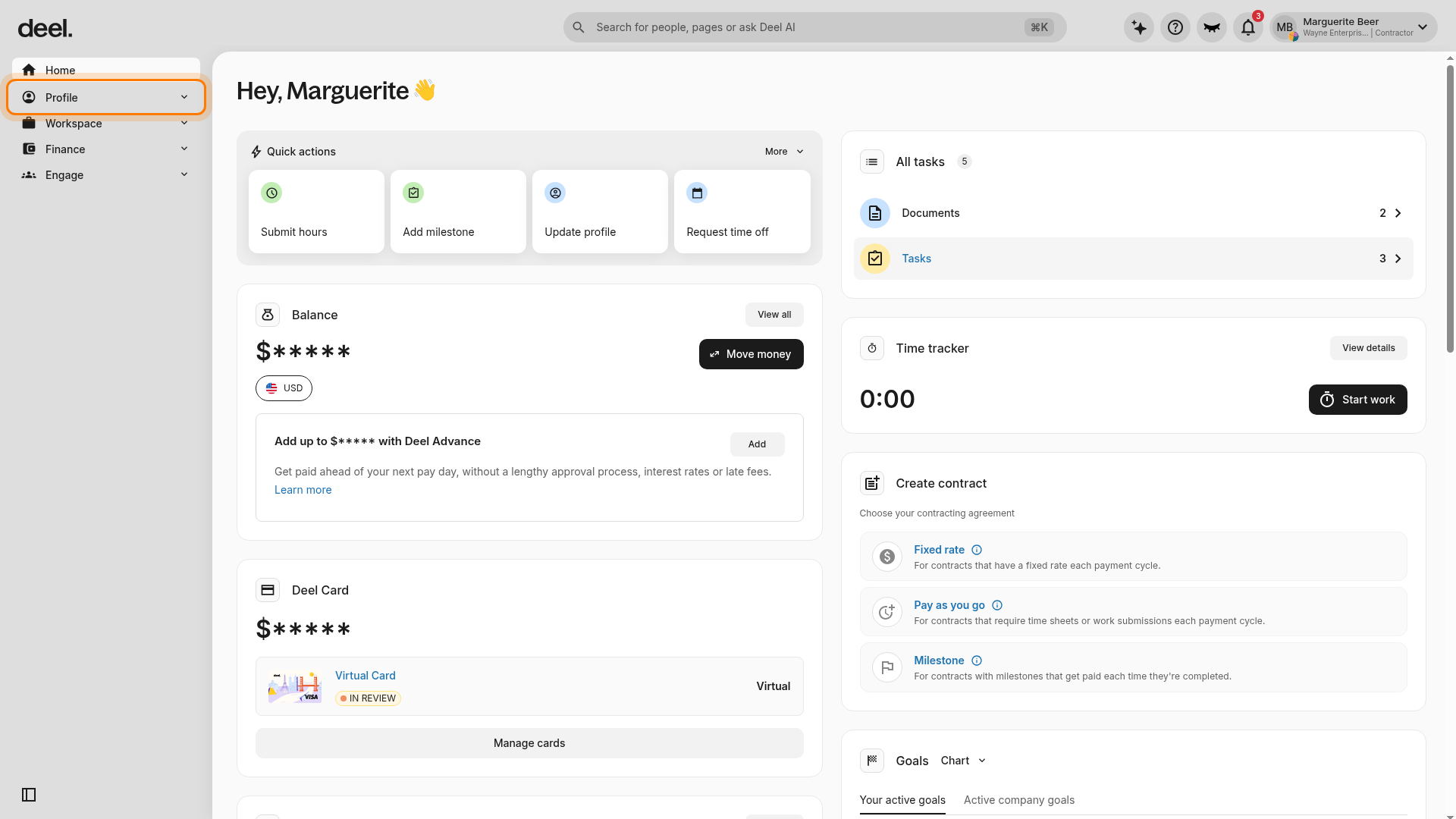
In the left sidebar, select Profile to expand its submenu.
Then select Immigration from the expanded Profile submenu.
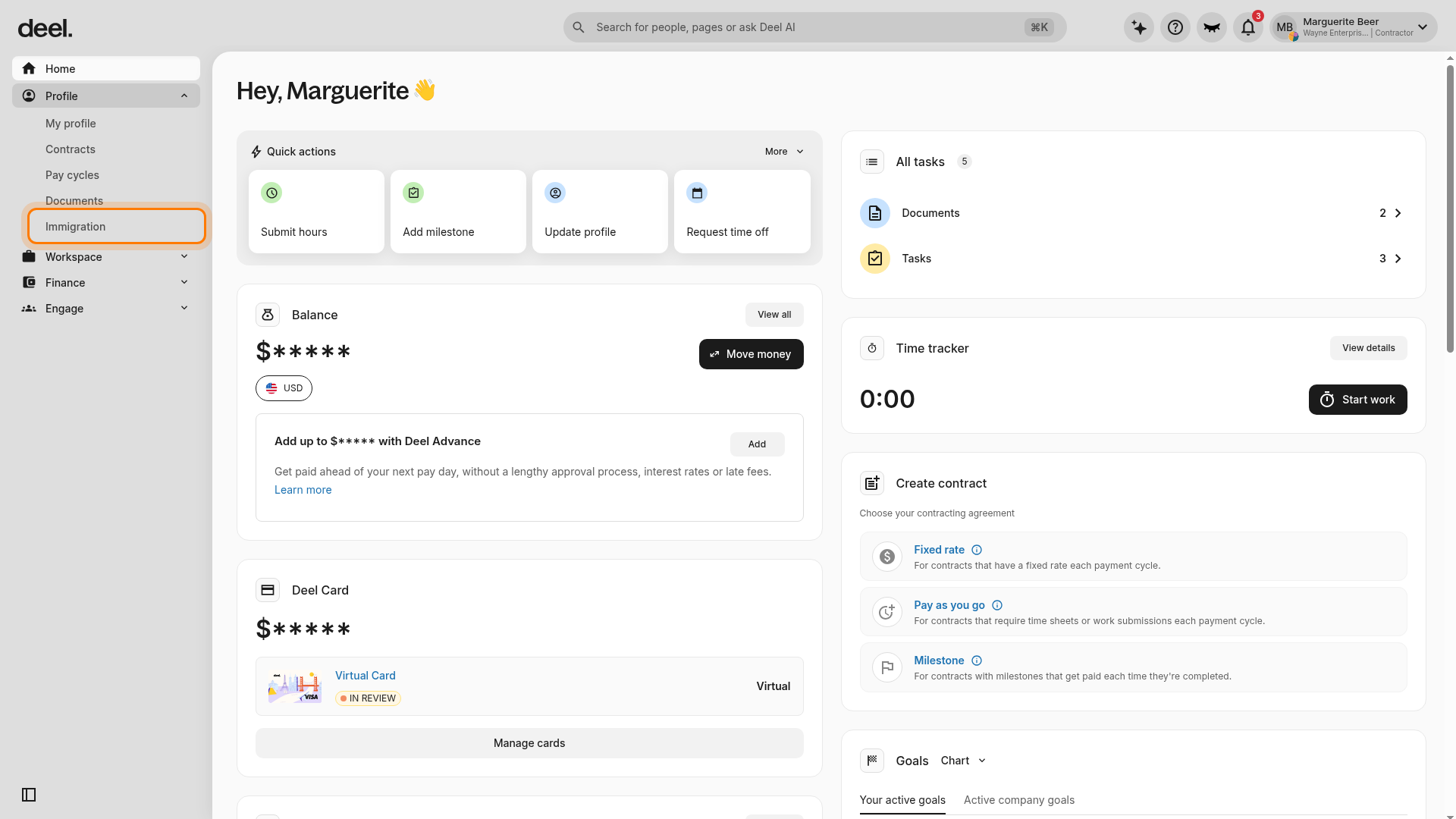
Expected result: The Immigration page loads.
If you do not see Immigration in the Profile submenu, contact your employer or Client to confirm that an immigration case has been initiated for you.
Step 3 — Find your case in the Case Tracker
On the Immigration page, locate the Case tracker section. If one or more cases are listed, select the case you want to review and wait for its details page to load.
The case details page may include:
- Case type — the visa or permit being applied for
- Current status — where your application is in the process
- Process timeline — a step-by-step view of completed and upcoming stages
- Estimated completion time
- Required actions — tasks assigned to you that need to be completed
Expected result: The selected case’s details page opens.
If Case tracker is empty, there is no case available to open from this page.
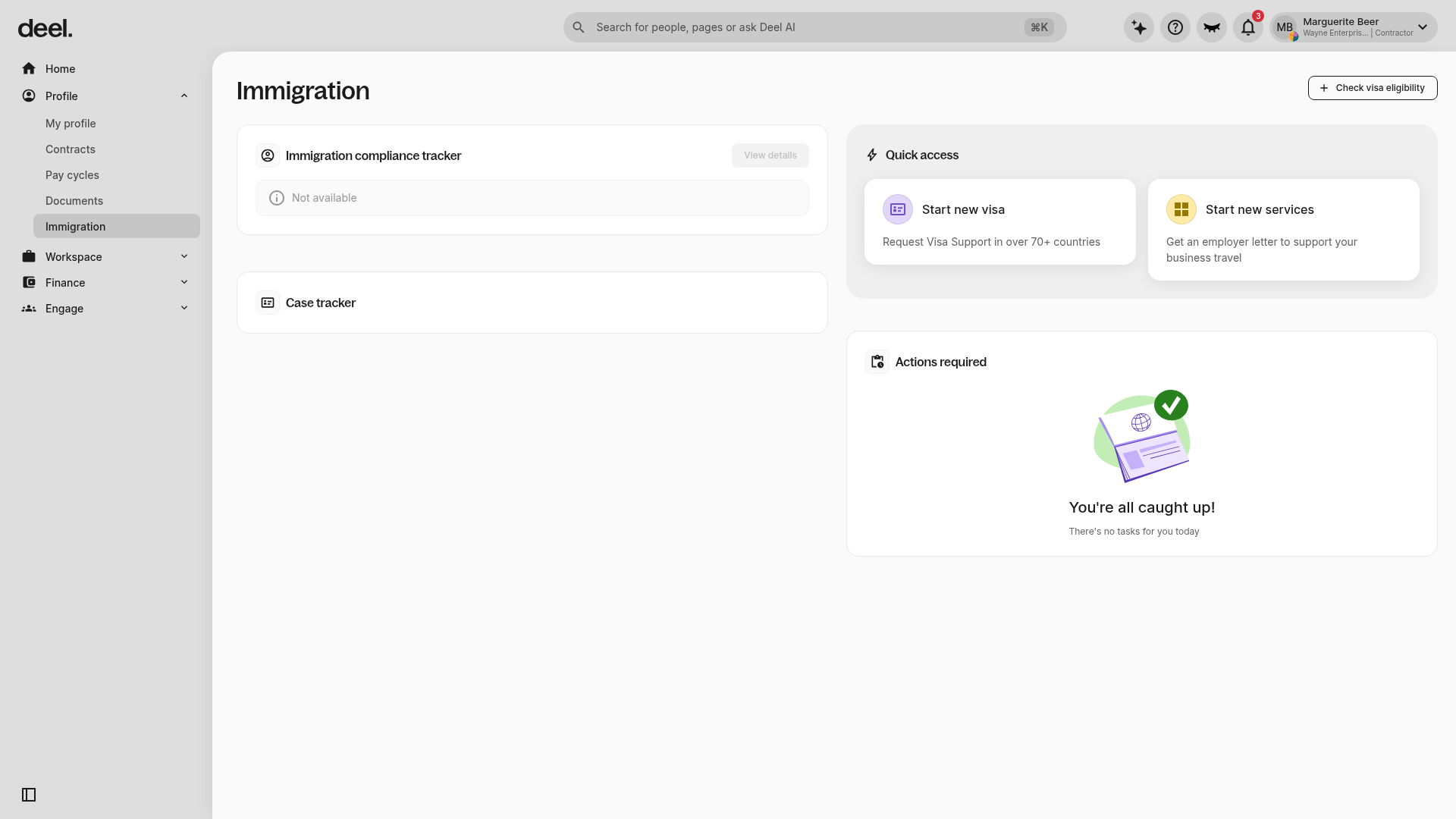
Confirm that Case tracker contains a selectable case entry. If it is empty and you expected a case to be present, contact the person or team responsible for initiating or managing your immigration case.
Frequently Asked Questions
[ACCORDION] What are the processing times?
This varies by country and visa type.
Learn more about your visa/permit application process and government processing timelines in your personalized Knowledge Hub.