
The contractor invoice cycle and estimated payment arrival will vary depending on the contract type.
Independent contractors on Deel are able to see the Payment Tracker, which provides an easy-to-follow timeline of the payment process.
Please note that the estimated arrival we provide is defined by the invoice due date, and depends on whether the client paid the invoice on time.
See our Frequently Asked Questions for more details.
To view the invoice cycle for a contract, find the Contracts panel on the home dashboard and select the contract you want to review. If several contracts appear for the same worker, select the contract that matches the agreement type you need, such as Pay As You Go, Fixed, or Milestone.
On the contract details page, scroll to the payment-related details and find the Invoice cycle ends field. You may also see related payment due timing. Depending on the contract layout, the page may already open on the details screen instead of requiring a separate click on Contract Details.
Contractors with Fixed Rate or Pay As You Go can view upcoming payments through the Finance icon. In the left sidebar, select Finance to expand its submenu, then select Transactions.
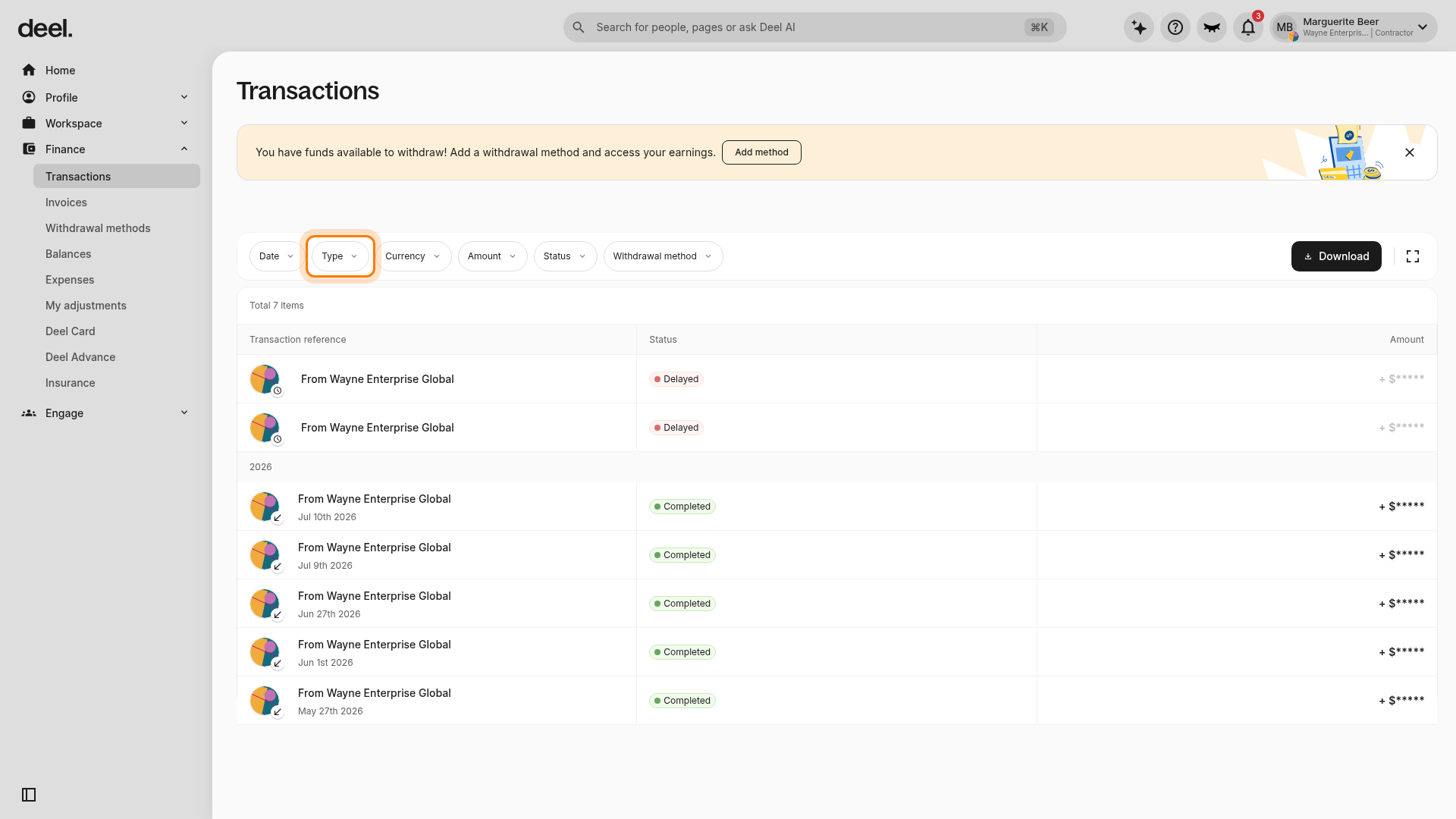
On the Transactions page, select Type in the filter row. The Transaction type panel opens and shows Incoming, Outgoing, and Show results.
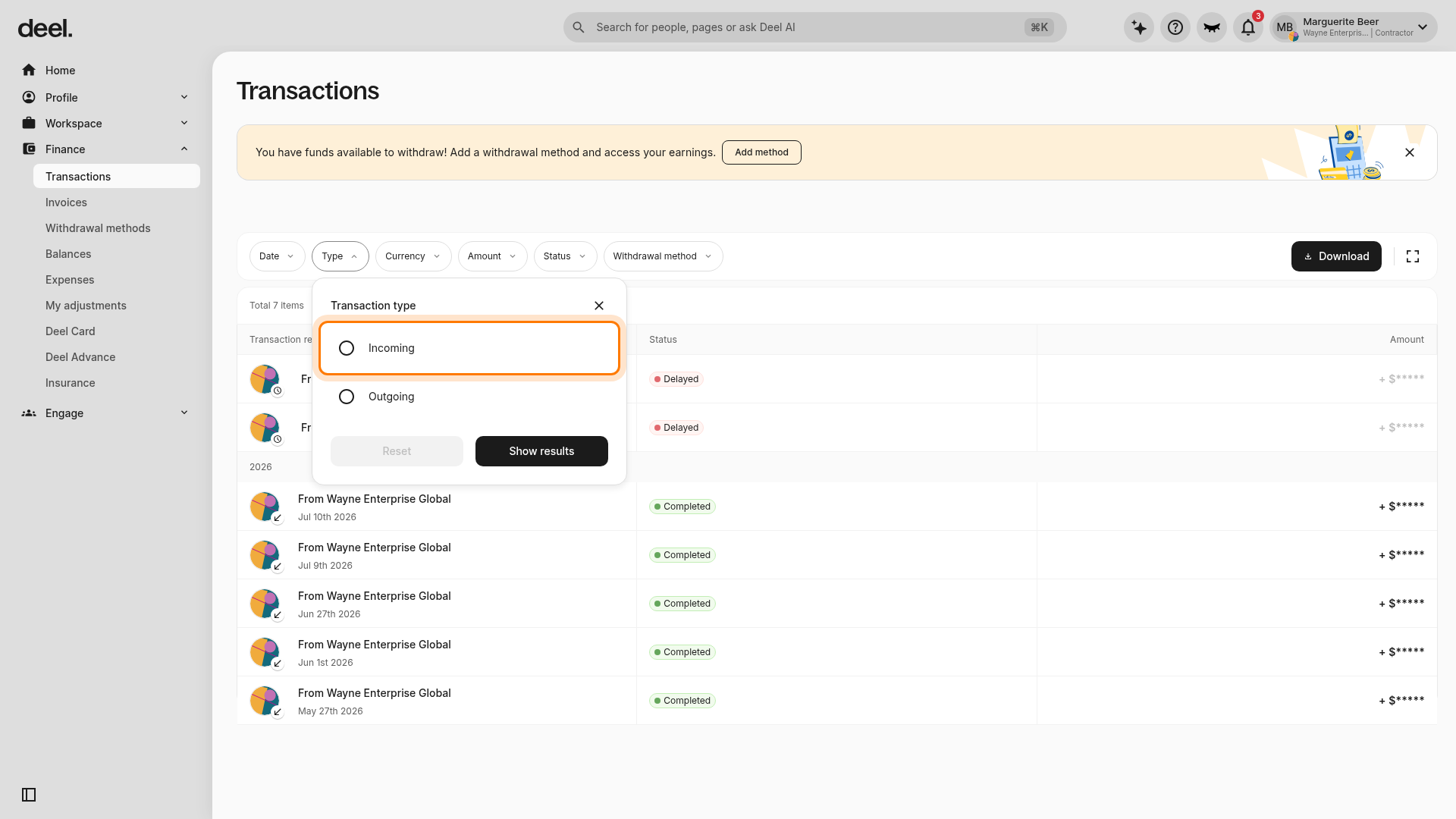
Select Incoming in the Transaction type panel. The filter is not applied until you select Show results.
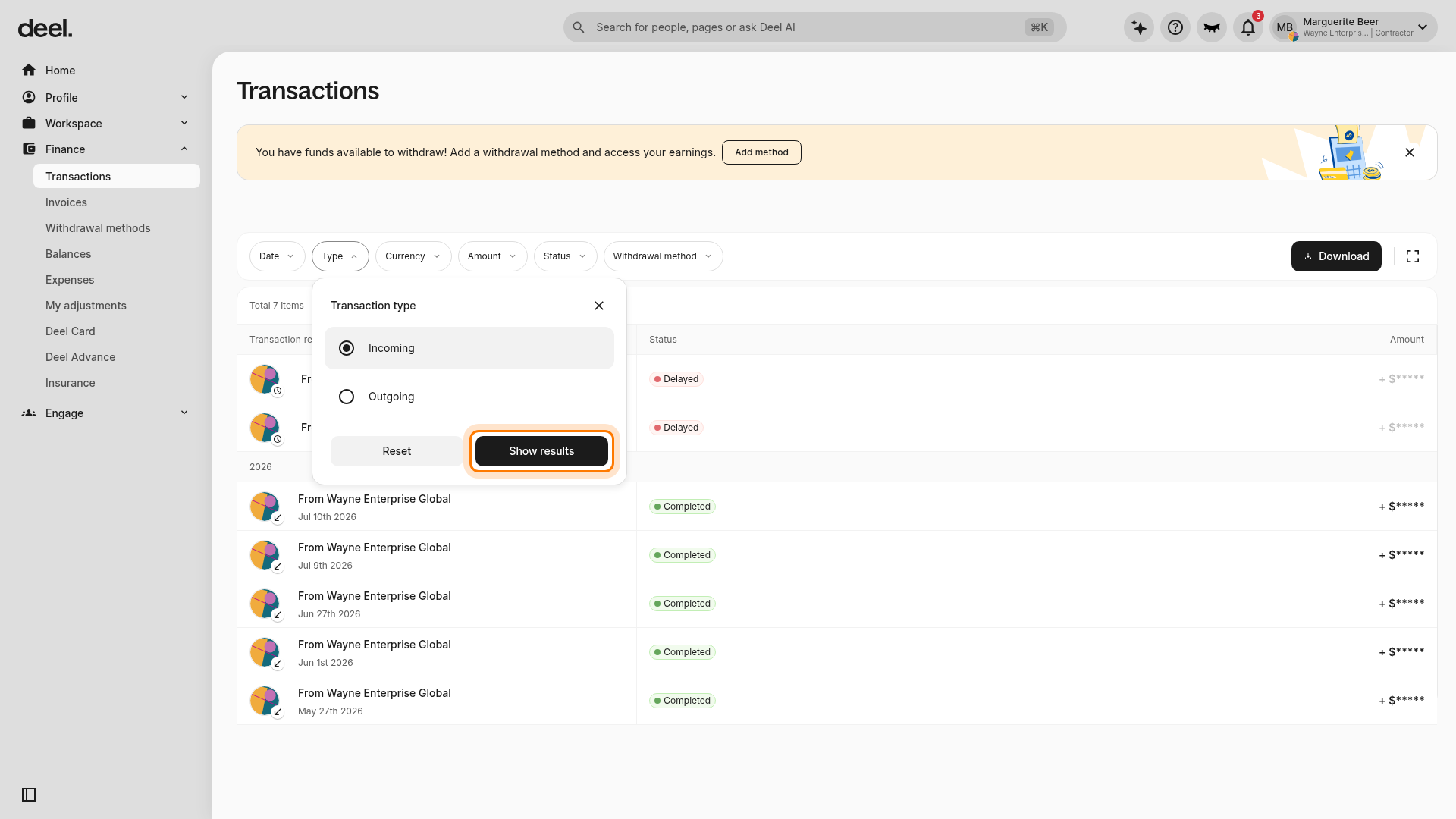
Select Show results. The panel closes and the transaction list updates to match the selected type.
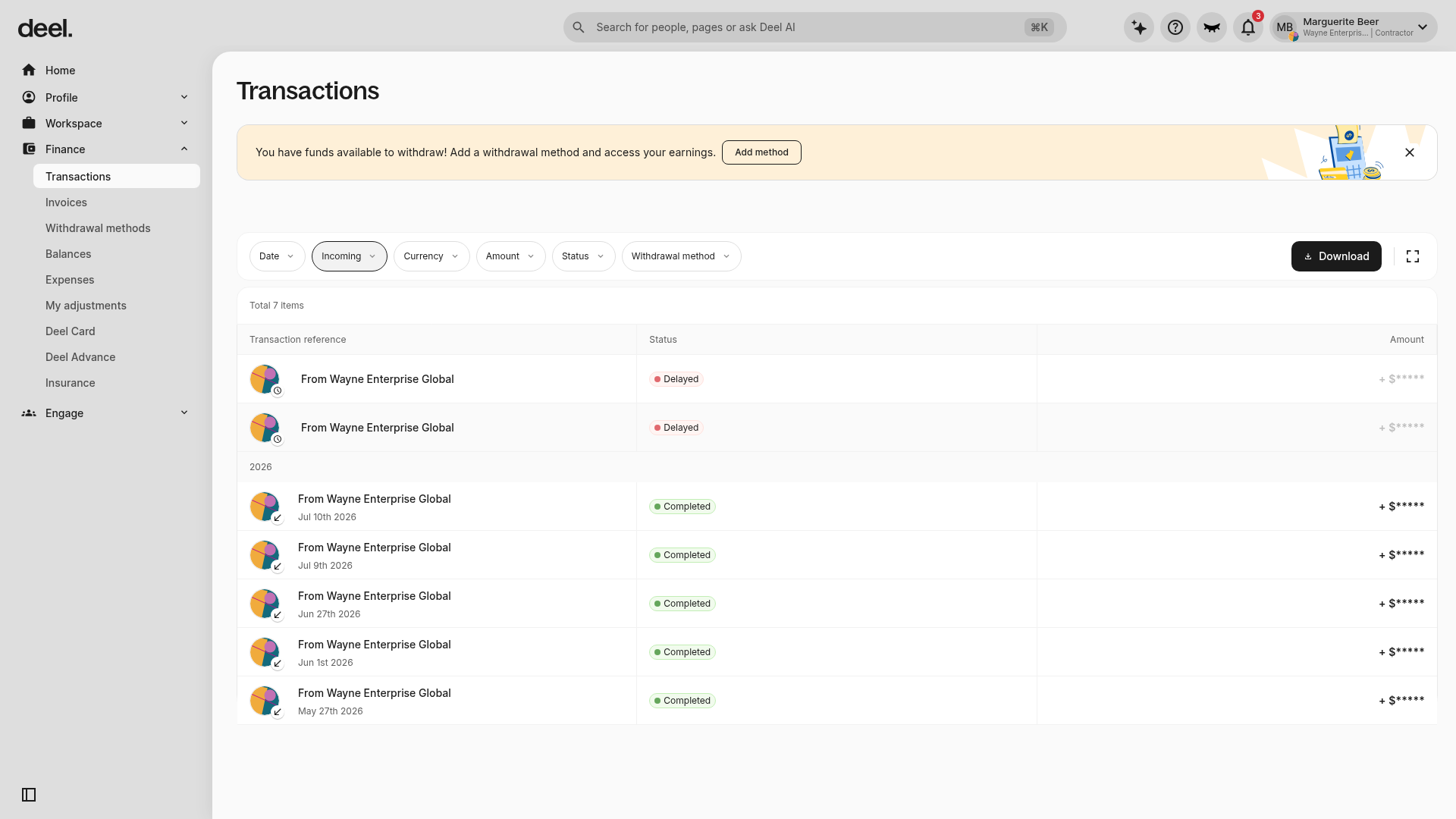
Confirm that the Type filter displays Incoming and that the filtered transaction table is visible. The number of results depends on your account.
To view payment details, select the payment row you want to review in the transactions table. Use the visible transaction reference, date, status, and amount to identify the correct payment.
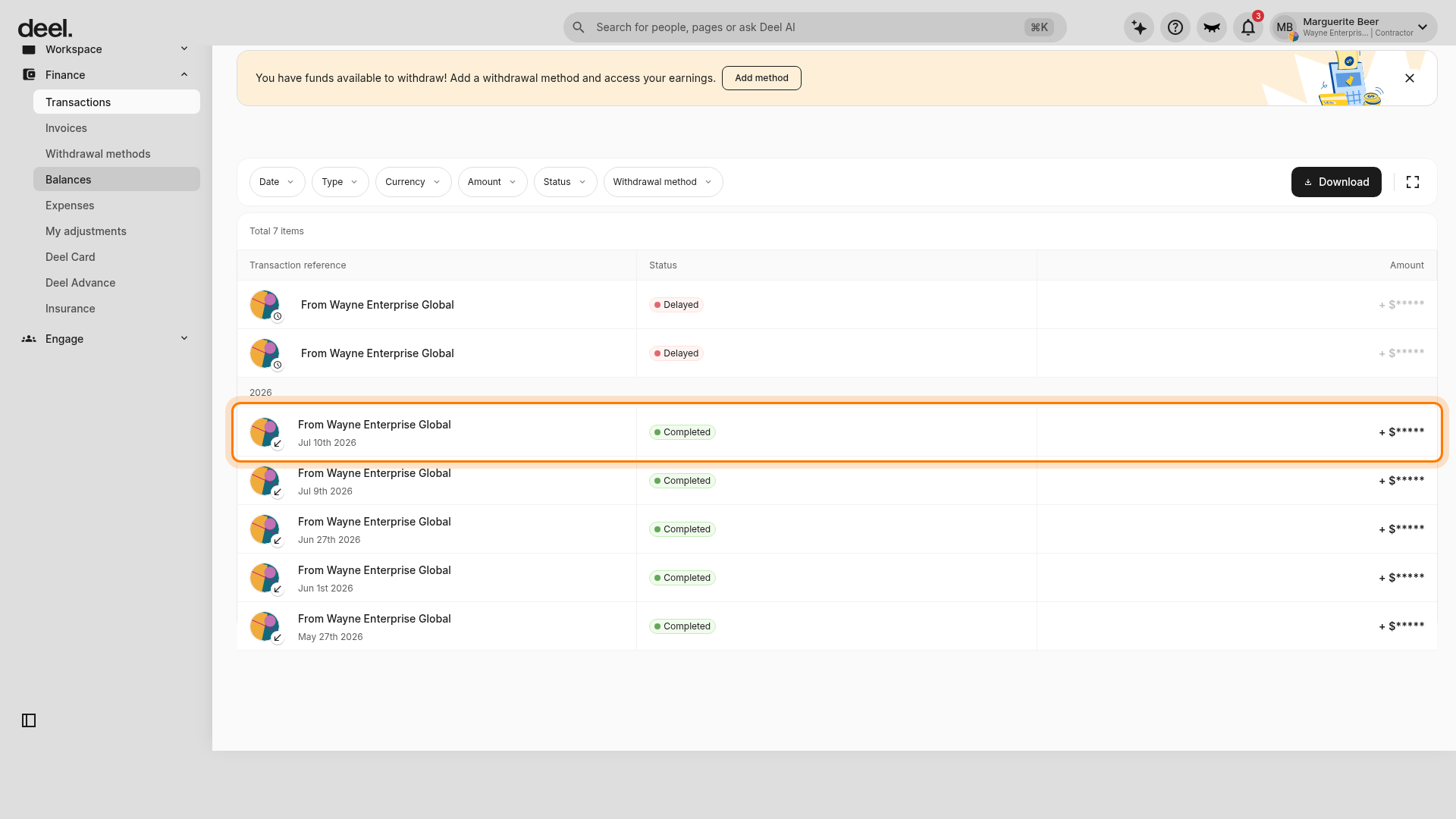
The selected payment opens on its details page. Confirm that the page shows the selected payment and a Payment Details section, including the payment Type, Client, Contract, Invoice, payment amount, invoice total, and a Payment tracker showing progress or completion.
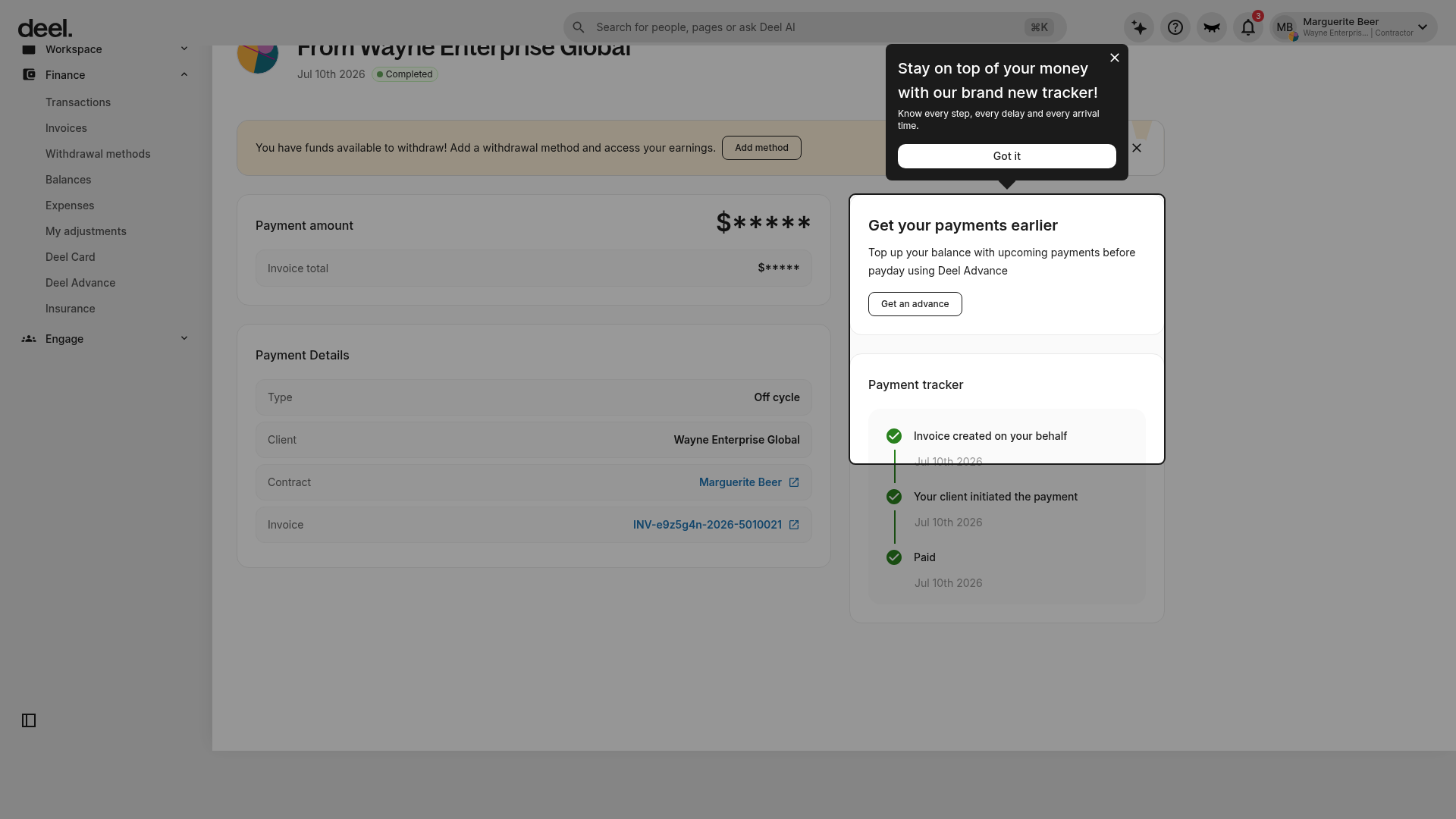
If a payment-tracker tip appears over the page, close it with its X or select Got it if it obscures information.

The Payment Tracker does not provide ETA details for Off-Cycle payments or Milestone Contract payments, because these don't generate regular invoices
FAQs
[ACCORDION] When is payment received?
-
For Fixed Rate and Pay As You Go Contracts: The funds will be available in the balance on the due date as per the contract agreement. To see the due date, select the Contract Details tab on the contract. The invoice cycle information is listed in the Payment Details box.
-
For Milestone Contracts: There is no regular invoice cycle with this contract type. As soon as the predetermined project milestones are completed and approved, the client will have access to the invoice. Once Deel receives the client's payment, the funds will be available in the balance.
-
For Off-Cycle Payments: After the client pays for the one-off invoice, it may take 3-5 business days for Deel to receive the payment. Once the funds are received, the balance will be added to the account, and a notification will be sent via email. No further action is needed. If there is an agreement with the client to be paid via one-off payment by a certain date, contact the client if the balance is not available by that time.
[ACCORDION] Why are the funds not visible in the account despite the work submission/milestone being approved?
An approved work submission indicates that the client has reviewed the work and added it to the current invoice cycle. However, it does not necessarily mean that the client has paid for it yet.
Once the client pays for the invoice, the account balance will be updated on the payment due date specified in the contract. The due date can be found in the Contract Details tab on the contract.
[ACCORDION] Why aren’t the funds received despite it being the payment due date?
Even if the client has sent the payment, some banks may take longer to process it or run additional checks.
If the funds are not available on the designated payday, it is advisable to wait 1-2 business days while the client’s payment is being processed.
[ACCORDION] When will the payment be received after Deel starts processing it?
It is advisable to check with the client to confirm if the funds have been sent to Deel. Once the funds are sent, it may take up to 3-5 business days for Deel to receive the funds and process the payment.
Once the payment is processed, the balance will be visible in the Deel Balance section on the homepage..
[/ACCORDION]