
Independent contractors can now use the Forecasted Shifts feature to automatically populate their timesheets.
This feature is specifically designed for hourly, pay-as-you-go contractors who need to log specific durations to receive payment. Using this feature, contractors can ensure consistent time tracking while maintaining the necessary flexibility to adjust hours prior to the final pay cycle cutoff.
In this Article
How to Enable and Customise Forecasted Shift
How to Enable and Customise Forecasted Shift
Follow this workflow to get started:
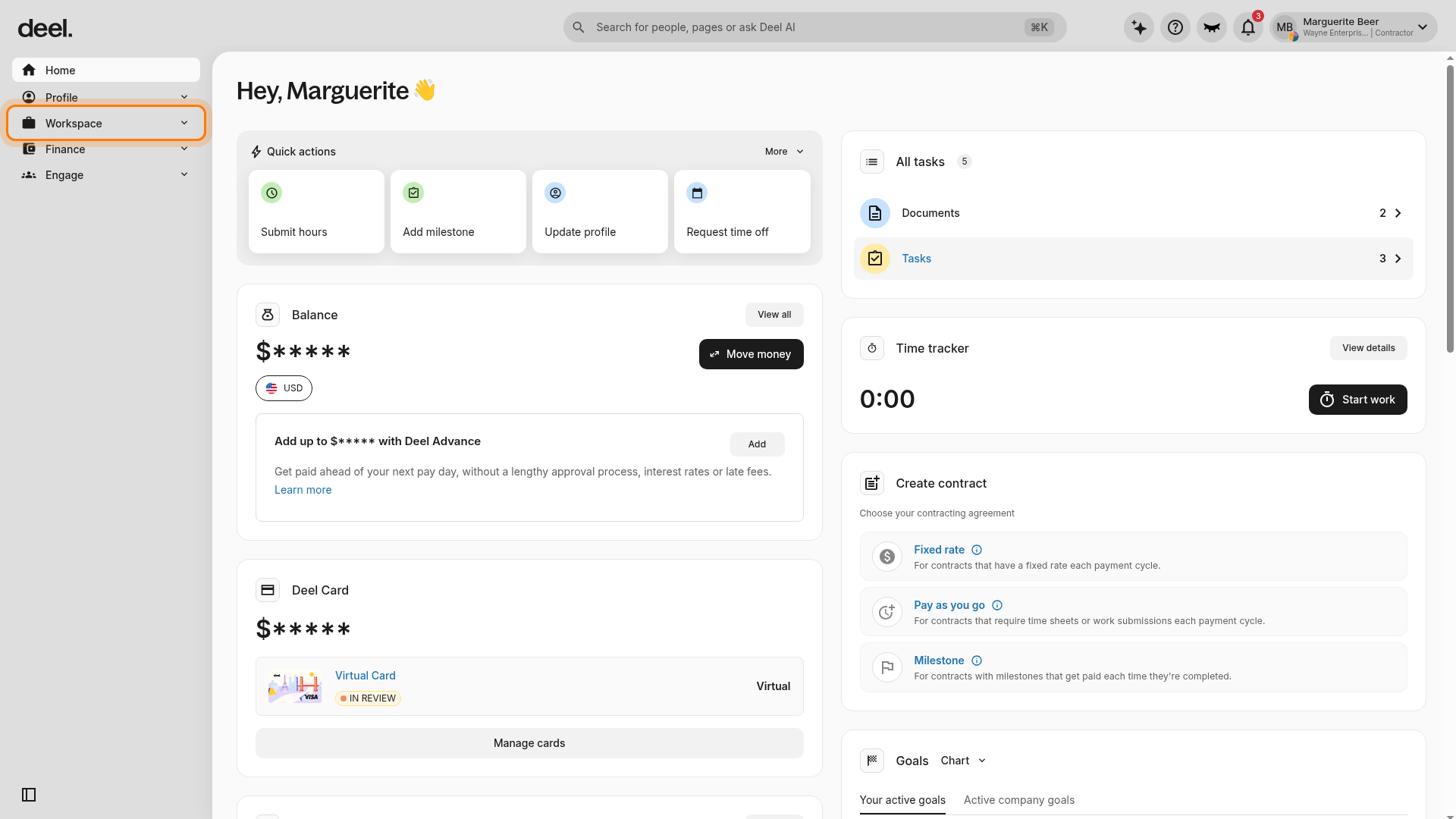
1. Access Time Tracking: In the left sidebar, select Workspace to expand its submenu.
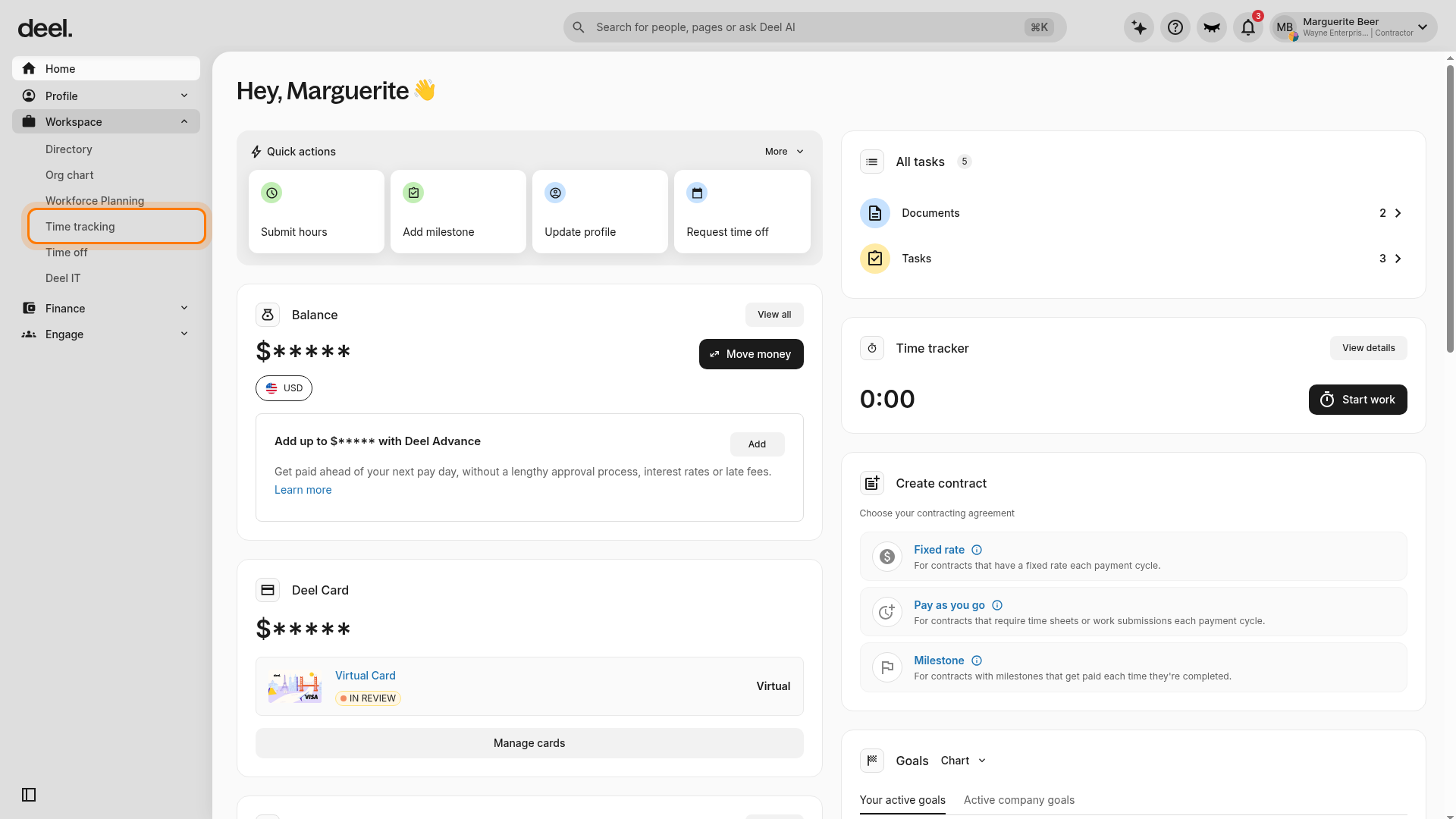
Select Time tracking from the expanded submenu.
2. Enable the Forecast : On the Time tracking page, select Manage forecast in the upper-right area of the page. The Forecasted shifts panel opens.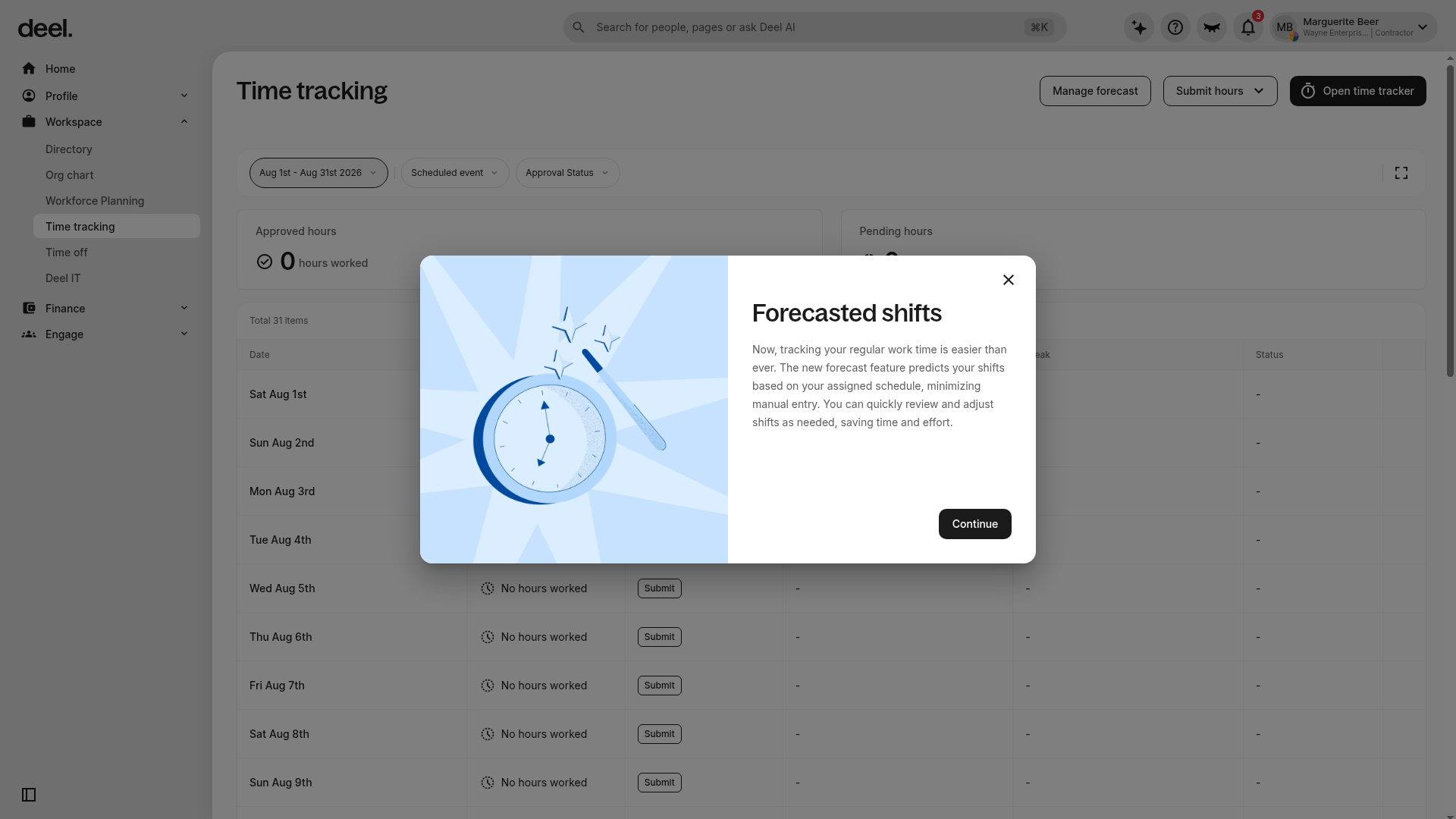
Select Continue to begin configuring your forecast.
3. Choose Your Schedule Source: Choose how the system predicts your hours:
Client-Assigned Schedule: Automatically fills your timesheet based on the daily schedule your client has assigned to you.
Custom Weekly Schedule: Lets you define a routine by setting start and end times for each day of the week.
4. Adjust and Apply Changes: If you need to deviate from your standard schedule, make manual adjustments in the forecast panel. For example, if you change your Monday end time from 4:00 p.m. to 6:00 p.m., select "Apply to all days" to update the entire week.
5. Save and Sync: Select Save. The system forecasts future shifts based on your selected schedule, and the shifts appear in your timesheet. Review and adjust forecasted shifts in Time tracking before the pay-cycle cutoff.
Frequently Asked Questions
[ACCORDION] What happens if my actual hours differ from the forecast?
You can manually edit any forecasted shift directly in your timesheet at any time before the pay cycle cutoff.
[ACCORDION] Can I switch between a client-assigned and a custom schedule?
Yes. By returning to the Manage Forecast drawer, you can toggle between the two modes or update your custom hours as your project needs evolve.
[ACCORDION] When do the forecasted shifts become "official"?
The shifts remain editable throughout the pay period. They are only finalized for processing once the pay cycle reaches its cutoff point, giving you plenty of time to ensure accuracy.