
This article explains how clients can add their employees on Deel Payroll- US.
Deel Payroll- US is a software-driven automation built to replace the manual processes involved in running payroll. It ensures shorter payroll approval timelines and enables faster processing of payroll for your employees.
Location Requirement: Deel Payroll - US supports only employees working and residing in the United States. If your employee is based outside the US or will be working remotely from another country, contact your OBM before adding them to this payroll. We can help you determine the appropriate payroll solution and ensure compliance with tax obligations in the employee's actual work location.

Adding an Employee on Deel Payroll- US
✅ Step 1 - Create a Contract
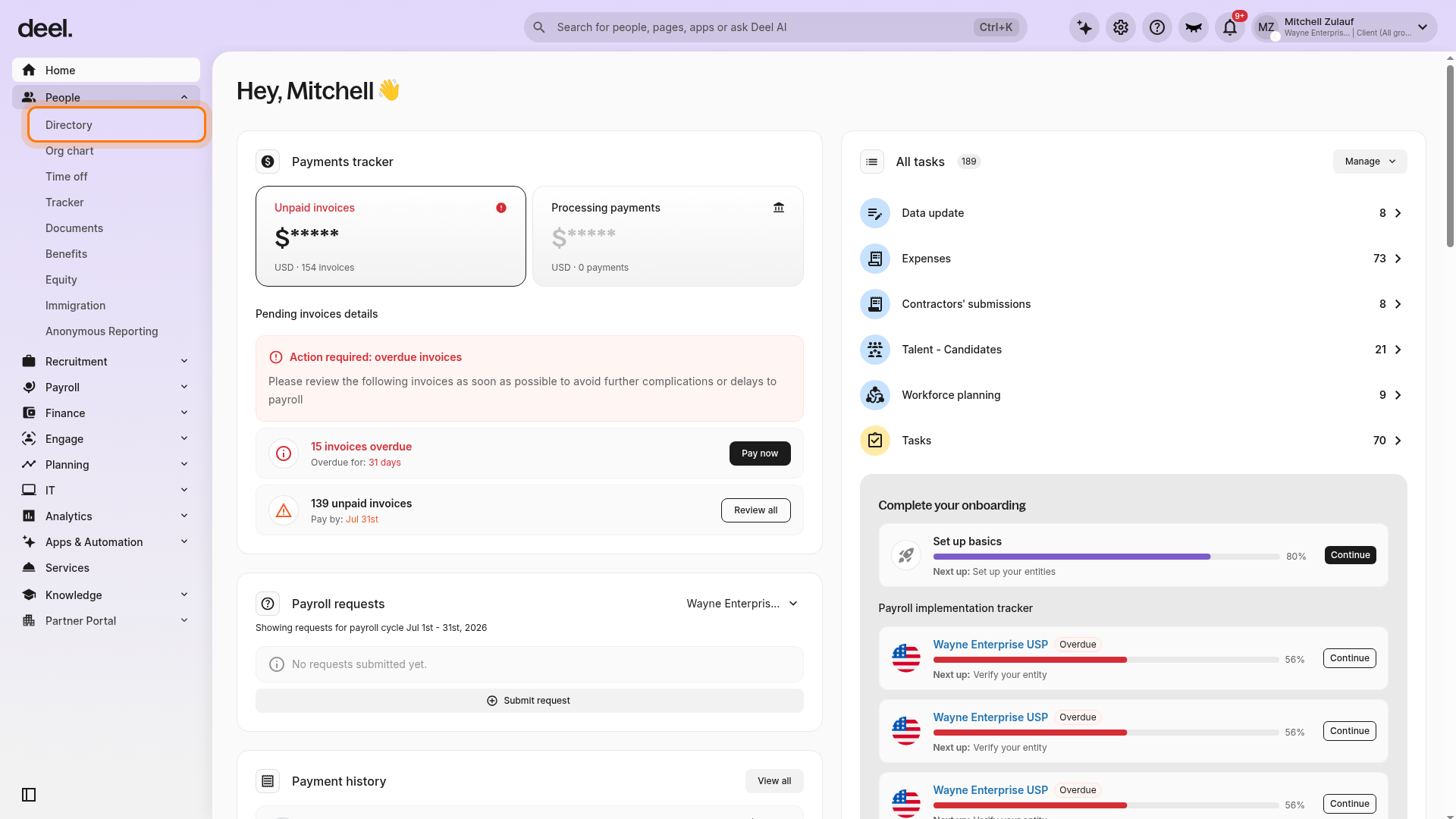
In the left sidebar, select People to expand its sub-items, then select Directory.
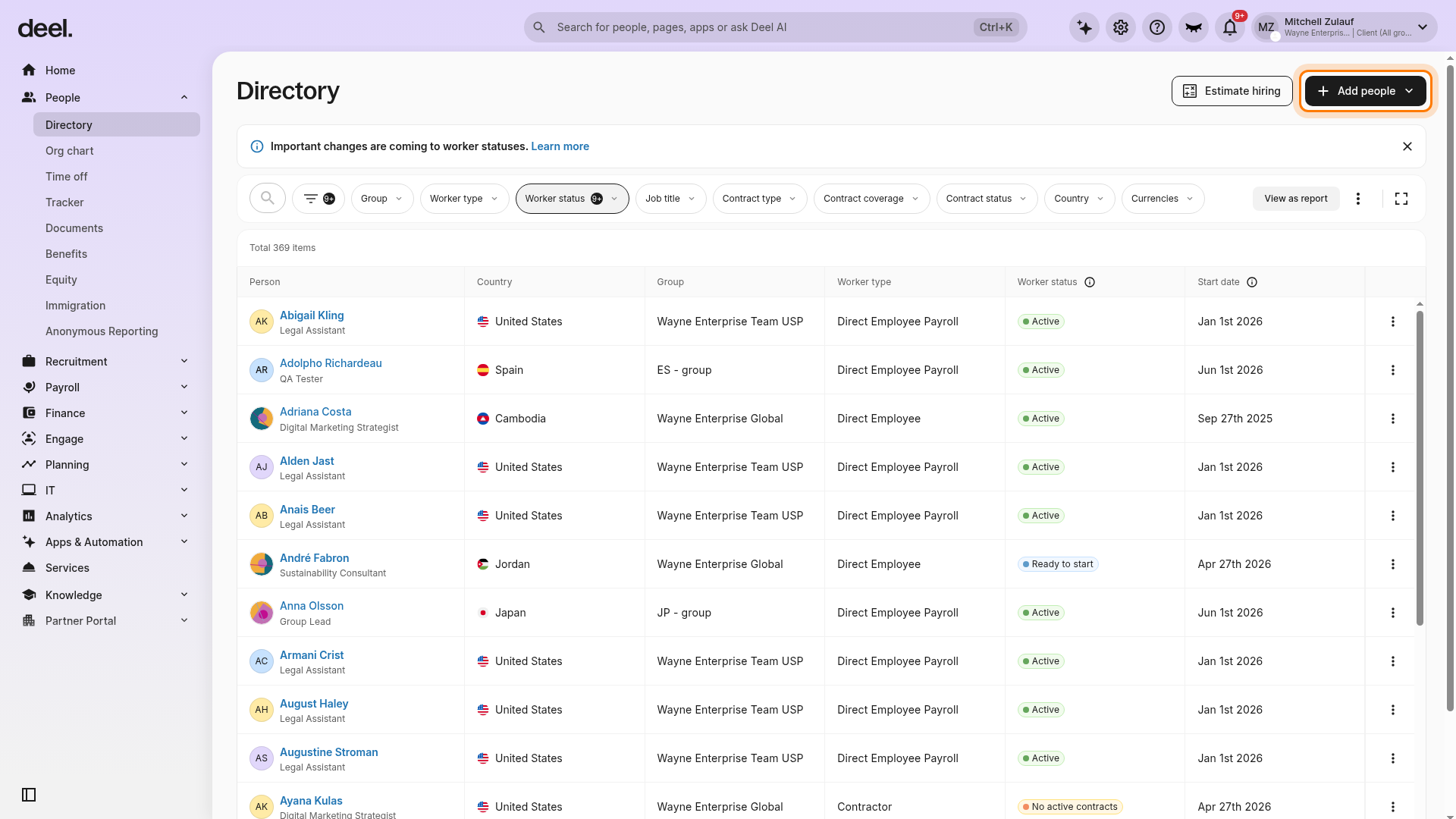
On the Directory page, select Add people in the upper-right corner.
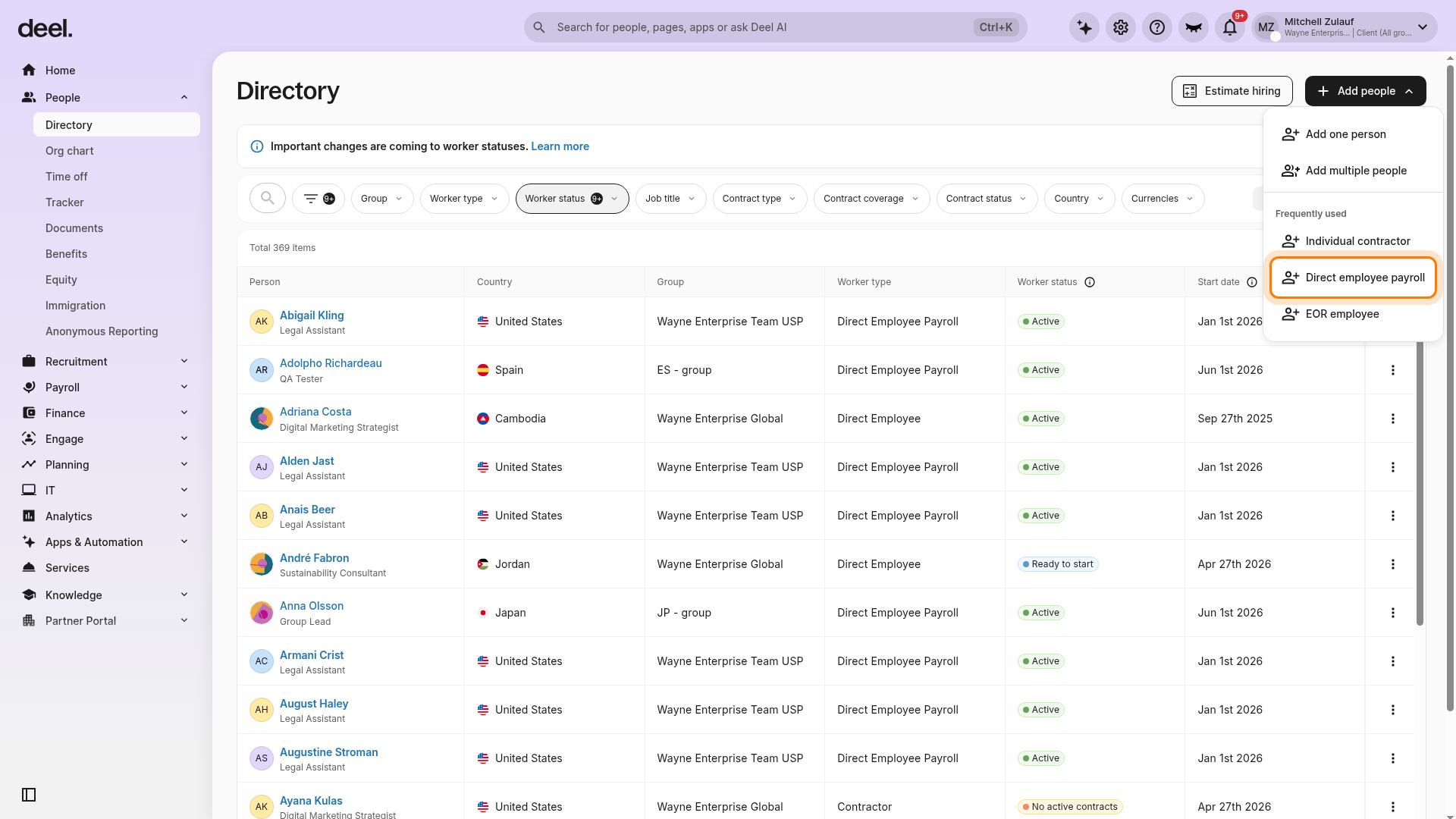
From the Add people menu, select Direct employee payroll under Frequently used. This opens the payroll onboarding form directly.
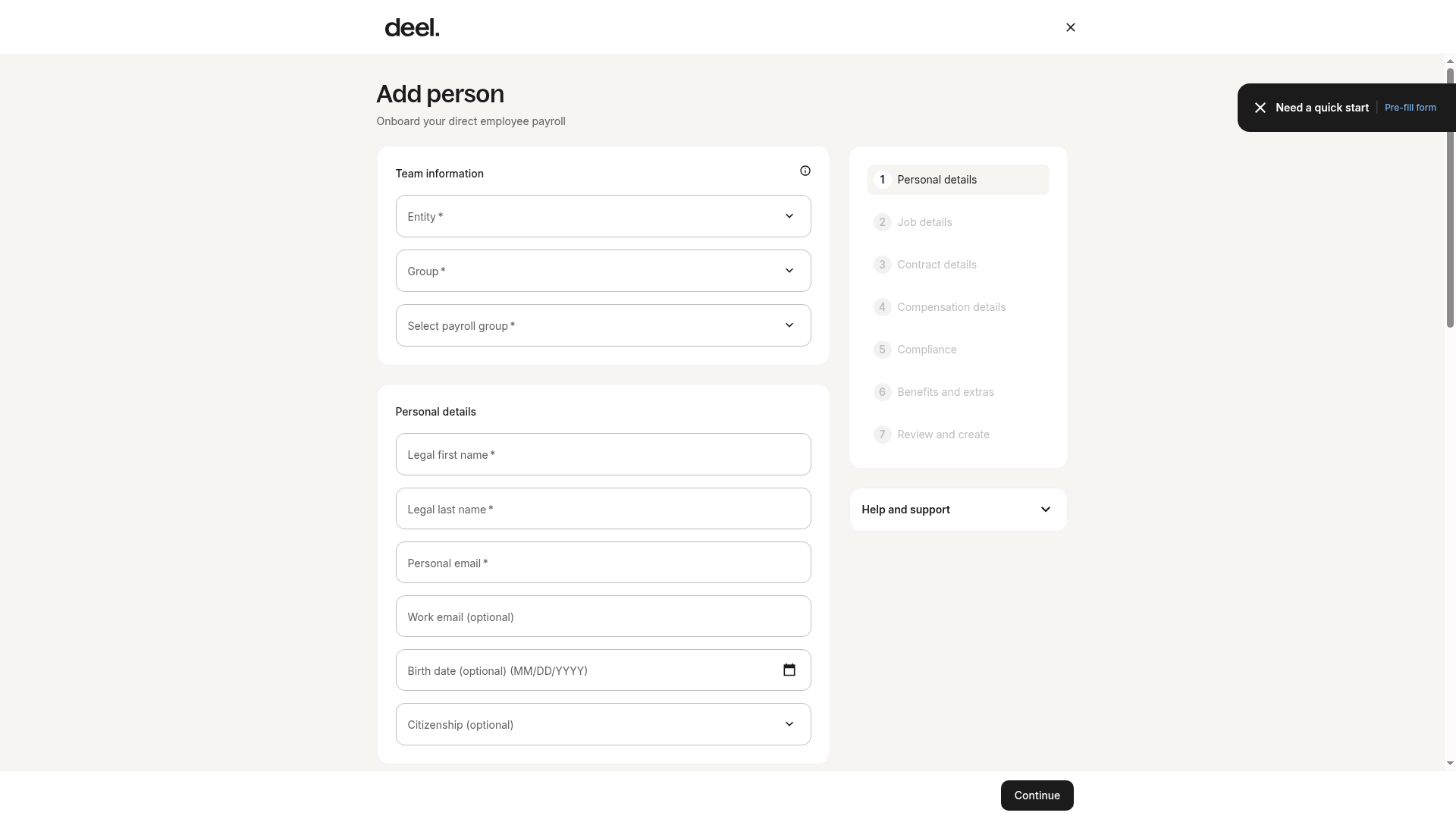
Confirm that the Add person page opens with the subtitle Onboard your direct employee payroll. Complete the Team information and Personal details fields to begin creating the contract.
✅ Step 2 - Add employees Manually or in Bulk
Select whether to add employees manually or via a bulk upload.
To manually add an employee, fill in the required fields for each employee.
For bulk upload, you can upload your CSV file containing employee data or you can use a Deel template.
✅ Step 3 - Validate Data
The system will validate the data fields uploaded/filled in by you. If there is an error the system will prompt a message.
After validating the data, you can upload employee agreements. However, this step is optional and employee agreements can be added at any time after profile creation.
✅ Step 4 - Review the Employee Data
You can review added employees and select an Invite method.
Once done, select Finish to complete the process.