
Expanding into a new U.S. state when you are hiring your first employee there triggers new payroll and tax compliance requirements. Before payroll can legally run, employers must complete specific registrations and setup steps both within Deel and outside of Deel.
This article helps you understand what needs to be completed, where those actions take place, and why each step matters when expanding payroll into a new state.
In this article
Why new state payroll requirements matter
Tasks you must complete within Deel
Tasks you must complete outside of Deel
Quick checklist for expanding into a new state
Why new state requirements matter
When you begin hiring employees in a state where your company has not previously run payroll, you must register with that state’s payroll tax agencies before payroll can legally run.
States typically require registration for payroll-related taxes such as:
- State income tax withholding (SIT)
- State Unemployment Insurance (SUI / SUTA)
- Paid Family & Medical Leave (PFML) or disability programs (where applicable)
- Local taxes (when applicable, including city or county income or occupational privilege taxes)
These Tax IDs must be provided in Deel:
- Go to Settings > Organization > Entities
- Select the relevant entity
- Navigate to Licenses and Registrations.
- To add missing IDs, locate the registrations that have the Missing info tab, click on the registration name, and provide the necessary details.
- To update IDs, click on Edit.
Providing accurate Tax IDs allows Deel to file and pay payroll taxes on your behalf.
Important: If you have not registered for required payroll taxes in a new state, you must complete registration and submit the Tax IDs by the end of the quarter in which you hire. If Tax IDs are missing, Deel cannot file taxes, which may result in penalties, notices, and payroll delays.
For more information, refer to Deel Payroll - US Tax Maintenance.
Tasks you must complete within Deel
[ACCORDION] 1. Invite and onboard employees
You must add and onboard employees in Deel before payroll can run in a new state.
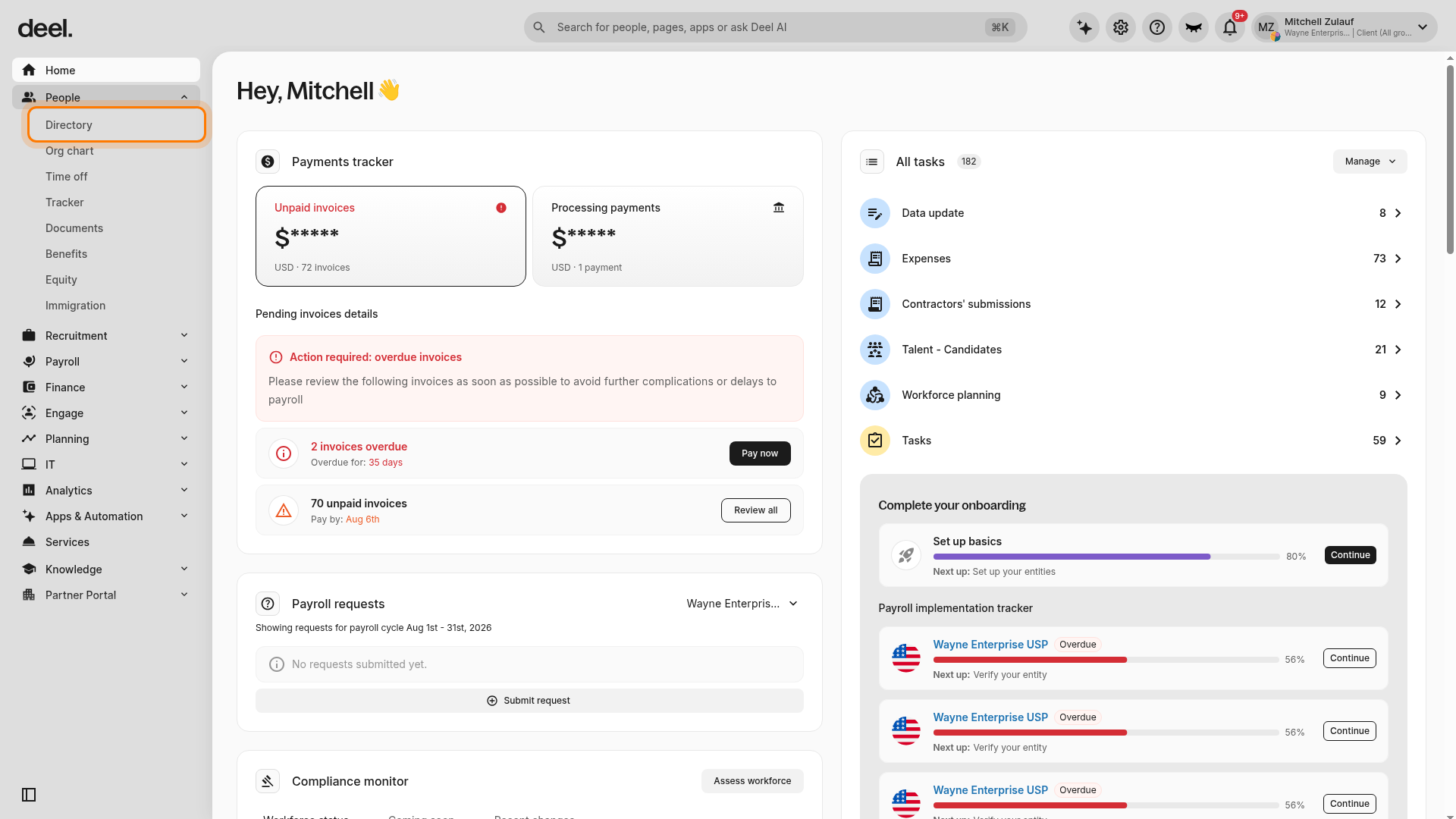
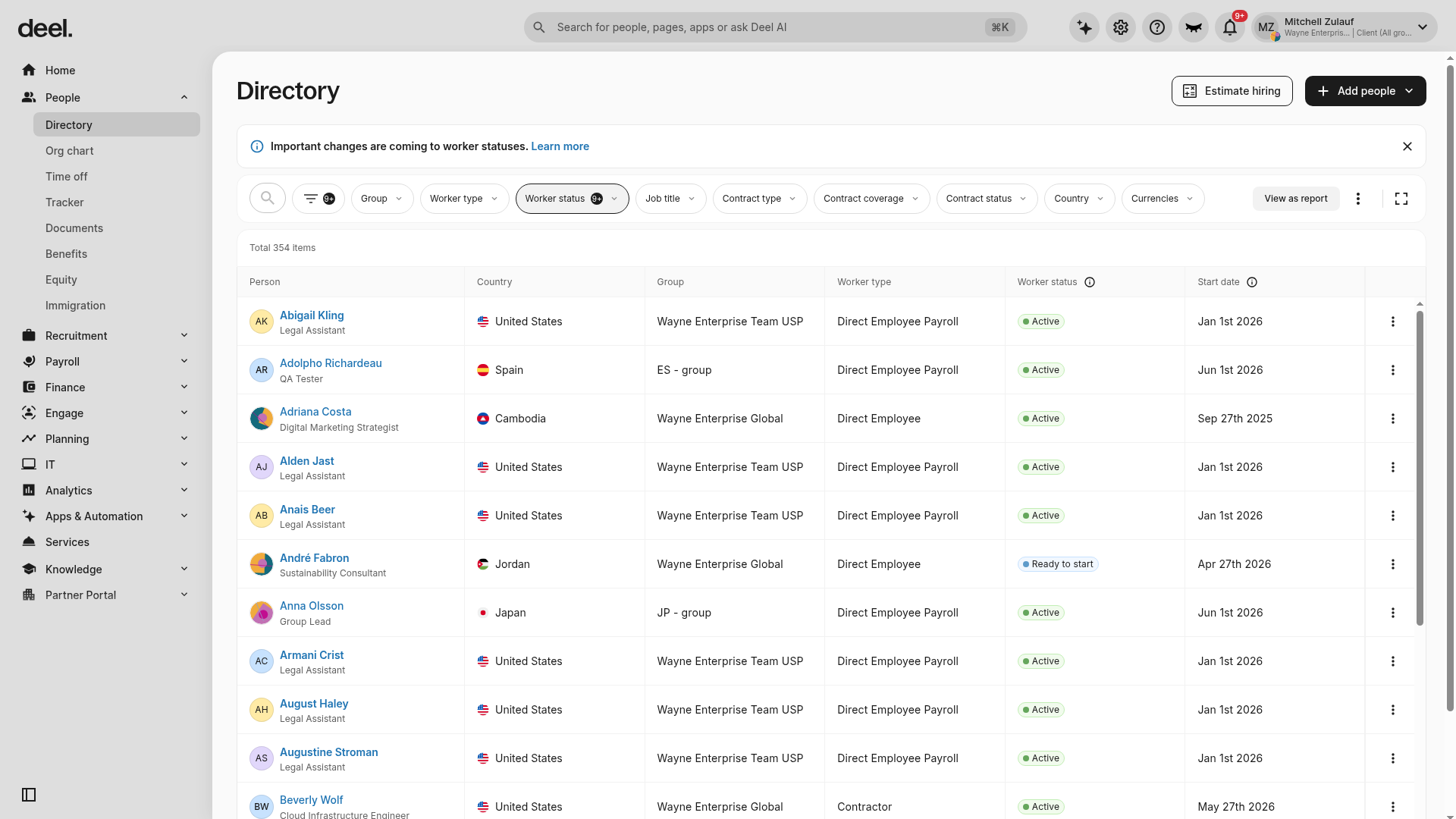
- In the left sidebar, select People to expand its submenu, then select Directory.
- Confirm that the Directory page loads and the people table is visible. You can use the search and filter controls to locate workers.
- Start the workflow to add employees:
- Add employees manually, or
- Upload employees in bulk
- Validate employee data
- Review employee details and complete the process
- Invited employees receive onboarding emails (if enabled) to complete their information
For more information, refer to Adding your employees to Deel Payroll- US.
[ACCORDION] 2. Provide and manage Tax IDs in Deel
For each state where you hire employees, you must:
- Add or update state and local Tax IDs (withholding, SUI, PFML, local taxes)
- Include accurate account numbers, rates, filing frequencies, and SOC or risk class codes
- Submit information as soon as you hire, and no later than two weeks before quarter end
If you operate multiple legal entities, ensure Tax IDs are provided for each entity.
You should review and update Tax IDs any time you hire in a new state.
What happens if you don’t provide Tax IDs?
If Tax IDs are missing or incorrect:
- Deel cannot file or pay taxes on your behalf
- You may face state penalties, late filing notices, or employee tax issues
Registering for missing Tax IDs
If you are not registered for payroll taxes in a state, you must complete registration before payroll can run.
You can register:
- Directly with the relevant state agencies, or
- Through Deel’s US tax registration services
To request registration through Deel:
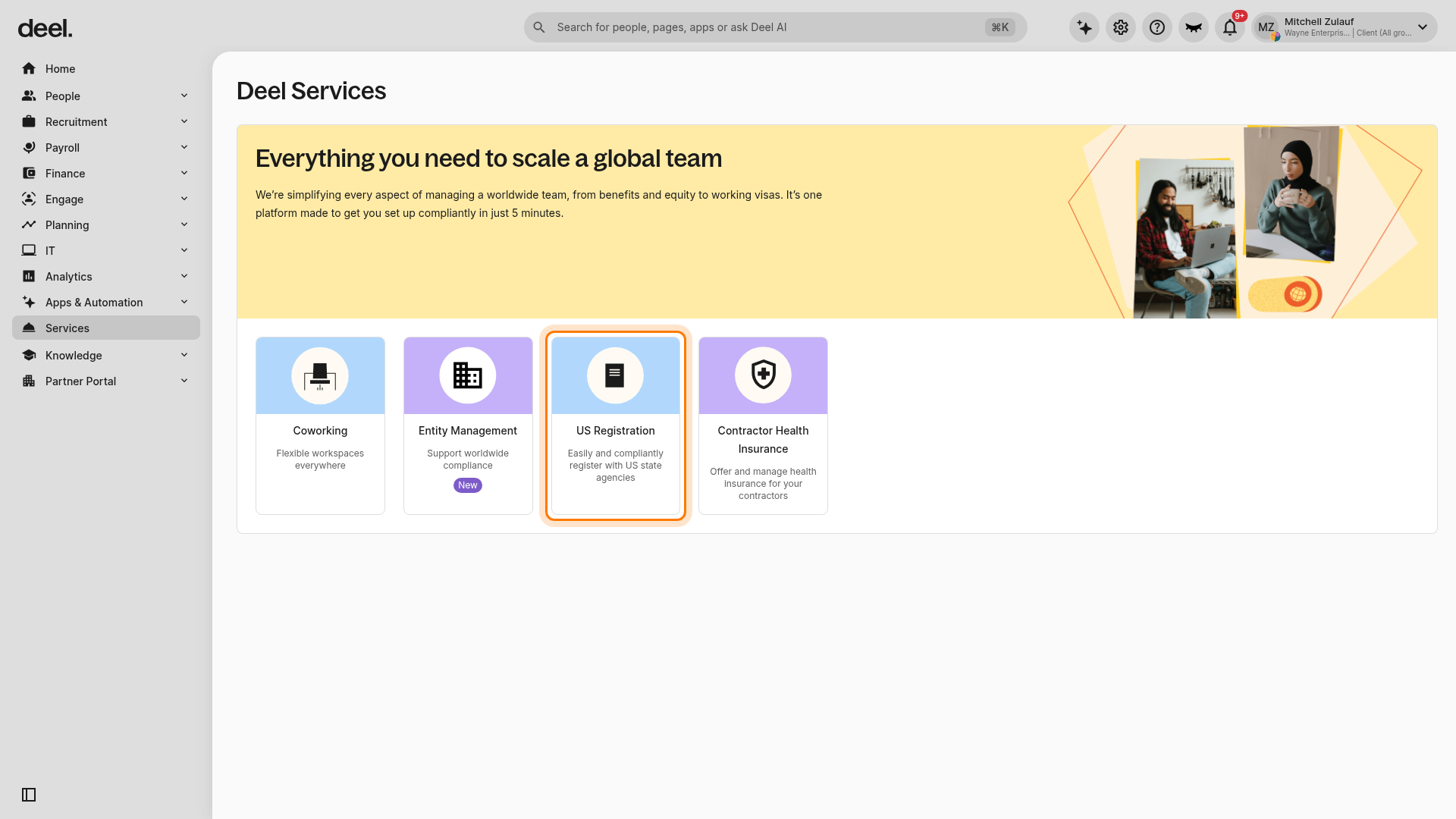
- In the left sidebar, select Services.
- On the Deel Services page, select the US Registration card.
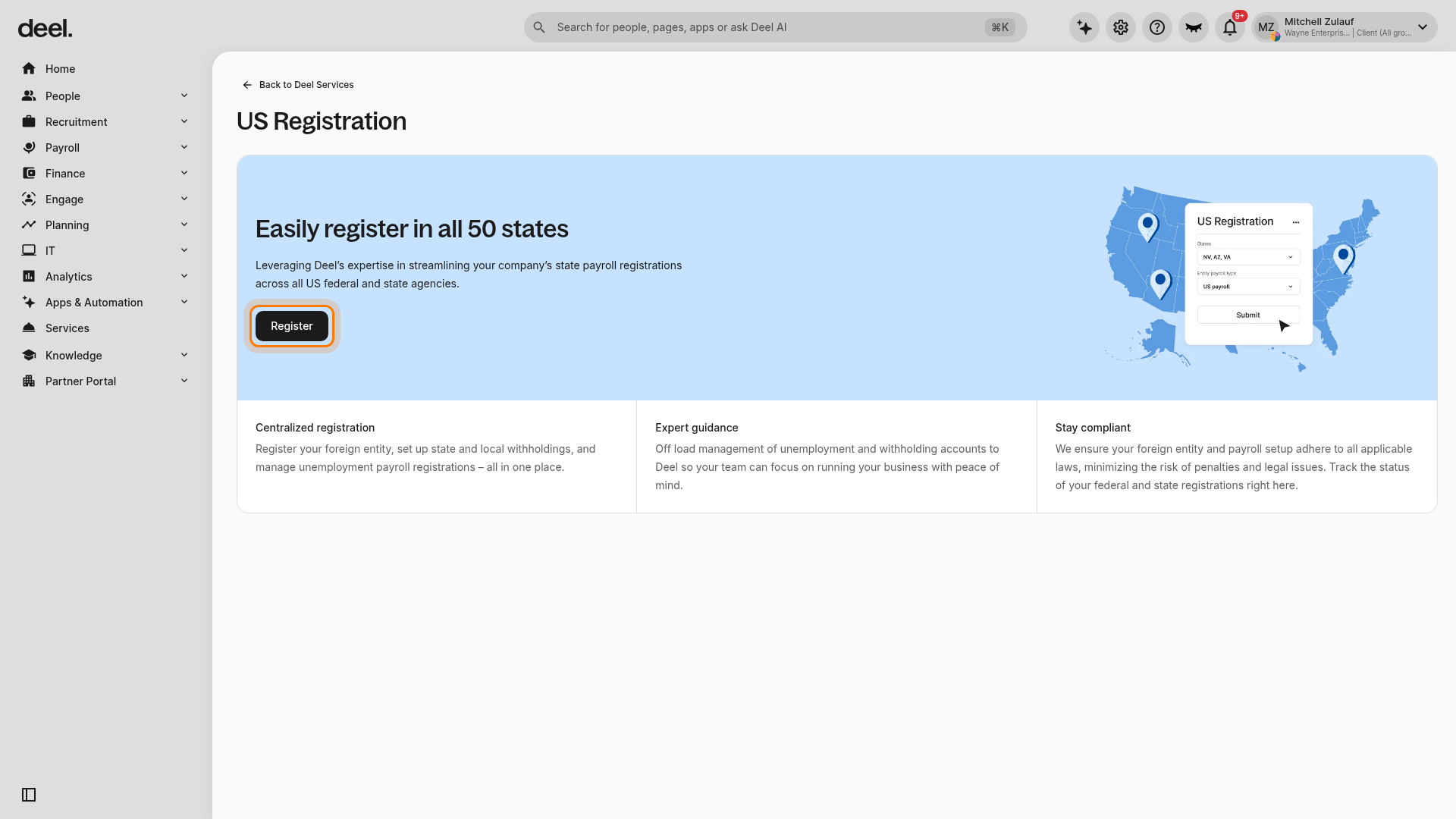
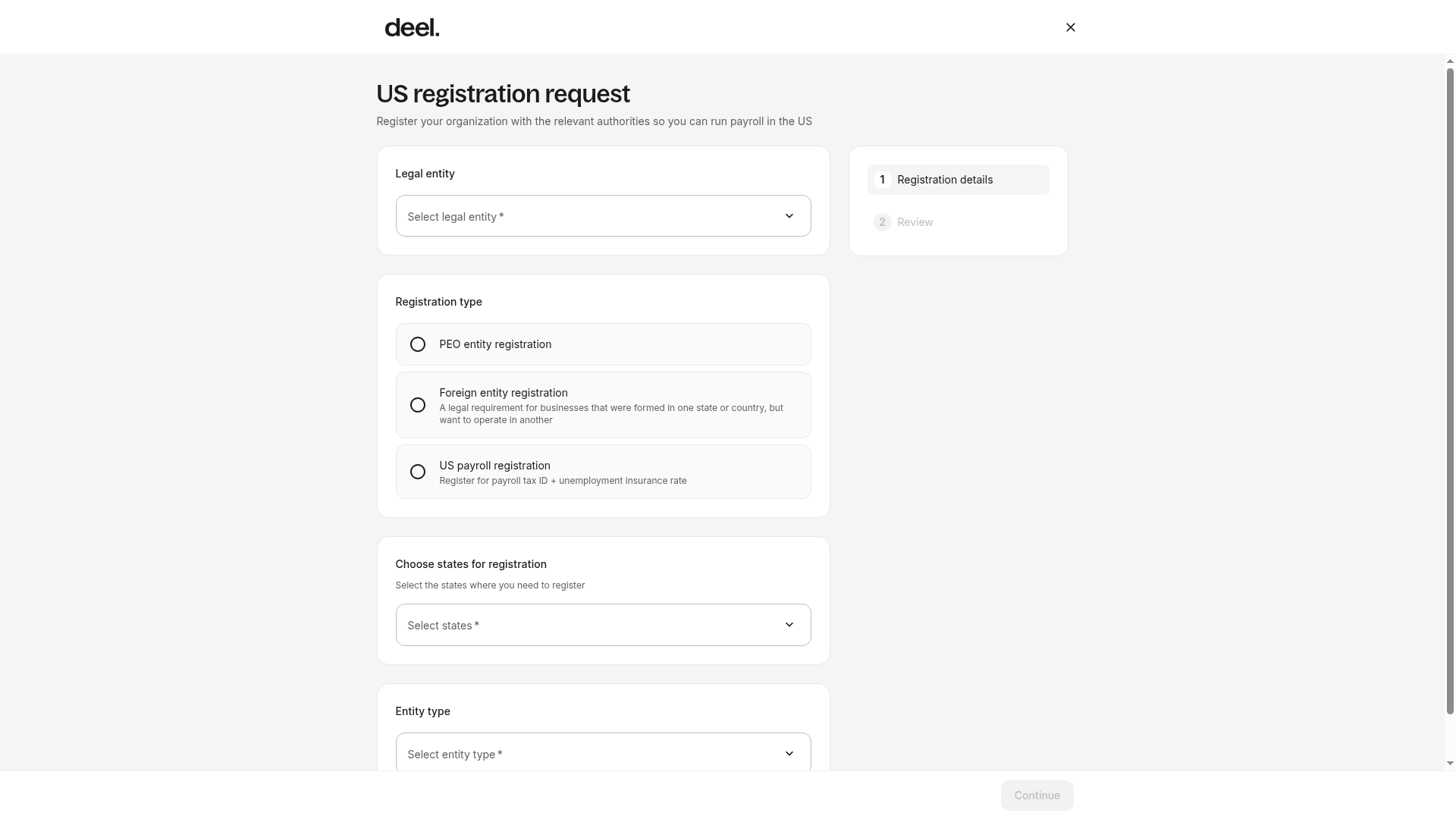
- On the US Registration page, select Register.
- In the US registration request form, select the legal entity, registration type, state or states, and entity type, then follow the remaining prompts. Select US payroll registration for a payroll tax ID and unemployment insurance rate. Select Foreign entity registration if your organization also needs to register its entity to operate in the state.
Note: US tax registration services are available for an additional cost. Contact your Onboarding Manager or CSM for more information.
For more information, refer to How to Manage Tax IDs, Registrations, and Third Party Access with Deel.
[/ACCORDION]
[ACCORDION] 3. Provide Power of Attorney (POA) and/or grant Third-Party Administrator (TPA) access
Some states require employers to authorize Deel to manage tax accounts through:
- A Power of Attorney (POA), and/or
- Third-Party Administrator (TPA) access
This authorization allows Deel to:
- File state tax returns
- Make tax payments
- Access tax accounts when required
How to sign POAs in Deel
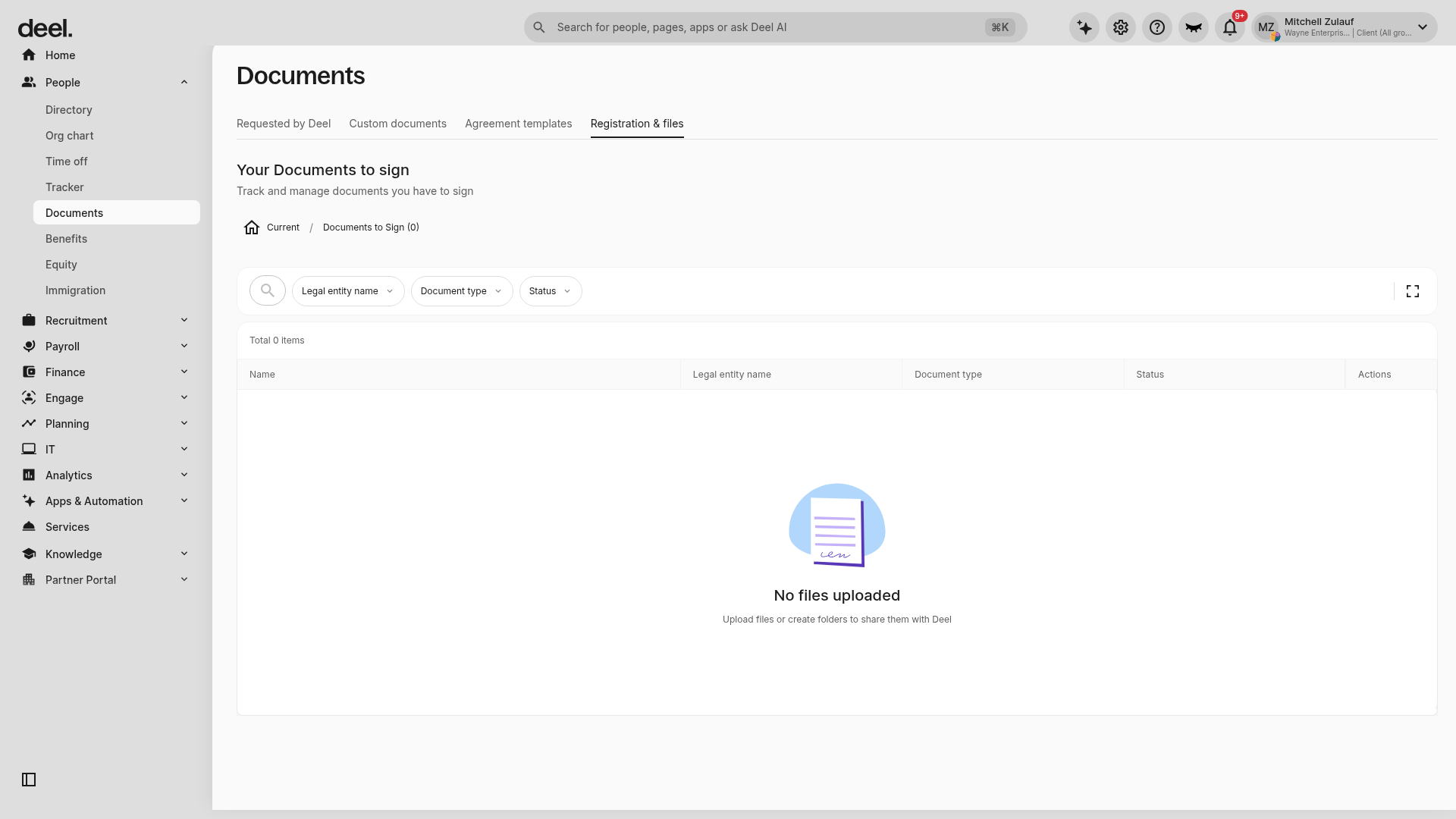
- In the left sidebar, select People to expand its submenu, then select Documents.
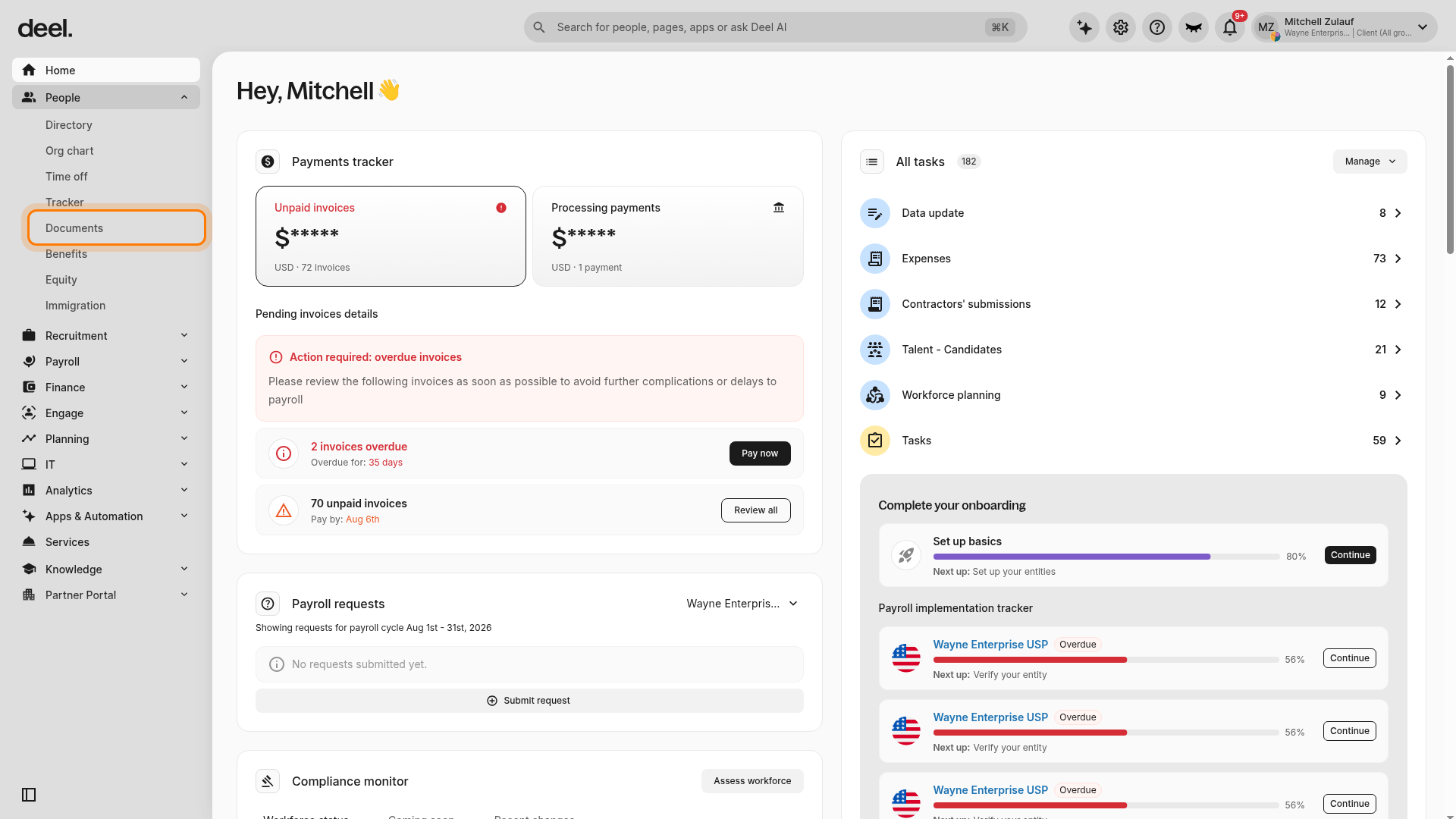
- On the Documents page, select Registration & files.
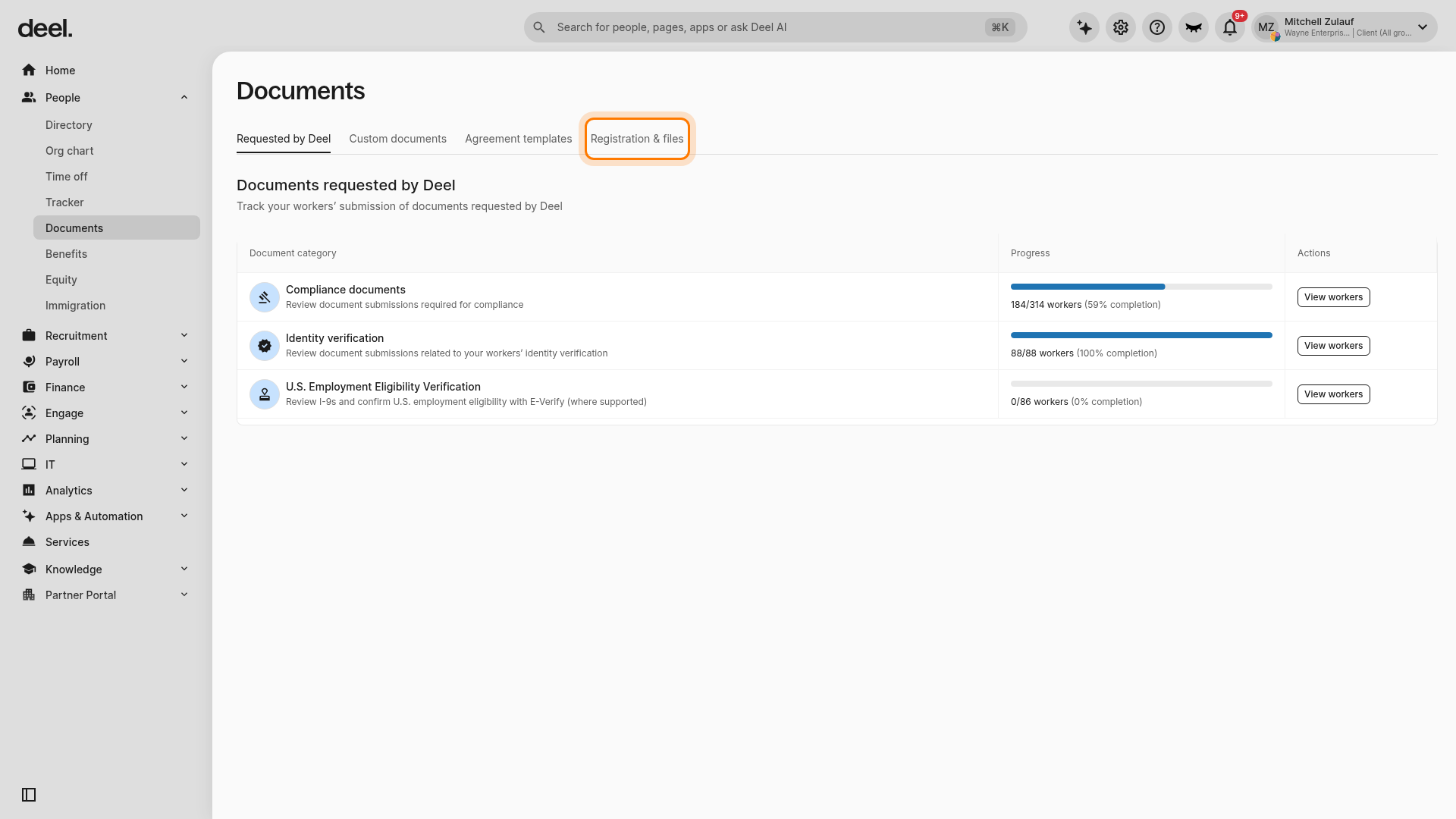
- In the folder list, select Documents to Sign.
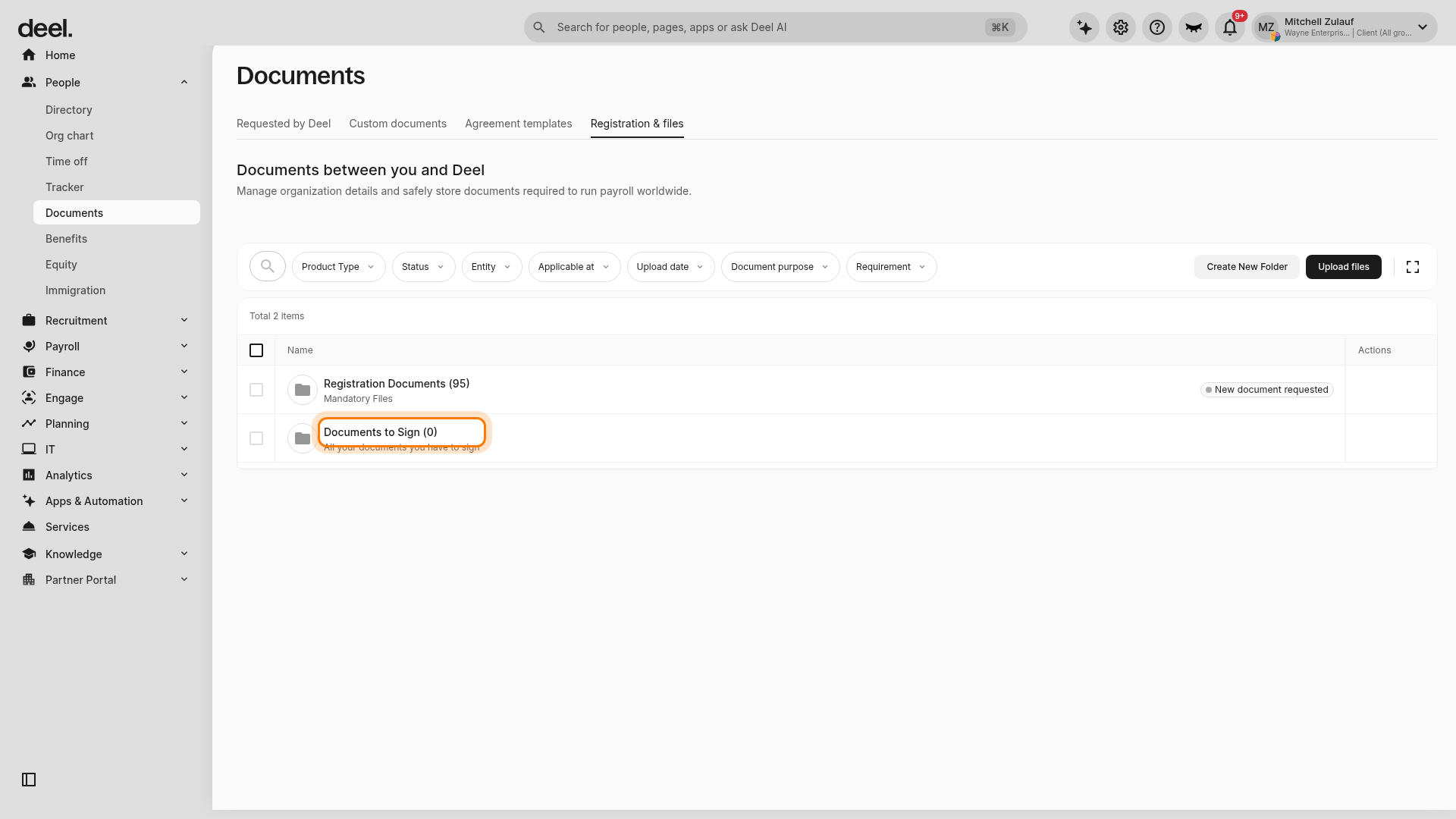
- Sign all listed federal and state documents. You are in the correct location when the heading reads Your Documents to sign and the document table is visible. If there are no pending documents, Total 0 items and No files uploaded are valid results.
Assigning an authorized signatory
Some POAs must be signed by an authorized signatory.
To assign one:
- Go to Organization settings (gear icon)
- Navigate to Entities and open the Deel Payroll - US entity
- Select the Payroll tab
- Continue through Payroll setup > Sign documents
- Assign yourself or another organization admin as the authorized signatory
States requiring notarization or witnesses
| Agency | Notarization / Witness requirement |
|---|---|
| AK Unemployment | Notary |
| AL Unemployment | Notary |
| DE Unemployment | Notary |
| IL Unemployment | 2 witnesses or notary |
| MT Unemployment | 1 witness |
| NJ Unemployment | Notary |
| OK Unemployment | Notary |
| PA Withholding | 2 witnesses or notary |
| RI Withholding & Unemployment | 2 witnesses or notary |
| UT Unemployment | Notary |
| WI Unemployment | 1 witness |
| WV Unemployment | 1 witness and notary |
| WV Withholding | 2 witnesses or notary |
How to complete notarized or witnessed POAs
- Go to People in the left sidebar, select Documents, then open Registration & files > Documents to Sign.
- Download the prefilled POA documents
- Sign and complete notarization or witness requirements
- Upload completed documents to the Documents area
For more information, refer to How to Grant Deel Access to Your State Tax Accounts
[/ACCORDION]
Tasks you must complete outside of Deel
[ACCORDION] 1. Maintain workers’ compensation insurance
Workers’ compensation insurance is separate from payroll tax registrations and remains the employer’s responsibility.
Most states require:
- A workers’ compensation policy with a licensed insurer
- Filing proof of coverage with the state agency
- Active coverage before the first payroll run in the new state
States where workers’ compensation runs through payroll
In WA, WY, NM, and OR, workers’ compensation operates as a payroll tax rather than a traditional insurance policy.
For these states:
- A workers’ compensation registration is required
- Registration details are provided in Deel in the same location as Tax IDs
Note: Deel cannot obtain workers’ compensation insurance on your behalf. This must be handled directly with your insurer or the state.
[ACCORDION] 2. Maintain other state-specific employer tax filings
Deel Payroll - US only supports payroll-related taxes when the required information and authorizations are provided.
All other employer taxes remain your responsibility, including:
- Federal payroll tax maintenance and confirming all federal deposits are paid
- Environmental taxes (if applicable)
- Sales tax and use tax
- Excise taxes
- Franchise taxes or annual entity fees
- Business privilege or gross receipts taxes
- Industry-specific surcharges or assessments
For more information, refer to Understanding Non-Impounded Taxes in the U.S.
[/ACCORDION]
[ACCORDION] 3. Procure the relevant Workplace Labor Law Posters
When you begin hiring in a new U.S. state, you’re responsible for ensuring that
- All required federal and state labor law posters are obtained,
- kept up to date,
- and made accessible to your employees.
These posters inform workers of their rights under laws such as minimum wage, OSHA safety standards, and state-specific employment requirements, and must be displayed in conspicuous areas or otherwise provided to remote staff.
Staying on top of this requirement helps you stay compliant and avoid potential fines or penalties.
Note: For remote employees, access to digital posters can also be an option in certain states. We recommend checking the Department of Labor webpage for more information.
[/ACCORDION]
Checklist - quick expansion tasks
Before hiring in a new state
- Onboard employees in Deel
- Provide required state and local Tax IDs, or complete registrations
- Submit POAs and/or grant TPA access (if required)
- Set up workers’ compensation coverage
- Communicate payroll and HR changes internally
Frequently asked questions
[ACCORDION] What happens if I hire an employee before registering in a new state?
If you hire before registering and providing Tax IDs, Deel cannot file payroll taxes on your behalf. This may result in penalties, late notices, and delayed payroll processing.
[ACCORDION] Can Deel register my company for state payroll taxes?
Yes. Deel offers US tax registration services that allow you to request registrations directly through the platform. This is an additional paid service.
[ACCORDION] Does Deel handle workers’ compensation insurance?
No. Workers’ compensation insurance must be obtained and maintained by the employer. Deel does not provide or manage workers’ compensation policies.
[ACCORDION] Does Deel file all employer taxes?
No. Deel files payroll-related taxes only. All non-payroll taxes, such as sales tax, excise tax, and franchise taxes, remain the employer’s responsibility.