
Deel IT's Device Clearance service helps you recover value from unused or decommissioned devices by handling the entire clearance process from quote to collection, inspection, and resale.
This article explains Deel IT's device clearance service.
In this article
Here’s what you’ll find in this article:
- Before you begin
- Step 1. Submit a clearance request
- Step 2. Receive and review your quote
- Step 3. Device Collection and Inspection
- Step 4. Payout and completion
- Bulk clearance
- Frequently asked questions (FAQs)
Before you begin
To request a device clearance, make sure the device is:
- Owned by your organization
- Fully data-wiped
- Registered in the Asset Tracker
- You have permission to view the IT and Assets areas in Deel
Locked devices:
- If a device is returned locked, we will try to work with you to resolve it, and our partner may level a small admin fee
- If the lock cannot be removed we will return it to you or opt to have it recycled (incurs charges)
- If we do not receive a response in two weeks the device will be returned at the organization’s cost
Please refer to this article on how to data-wipe your device
Currently, each request supports one device. Bulk submissions are not yet available.
Step 1. Submit a clearance request
To initiate a device clearance:
- In the left sidebar, click IT to expand its navigation options.
- Under IT, click Assets.
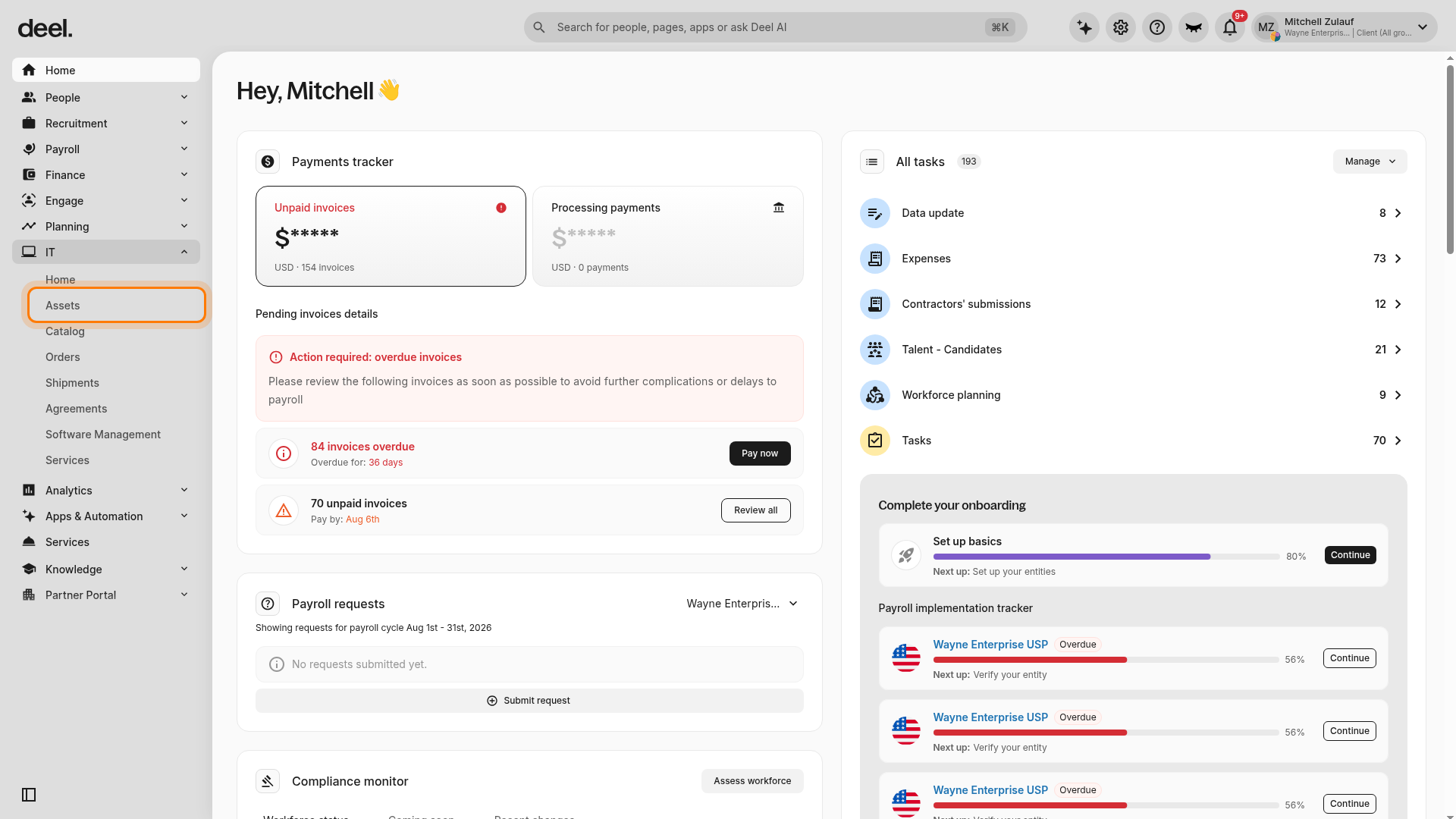
- On the Track and manage tab, find the device and select the ⋮ (More actions) menu.
- Select Device Clearance.
- Complete the pre-filled form, confirm your email address, and enter the part number.
- Click Submit.
Once submitted, your request is reviewed by the Deel IT team.
Step 2. Receive and review your quote
Deel will assess the device and provide a resale quote based on condition and market value.
- You will receive a quote directly from the platform.
- Quotes are valid for 14 business days.
- Quotes are generated in USD and shown in your local currency based on your organization's settings.
To track your request, in the left sidebar, click IT to expand the submenu, then click Assets. At the top of the Assets page, click Device clearance next to Track and manage. Do not select a device from the inventory; requests are shown only on the Device clearance tab.
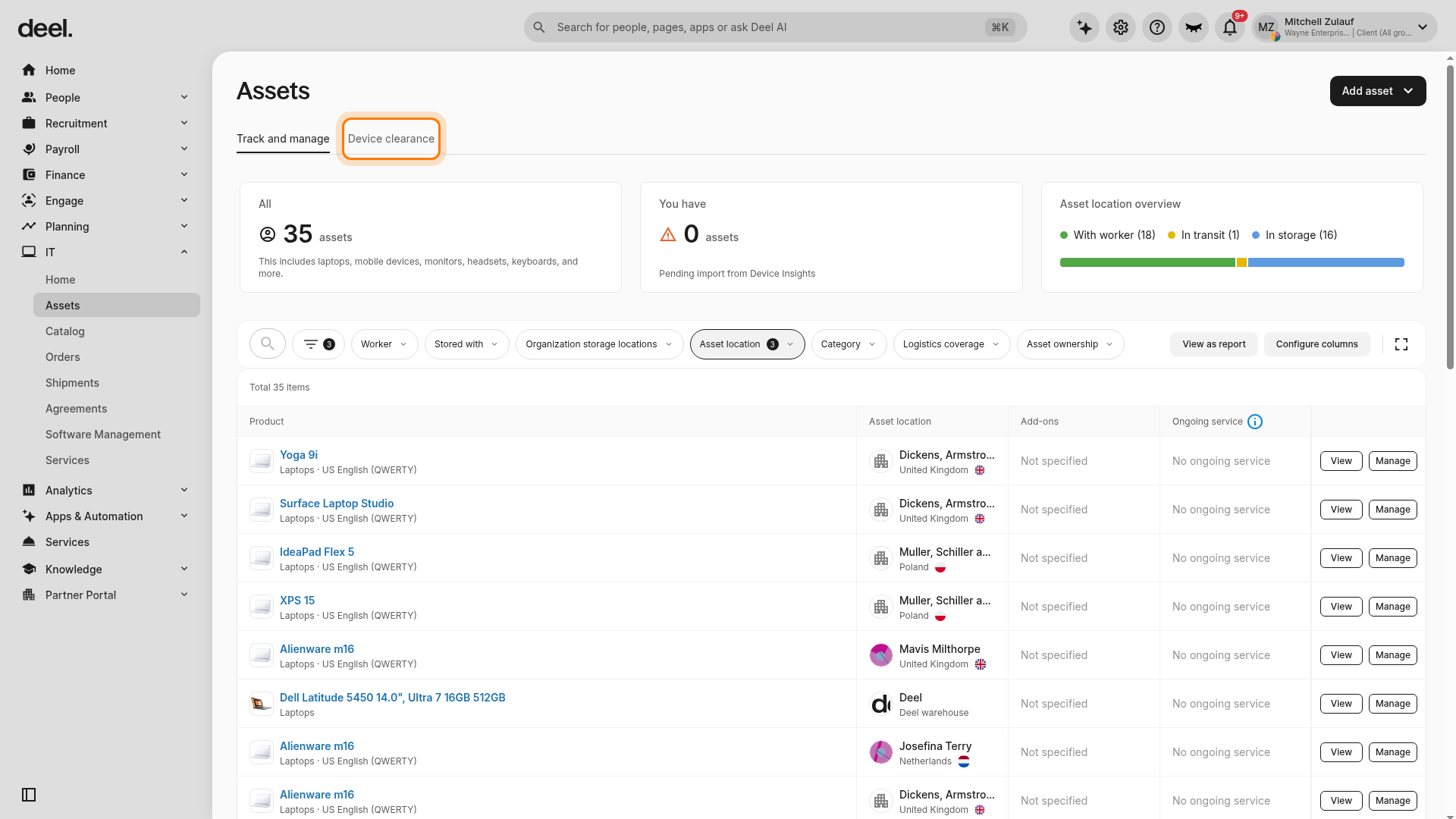
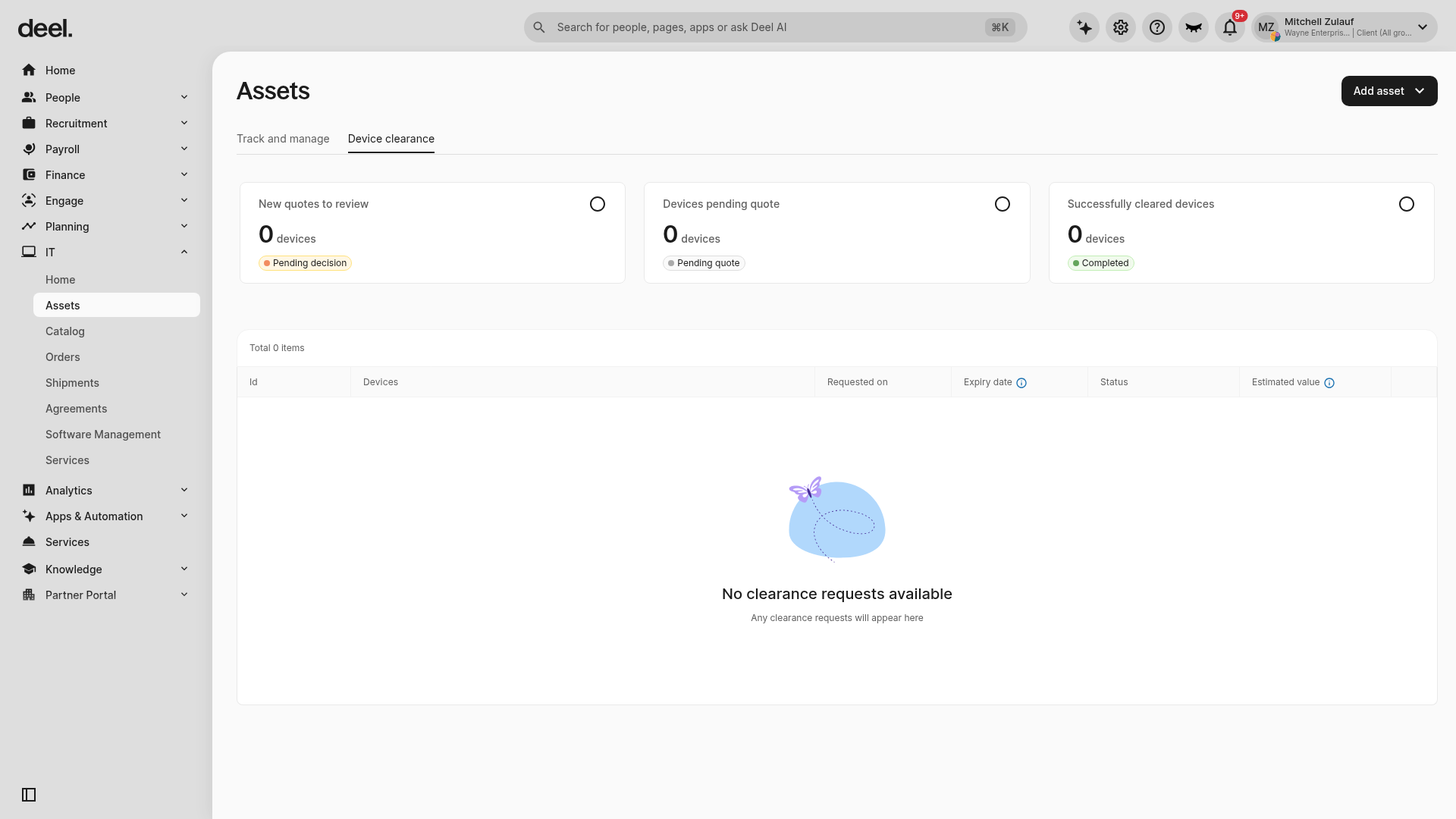
When the Device clearance tab is selected, it is underlined. The page displays summary cards for:
- New quotes to review
- Devices pending quote
- Successfully cleared devices
The request table below the cards includes columns such as ID, Devices, Requested on, Expiry date, Status, and Estimated value.
If your organization has no requests, the page shows Total 0 items and No clearance requests available. This is an expected empty state, not an error.
Step 3. Device Collection and Inspection
Once you accept the quote:
- Deel’s clearance partner, Foxway, will arrange device pickup.
- Devices may be collected from the worker or from a Deel warehouse, depending on location.
- After collection, Foxway inspects the device to confirm its condition.
- The final resale value may be adjusted based on inspection results.
Step 4. Payout and completion
Once the resale is finalized:
- Our clearance partner will ship your device(s) to their facility for assessment, data erasure (using NIST-standard Blancco for Windows or Apple's cryptographic erasure for macOS), and condition evaluation. Once this is complete, we'll inform you of the final resale value and issue a purchase order.
- Erasure certificates for each device are uploaded to your Deel platform. You can download these certificates as PDFs at any time. Please note that certificates are not operator-signed.
- You'll invoice Deel based on the PO. Proceeds (minus applicable fees and logistics costs) will be credited to your organization. Please note: shipping costs are variable by location and device. In some cases, shipping costs may reduce your payout or result in no reimbursement.
Bulk clearance
Currently, each clearance request in the platform supports one device at a time. If you need to clear multiple devices, you can request a bulk clearance through your account manager.
To request a bulk clearance:
- Compile a list of devices you want to clear, including serial numbers, device types, and current locations.
- Contact your Deel IT account manager directly via email or through your CSM.
- The team will coordinate a bulk quote and collection on your behalf.
Frequently Asked Questions (FAQs)
[ACCORDION] How much does the Deel IT device clearance service cost?
The Deel IT clearance service fee is $109 per device.
[ACCORDION] What devices can I clear through Deel IT?
Laptops, tablets, and mobile phones in good resale condition that are owned by your organization.
[ACCORDION] Can I submit multiple devices in one request?
Not yet. Each request supports one device. Bulk device clearance is currently handle via email requests through you account manager.
[ACCORDION] What happens if the device is not wiped?
The clearance request will be rejected, and the device returned to you.
[ACCORDION] Can I cancel a request after I accept the quote?
No, cancellations are only allowed before the quote is accepted and collection begins.
[ACCORDION] What if my device is already in a Deel warehouse?
The address will be automatically added to the form in a future update.
[ACCORDION] What currency are quotes displayed in?
Quotes are generated in USD but shown in your organization’s preferred local currency.
[ACCORDION] What if I don’t respond to the quote in time?
If no action is taken before the quote expires, the request will be automatically cancelled.
Troubleshooting
| Problem | Did you try? | How to fix |
|---|---|---|
| Assets is not visible under IT | Clicking IT to expand its submenu | Click IT again to expand its submenu, then select Assets. |
| The asset inventory is still displayed | Clicking Device clearance | Click Device clearance and confirm the underline moves from Track and manage to Device clearance. |
| No clearance requests available appears | Opening the Device clearance tab | The request list loaded successfully, but there are currently no requests to display. |