
This guide will walk you through the process of transferring EOR employees from one entity to another within your organization.
Please note that contracts can only be moved to an entity that has already been created.
You can transfer an EOR or PEO employee between entities within the same organization. You can transfer multiple contracts at once from the Entities settings page or transfer a single employee's contract from their profile. Contracts can only be moved to an entity that already exists in your organization.
To learn more about how you can migrate your Deel Payroll workers between different entities refer to this article Migrate Payroll Employees to Different Entities
In this Article
Before you begin
How contract transfers between entities work
How to move a contract from one entity to another
Before you begin
You must be:
- A client admin with Org Admin permissions or equivalent entity-management access
- Working with an organization that has at least two entities
- In possession of the name of the point of contact for the receiving entity
- Able to identify the source entity currently holding the contracts
Note: When a contract transfers to another entity, employment terms remain unchanged. Future invoices are issued under the receiving entity. Paid invoices and deposits remain with the original entity.
At a Glance
| EOR | PEO | |
|---|---|---|
| Fully self-serve? | Yes | Yes |
| Where it's started |
Entities settings page (bulk) or people Directory > employee profile (single) |
Entities settings page or People Directory page |
| Employee signature required? | No | Yes - Notice of PEO Relationship, Arbitration Agreement |
| Underwriting involved? | No | Only if Job position or Location does not exist in the destination entity |
| Benefits re-enrollment possible? | No | Yes, if the destination entity's plan differs |
| Effective date | Set as part of the transfer request | Automatically scheduled after all signatures are collected. Set for the end of the current pay cycle period |
How to move a contract from one entity to another
✅ Step 1 - Navigate to the Entities Page
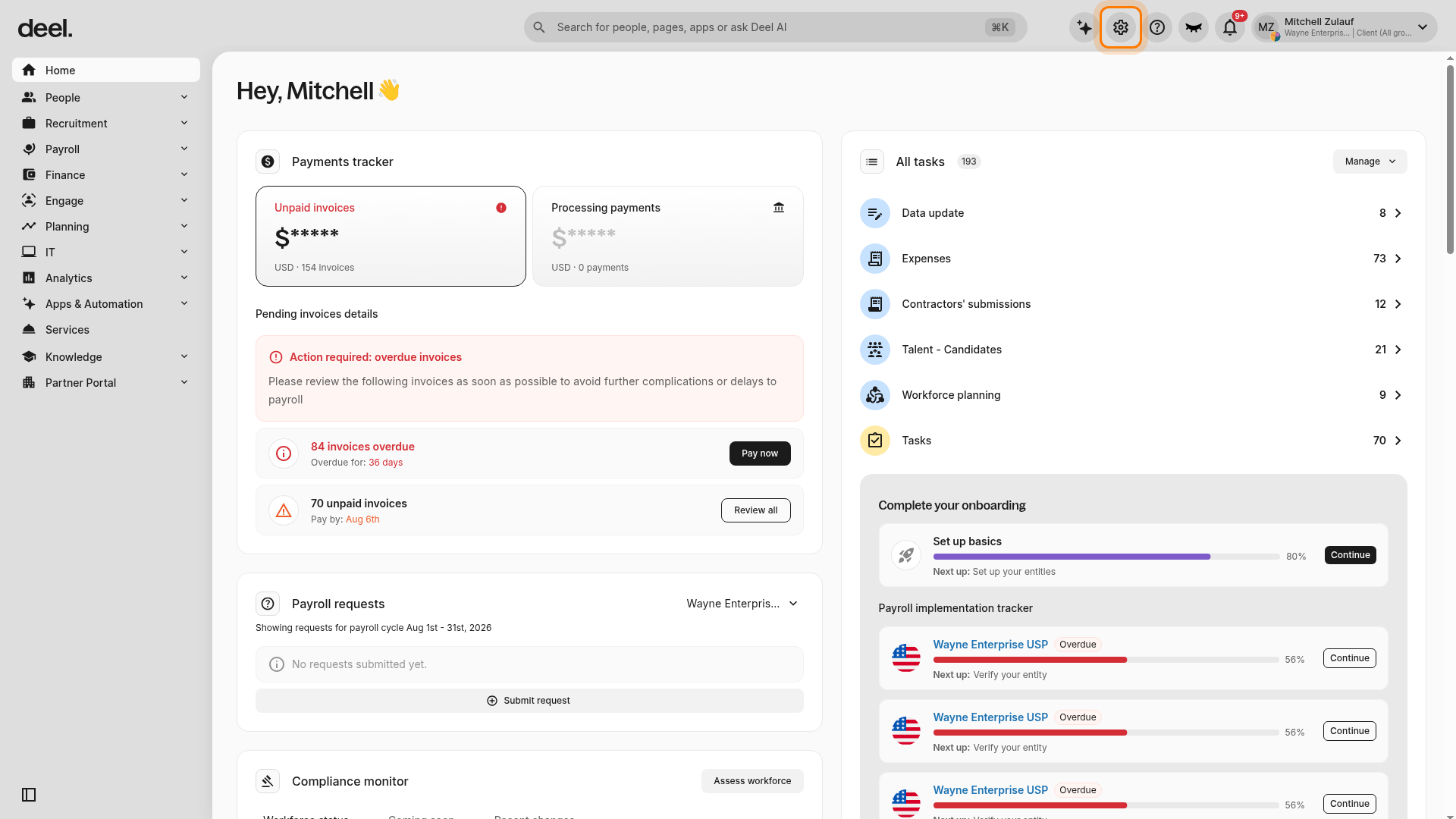
From the Deel dashboard, click the gear icon in the top-right corner to open Organization settings.
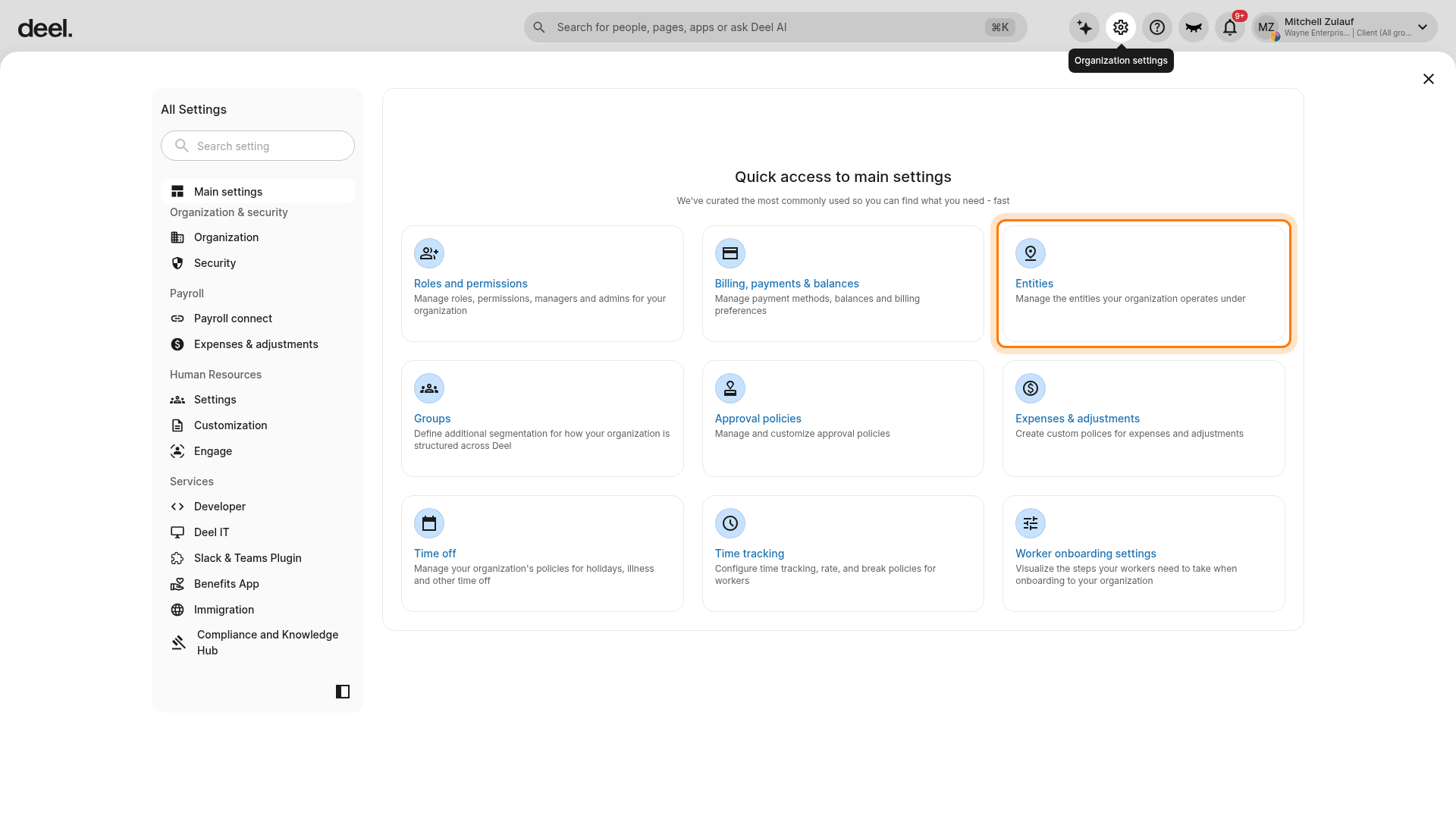
On the All Settings page, select Entities.
This will show all the entities within your organization.
✅ Step 2 - Click on Move Contracts to another Entity
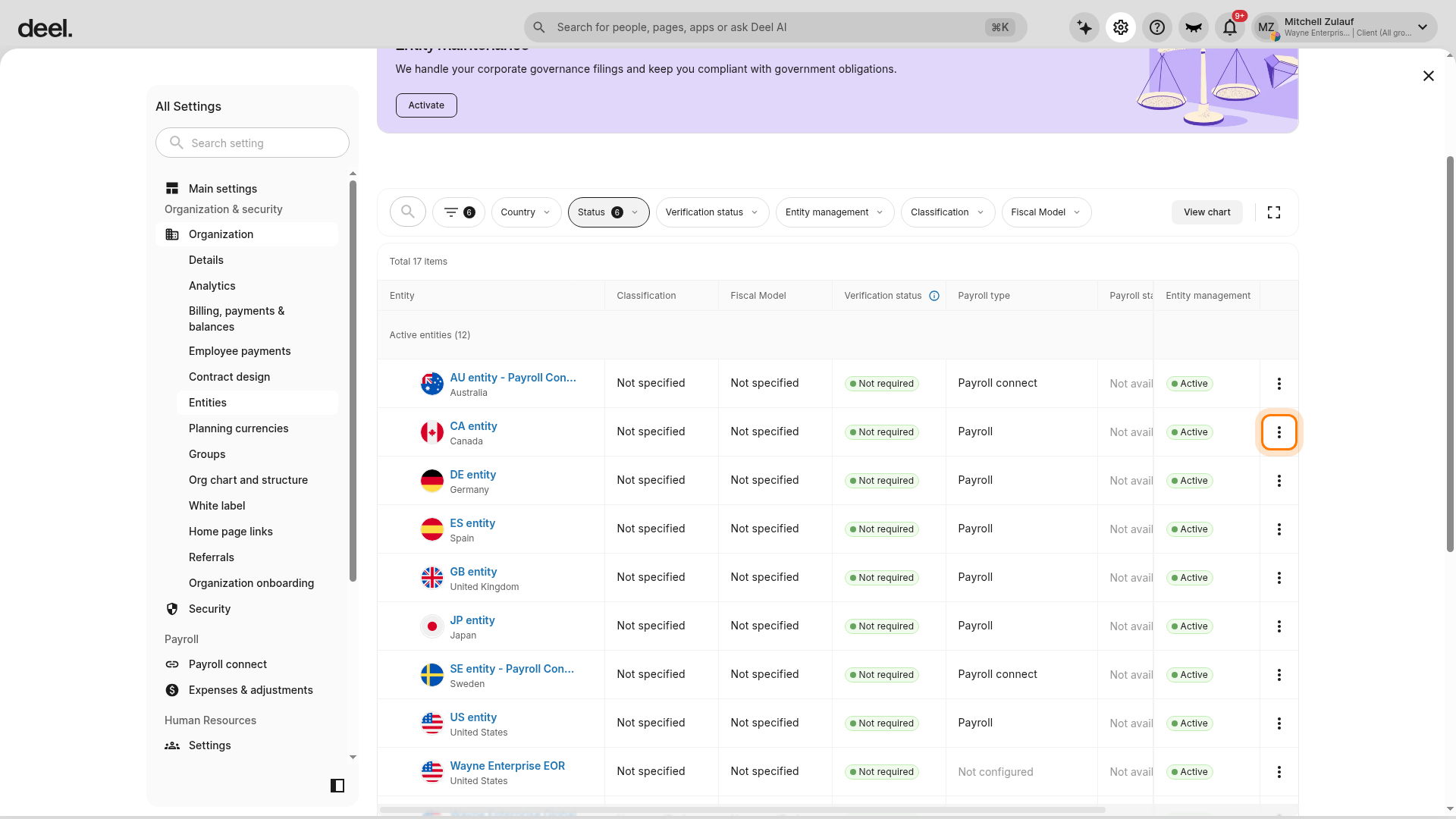
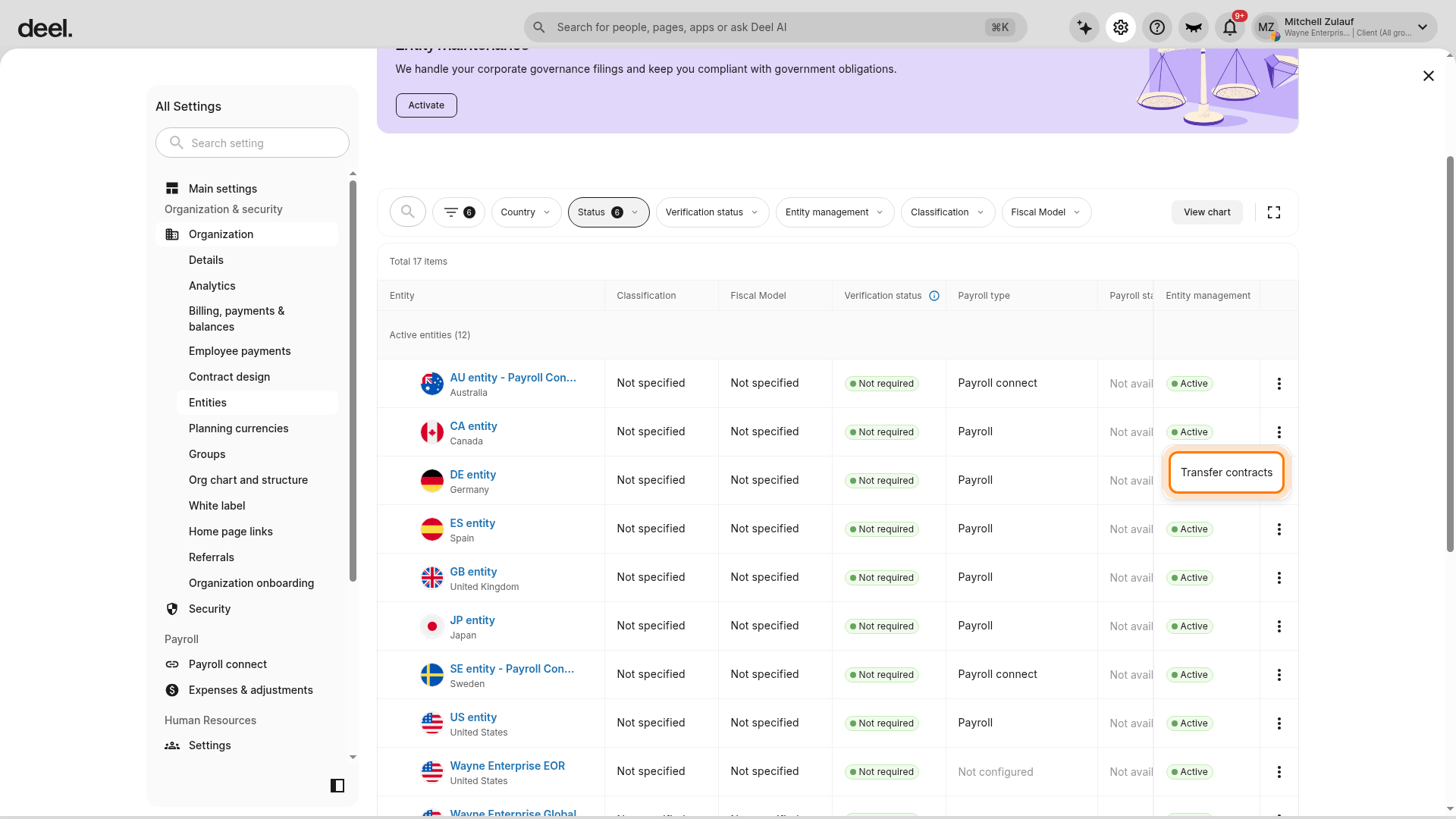
Find the source entity from which you want to transfer the contracts. Click the three-dot menu at the far right of the entity row and select Transfer contracts.
The Transfer contracts modal will open.
✅ Step 3 - Choose the Entities
In the Transfer contracts modal, select Within the same organization and click Next.
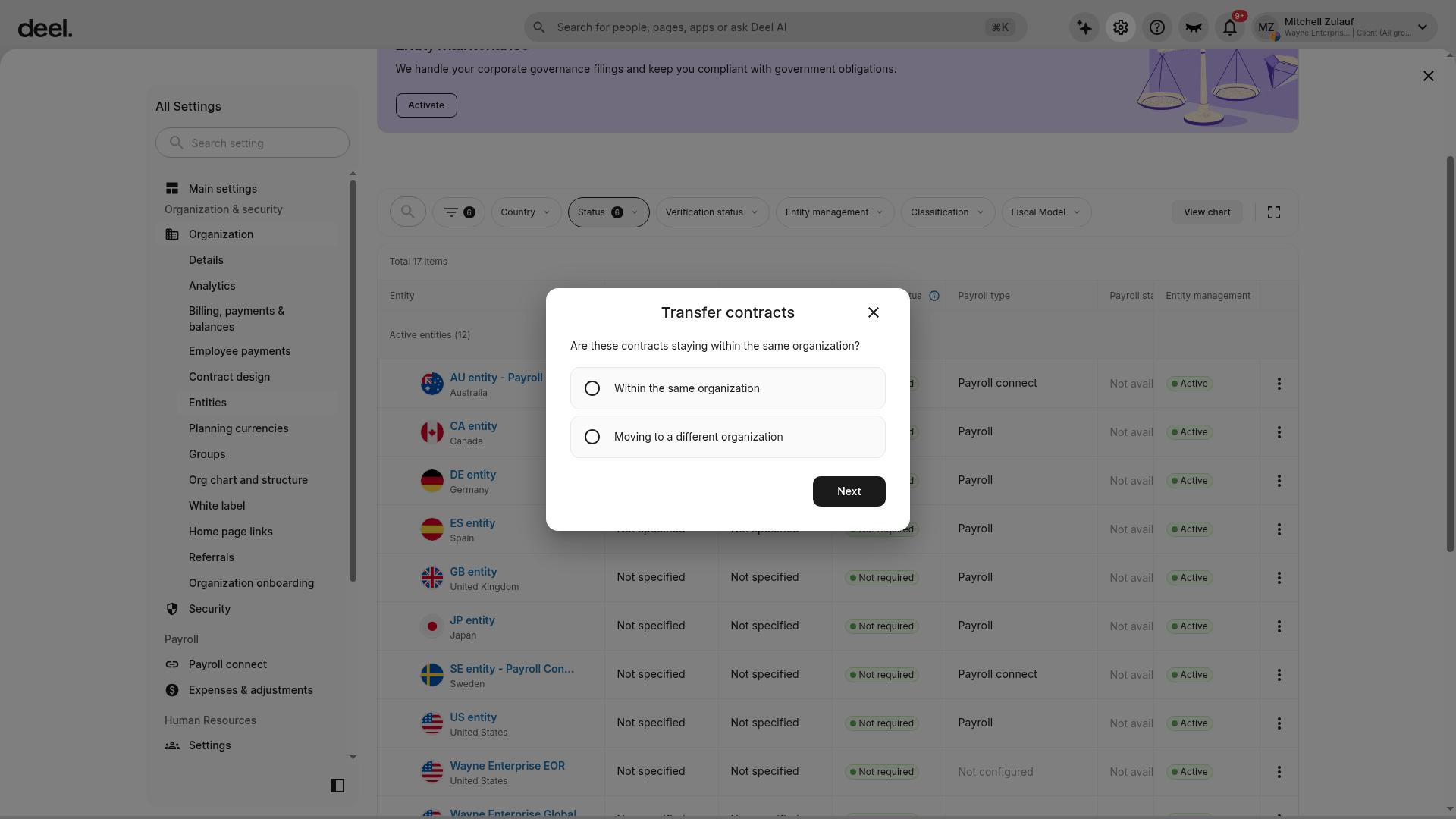
Select the current (sending) entity and the receiving entity. You can now select the contracts you want to move between the entities.
You must also specify the person responsible for the receiving entity. This person will sign the document to confirm the change.
✅ Step 4 - Select worker type and contracts
- Select the worker type: EOR or PEO.
- Check the boxes next to the contracts you want to transfer.
- Enter the point of contact name for the receiving entity.
✅ Step 5 - Sign the entity agreement
- Review the transfer summary to confirm all details are correct.
- Sign the entity agreement to initiate the transfer.
- Deel emails the receiving entity's point of contact a link to review and countersign.
- (For PEO Only) Once all approvers have signed, then emails are sent to the Employees that require signatures.
Tip: To transfer a single employee's contract, go to their profile, select Contracts > View agreement > Request changes > Contract actions > Transfer contract, then follow the same steps.
Frequently Asked Questions
[ACCORDION] Does the PEO employee need to sign new documents?
Yes, the employee would need to sign the Notice of PEO Relationship and the Arbitration Agreement.
[ACCORDION] What happens to a PEO employee's benefits and PTO after a transfer?
If the destination entity has a different PTO policy, unused balances carry over. If the benefit plan differs, the employee needs to enroll again in the new plan.
[ACCORDION] Can a PEO transfer be backdated?
No. Transfers can only be scheduled for a future date - the first day of an upcoming pay cycle. Once the transfer completes, the new contract can be backdated like any other contract.
[ACCORDION] Can I transfer a contract back to the original entity?
Yes. To move the contract back, initiate a new transfer from the receiving entity to the original entity using the same workflow.
[ACCORDION] What happens to paid invoices when I transfer a contract?
Paid invoices and deposits remain with the original entity. Only future invoices are issued under the receiving entity after the transfer completes.
[ACCORDION] Can I create a new entity and transfer contracts to it immediately?
No. The receiving entity must already exist in your organization before you can transfer contracts to it. Create the entity first in Organization settings, then return to the transfer workflow.