
Overview
This guide explains how to access the Contract Settings page, where you can manage verification letters for Contractors and Employees. This is essential for setting up employment verification letters, which enable your contracts to prove their income, contracting status, and job title for personal purposes.
Expected outcome: Successfully navigate to the Contract Settings page. Estimated time to complete: 2 minutes
Prerequisites
- You must have the necessary organizational permissions to access settings.
- You must be logged in to the Deel platform.
Step-by-Step Instructions
-
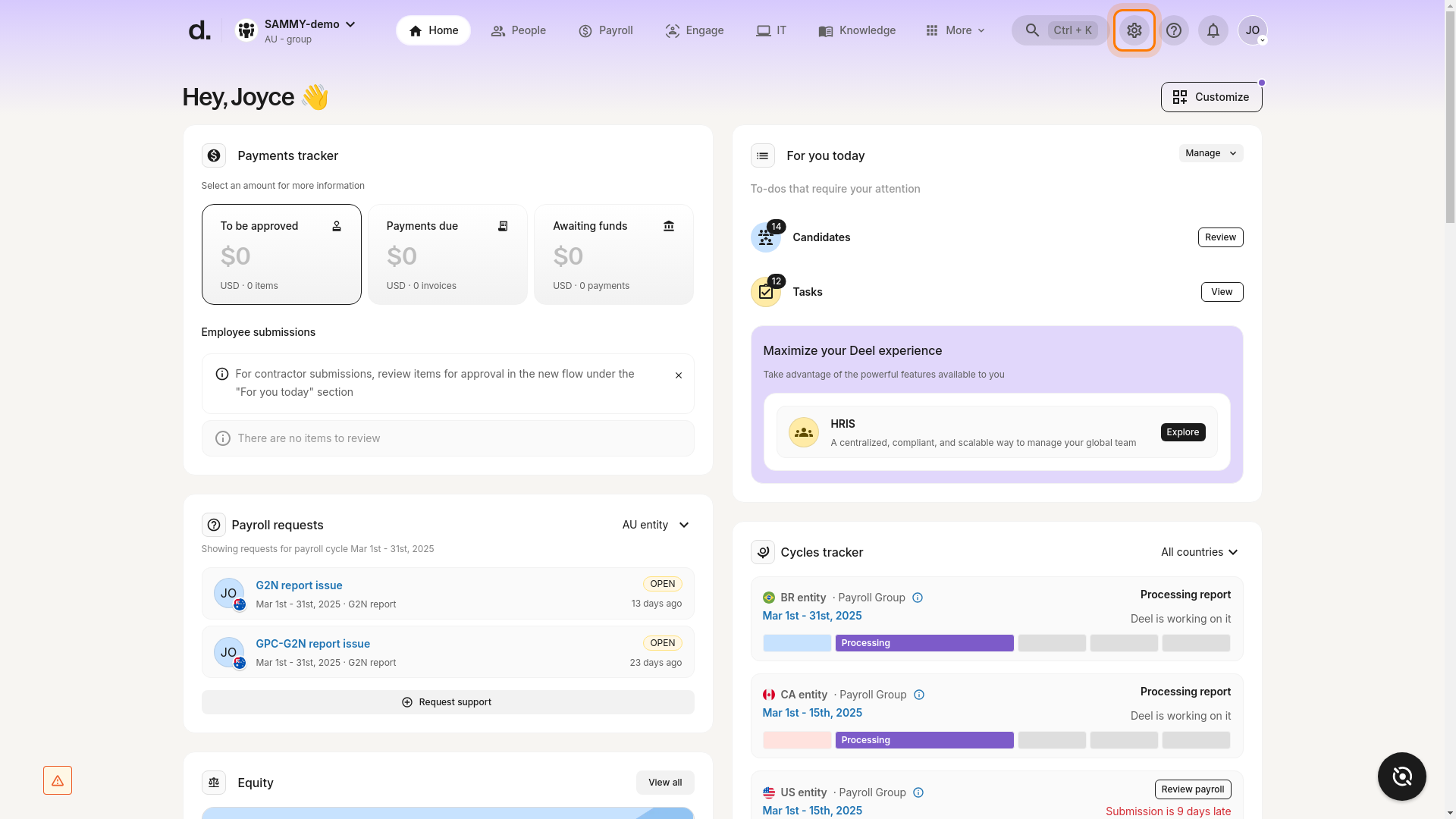
Navigate to Organization Settings:
- Click on the Organizational Settings icon (gear icon) located in the top right corner of the screen.
-
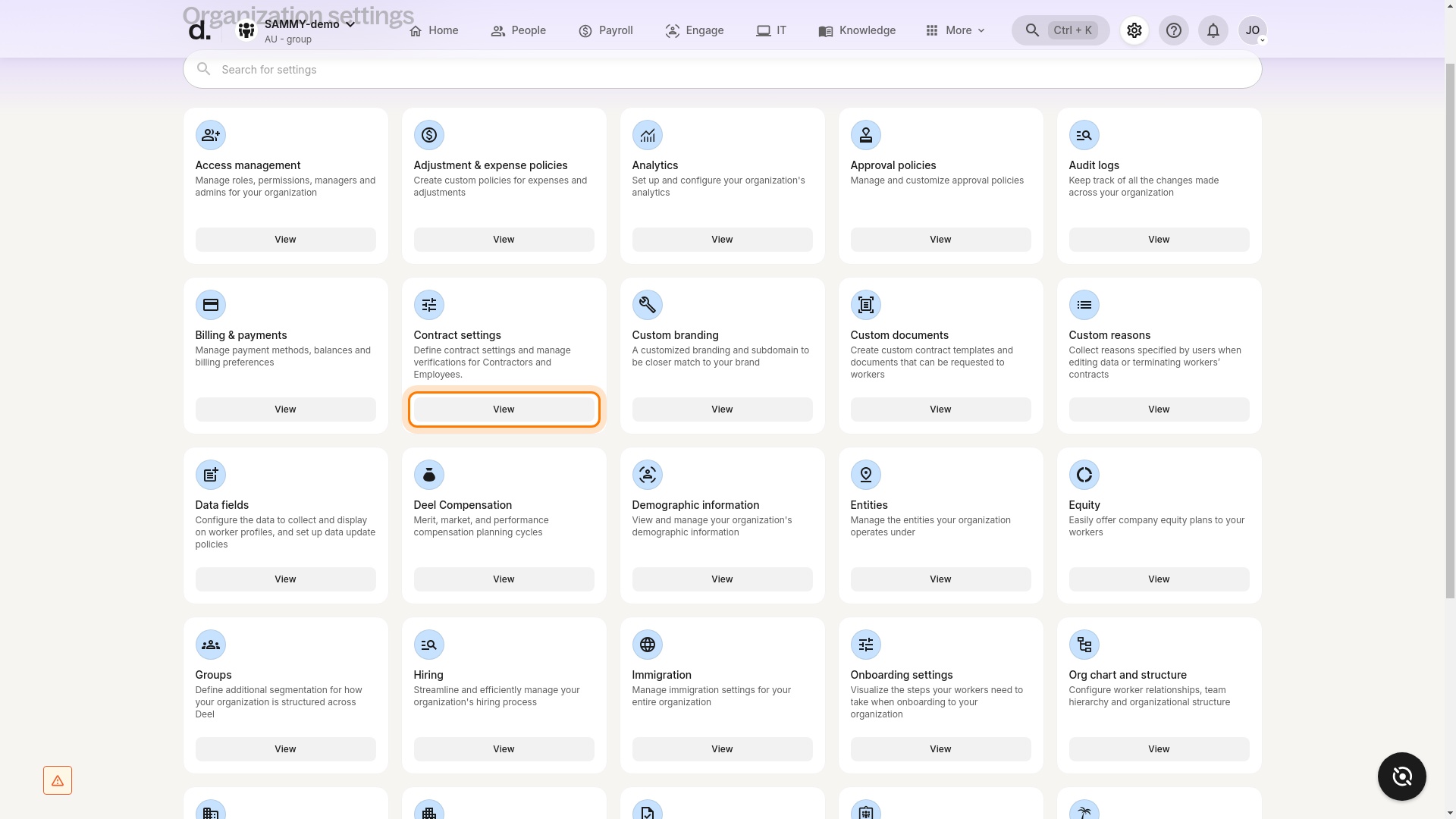
Access Contract Settings:
- On the Organization Settings page, scroll down until you find the Contract settings card.
- Click the View button on the Contract settings card.
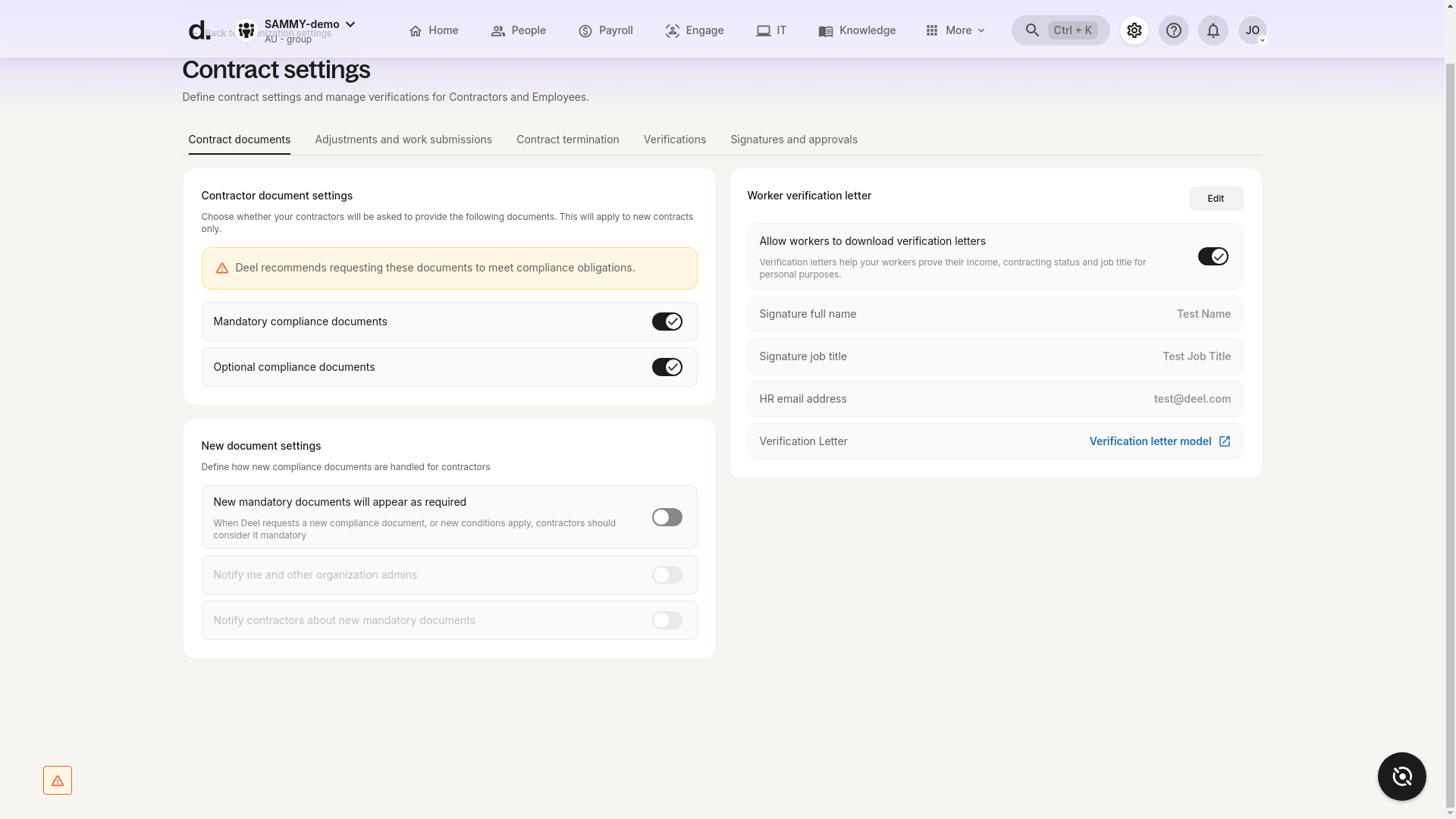
The Contract Settings page will appear, displaying various contract-related settings, including contract documents, adjustments and work submissions, contract termination, verifications, and signatures and approvals.
Verification
- Verify that you have successfully navigated to the Contract settings page.
- Confirm that you can see options for contract documents, adjustments, work submissions, contract termination, verifications, and signatures and approvals.