
This article explains how clients can transition a Direct Employee Payroll to a new worker type.
A Direct Employee - Payroll is an employee hired and paid through Deel's Global Payroll service. These employees are employed directly by the company utilizing this service
Clients can transition a Direct Employee - Payroll to EOR, PEO, and Contractor.
- An EOR employee is legally employed by the EOR organization (Deel), which acts as the official employer. The EOR handles all legal, compliance, and administrative aspects of the employment relationship on behalf of the client company.
- A Contractor: a self-employed professional who offers their services to clients on a project-based or fixed-term basis.
- A PEO employee is someone who is employed under a co-employment relationship between their organization and a Professional Employer Organization (PEO). In this case, Deel acts as the PEO.
Transitioning a Direct Employee - Payroll to Another Worker Type
✅ Step 1 - Select the worker to be transitioned
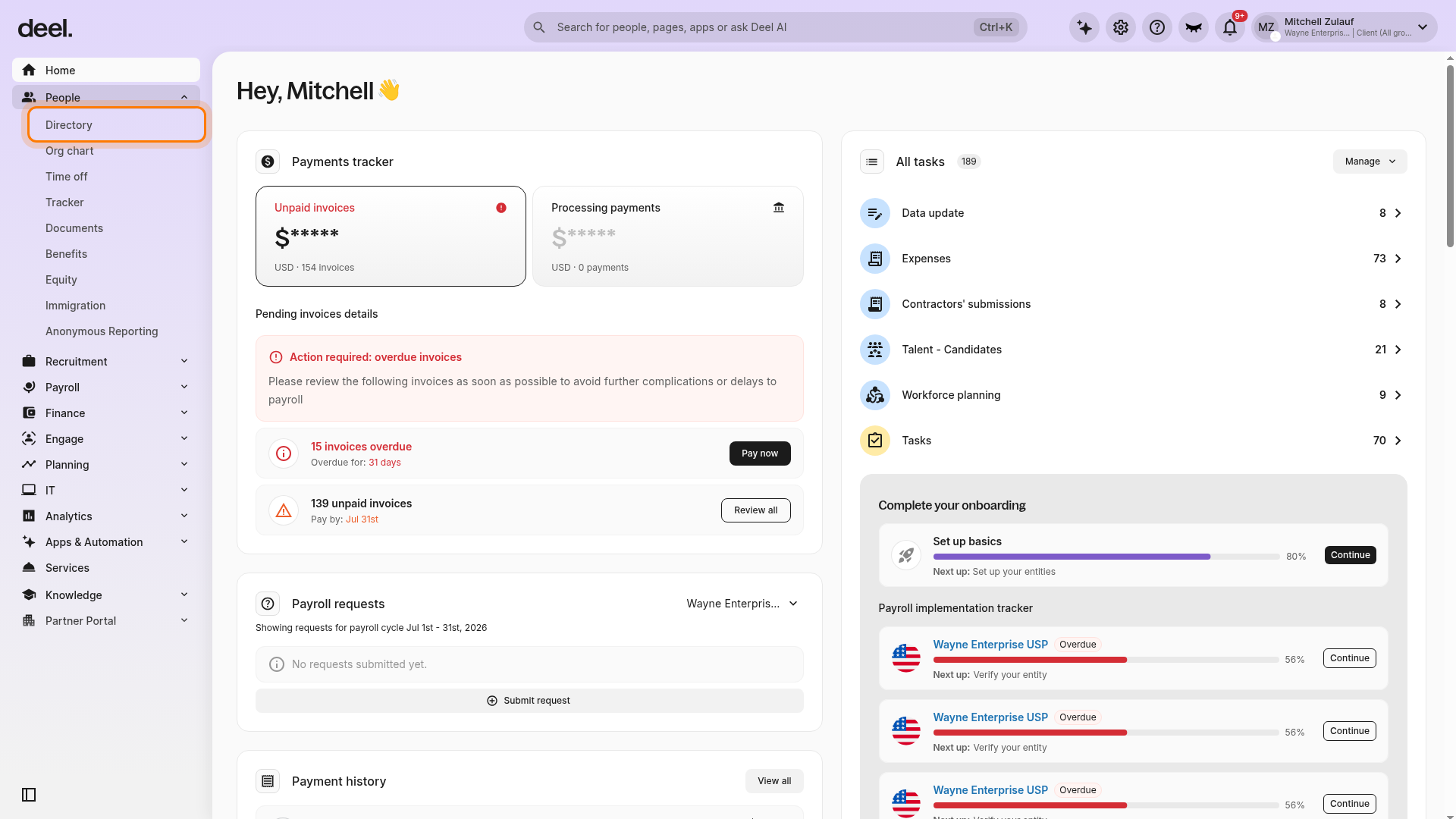
- In the left sidebar, select People to expand its submenu.
- Select Directory.
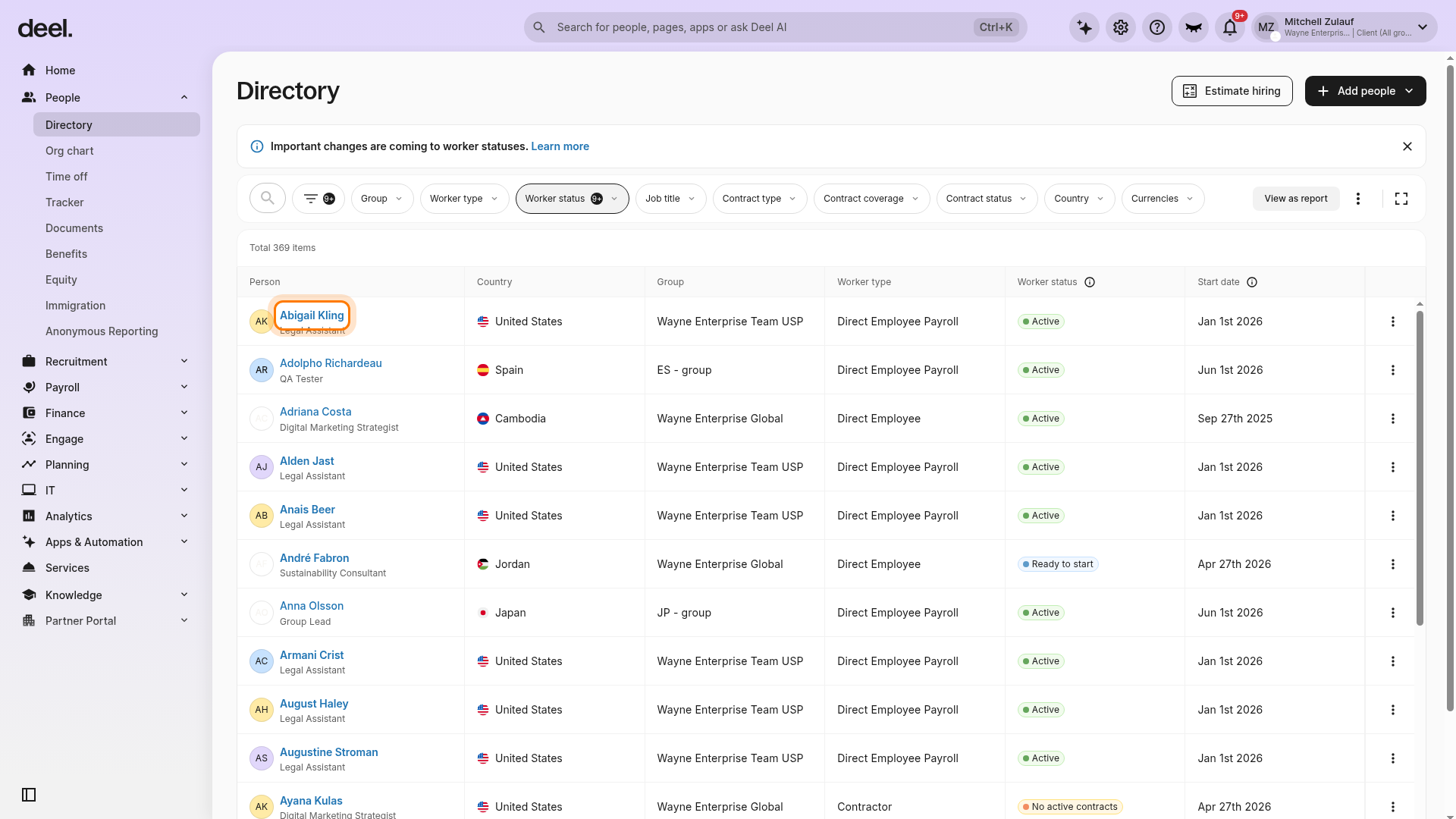
- Locate and select the Direct Employee - Payroll worker.
- Use search or filters if needed.
From the worker profile, open the three-dot actions menu and select Change worker type.
Employees must have a valid personal address in their HRIS profile to complete the transition. Missing information will prevent the process from being finalized.
✅ Step 2 - Start the Transition
Select the new worker type and click Next to begin the transition.
✅ Step 3 - Provide the worker’s Information
Provide or review the following information:
- Employee personal details – These are pre-filled from the existing contract. Review them and correct any information as needed.
- Job details – Complete the required fields.
- Compensation and dates – These are pre-filled from the previous contract and can be edited.
- Compliance documents – Provide them if applicable.
Select Create Contract to initiate the worker-type change. The worker receives an email invitation to complete the required onboarding steps and access the updated details in the Deel Employee App.
Specific Requirements and Differences for Each Worker Type
When Transitioning to EOR
When transitioning to EOR, after the employee has provided all required details and all agreements have been signed, complete the pending worker-type change from the worker’s contract.
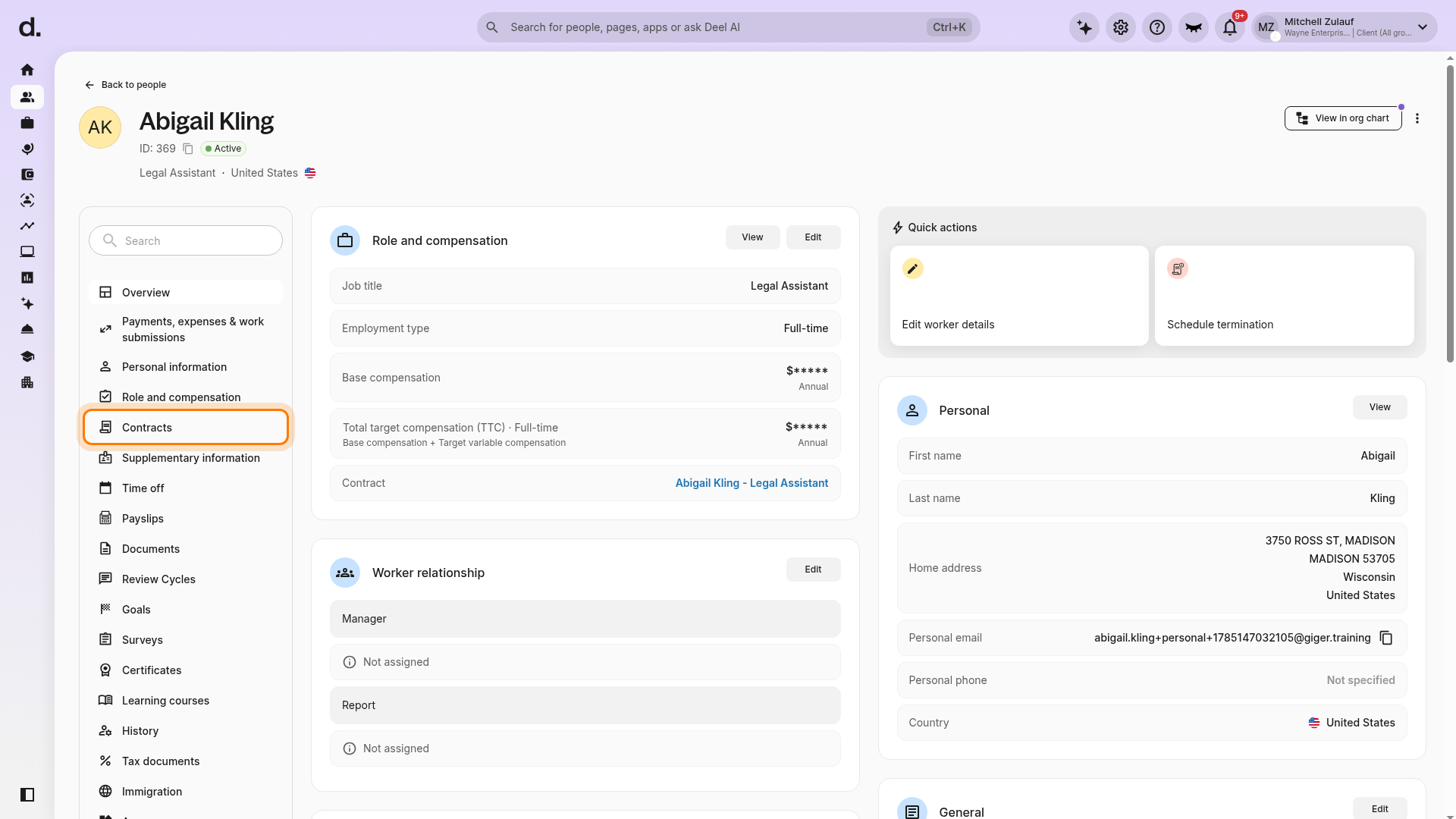
- Open the worker’s profile.
- Select Contracts from the left-side section menu.
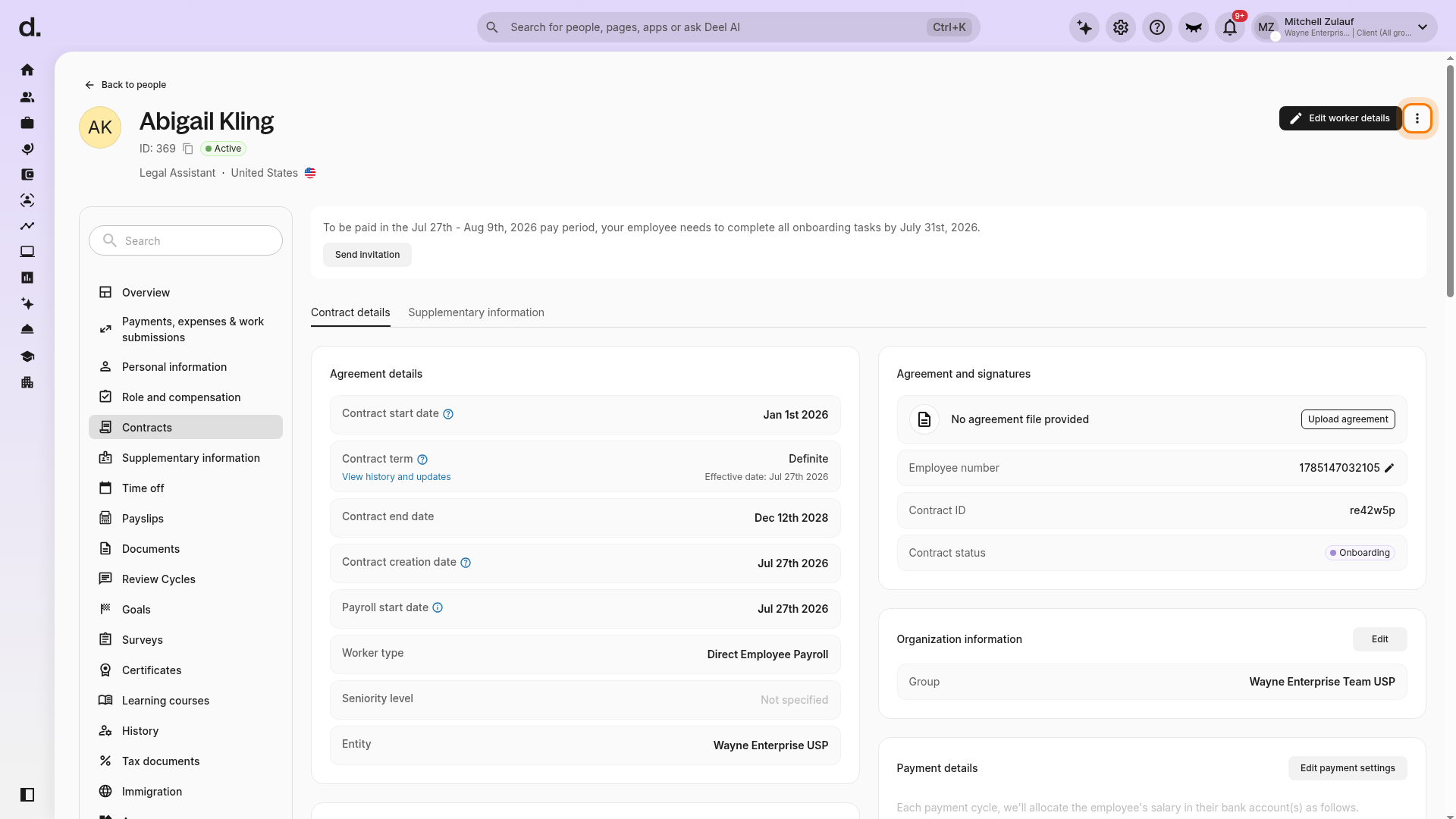
- Review the contract details to confirm that you are working with the intended worker and contract.
- Select the three-dot actions menu beside Edit worker details.
- Select Complete worker type change.
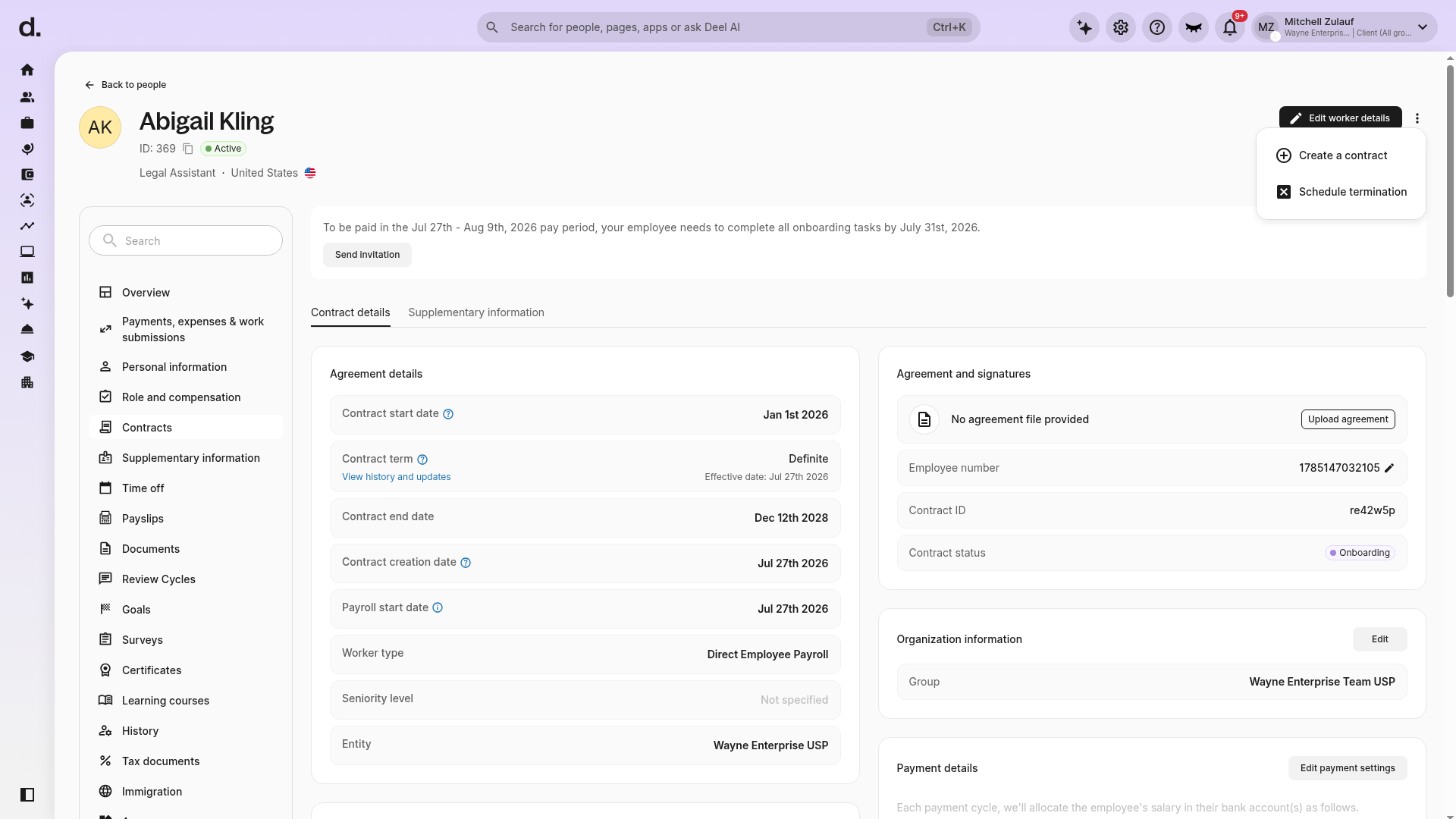
- The action is available only for an eligible contract with a pending worker-type-change workflow.
- If you do not see Complete worker type change, close the menu without selecting unrelated actions, such as Create a contract or Schedule termination.
Onboarding & Offboarding
After the contract is created, the employee will receive an invitation to complete the onboarding process. After the contract is active, the old HRIS entry will be marked as inactive.
When Transitioning to PEO
To transition an employee to PEO, the client must have an entity with PEO activated.
Onboarding & Offboarding
After the new contract is created, the employee needs to complete the onboarding process to compliantly receive their salary. The employee’s profile will automatically update from Direct Employee to PEO employee one day before the PEO start date.
Transitioning to Contractor
If the contractor has more than one active contract, the client must select which contracts will be transitioned to the new worker type.
Onboarding & Offboarding
Once the contract is created, the contractor will receive an invitation to complete the onboarding process. After the contract is active, the old HRIS entry will be marked as inactive.