
This article explains how contractors in Colombia can set up and use Bre-B for instant, 24/7 withdrawals in COP, what the Bre-B Key is, and how to resolve common issues.
In this article
- What is Bre-B and Bre-b Key
- Add Bre-B as a withdrawal method
- Withdraw using Bre-B
- Fees, limits, and timing
- Statuses and notifications
- Troubleshooting
-
FAQs
Before Starting
- You must own a valid Bre-B Key.
- The legal name on the Bre-B Key should match your Deel account.
- Enter the Bre-B Key values in the correct format:
- National ID: numbers only
- Mobile: Colombian format (+57 if requested)
- Email: valid address
- Document ID: the same as the one associated with your bank account.
- Minimums, maximums, and daily limits appear in-app before you confirm.
- Avoid typos to prevent delayed or failed payments.
What Is Bre-B, and What Is the Bre-B Key?
Bre-B is Colombia’s national instant payment system for real-time transfers between banks and digital wallets.
The Bre-B key is your payment key on the Bre-B network. It can be:
-
Your Document ID
- Cédula de Ciudadanía
- Tax Identification Number (Número de Identificación Tributaria)
- Passport
- Foreigner ID Card (Cédula de Extranjería)
- Special Stay Permit (Permiso Especial de Permanencia) - Your mobile number
- Your email address
- Your alias (if supported by your bank or wallet)
Choose the Bre-B key you actively use and ensure it is linked to your own bank or wallet.
Add Bre-B as a Withdrawal Method
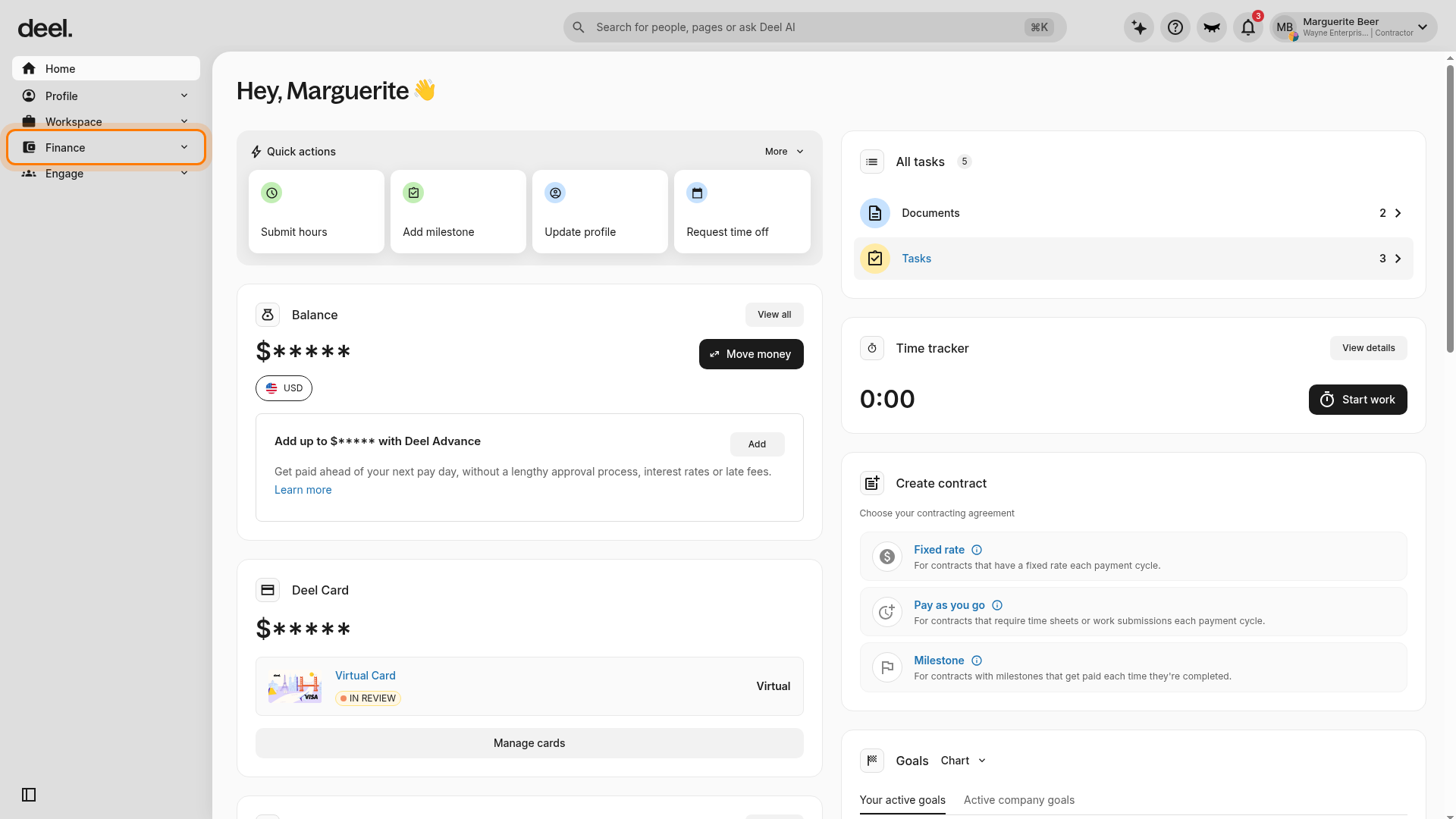
- From the Deel Home dashboard, or another page where the left sidebar is visible, select Finance. Confirm that the Finance menu expands and displays its related menu items.
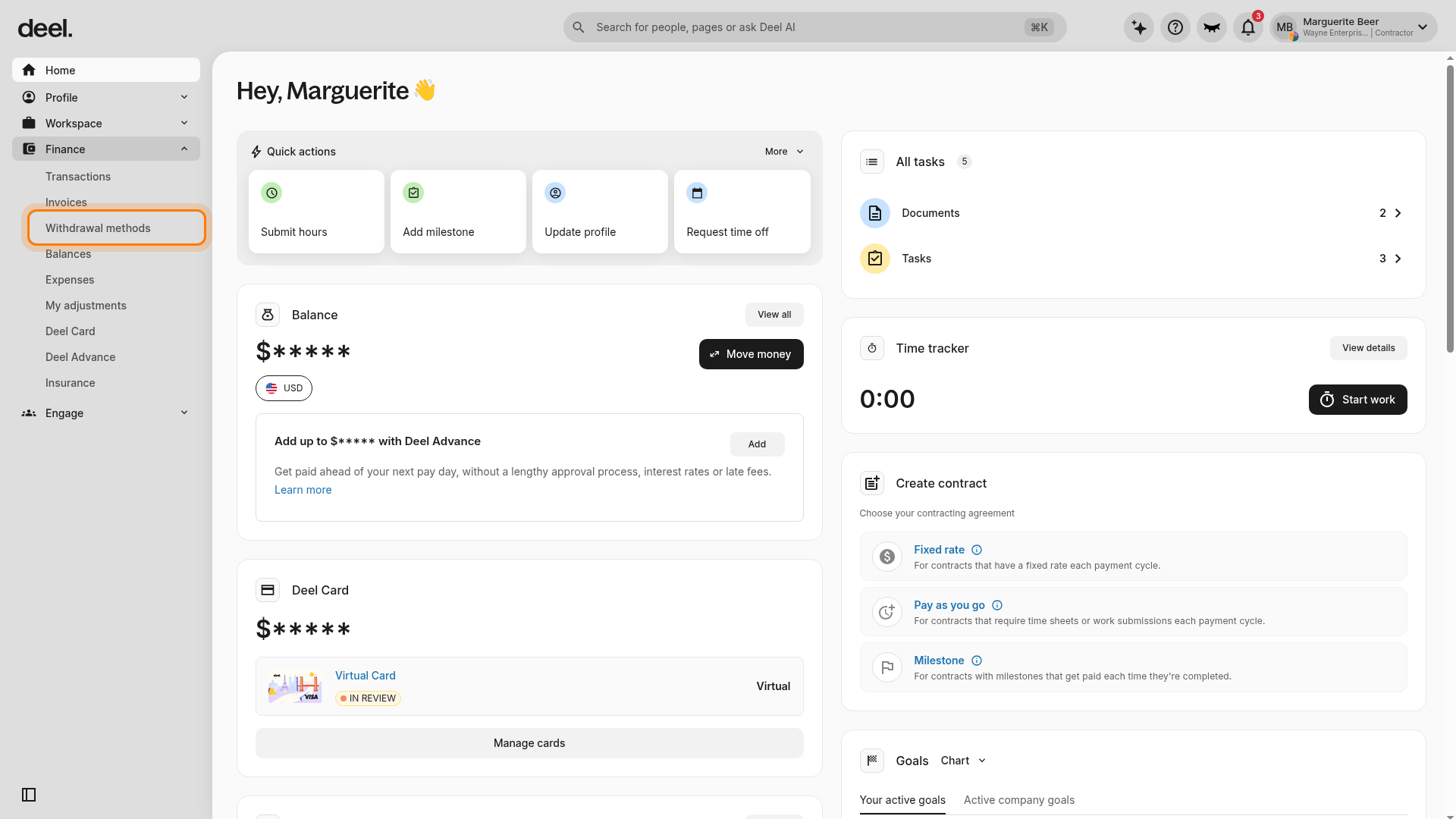
- Under the expanded Finance section, select Withdrawal methods. Wait for the page to load and confirm the page heading reads Withdrawal methods.
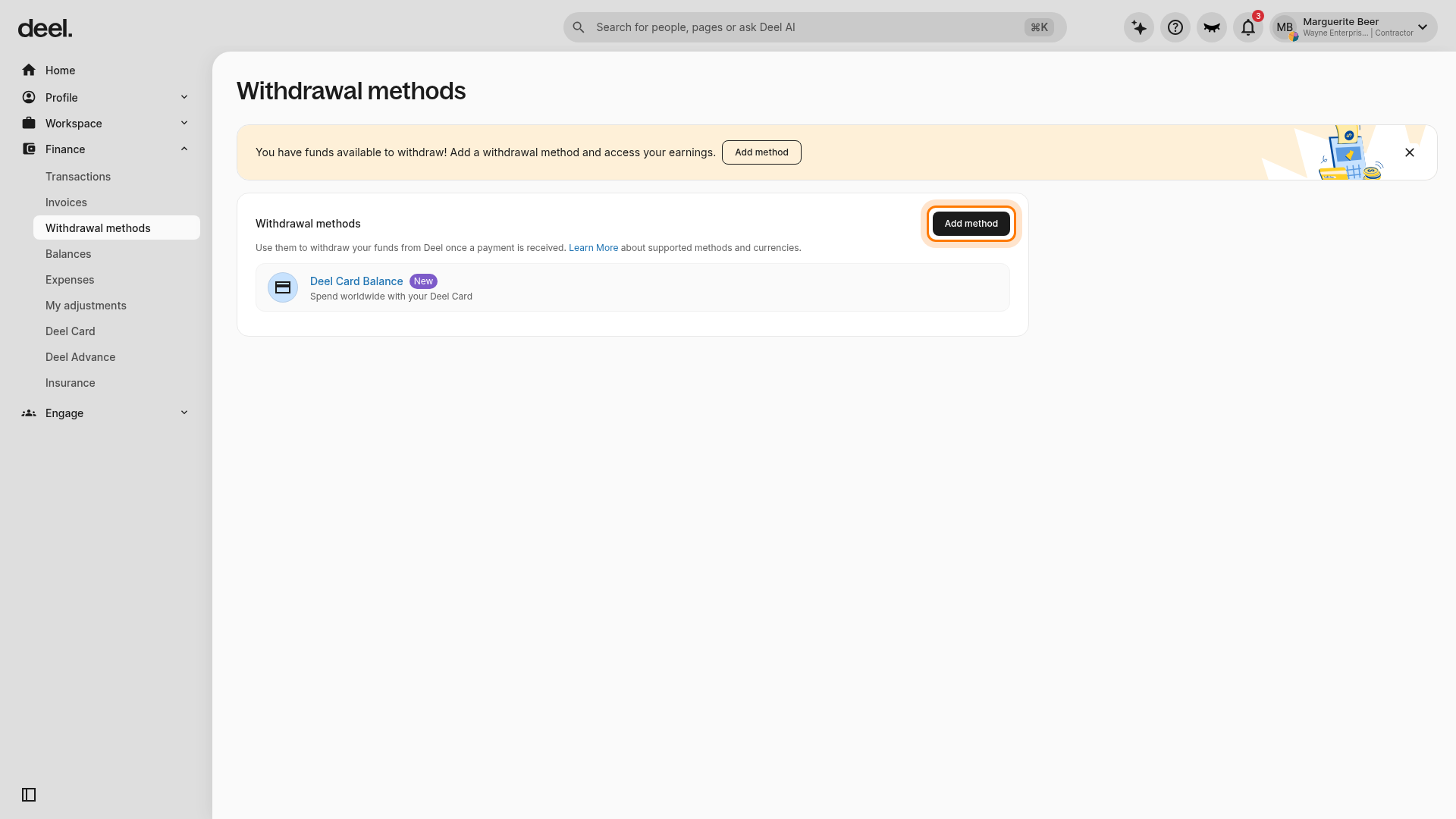
- If an onboarding tour or promotional pop-up blocks the page, dismiss it using its X or by selecting Got it. In the main Withdrawal methods section, select Add method.
- Confirm that the Add a withdrawal method form opens.
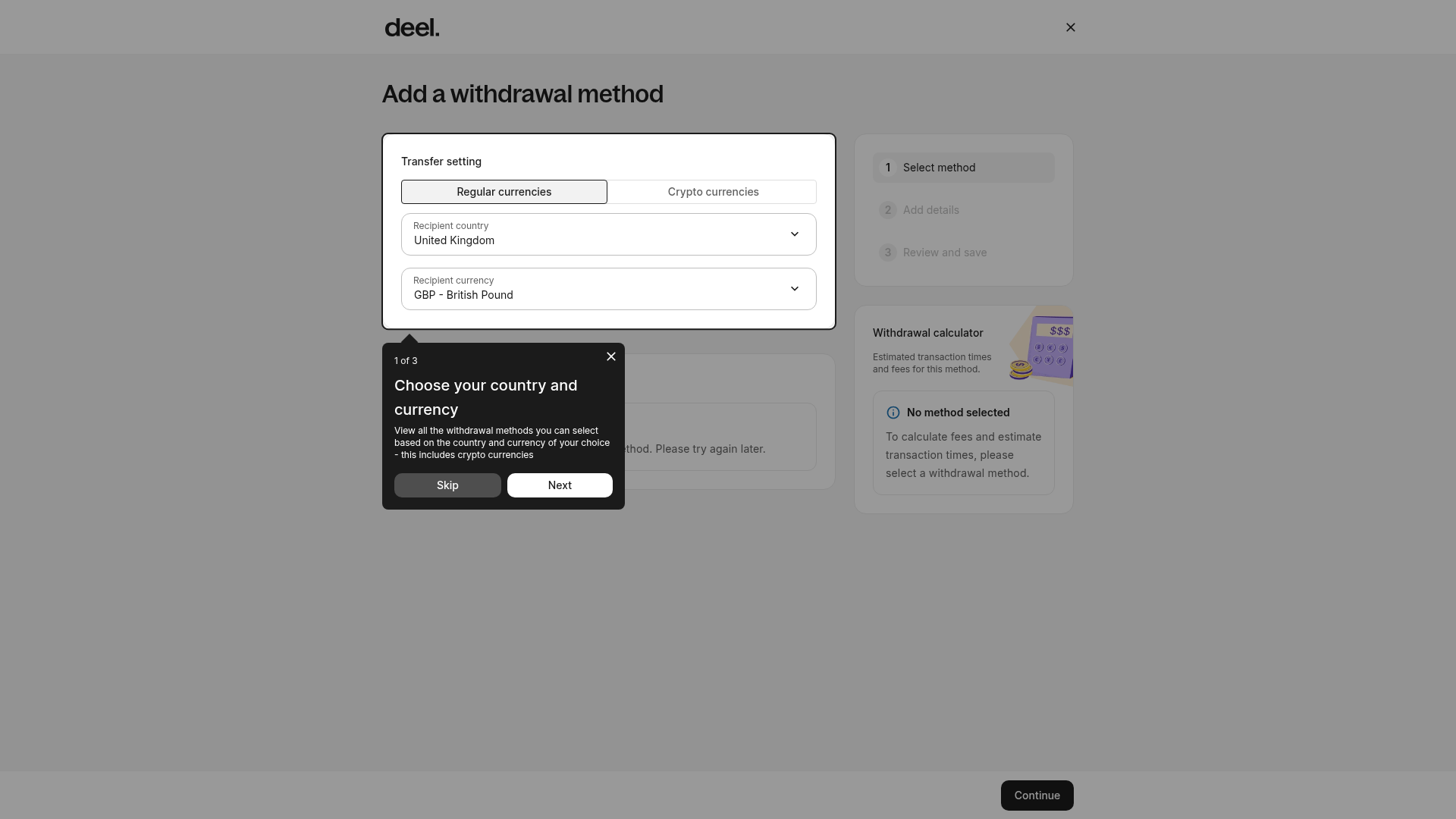
- Select Regular currencies, then select Colombia as the recipient country and COP as the recipient currency.
- Choose Bre-B (Instant). Select your Bre-B Key type (ID, mobile, email, or alias), enter the value, add a nickname, and select Save.
Withdraw Using Bre-B
- In the left sidebar, select Finance to expand it, then select Transactions to begin a withdrawal. You can also return to Finance > Withdrawal methods and select your saved Bre-B method.
- Enter the amount in COP and review any fees.
- Confirm the withdrawal.
- Funds typically arrive within seconds, 24/7.
If Bre-B is temporarily unavailable or your instant withdrawal cannot be completed, the system automatically converts your withdrawal to a standard bank transfer (1–3 business days). Funds will not return to your Deel Balance. Withdrawals may show as Pending for up to 60 minutes during processing. You will receive a notification when the transfer is initiated, but processing time will extend to 1–3 business days instead of instant delivery.
Manage saved Bre-B methods
You can view, edit, delete, or set a default Bre-B Key from the Finance icon > Withdrawal methods tab.
Fees, Timing, and Limits
Processing time
- Instant (seconds to a few minutes)
- Available 24/7 with no cutoff times
Minimum and maximum amounts
- Minimum: USD 5 or equivalent
- Maximum: COP 11,500,000 per withdrawal
Additional network or institutional limits may apply and are shown in-app.
Fees
- COP → COP withdrawals: Free (COP $0)
- USD/other currencies → COP: FX fee of $3.00 + 1.50% (applied by our provider)
- Your receiving bank or wallet may apply its own fees.
Payment Statuses and Notifications
Bre-B withdrawals may show:
- Success: Funds were delivered to your bank or wallet.
- Pending: Network delay. Usually resolves within minutes (up to 60 minutes).
- Failed: The payment was rejected.
You will receive both in-app and email notifications.
Contact Support if:
- A withdrawal stays Pending longer than 60 minutes, or
- It shows Failed without a clear explanation.
Troubleshooting
- Invalid Bre-B Key → Re-enter using the correct format.
- Name mismatch → Ensure your Bre-B Key matches the legal name on your Deel profile.
- Unsupported Bre-B Key type → Use national ID, mobile, email, or alias.
- Exceeded limits → Try a smaller amount or wait for your daily limit to reset.
- Network or bank downtime → Wait and try again later.
- Sent to an old mobile/email Bre-B Key → Contact your bank/wallet to update or reclaim funds before retrying.
-
Withdrawal stuck in Pending → Wait up to 60 minutes; do not retry immediately.
FAQs
[ACCORDION] Can I cancel a Bre-B withdrawal?
No. Instant payments cannot be canceled once submitted.
[ACCORDION] What if I used the wrong Bre-B Key?
Contact your bank or wallet immediately. Then withdraw again using the correct Bre-b Key.