
Deel partners with health insurers who understand remote working, both in your country and internationally.
We have exclusive discounts that make it safer than ever to work with remote teams.
Learn more about health insurance for remote workers in our Deel blog post.
Requesting a quote from our health insurance partners can be done in just a few clicks.
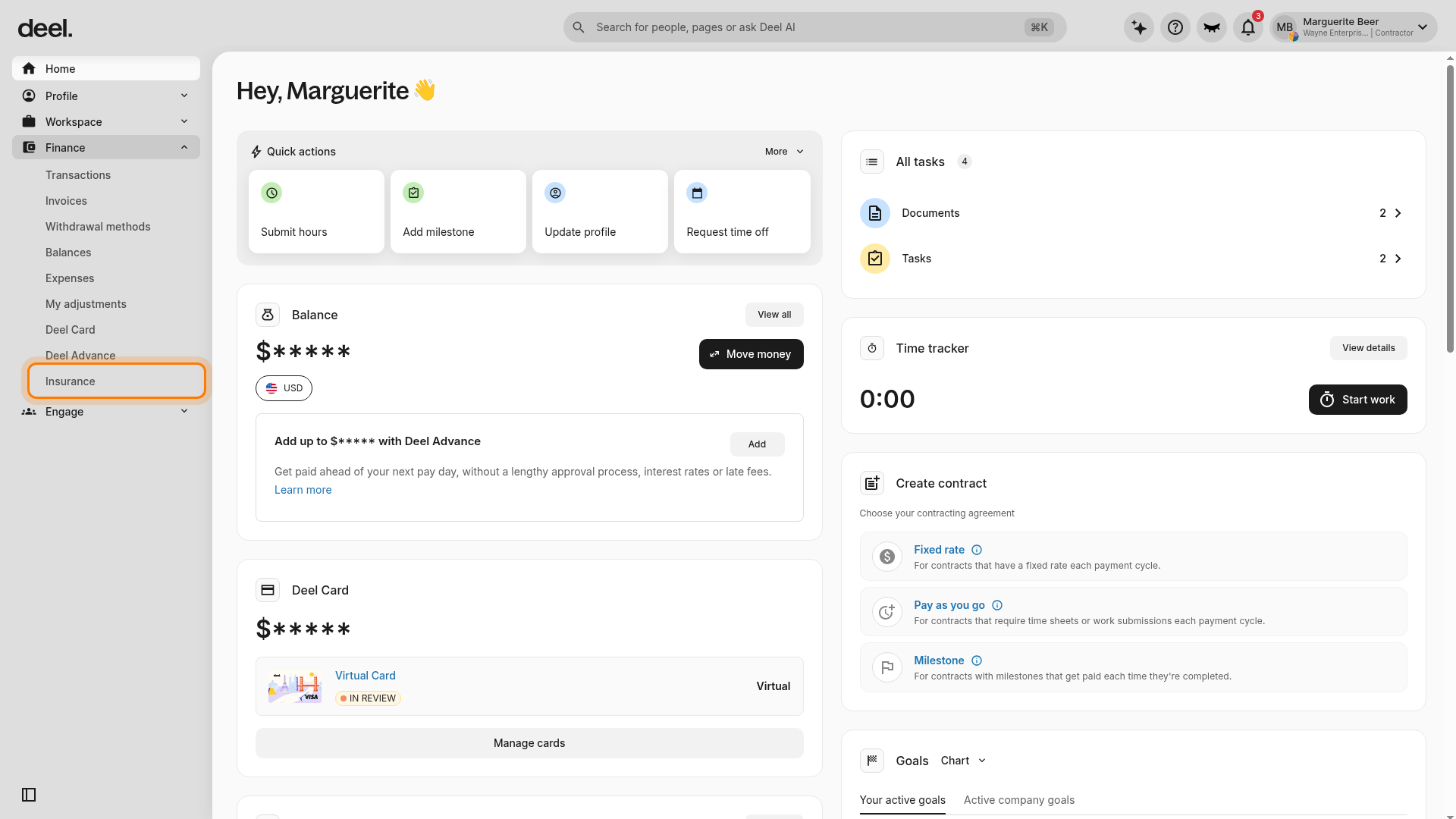
✅ Step 1 – Select the (1) Insurance tab and (2) choose your location
In the left sidebar, select Finance to expand its submenu, then select Insurance. In the contractor layout, Insurance appears near the bottom of the Finance list.
Wait for the Insurance marketplace to load, then use the I live in location selector to choose the country that applies to you.
Confirm that the Insurance page and Get insured section are visible, the I live in selector appears in the upper-right area of the page, and provider cards are displayed for your selected location.
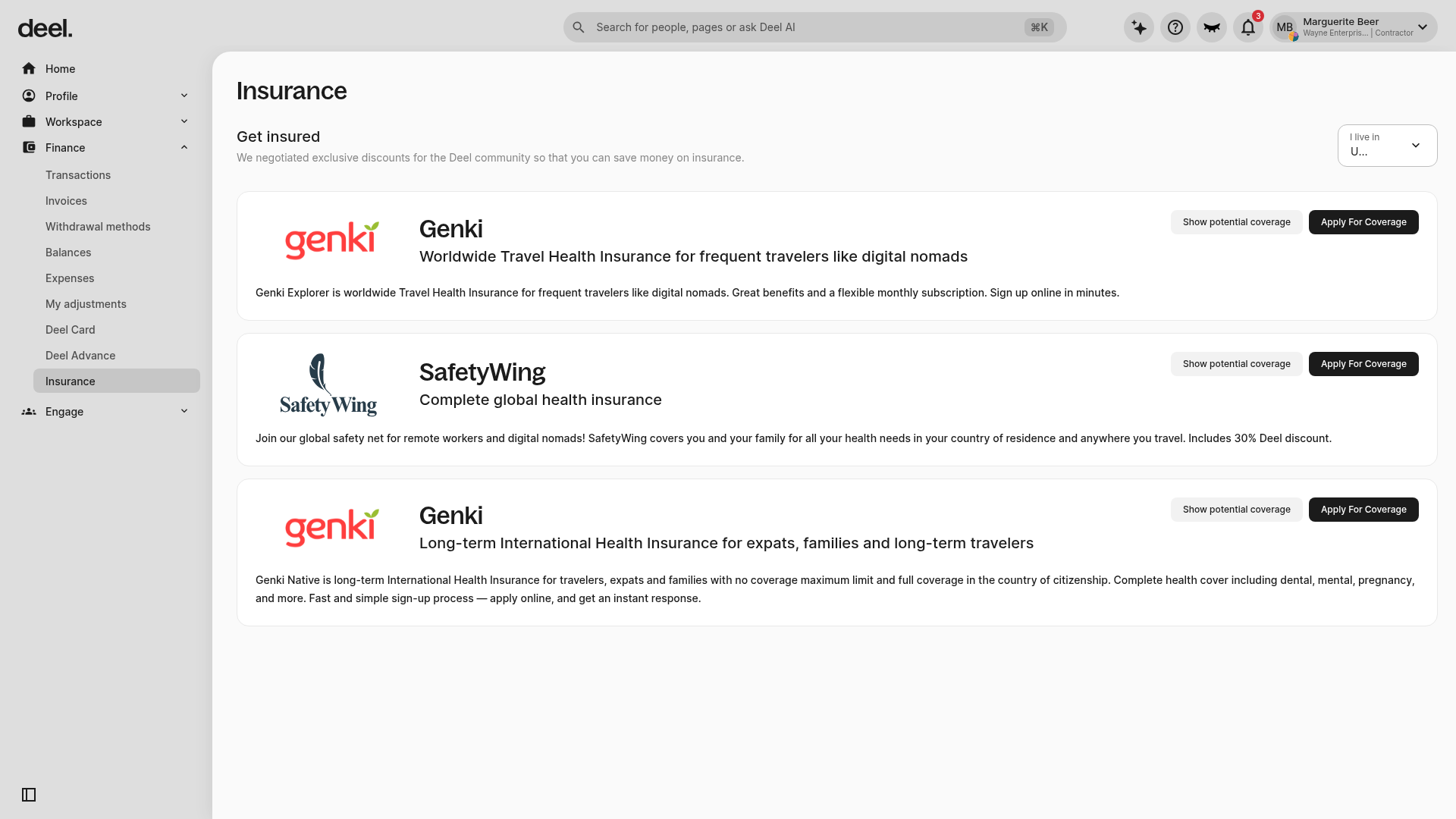
✅ Step 2 – Click Apply for Coverage
After confirming your location, click Apply For Coverage on the insurance option you want to use.
You will be redirected to the insurance provider website to continue the quote flow. Start the provider quote or sign-up flow, then answer the requested questions, such as travel duration, residency details, and other insurance information.
You will receive a follow up email from the insurer. Complete the set up process on their website.
With Deel health insurance you can:
- Get general health and long-term-stay travel coverage in 178 countries, just about everywhere except Canada
- Set up your policy in minutes, entirely online, without additional paperwork or going to the insurer's office
- Get flexible add-ons as your needs or location change
- Choose the insurance plan that fits your needs and get exclusive discounts