
This article explains the process for obtaining a refund on the deposit following the termination of an EOR Employee.
Please note that Deposits are held on the balance sheet of Deel Inc., in our bank accounts with JP Morgan Chase at 270 Park Avenue, New York, NY.
In This Article:
How Do I Track the Status of My Refund?
Using Deposit Refunds for Future Payments
About Refunds
When a full-time employee who was employed through a Deel EOR is terminated we will issue a refund of the client's deposit minus any applicable dues, fees, and payments.
The process for terminating an employee can take up to 60 days depending on the nature and jurisdiction of the termination.
Refunds are processed once the termination or resignation is finalized, invoices are paid, and the payment has been settled. Please note this is not the same as the date of initiation of the termination process. ACH payments typically take 7 business days to settle.
Our terms & conditions advise that refunds will be returned within 60 days after the termination process is completed and all invoices are paid. While this is the allowable timeline per the Deel terms & conditions, many refunds will be processed before that deadline date.
Once the termination is finalized the client will receive an email informing them that their refund is ready. To receive the refund the client must have provided bank details on Deel.
Read on to learn more about adding and managing refund methods, and for information on tracking the status of the refund.
How to Add a Refund Method?
There are two methods to receive refunds:
- adding a bank account, or
- leaving the funds on Deel that can be used for future payments.
To add a refund method:
- Select the Organization settings gear icon in the top-right corner of Deel.
- In All Settings, select Billing, payments & balances.
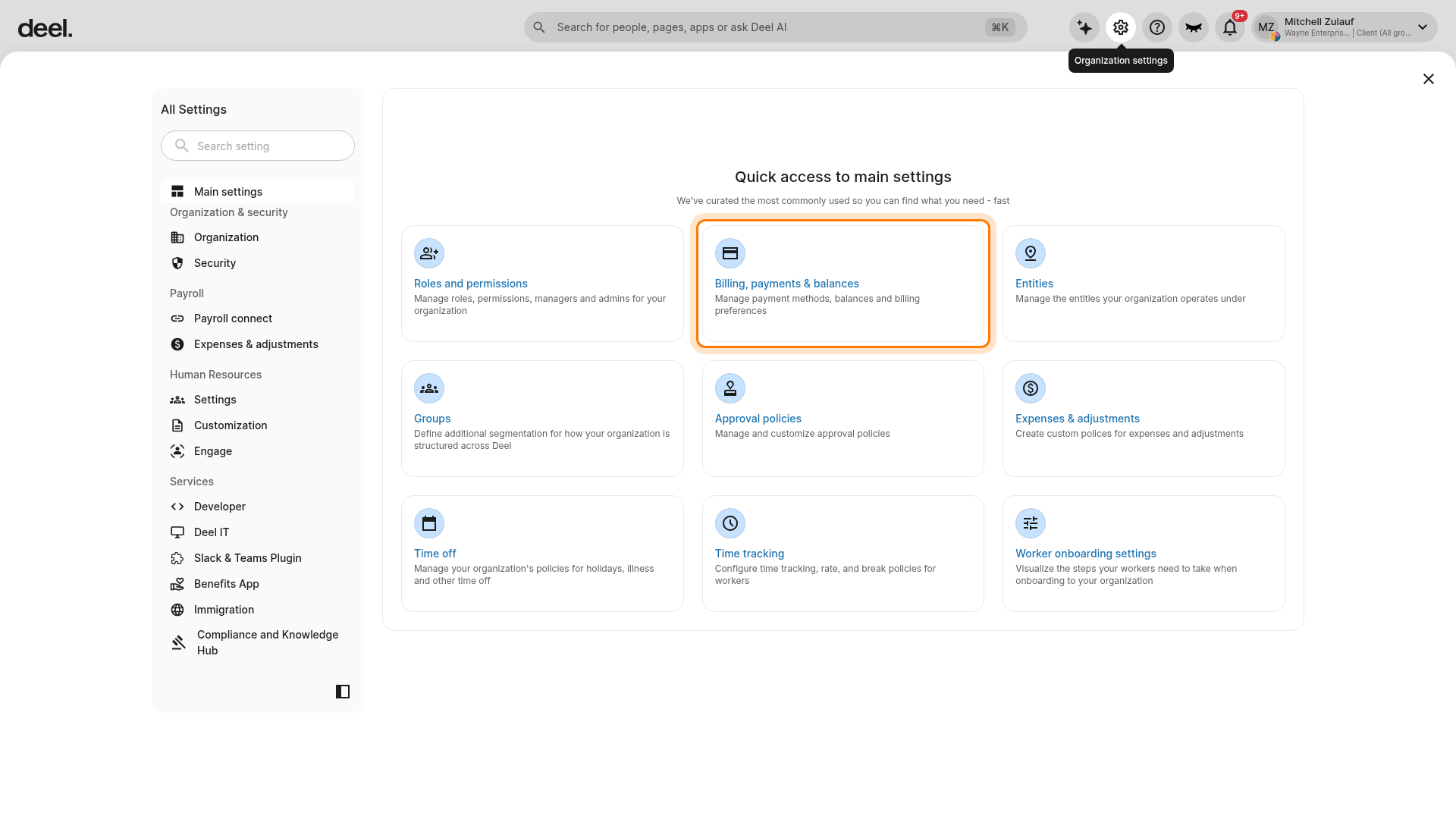
- Select Refund methods, described as managing your organization's refund preferences.
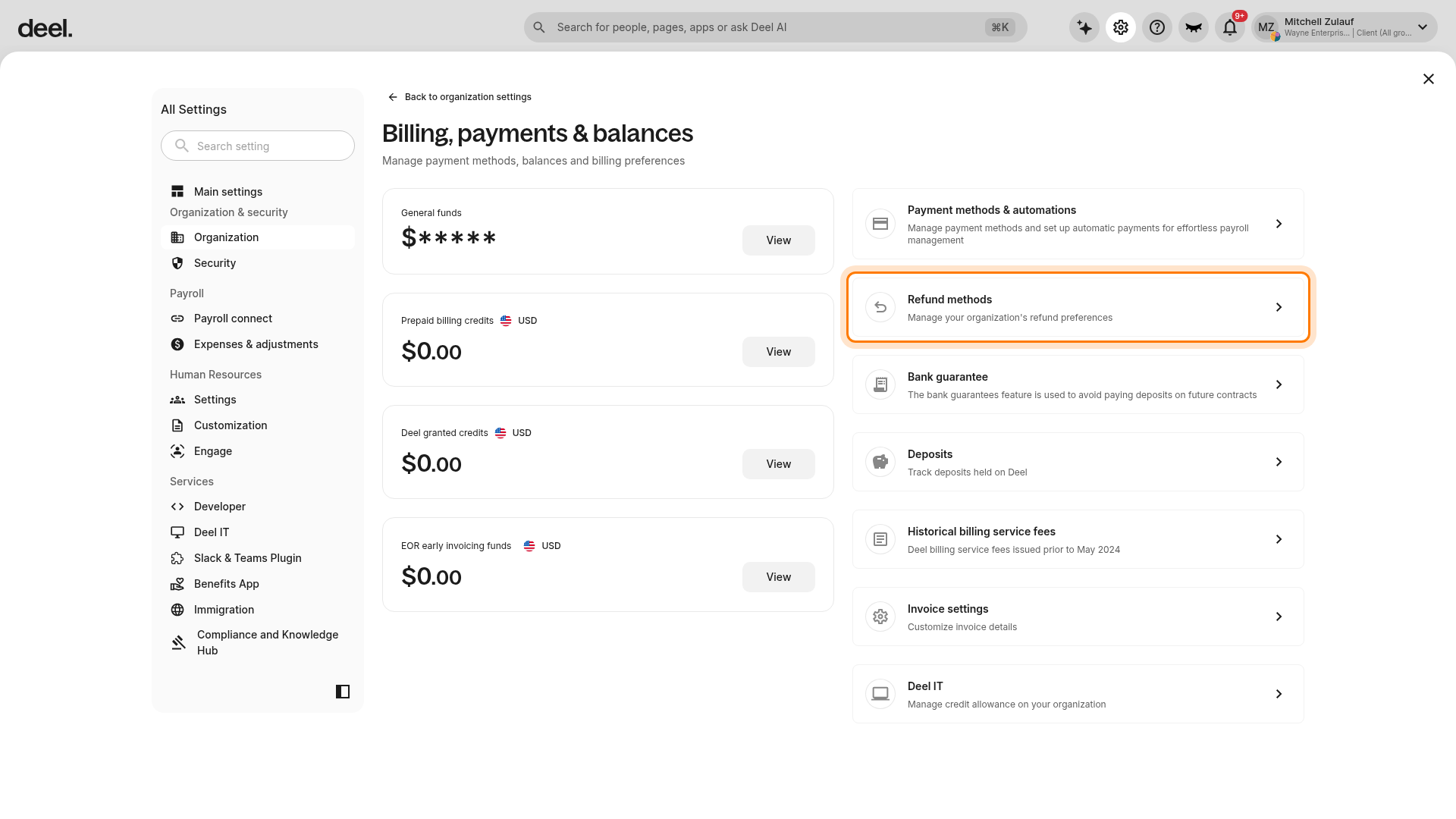
- On the Refund methods page, select Add.
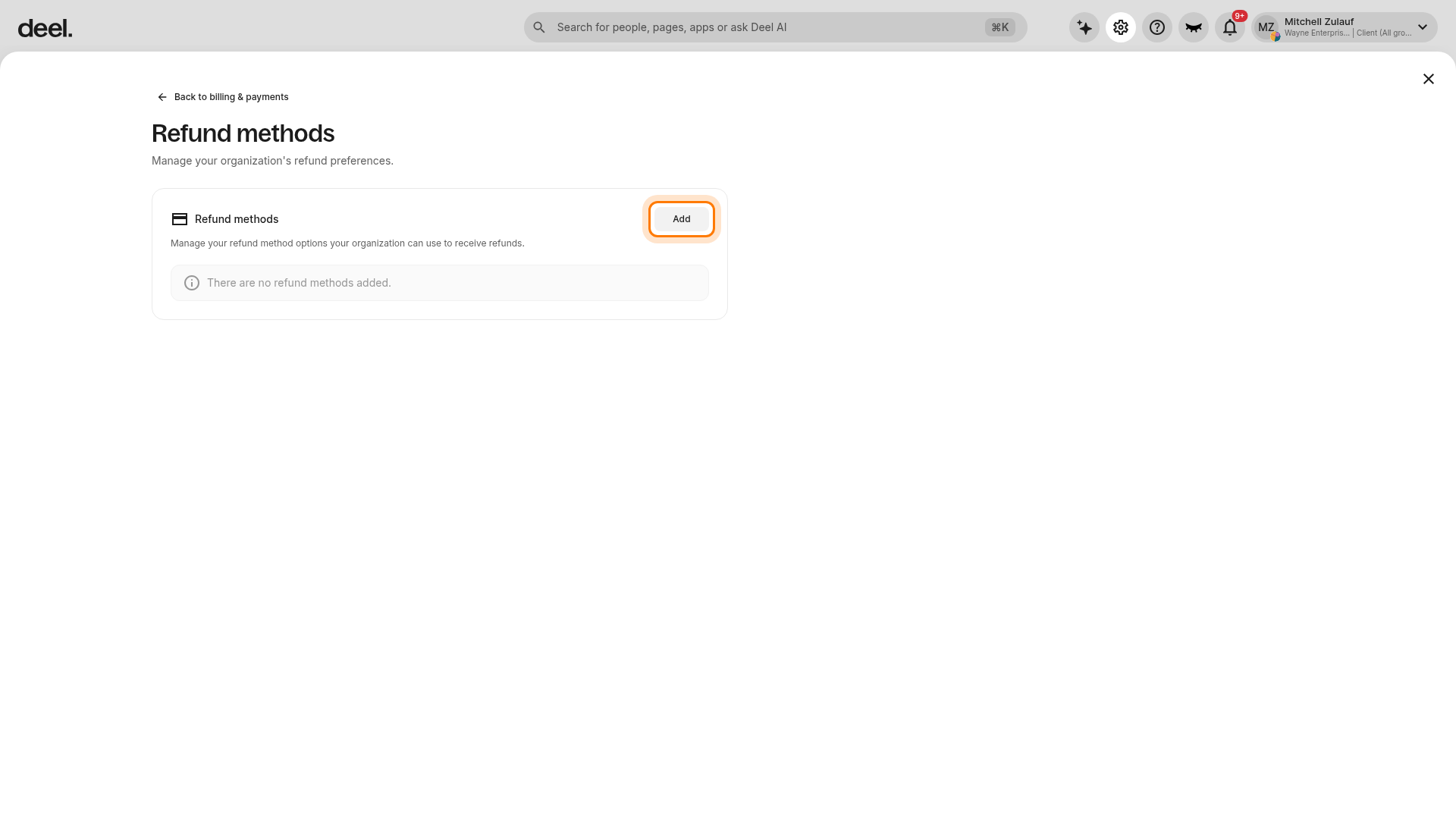
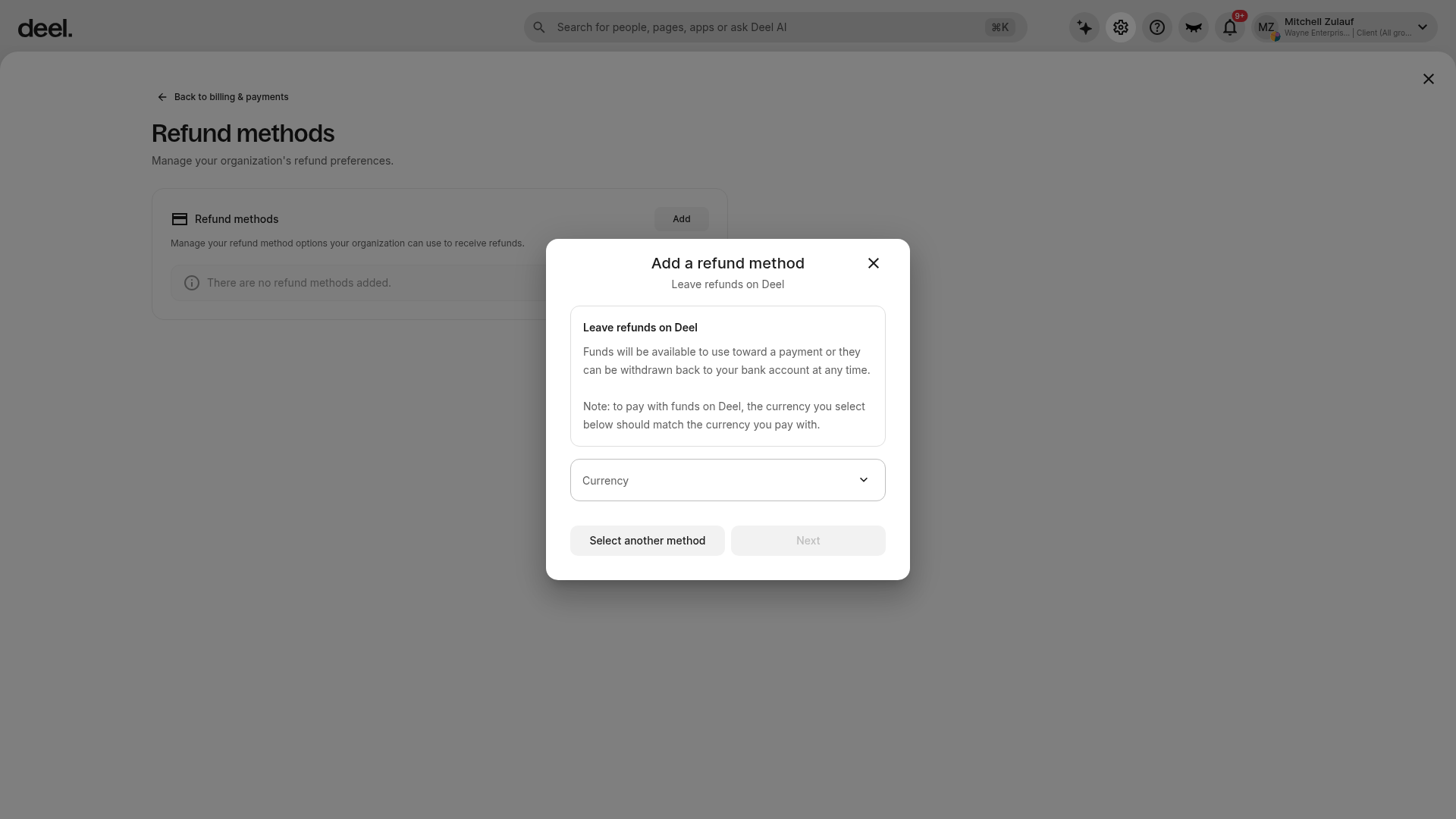
- In the Add a refund method dialog, choose how the organization will receive refunds:
- To keep funds on Deel, select Leave refunds on Deel, choose the required Currency, and continue.
- To receive refunds in a bank account, select Select another method, choose the bank-account option, complete all required details, and save the method.
Clients can add a refund method for a specific worker from their Contract Details page, or they can select a default method at the organization level.
Selecting Leave Refunds On Deel as the preferred organization-level refund method will automatically apply to all contracts that have a deposit, regardless of worker type.
Please see: Managing Refunds and Using Refund Balance on Deel
How to Track the Refund?
Clients can track the status of a refund from the employee's Contract Details screen.
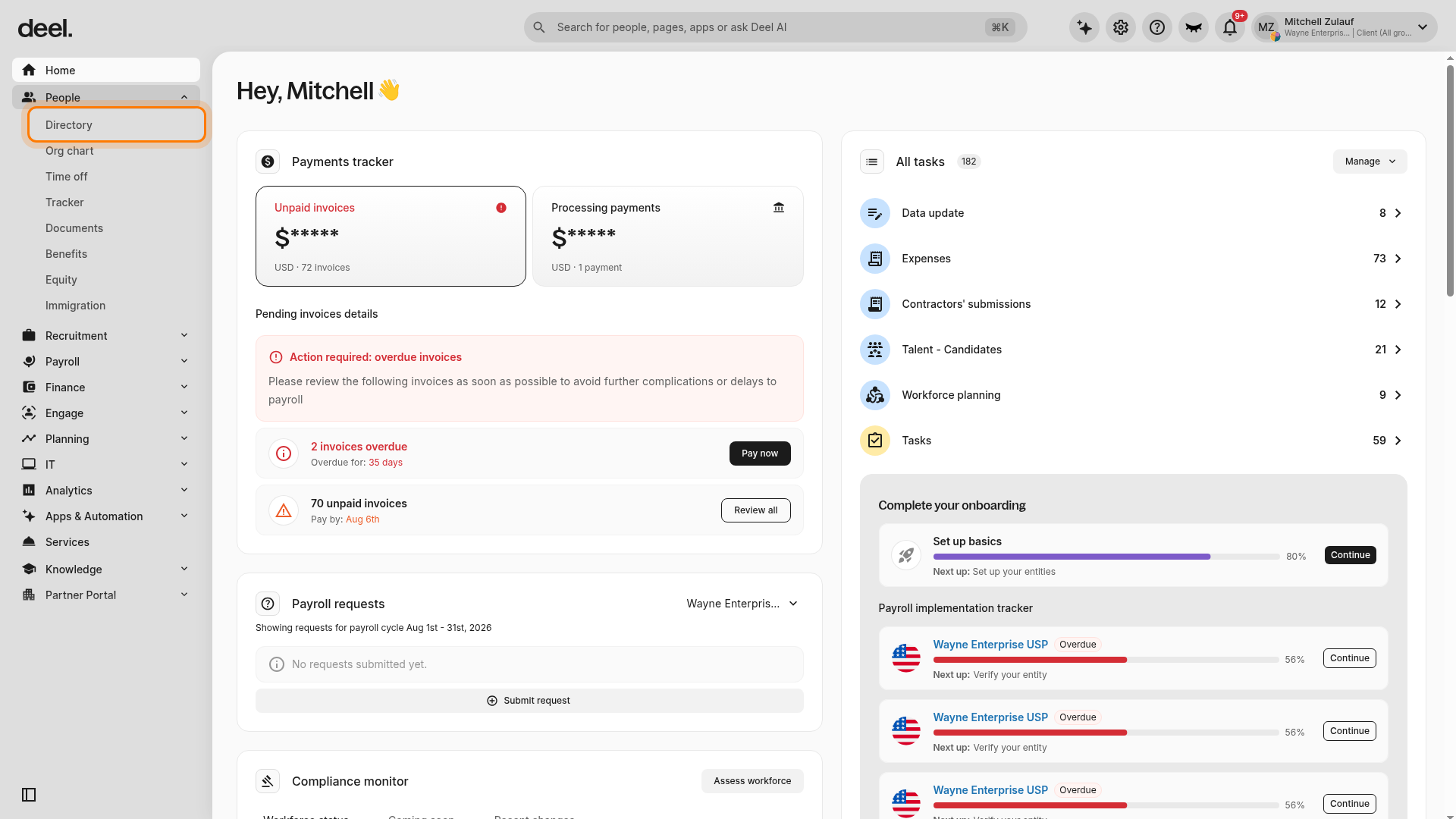
- In the left sidebar, select People to expand its submenu, then select Directory.
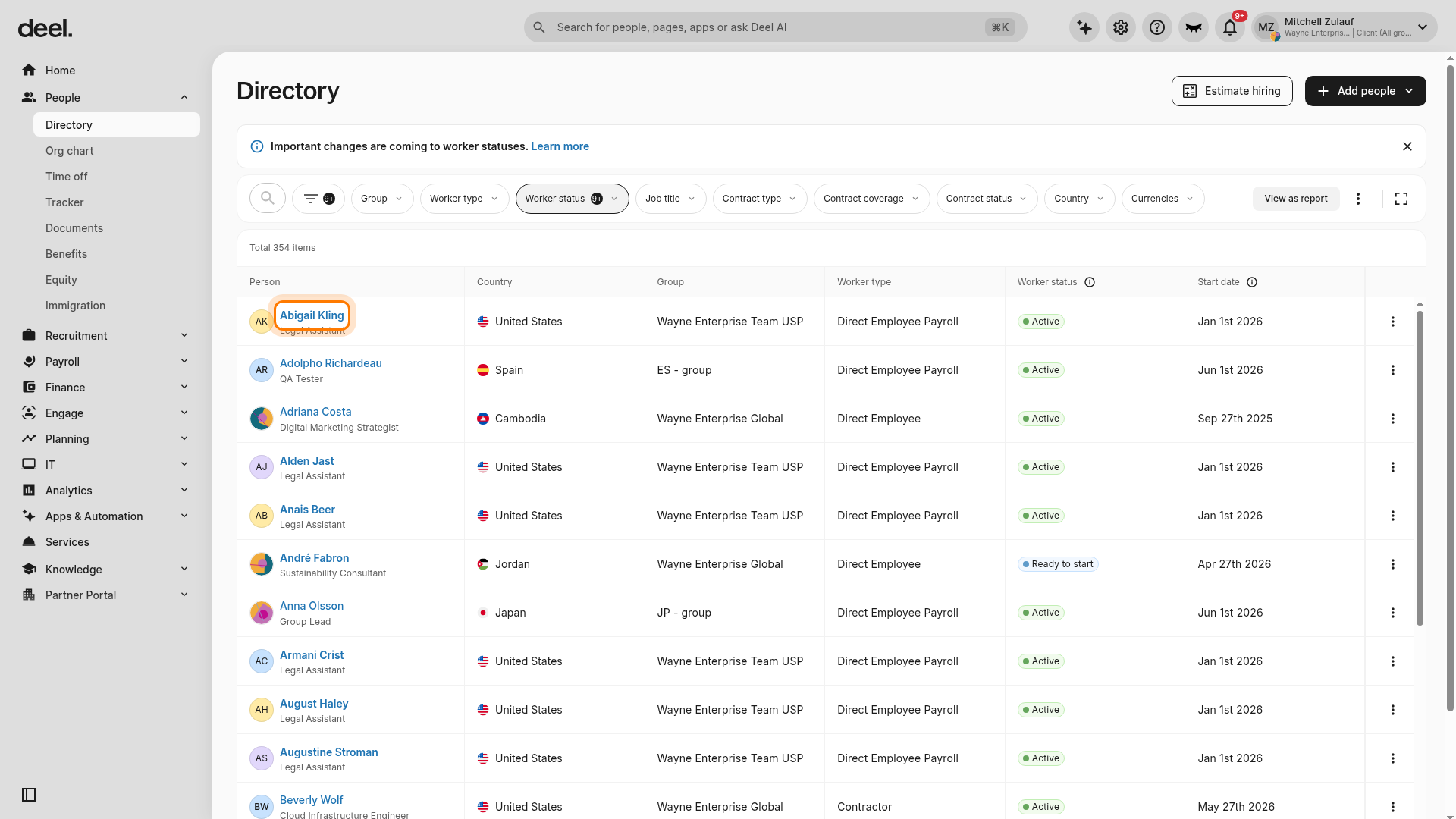
- Find and select the employee whose terminated EOR contract you need to review.
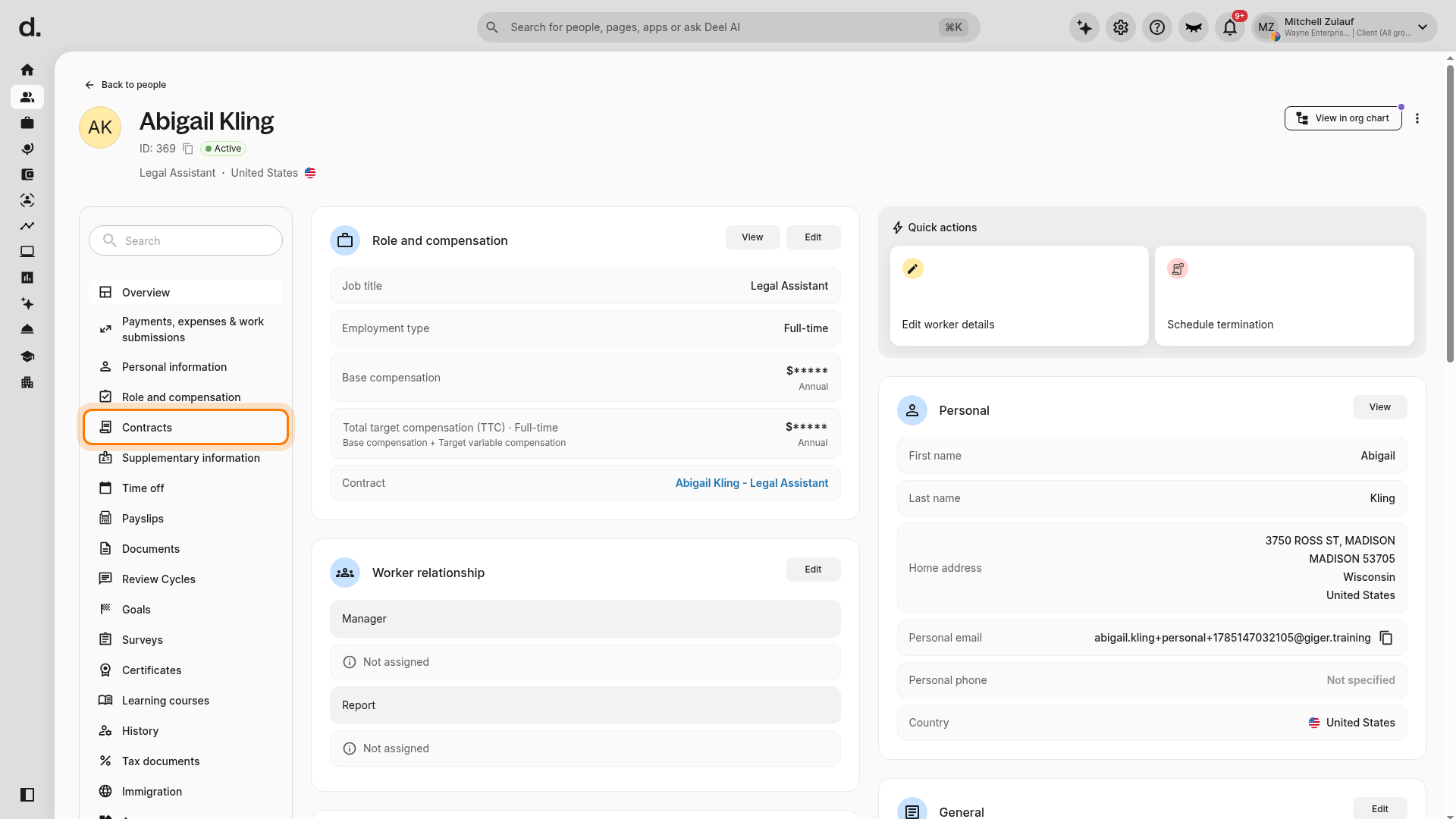
- On the employee profile, select Contracts in the profile navigation.
- Select the contract marked Terminated. Confirm that Contract details is the active tab and that the displayed contract status is the intended terminated contract.
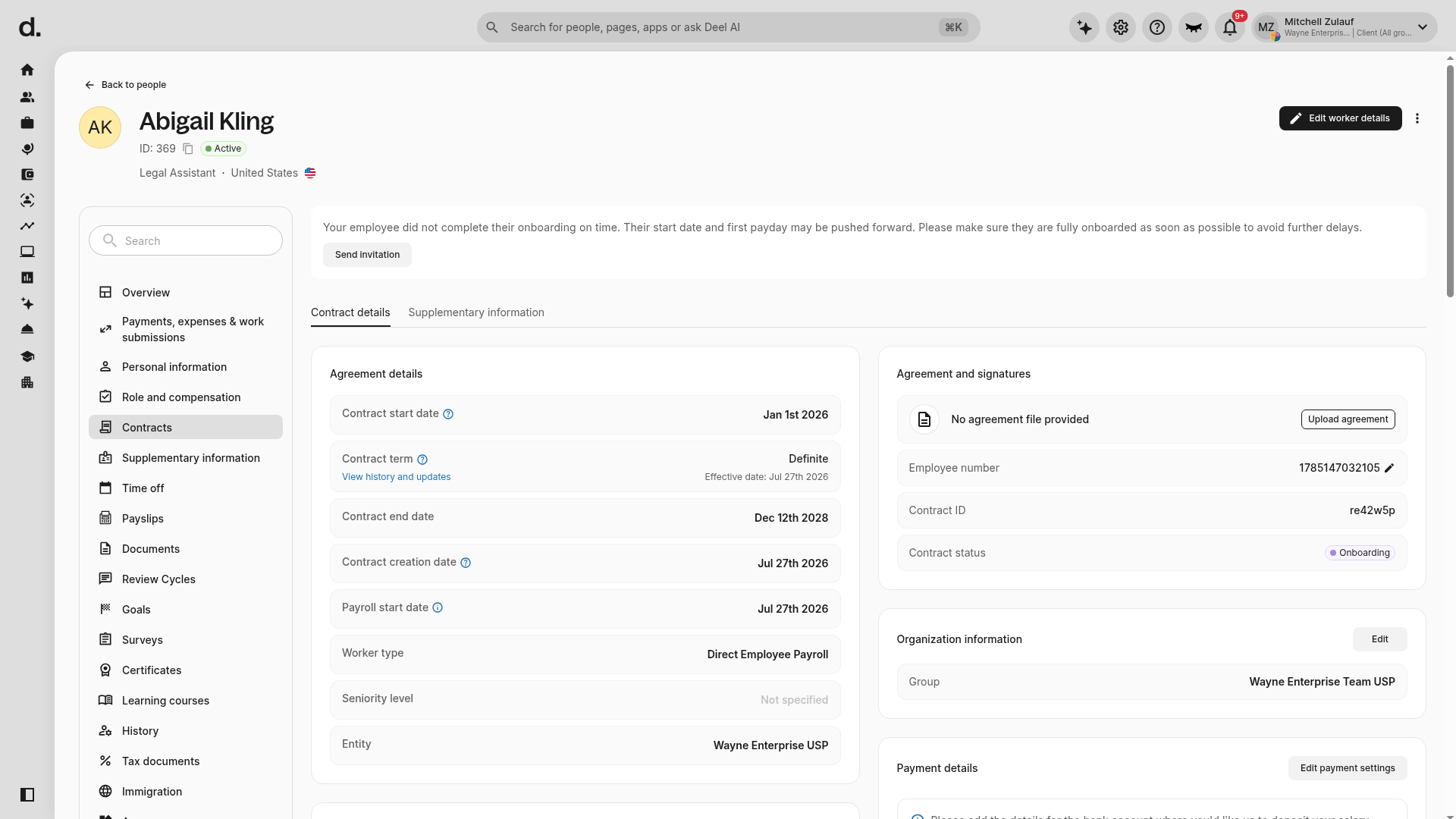
- Track the refund status from the terminated contract. The refund is processed once the contract has ended and all outstanding invoices are paid in full.
In order to proceed with a refund the client will need to add at least one refund method to the Deel platform.
About Refund Currencies
Deel will return the deposit in the same currency as the bank account the client provided for the refund. If the deposit is held in a different currency from the account the client provided we will process a currency exchange at the applicable FX rate at the time of the refund.
To avoid paying foreign exchange rates please ensure that the provided bank account is in the same currency as the deposit.
Using Deposit Refunds for Future Payments
EOR deposits that were made in a supported pay-in currency can be left on Deel and used toward future payments.
Clients can choose the currency that they wish the deposit refund to be converted to before Deel posts the funds on their balance. However once the refund arrives on the client's balance, they cannot exchange the funds again to a different currency.
The funds on the client's balance must be in the same currency that they use for payments to be used for future payments.
To withdraw an EOR deposit refund to a bank account, please ensure that the currency on balance funds matches the bank account currency.