
Deel sends individual email notifications in real time. Workers can choose to combine these updates into one convenient daily summary delivered at a time that suits them. This article explains how to enable and schedule the daily summary.
In this article
Prerequisites
- An active Deel account
- Logged in to Deel
Set up daily summary notifications
In the current interface, Profile settings contains only Personal and Account access. There is no Notifications tab there. Use the Notifications bell instead.
-
From the Deel Home dashboard, select the Notifications bell icon in the top-right corner.
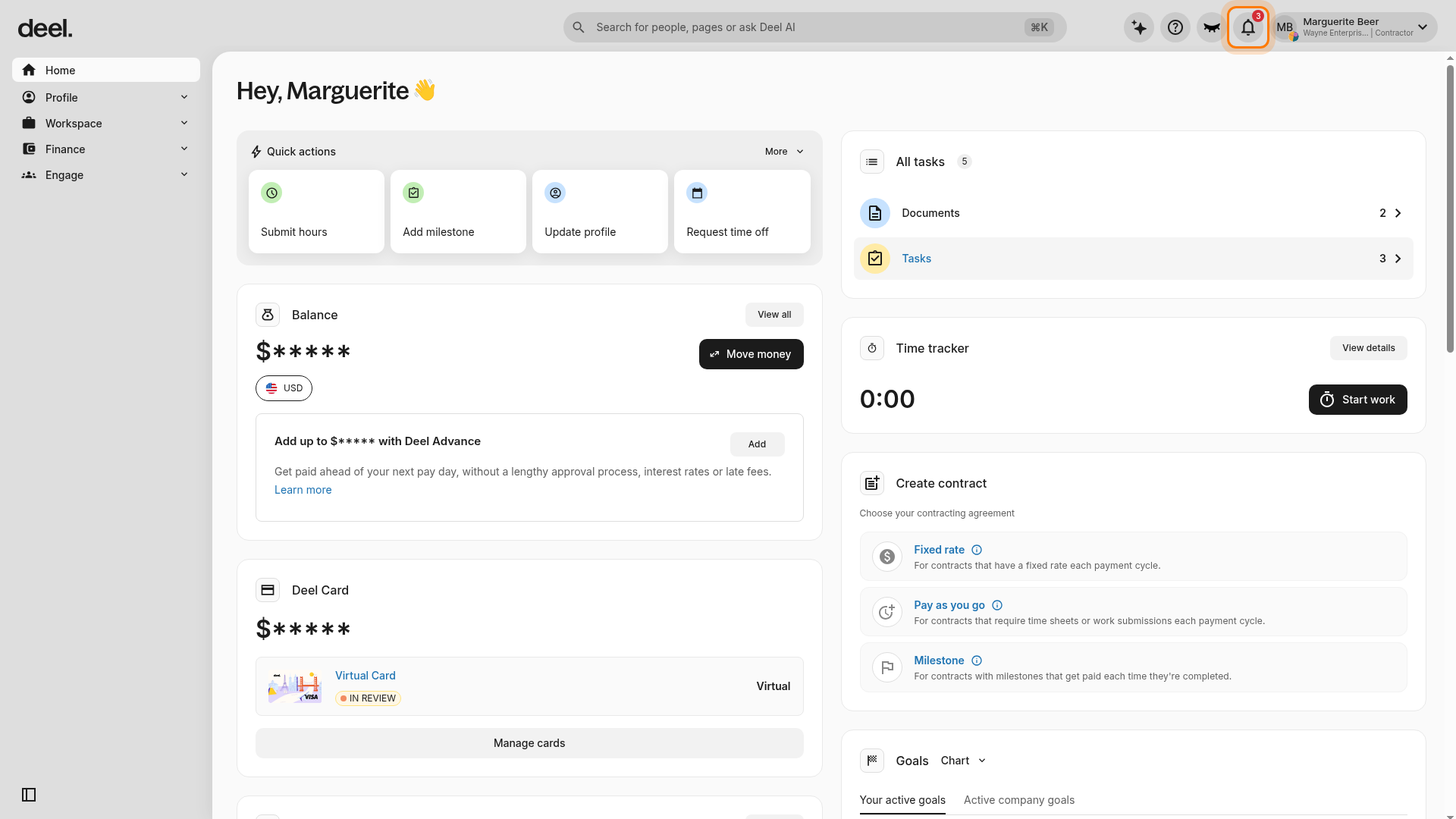
Verification: The Notifications page opens and initially displays the All notifications tab.
-
At the top of the Notifications page, select Categories. It appears between All notifications and Email Digest.
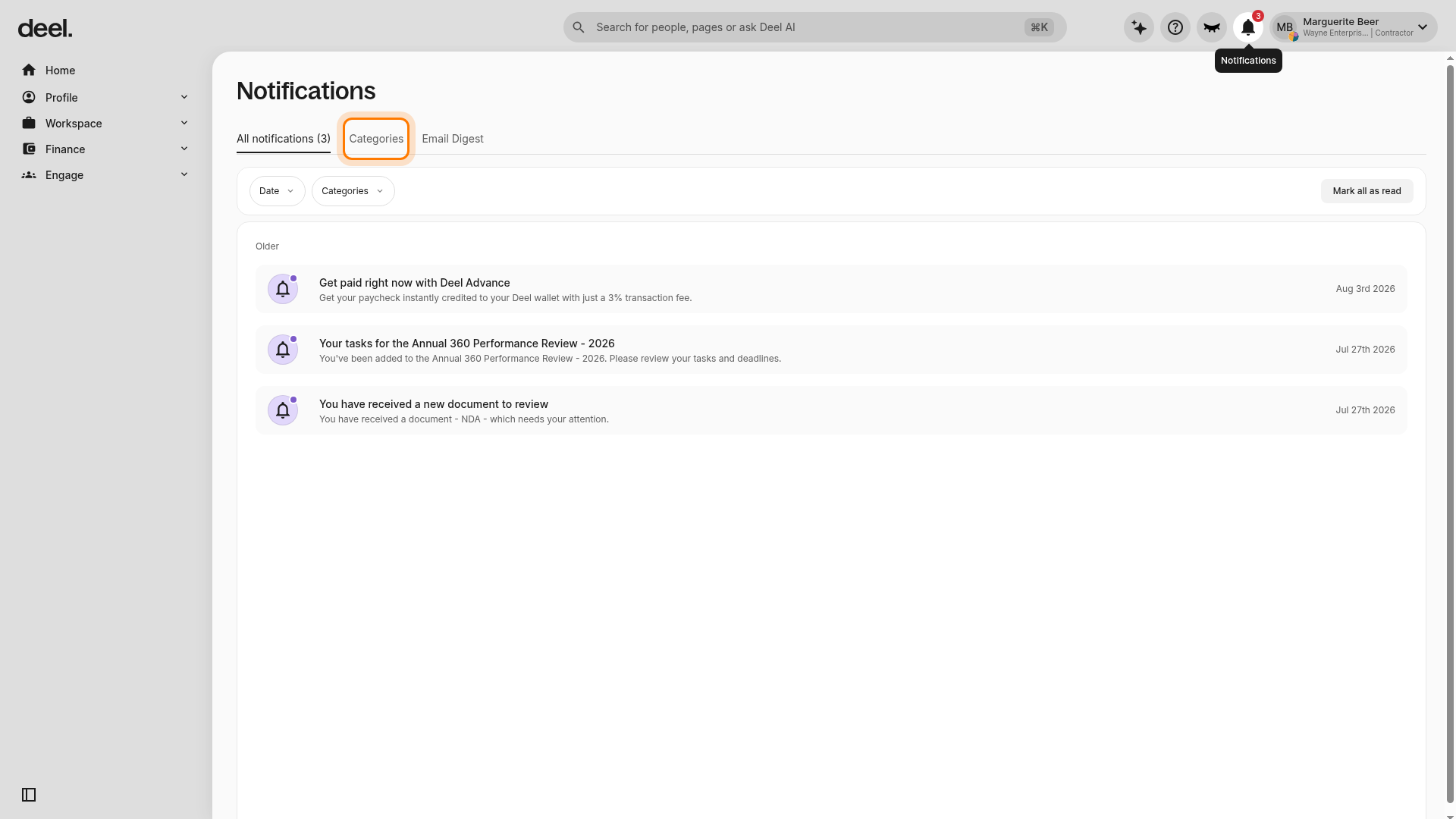
- Select a notification category (for example, Payment reminders).
-
Toggle Activate daily summary to include that category in the daily email.
The daily summary only contains notification categories where Activate daily summary is enabled.
Choose a delivery time
In the Daily summary time panel, click Edit, set your preferred time, and save changes. The summary is sent every day at the chosen time, based on the time zone configured in your profile.
FAQs
Q: Why don't I see a Notifications tab in Profile settings?
A: The Notifications tab in Profile settings is only available to client accounts. As a worker, select the Notifications bell, then select Categories to review and manage your preferences.
Q: Can different notification categories have different delivery times?
A: No. The selected time applies to all categories included in the daily summary.
Q: What happens if I change my profile time zone?
A: The delivery time automatically adjusts to the new time zone.
Q: Do these settings affect push or in-app notifications?
A: No. Only email notifications are consolidated.
Q: How do I return to real-time emails?
A: Disable Activate daily summary for each notification category.
Q: I didn't receive my summary email, what should I check?
A: Confirm that at least one category has Activate daily summary enabled and that your email address is correct.