
The U.S. government uses Form I-9 to verify your employee's identity and eligibility to work in the U.S. Subsequently, the employer must maintain a copy of these completed forms for every employee they hire, citizen and non-citizen.
Deel helps you keep track, review, and approve these employee I-9s to ensure forms are compliant and all supporting documentation is properly submitted.
Should the documentation not be accurate or incorrect, the client can simply reject the document for proper completion by the employee and their section 2 advisor.
Review and Approve I-9s
✅ Step 1 – Go to the Documents tab
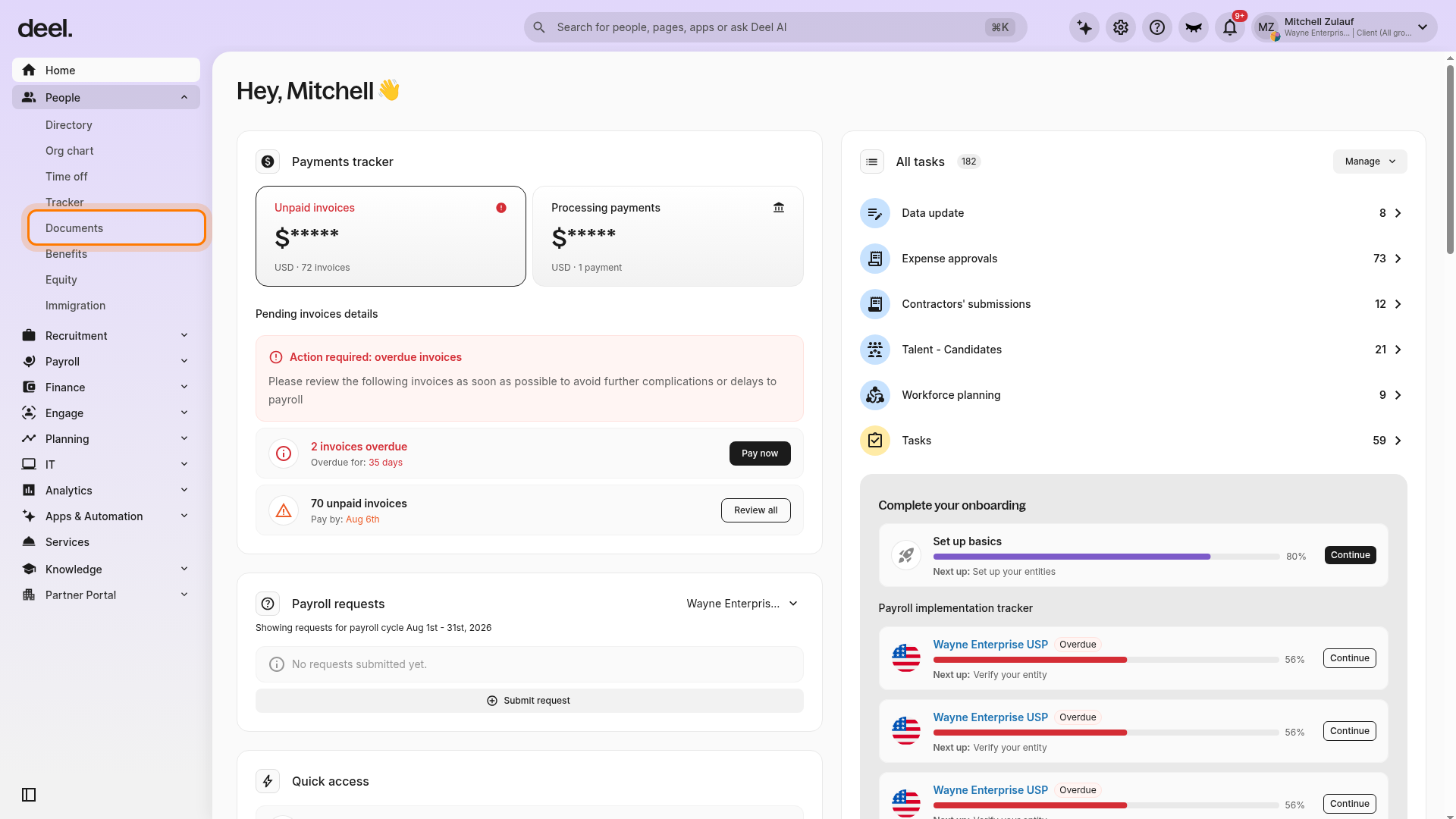
In the left sidebar, select People to expand its submenu. Then select Documents.
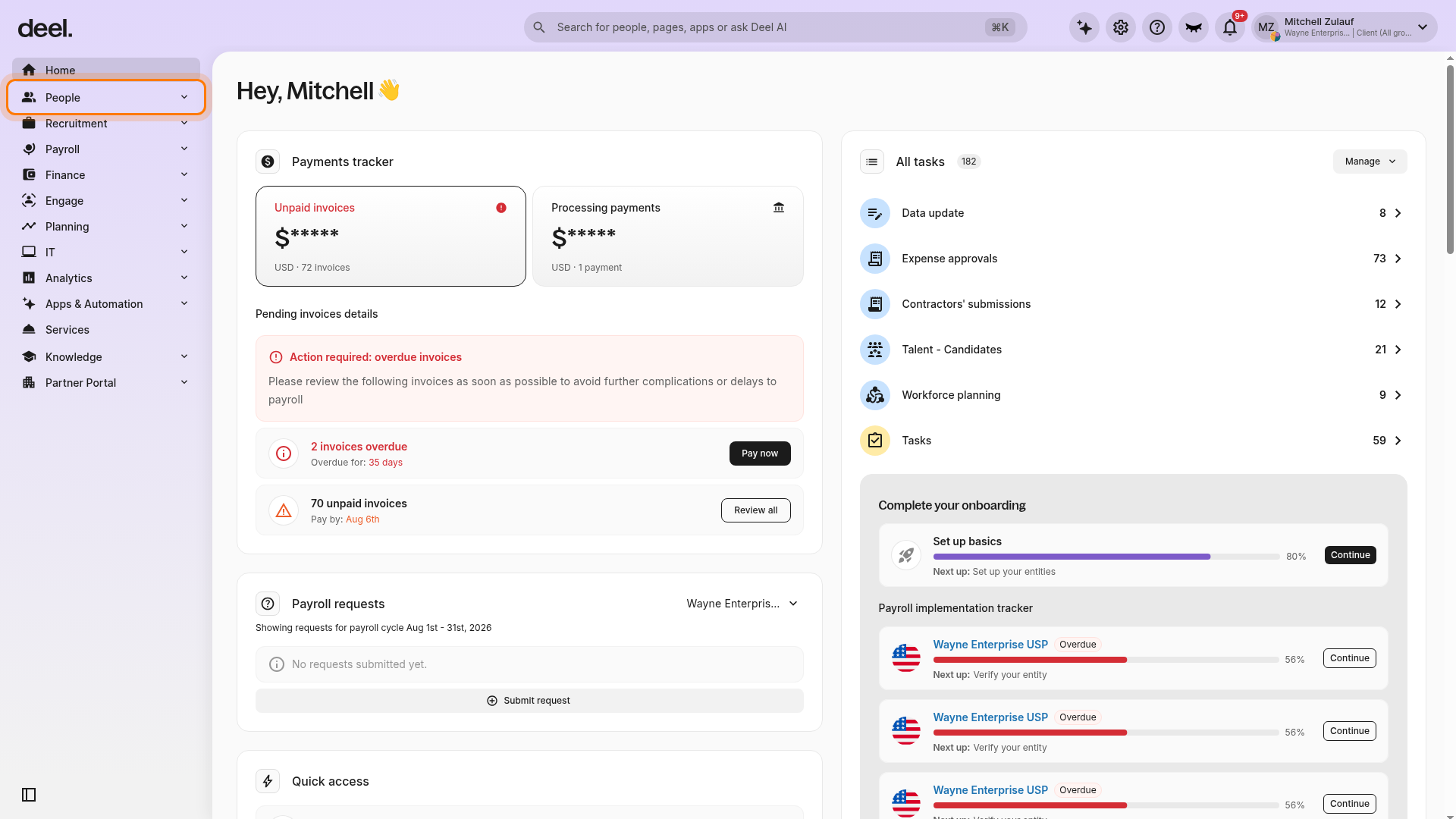
Confirm that additional People options appear, including Documents.
On the Documents page, select the Requested by Deel tab if it is not already selected. Find the U.S. Employment Eligibility Verification row and select View workers in its Actions column.
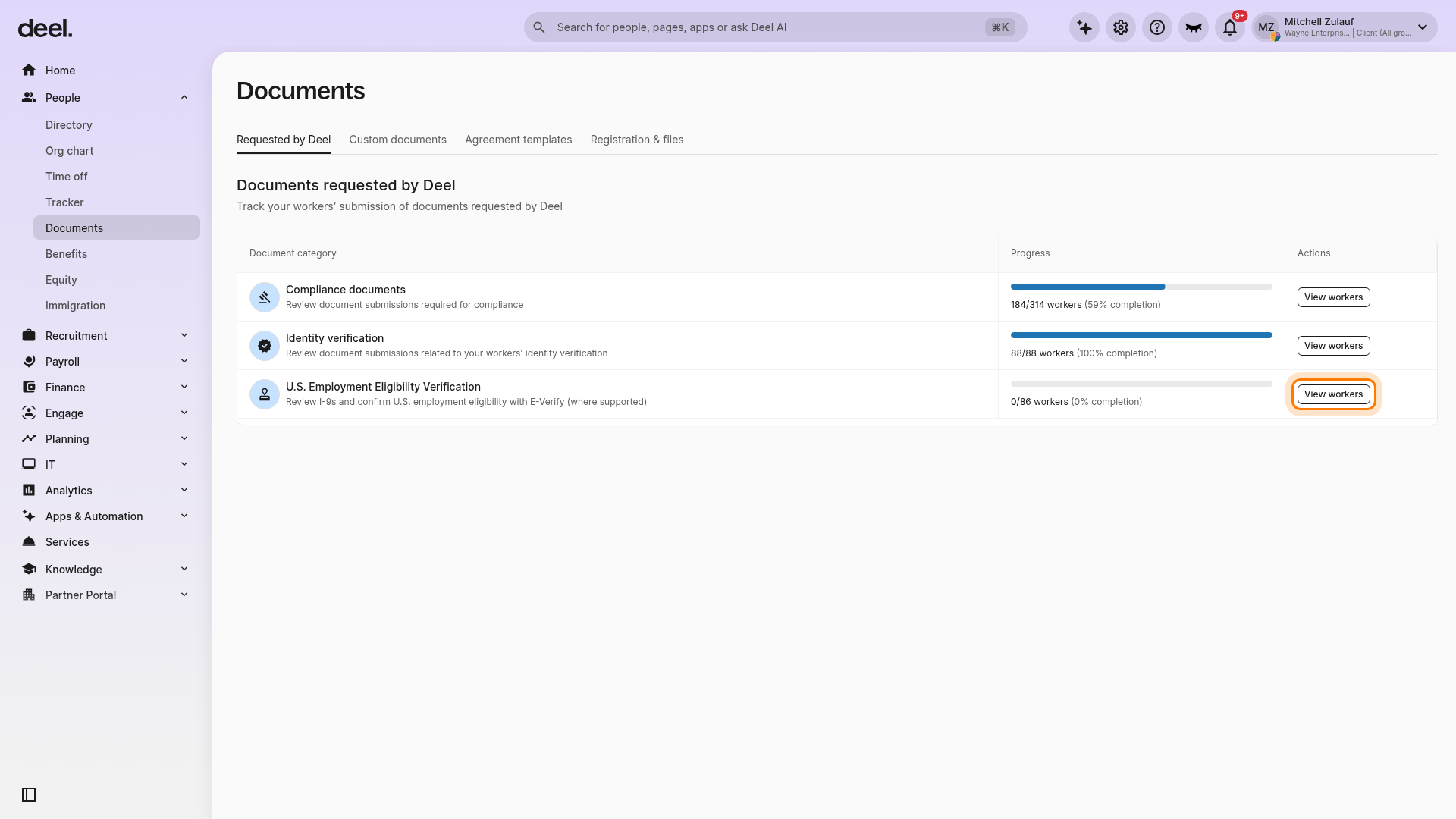
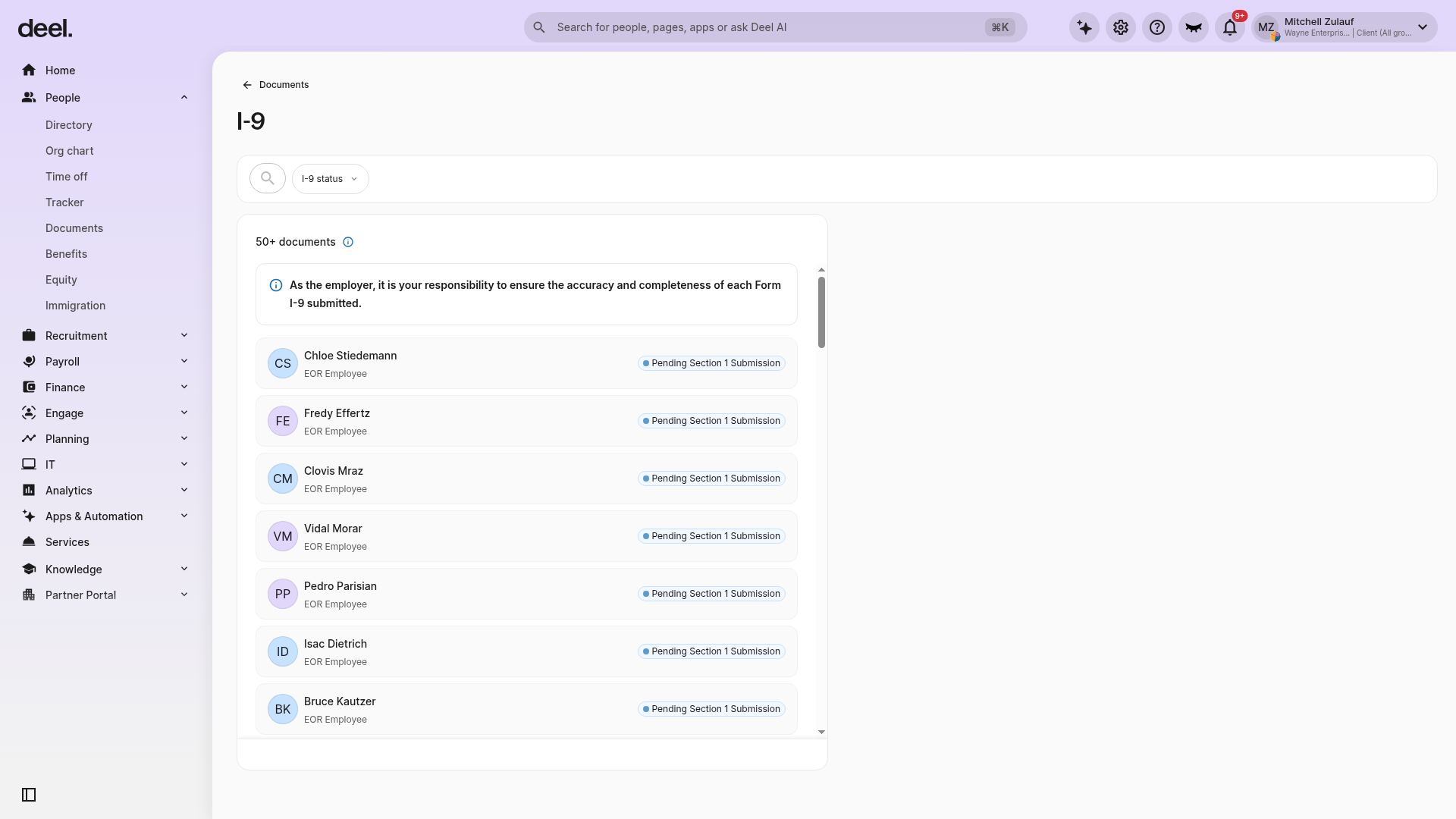
Do not select View workers for Compliance documents or Identity verification. The I-9 page opens and displays the worker list. Use the search field or I-9 status filter to narrow the list if needed.
✅ Step 2 – Review the document
In the I-9 worker list, select a worker with a Pending review status and click Review.
Download the form and complete the mandatory checklist. To approve the documents, all required checks must be selected.
If the documentation is incorrect or incomplete, select Reject and provide a rejection reason.