
This article explains how Deel PEO clients can view and download detailed payroll reporting information directly from the Deel platform.
These reports help clients understand total payroll costs, reconcile payroll data, and answer common funding or deduction questions.
In this article:
What’s included in each report
How to access PEO Payroll Reports
Clients can access the Payroll Billing Summary, Payroll Check Journal, and Year-to-Date G2N Report by Employee reports on the Deel platform by following these steps:
Navigate to Payroll → Payroll Cycles
In the left sidebar, locate Analytics. If its submenu is not visible, select the arrow next to Analytics to expand it.
Select Reports under Analytics. The Reports page opens and displays report categories on the left side of the page.
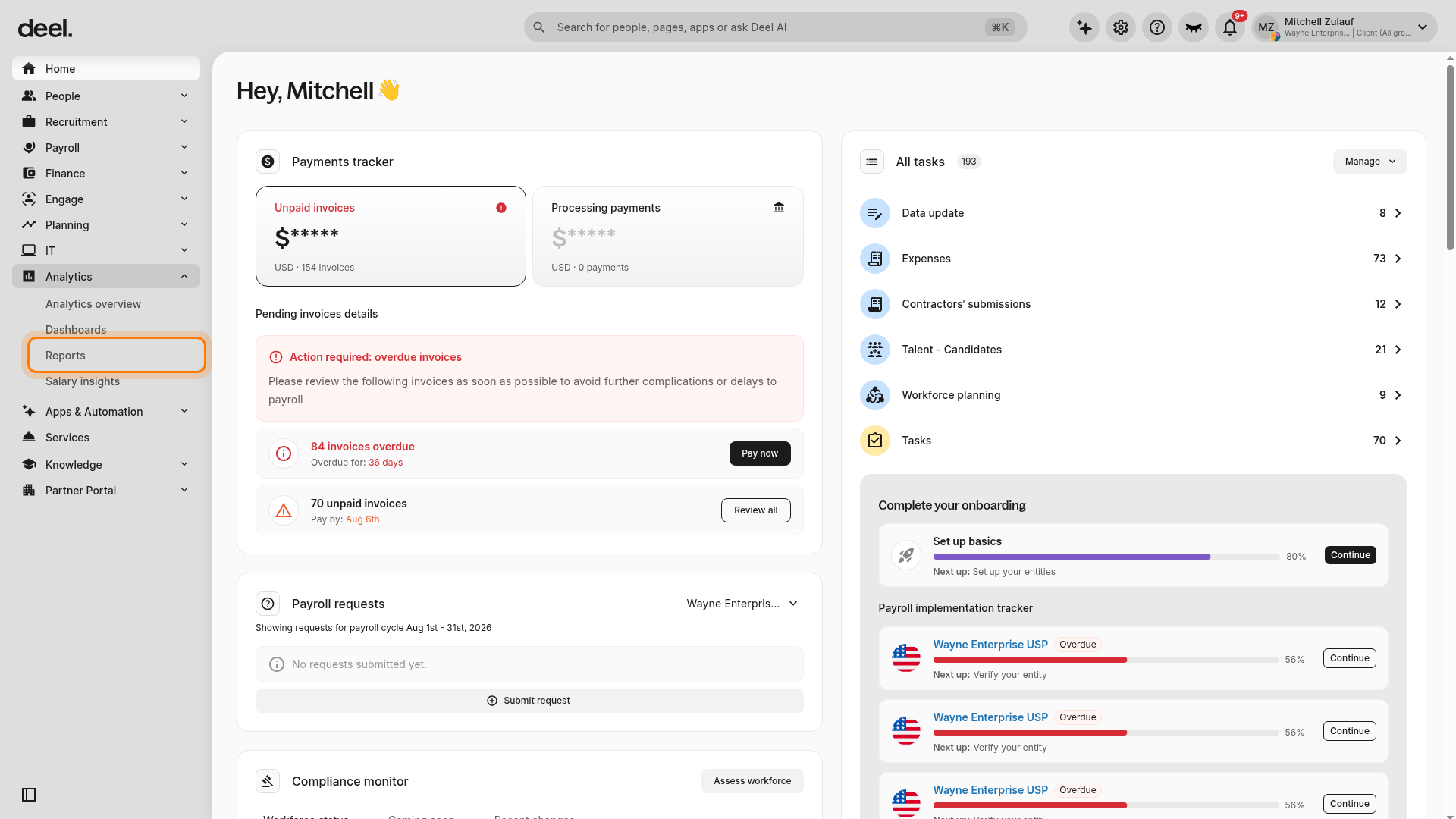
Under Report categories, select Payroll & Worker Cost.
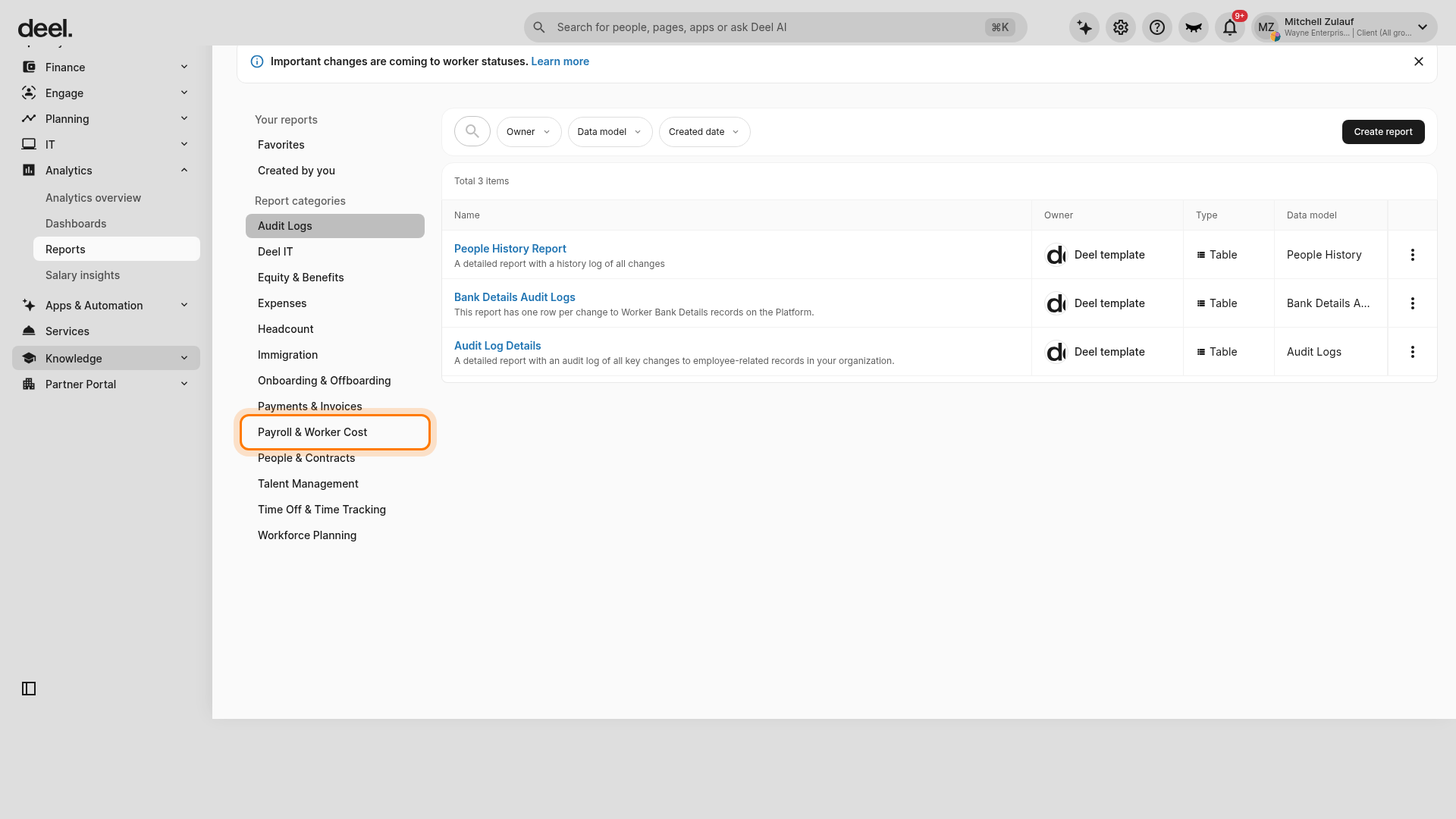
Locate and open the report you need:
Payroll Billing Summary
Payroll Check Journal
Year-to-Date G2N Report by Employee
The reports displayed can vary by account and category. If a report is not immediately visible, scroll through the available templates. You can select the star icon next to a report to add it to your favorites for quicker access.
Please note that these reports become available as soon as the payroll is published and can be exported as CSVs for offline use.
To review year-to-date gross-to-net data by employee, select Year-to-Date G2N Report by Employee under Payroll & Worker Cost.
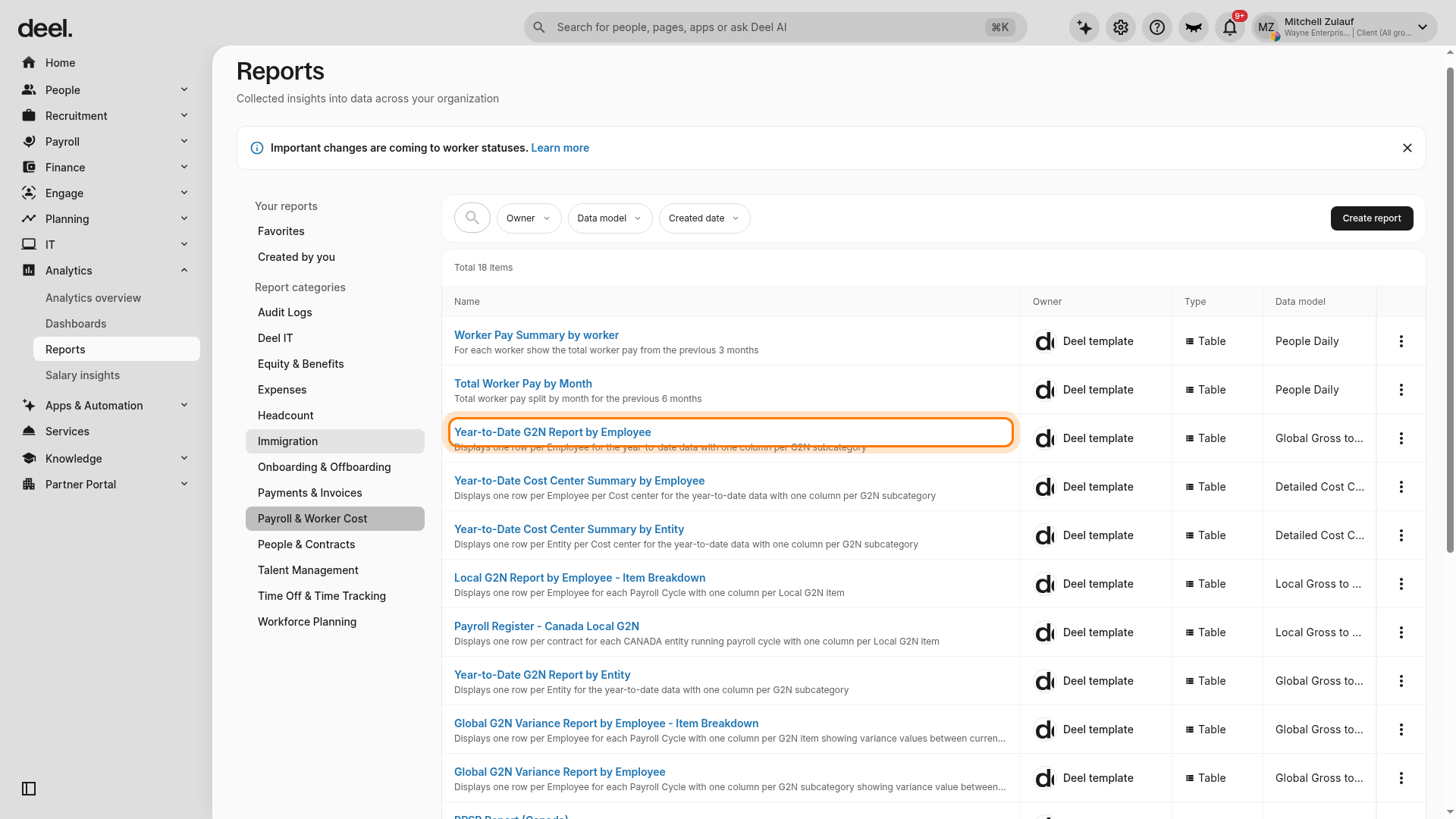
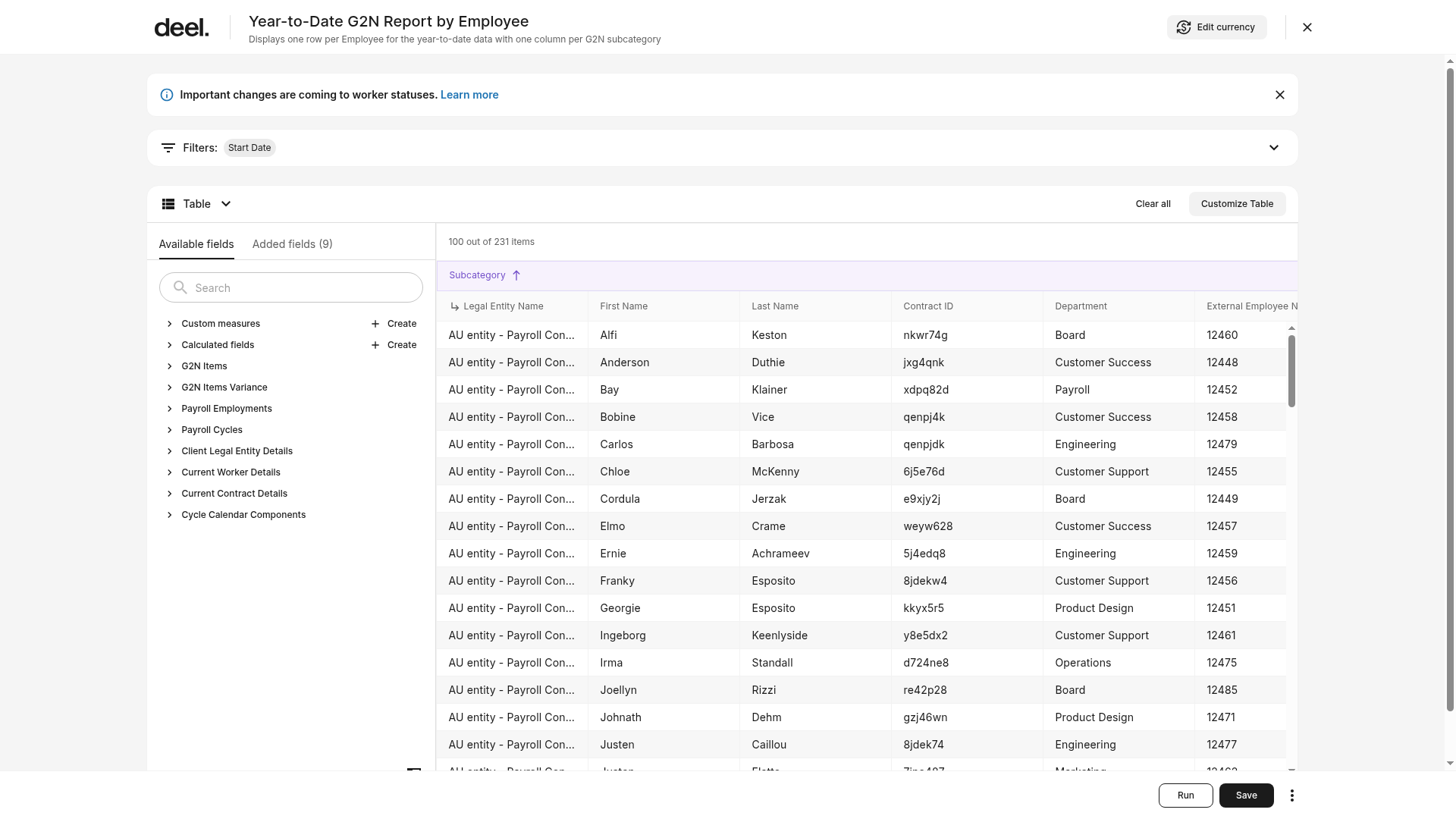
Review the table results and use the Filters area, including the Start Date filter, or select Customize Table to change displayed fields. Select Run after making changes.
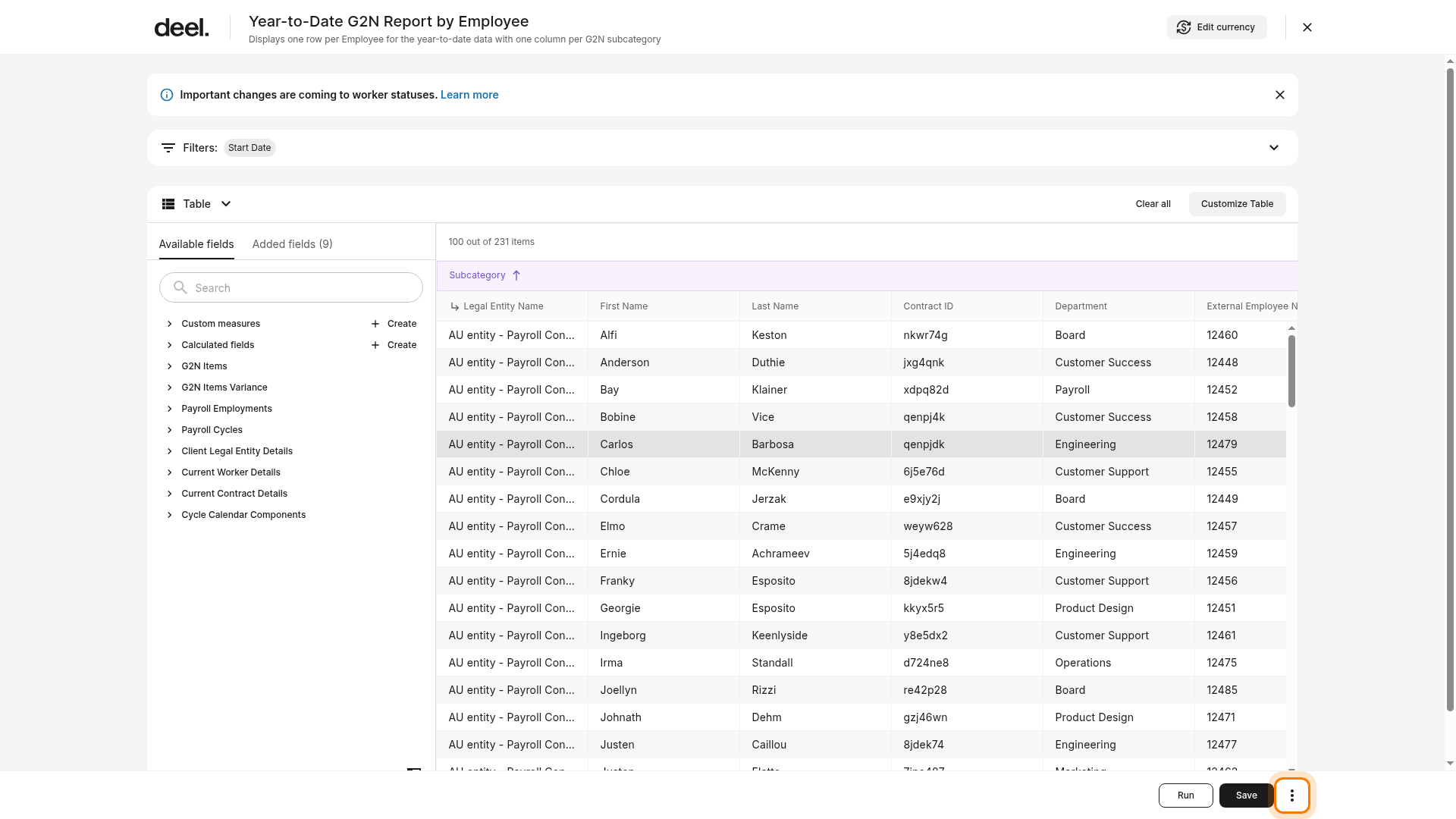
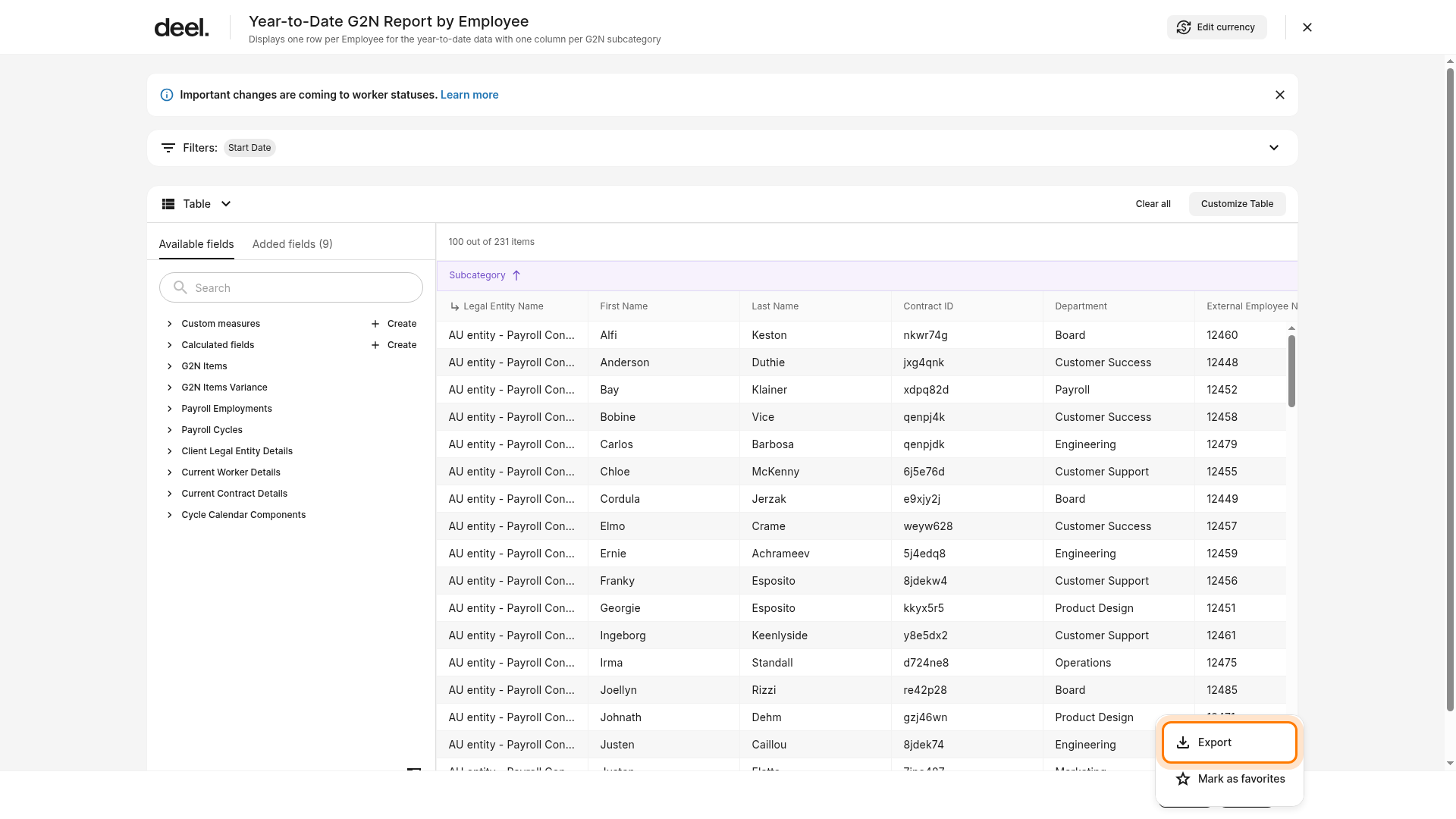
To export the report, select the More menu (three dots) in the bottom-right corner, then select Export.
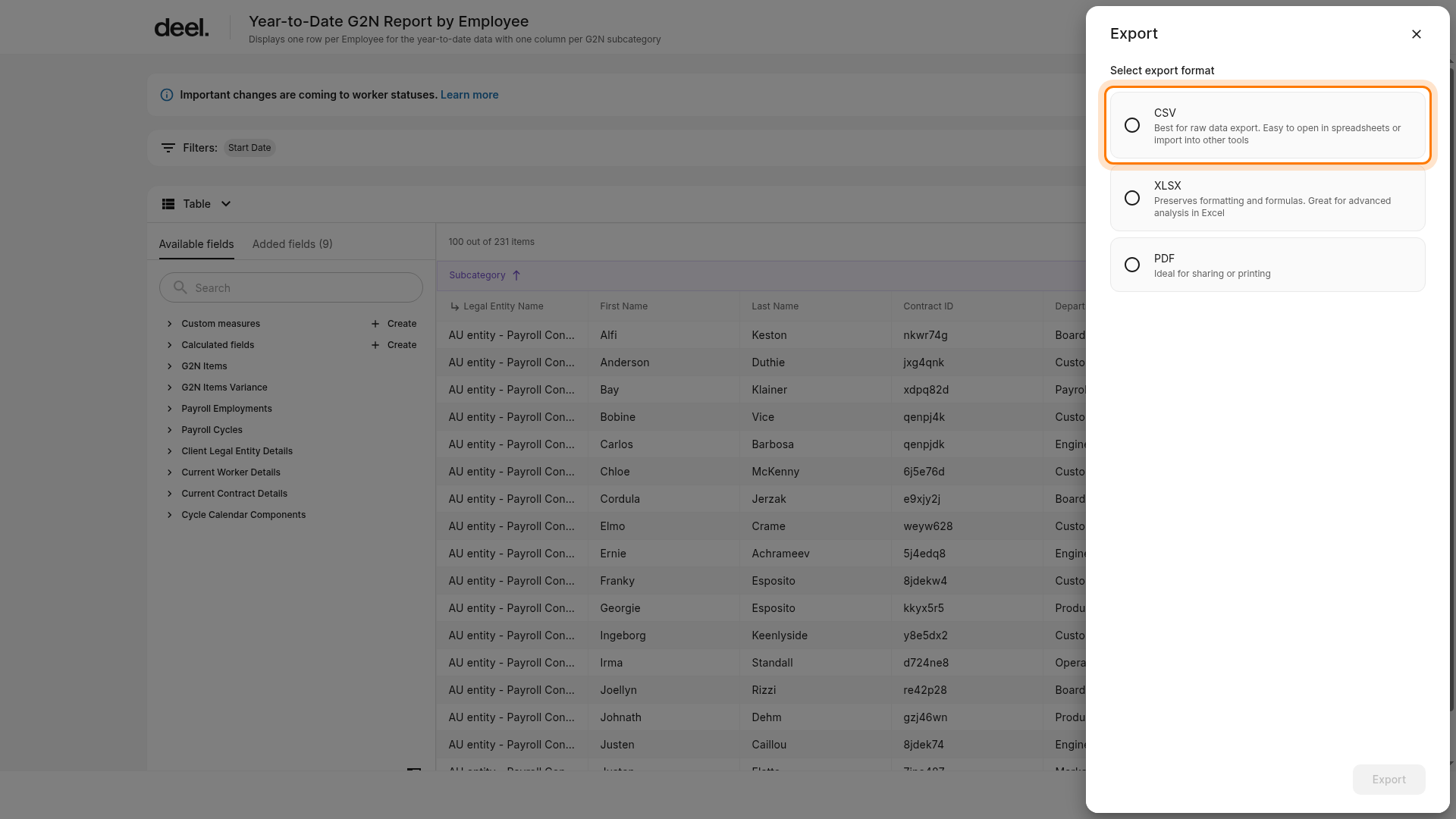
In the Export panel, choose a format. Select CSV for raw data, XLSX for Excel-based analysis, or PDF for sharing or printing. The Export button is unavailable until you select a format.
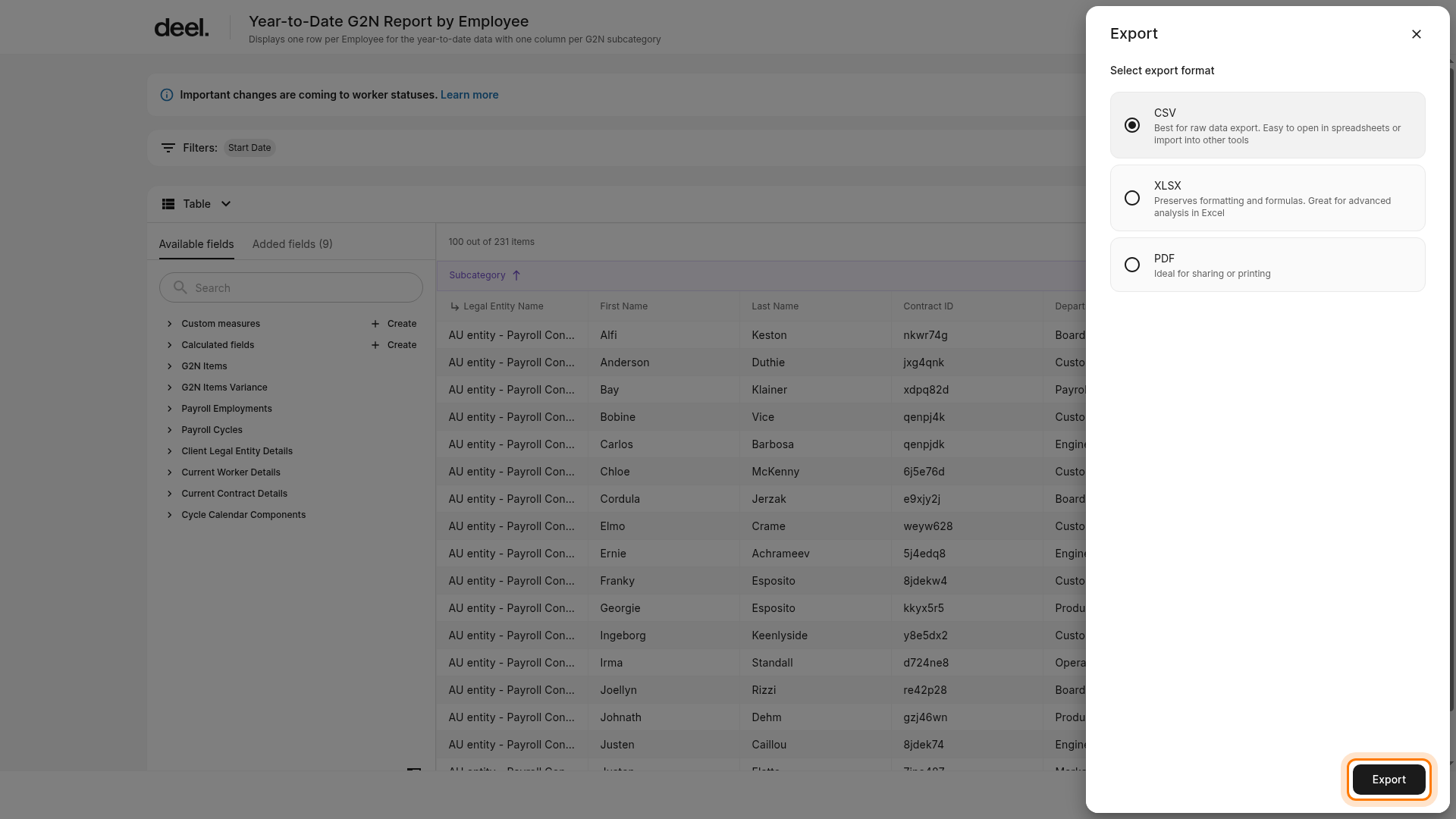
Select CSV for a raw payroll-data export, then select Export.
Check your browser's download location or downloads list for the generated file, then open it in a spreadsheet application to validate the expected payroll data.
What’s included in each report
Payroll Billing Summary Report
Use this report to understand the total payroll cost for a given billing period. This report shows a breakdown of employer payroll costs, including:
Gross Pay - Total pay before any deductions
Benefits - Employer-paid premiums (minus employee contributions)
Miscellaneous - Any additional cycle charges like fees or credits
Workers Comp - Cost billed based on employee’s assigned classification
Taxes - Employee payroll taxes (Social Security, Medicare, federal/state, etc.)
You’ll also see:
A Total Employer Cost figure, which should match the total on your Deel G2N and Funding Statement
Filter options to view data for specific employees
Column customization options to tailor your view
A More menu in the top right corner where you can select Export for offline review
Use Filters and Customize Table to refine the data, then select Run to refresh the results. To export, select More, select Export, choose an export format, then select Export again.
Hover over each column title for in-app tooltips that explain each cost category.
Payroll Check Journal Report
Use this report to review employee-specific payroll details with full breakdowns.
This report includes:
Gross and net pay
Employee deductions
Employer contributions
Detailed payroll components mapped to ICP-level codes
In-app, you'll see a summarized version of this data. To view detailed breakdowns:
Use Filters, Customize Table, and Run to refine the data for your investigation
Select More, then Export, choose an export format, and select Export again
Use this report for deep-dive reconciliations when investigating discrepancies or specific payroll line items.
Frequently Asked Questions
[ACCORDION]Can I use these reports for internal audits or cost breakdowns?
Yes. Both reports are exportable as CSVs and are ideal for reconciliation and internal analysis.