
This article explains how clients can process final pay for California-based hourly employees under a PEO contract using a paycard.
This process ensures compliance with California’s requirement for immediate wage payment upon termination.
In this Article
How to Process Final Pay via Paycard
When to use this process
Use this process only when both of the following conditions are true:
The PEO employee is California-based and on hourly payroll
The employee is being terminated and must be paid immediately via paycard as required by California labor law
Please do not use this process for exempt employees or workers outside of California.
How to Process Final Pay via Paycard
✅ Step 1 - Identify the terminated employee
Confirm that the terminated employee is eligible for this process.
Confirm the employee is California-based and hourly
Confirm the employee is under a PEO contract and assigned to the appropriate PEO payroll group
Ensure the employee has been properly terminated in Deel using How To Begin The Termination Process And Offboard A PEO Employee
Please note that if the employee has not yet been terminated in Deel, complete the termination process in the platform before proceeding.
✅ Step 2 - Create an off-cycle payroll request
In the left sidebar, select Payroll to expand the payroll navigation, then select Payroll cycles.
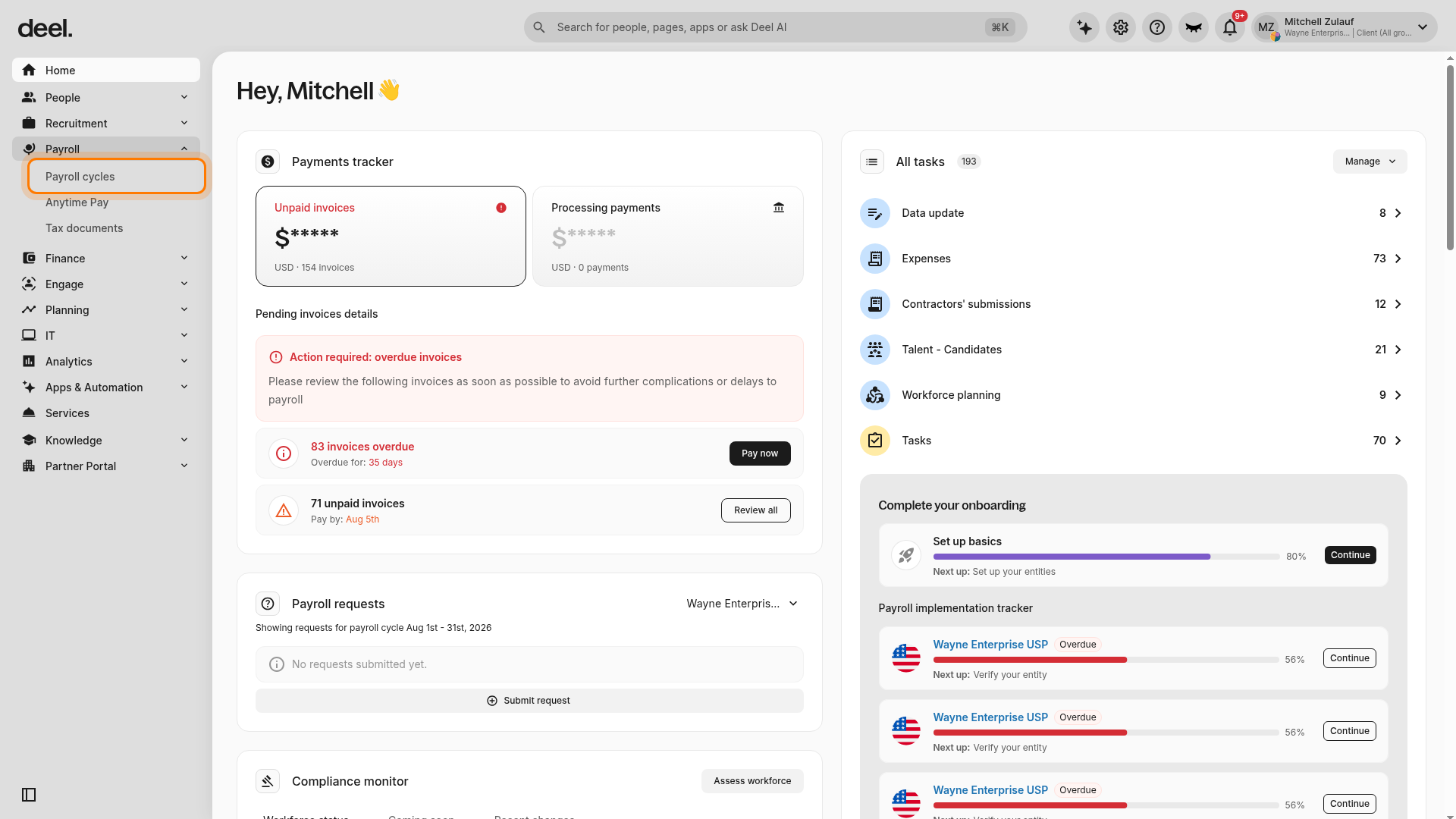
On the Payroll cycles page, select Create off-cycle in the upper-right corner.
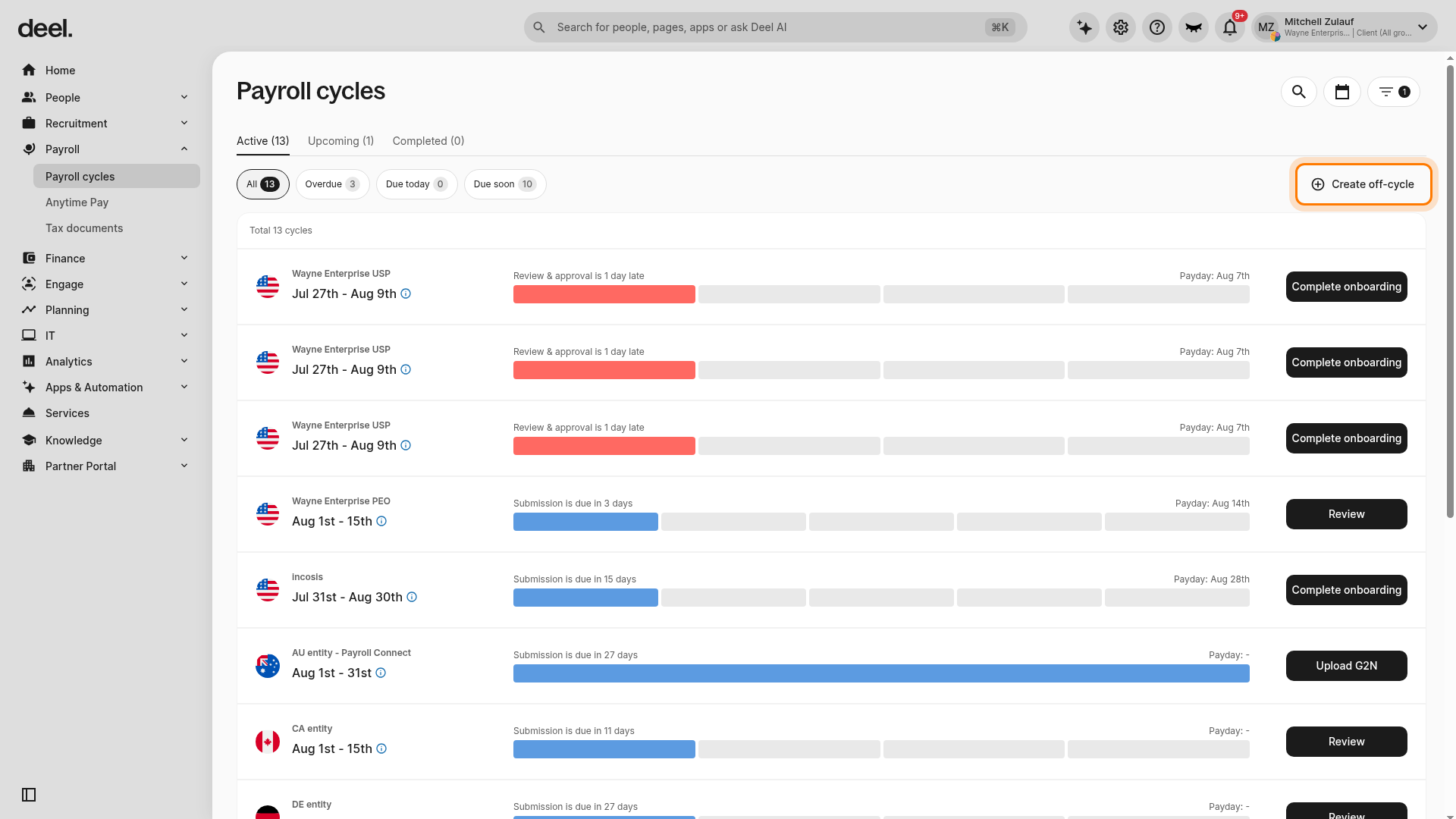
Review the How to run an off-cycle modal, including any fee information, and select Start.
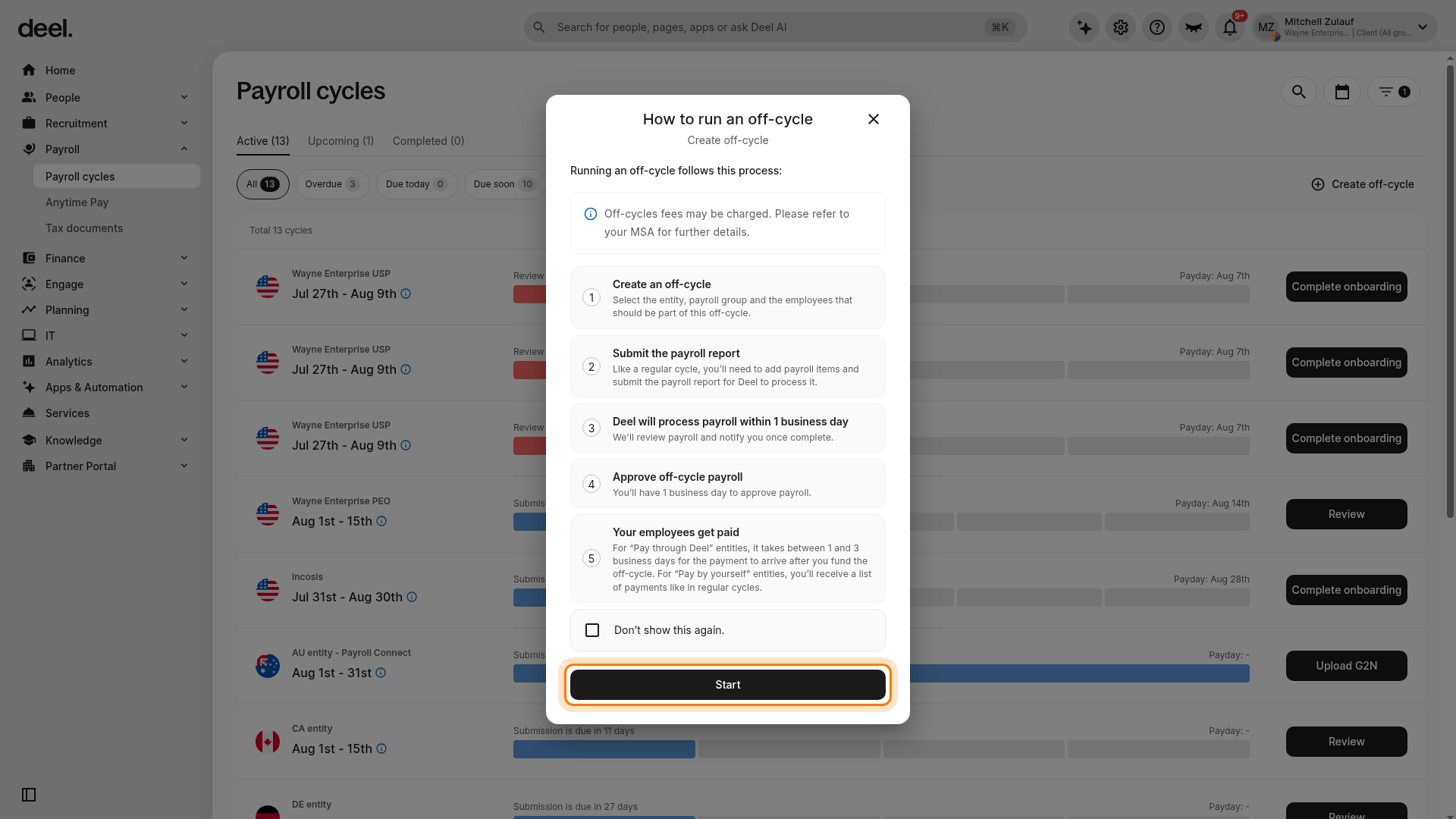
Verify that the New off-cycle payment workflow opens at Step 1 of 4: Off-cycle details.
Select United States in Country.
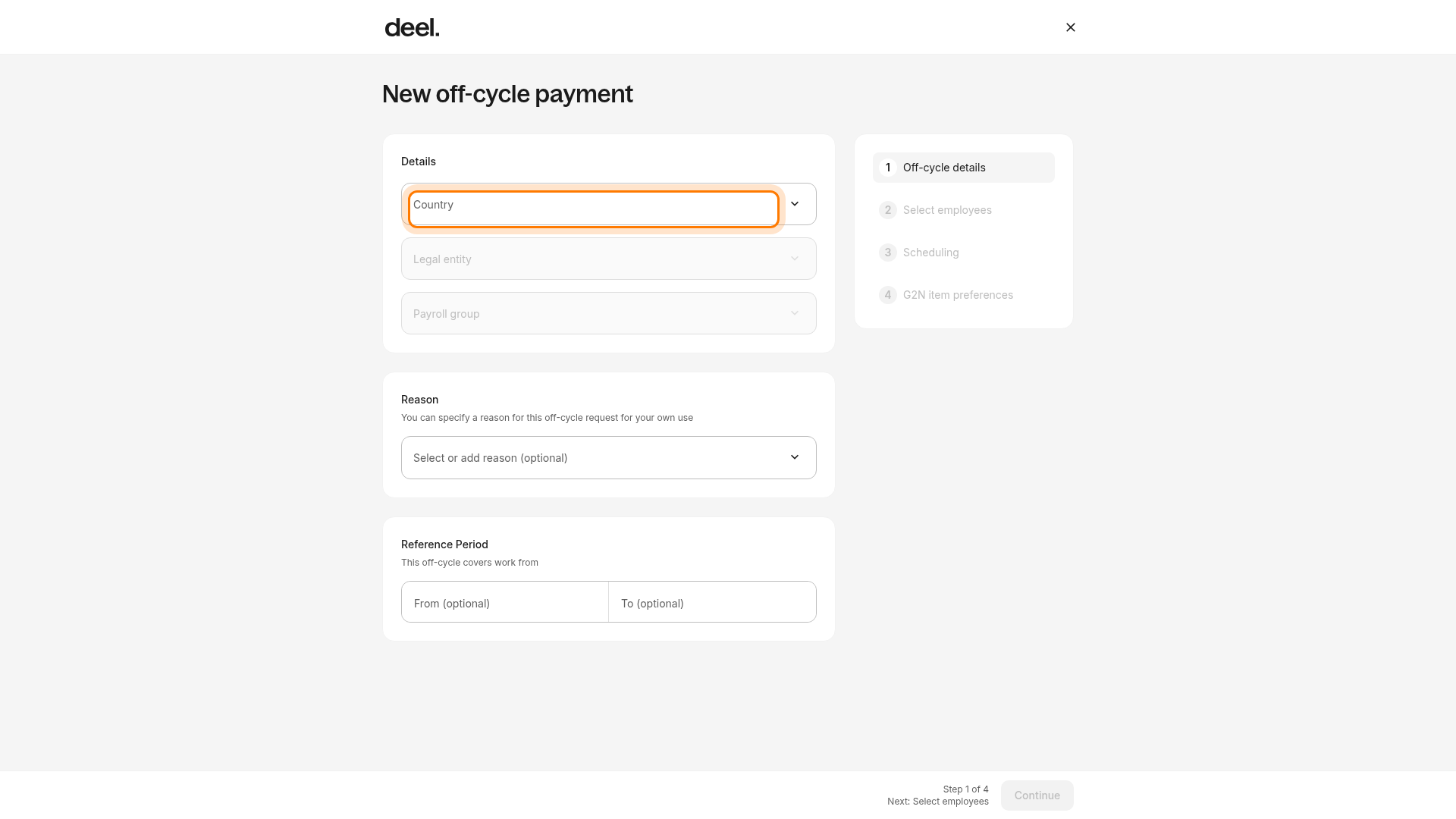
In Legal entity, select the PEO legal entity associated with the employee’s contract. Do not select a non-PEO entity for a PEO employee.
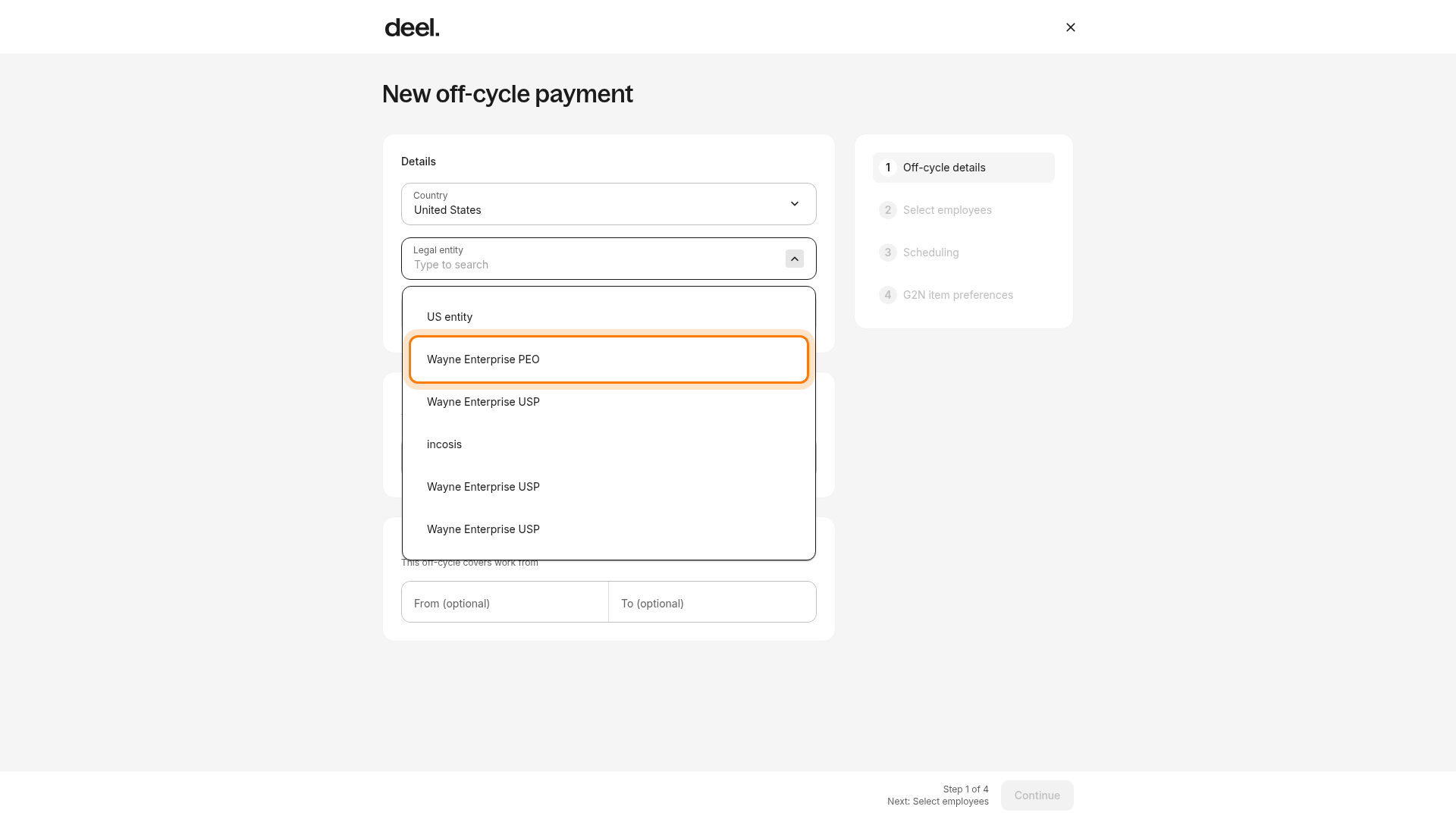
Confirm the payroll group Deel loads for the selected PEO legal entity. Optionally enter a Reason and the Reference Period dates covered by final pay, then select Continue to advance to Step 2 of 4: Select employees.
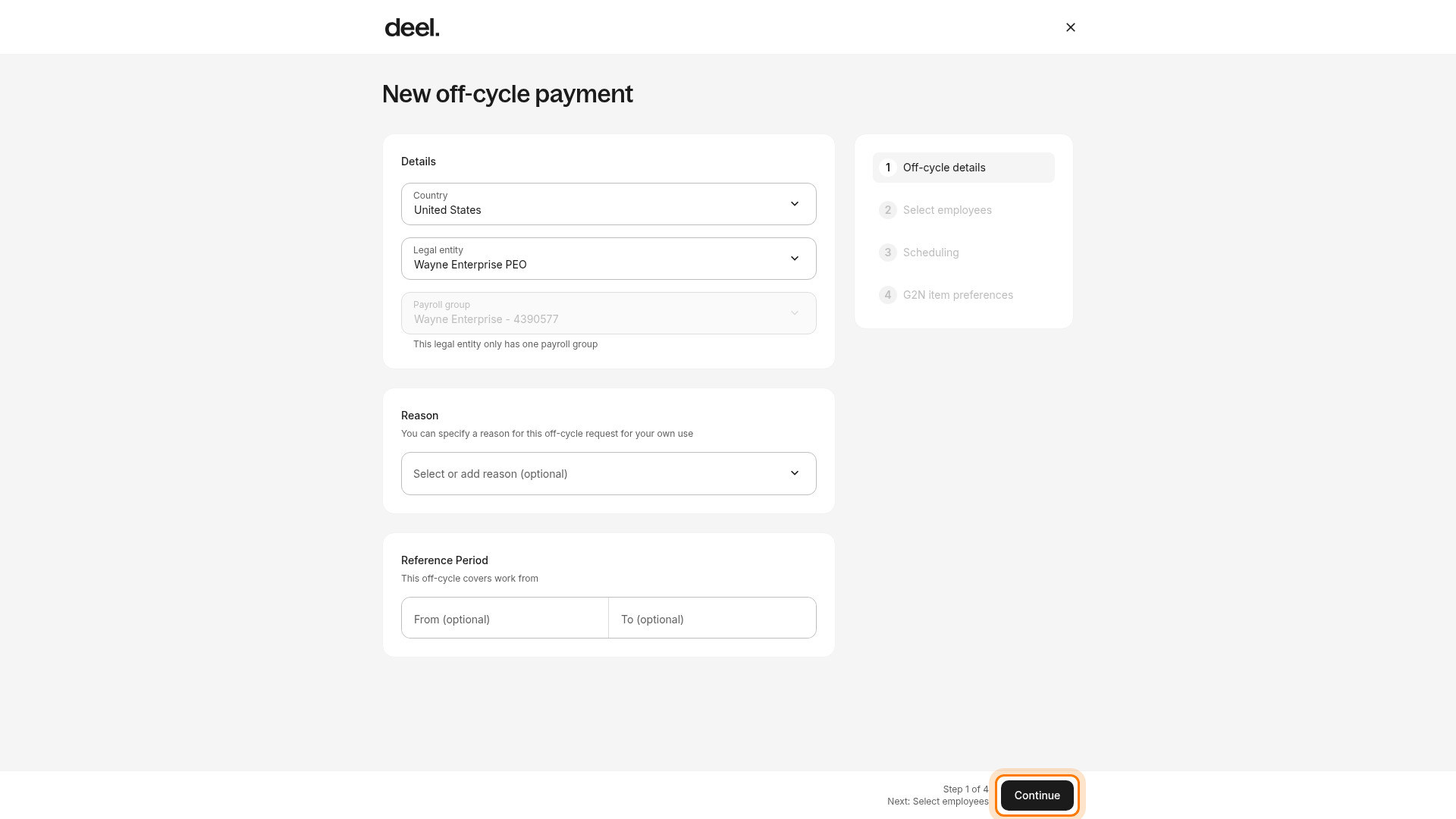
Leave Select manually selected unless your organization has instructed you to upload a CSV for a multi-employee off-cycle. Use Search and, if needed, the available filters to locate the terminated employee.
Before selecting the employee, confirm that the employee is located in California, is hourly, is employed through the PEO entity, has completed termination in Deel, and is assigned to the selected PEO payroll group. Select the eligible employee and select Continue to advance to Step 3: Scheduling.
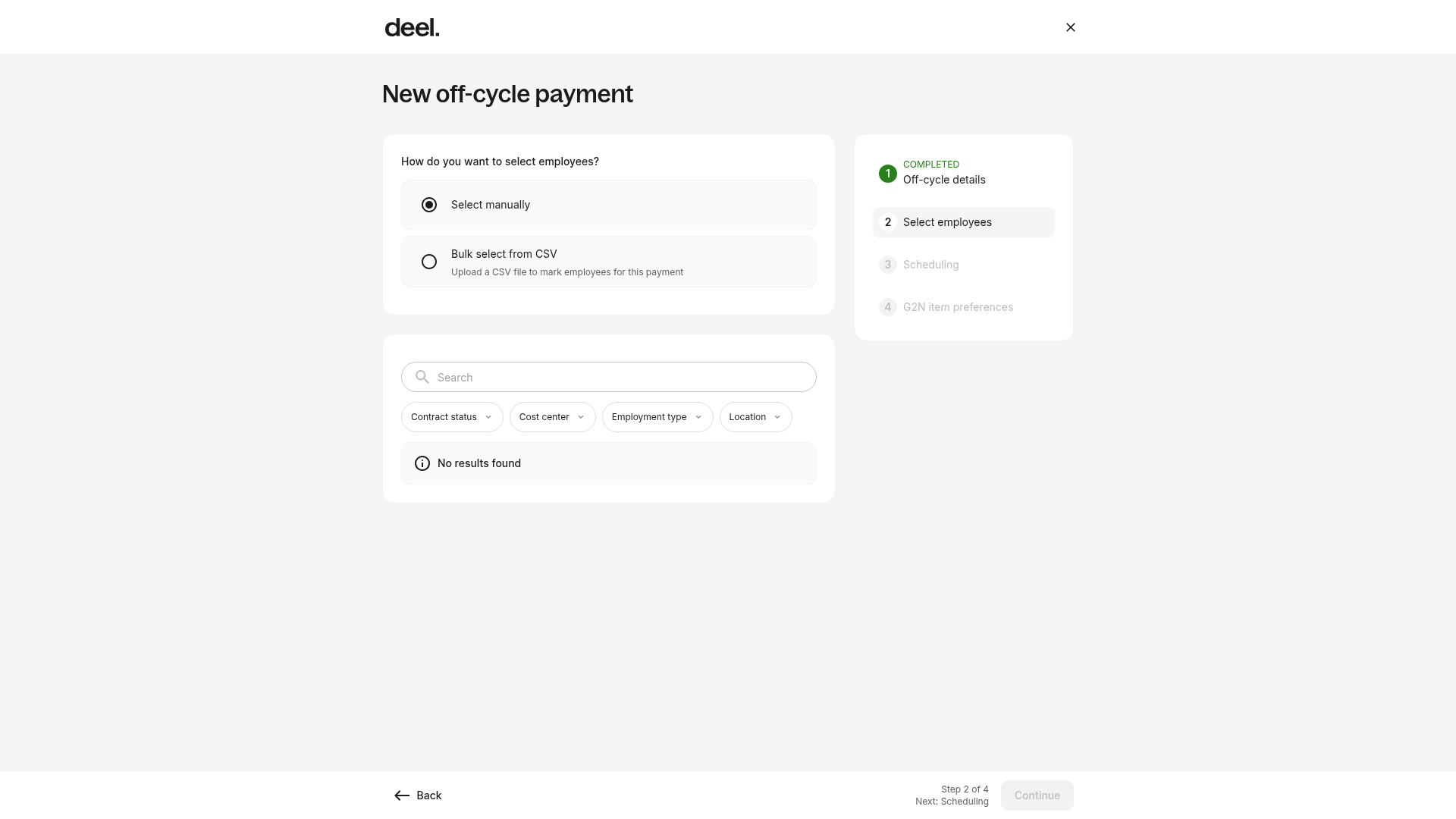
If the employee list displays No results found, clear any filters, confirm that you selected the correct PEO legal entity and payroll group, and confirm that the employee’s termination, California location, hourly employment type, and PEO payroll assignment are reflected in Deel. If the employee remains unavailable, contact your Deel payroll administrator or Deel Support. Do not submit the request for another employee as a workaround.
In Scheduling (Step 3), enter the required scheduling details for the final-pay request. In G2N item preferences (Step 4), review and complete the available payment-item preferences, including any paycard-related options presented for the employee.
Select the terminated employee and enter all required fields:
Hours worked
Expenses
Tips
Any other earnings
Review the selected employee, PEO legal entity, payroll group, final-pay amounts, covered period, required payment timing, and any paycard preference shown in Deel. Submit the payroll report when Deel presents the submission action.
✅ Step 3 - Notify Deel Payroll of the termination
Immediately after submitting the off-cycle request, notify your Payroll Manager. You may notify them through:
Slack (if your organization uses Deel Slack)
Email
The Payroll Support in Deel
Include the following in your message:
Notification of California employee termination
Employee name
Confirmation that pay will be processed via paycard
✅ Step 4 - Review and approve off-cycle payroll
Please wait for Deel Payroll to process the request. In the left sidebar, select Payroll, then Payroll cycles, and open the pending off-cycle request when an approval is required.
Review the entered data for accuracy and click Approve.
Please note that the net pay amount will appear in the Miscellaneous column of employee deductions.
✅ Step 5 - Fund the approved off-cycle payroll
You can now initiate funding as per your standard off-cycle payroll funding process. Confirm the payroll is approved and funded before loading the paycard.
✅ Step 6 - Load paycard with net pay
Now, log in to your Paycard System. If not already done, enroll the terminated employee.
Load the final net pay onto the employee’s paycard.
✅ Step 7 - Deliver the paycard to the employee
Hand the paycard directly to the employee.
If required, log confirmation of delivery in your internal compliance records.
Frequently Asked Questions
[ACCORDION] What if the employee is not California-based?
If the PEO employee is not California-based or is not an hourly employee then this process is not required. Follow your standard PEO termination and payroll procedures.
[ACCORDION]What if the paycard system is down?
Escalate to the Deel PEO Payroll team for alternative payment methods (e.g., check or ACH).