
This article explains how to complete the PEO setup flow in Deel to provide the required details and documents and receive a PEO quote through a self-serve, guided experience.
You’ll be guided through setting up your organization, building your PEO package, adding required details, and submitting information to receive your PEO quote.
In this article:
Review and confirm your selections
Provide workers’ compensation details
Before you begin
This flow applies to Deel PEO only
You must have access to your Deel organization
You’ll need basic organization details, information about your US entities, employee data (for covered individuals), and details about your healthcare, workers’ compensation, and 401(k) setup.
Step 1: Set up your organization
Complete your profile
On Home, look for a PEO-specific action, such as Get started for Deel PEO, Deel PEO, or a PEO quote or package-selection task.
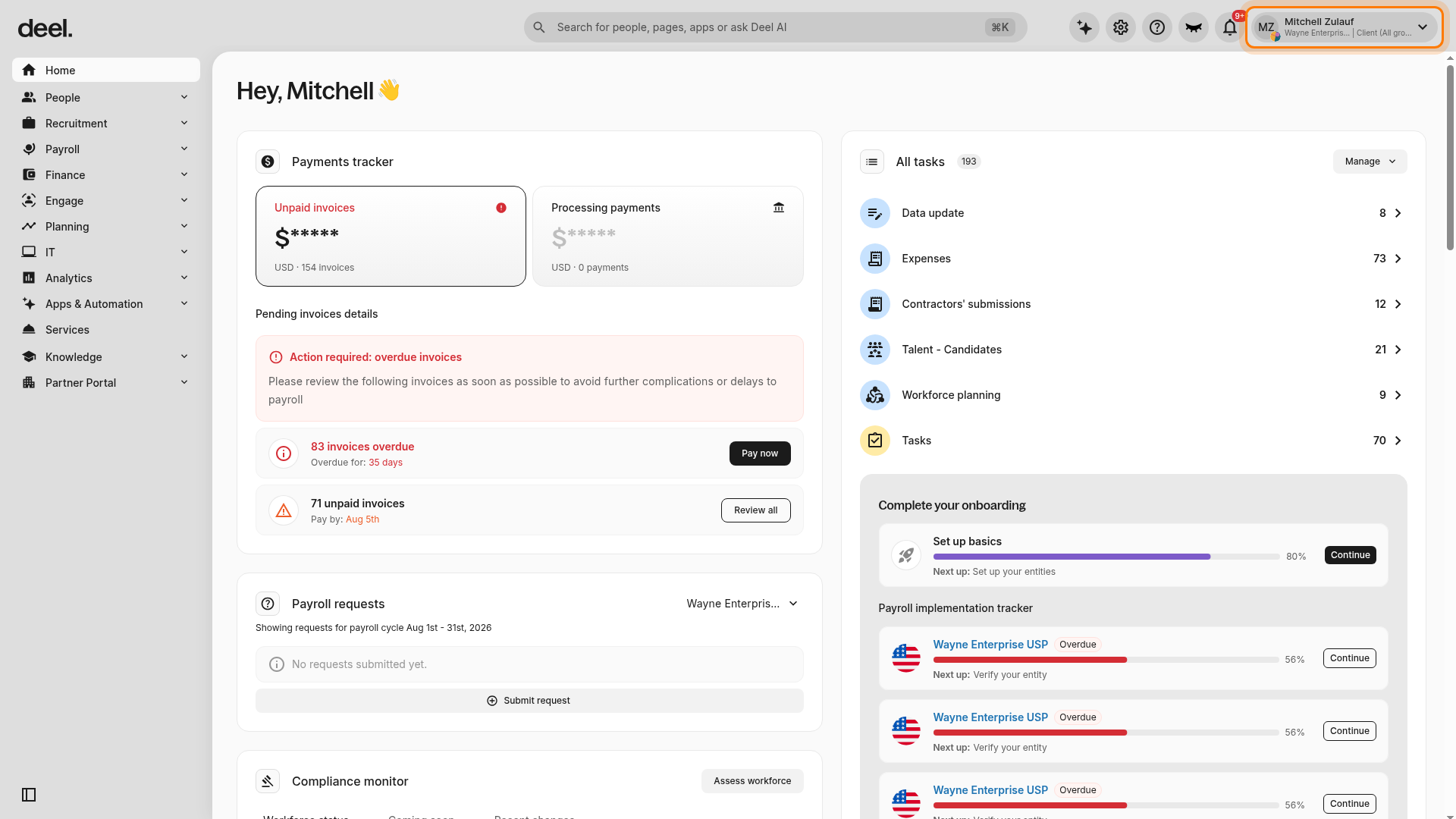
If no PEO entry point is available, open the workspace/profile menu in the upper-right corner. Under Select your workspace, select a workspace configured for Deel PEO.
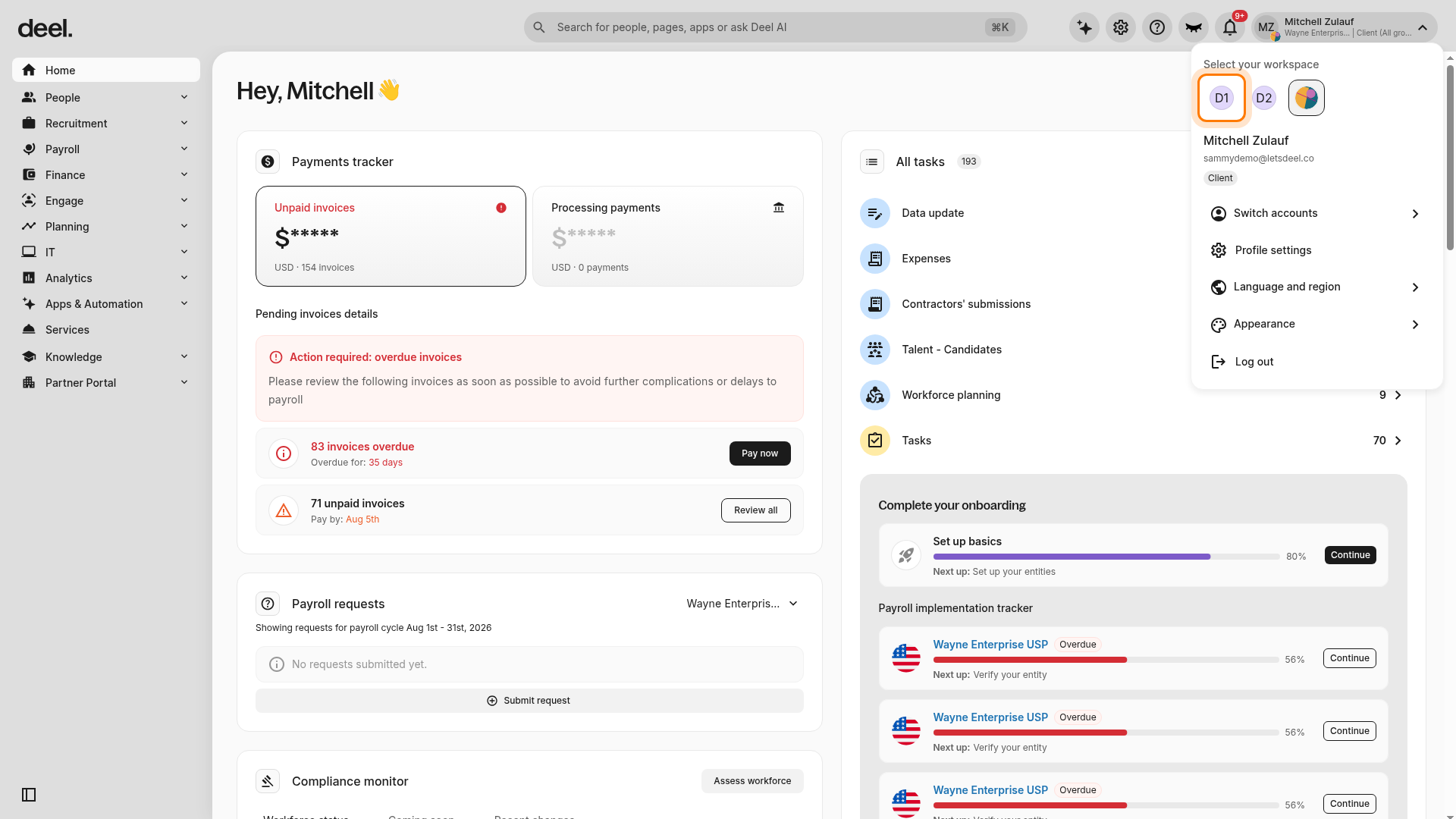
Wait for the Home dashboard to refresh, then check again for the PEO-specific entry point. If the dashboard displays only generic onboarding, such as Set up basics, the PEO pre-quote workflow is not available in that workspace.
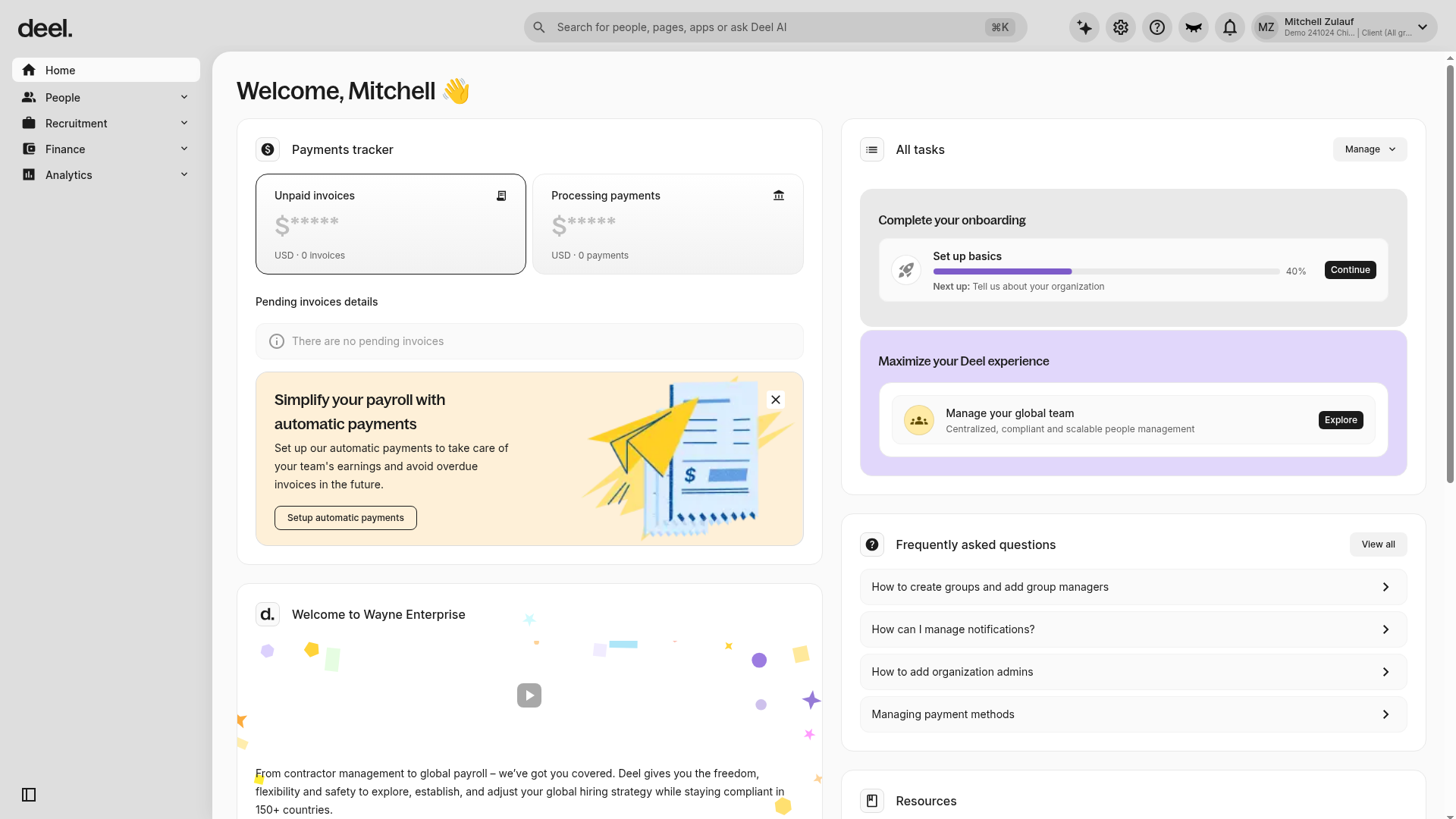
When the PEO action is available, select it to begin the PEO setup flow.
-
Enter your:
Citizenship
Date of birth
Contact phone number
How did you hear about Deel
Select Continue
Add organization details
Enter your organization name
Select your headquarter location
Select Continue
Select your department
Choose the department you work in from the list
Select Continue
Select services
-
Select Deel PEO
You may select additional Deel products if applicable
Select Finish setup
Step 2: Build your custom PEO package
Get started
On Home, select the PEO-specific Get started action, then select Continue.
Choose healthcare options
-
Indicate whether you would like a healthcare quote:
Yes, request a healthcare quote
No, skip healthcare quotes
-
If requesting a quote, choose how to scope it:
All lines of coverage
Ancillary lines only
-
Select how healthcare will be handled:
Bring your own benefits
Exclude healthcare coverage
Select Continue
Choose workers’ compensation coverage
-
Indicate whether Deel should handle workers’ compensation:
Yes, use Deel for workers’ comp
No, keep my current workers’ comp
Select Continue
Optional: Verify workers’ compensation in the Benefits marketplace
This separate Benefits marketplace quote-builder workflow can be used only to verify whether Workers Compensation Insurance is available for a country with an active contract. It does not replace the PEO workers’ compensation questionnaire.
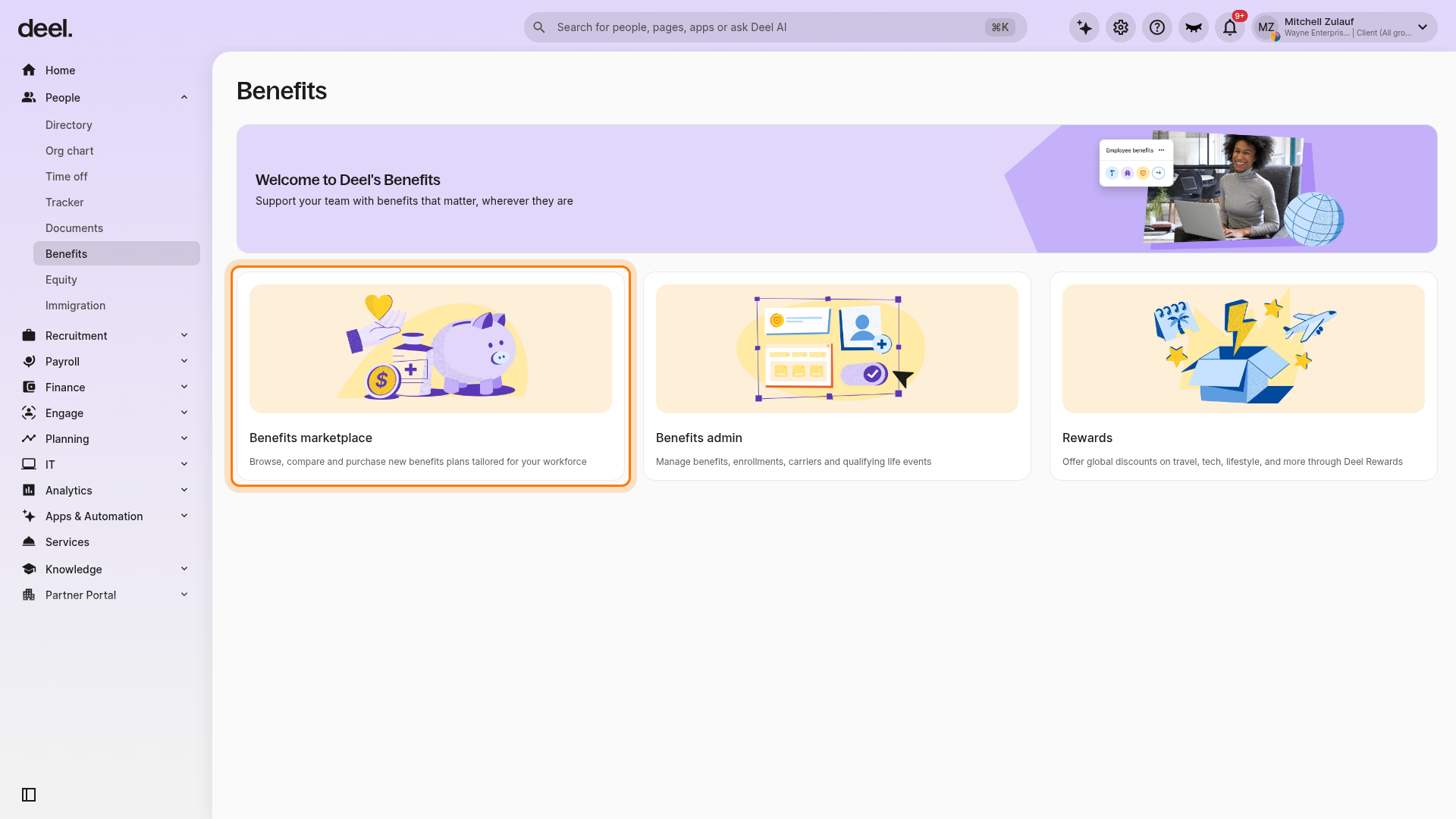
In the left sidebar, select People, then select Benefits.
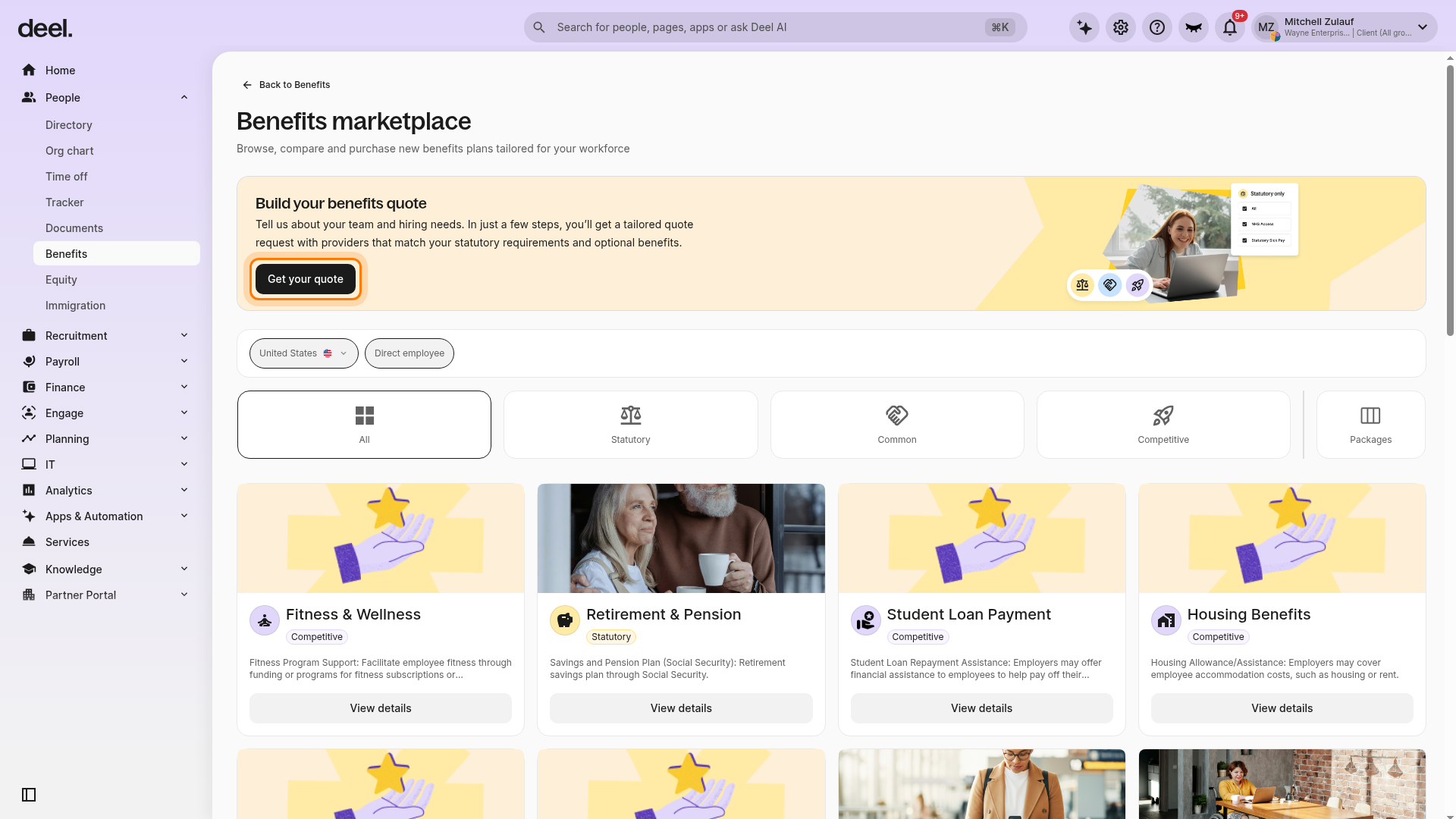
Select the Benefits marketplace card.
In the Build your benefits quote banner, select Get your quote.
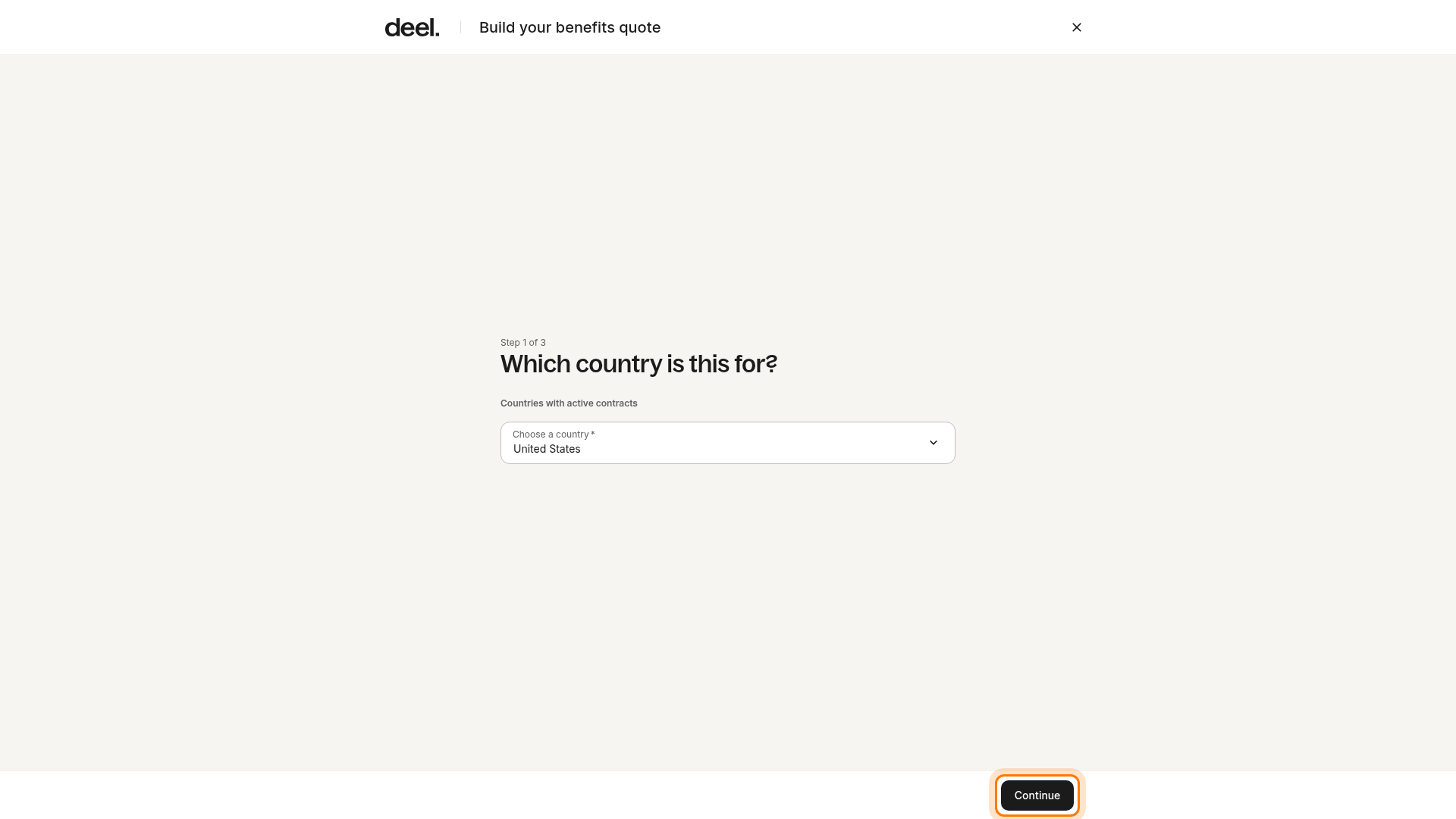
At Step 1 of 3, select the applicable country from Countries with active contracts. For example, select United States, then select Continue.
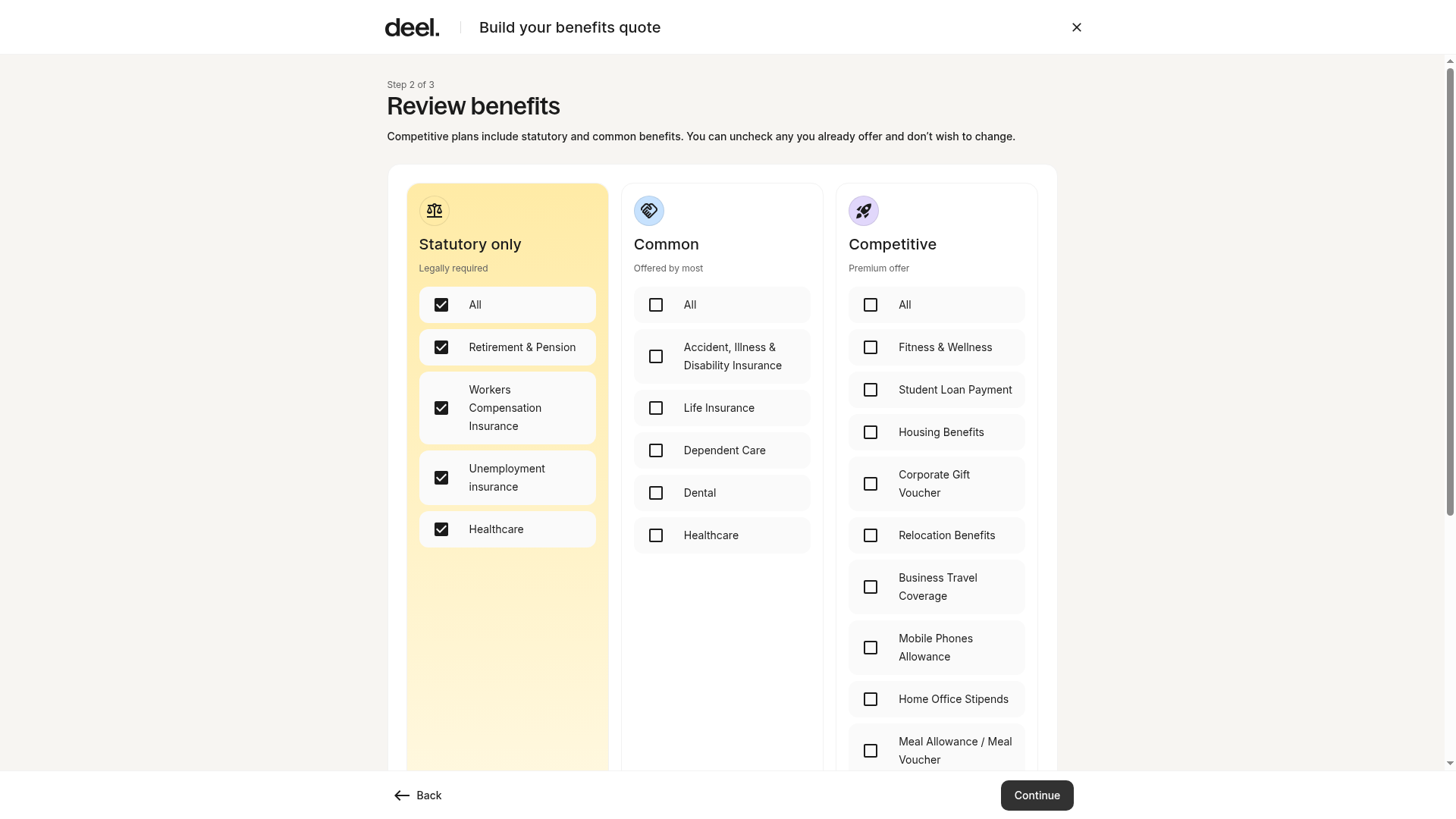
At Step 2 of 3: Review benefits, verify that Workers Compensation Insurance appears in the Statutory only column. Stop at this page; do not select the next Continue button.
Choose 401(k) options
Indicate your current 401(k) status:
-
Yes, connect our 401(k) plan
Select your provider
No, we don’t have a 401(k)
-
Yes, I’m looking for a provider
Select one or more providers
No, not right now
Step 3: Add US entities
Select Add US entities
-
Enter the following details:
Entity name
State of incorporation
Industry category
Pay frequency (weekly, biweekly, semimonthly, or monthly)
-
Add the entity address:
ZIP code
City
Address line 1
Address line 2 (optional)
-
Choose whether to use the same address as the mailing address
If not, enter the mailing address separately
Repeat this step for each US entity you want to include in your PEO quote.
Step 4: Review and confirm your selections
-
Review all selections, including:
Healthcare
Workers’ compensation
401(k)
US entities
Select Edit if you need to make changes
Select Continue
Choose your PEO go-live effective date
Select Confirm
Step 5: Add covered individuals
Upload the covered individuals details
Select Get started
Download the Deel template (XLSX)
Fill in all required information
Upload the completed template
Select Continue
Answer healthcare follow-up questions
Indicate whether your company offers healthcare insurance
Enter the current renewal date
Indicate whether your current plan is self-funded
Select Continue
Review your responses and select Submit
Step 6: Provide workers’ compensation details
Enter entity information
Select Get started
-
Complete the workers’ compensation questionnaire:
Doing Business As (DBA)
Business email
Entity type
Year business started
Description of business operations
Website or LinkedIn page (if applicable)
Whether employees work across multiple US entities
Select Continue
Add business owners
Choose one option:
Import via Crunchbase link
Add details manually
Upload existing coverage (if applicable)
If you already have workers’ compensation coverage, upload the document
Otherwise, select No
Select Continue.
Complete underwriting questions
Complete all required sections:
Operations and risk
Workforce and employment
Safety and benefits
Insurance history
Once all sections are complete, select Continue.
Review and submit
Review all entered information
Select Submit
Once submitted, your information is reviewed and your PEO quote is typically ready within 2-3 business days.
Frequently Asked Questions
[ACCORDION] How do I provide employee information?
You’ll download a Deel-provided Excel template, complete it with covered individual details, and upload it directly in the platform. This template captures the required information for benefits and workers’ compensation.
[ACCORDION] Can I change selected services later?
You can update selections before the quote is finalized.
[ACCORDION] Can I add more than one US entity to my PEO quote?
Yes. You can add multiple US entities during setup. Each entity requires its own details, including incorporation state, industry, pay frequency, and address.