
We’re transitioning Deel Card accounts from our current provider, NIUM, to a new provider, AWX. This change is intended to enhance the overall experience and service quality for Deel Card users. While the migration is a significant update, it is unrelated to compliance. Below is what you need to know about this process.
Key Changes and Next Steps
Funds Transfer
Any remaining balance on your current Deel Card will be automatically transferred to your Deel Balance on January 15, 2025. This includes any outstanding fees, which will also be deducted from your Deel Balance if applicable. You do not need to take any additional steps for this transfer.
Pending Transactions
Pending Transactions: Your current Deel Card account will remain active long enough to process pending transactions or reversals. This ensures seamless handling of ongoing transactions, with no risk of loss or rejection.
Account Eligibility
To be eligible for the new Deel Card, you must meet the following requirements:
- Have an active contract.
- Have an active contract with a verified client.
- Have an approved KYC verification.
- Reside in a supported country and provide a proof of address document if needed. You can check supported countries in our Deel Card availability guide
Additionally, the creation of your Deel Card account depends on the following:
- Whether your proof of address document is accepted by the provider.
- Whether your profile passes the verification checks of the card provider.
For more details on the verification process, please visit our Deel Card verification guide.
New Card Application
If you've requested a Deel physical or virtual card in the last six months, your replacement card will be provided at no cost. Starting January 21, 2025, you can apply for a card with our new provider through your Deel account. Please note that your old cards are no longer active and cannot be used. Check our Deel Card Costs Help Article for more information on fees.
-
In the left sidebar, select Finance.
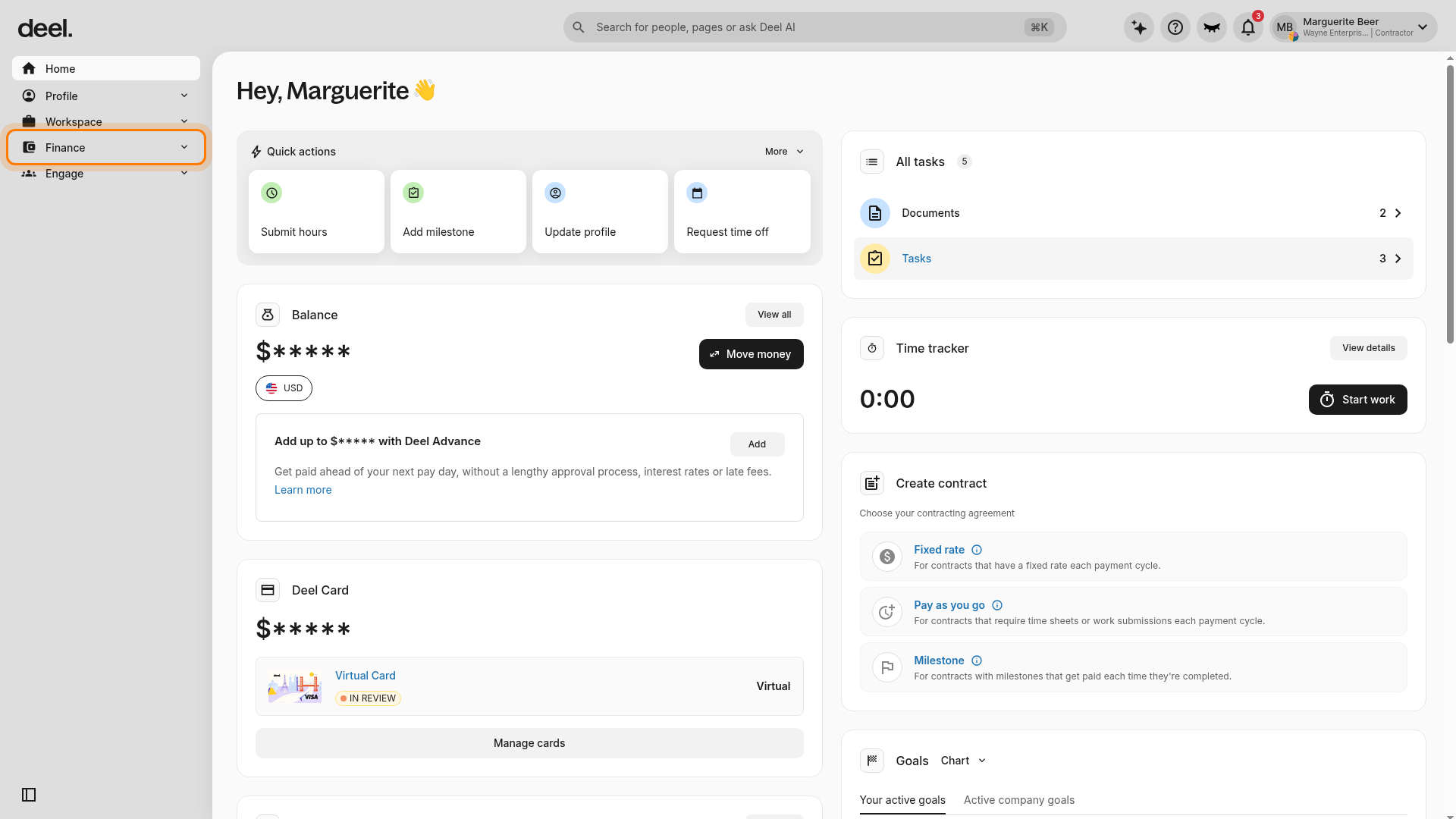
The Finance section expands to show its submenu, including Deel Card.
-
In the expanded Finance submenu, select Deel Card.
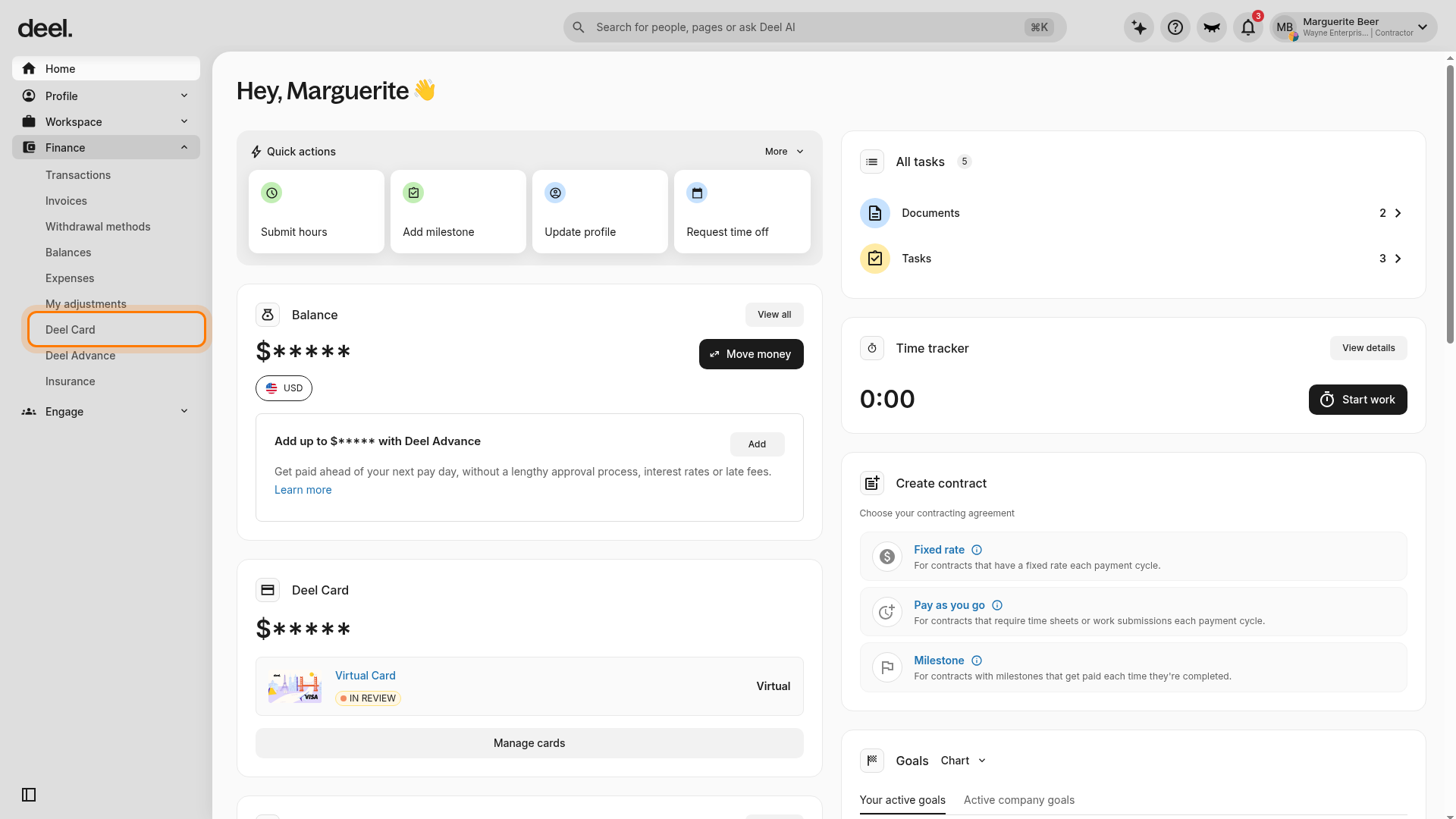
-
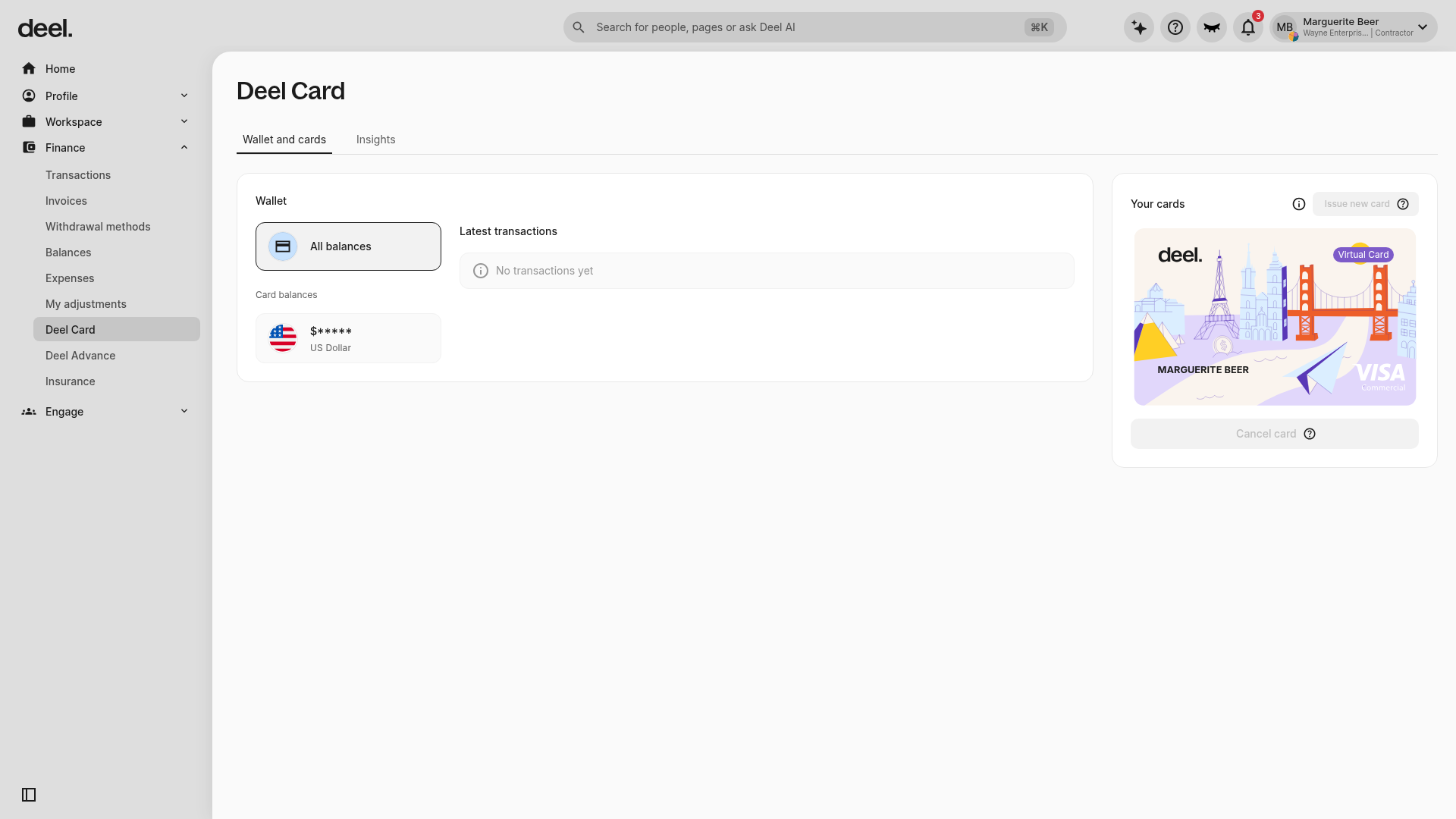
Confirm that the Deel Card page opens, Deel Card is highlighted in the Finance submenu, and the Wallet and cards tab is visible.
-
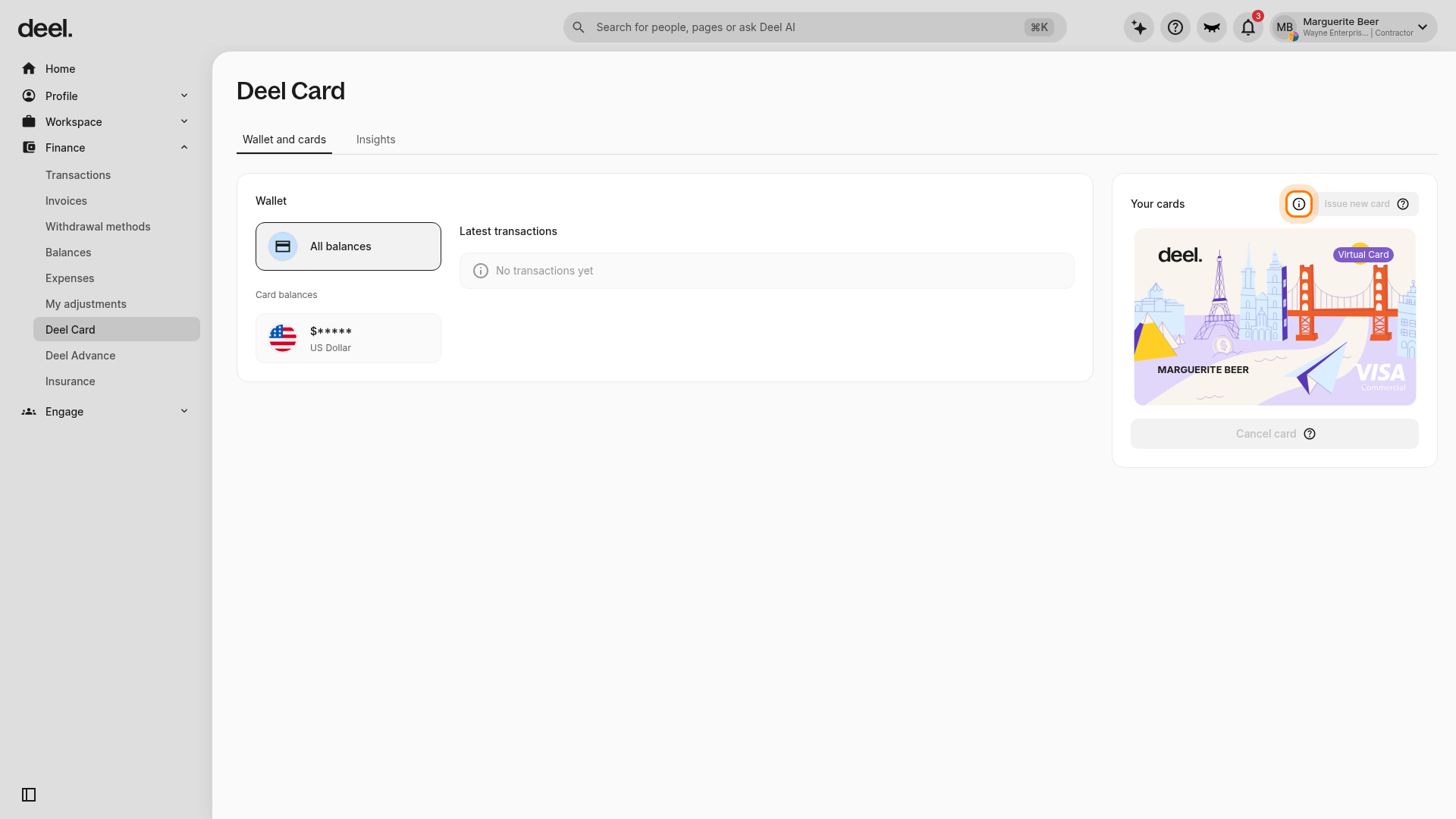
On the Deel Card page, locate the Your cards panel and select Issue new card. If older instructions refer to Get Deel Card, use Issue new card instead.
-
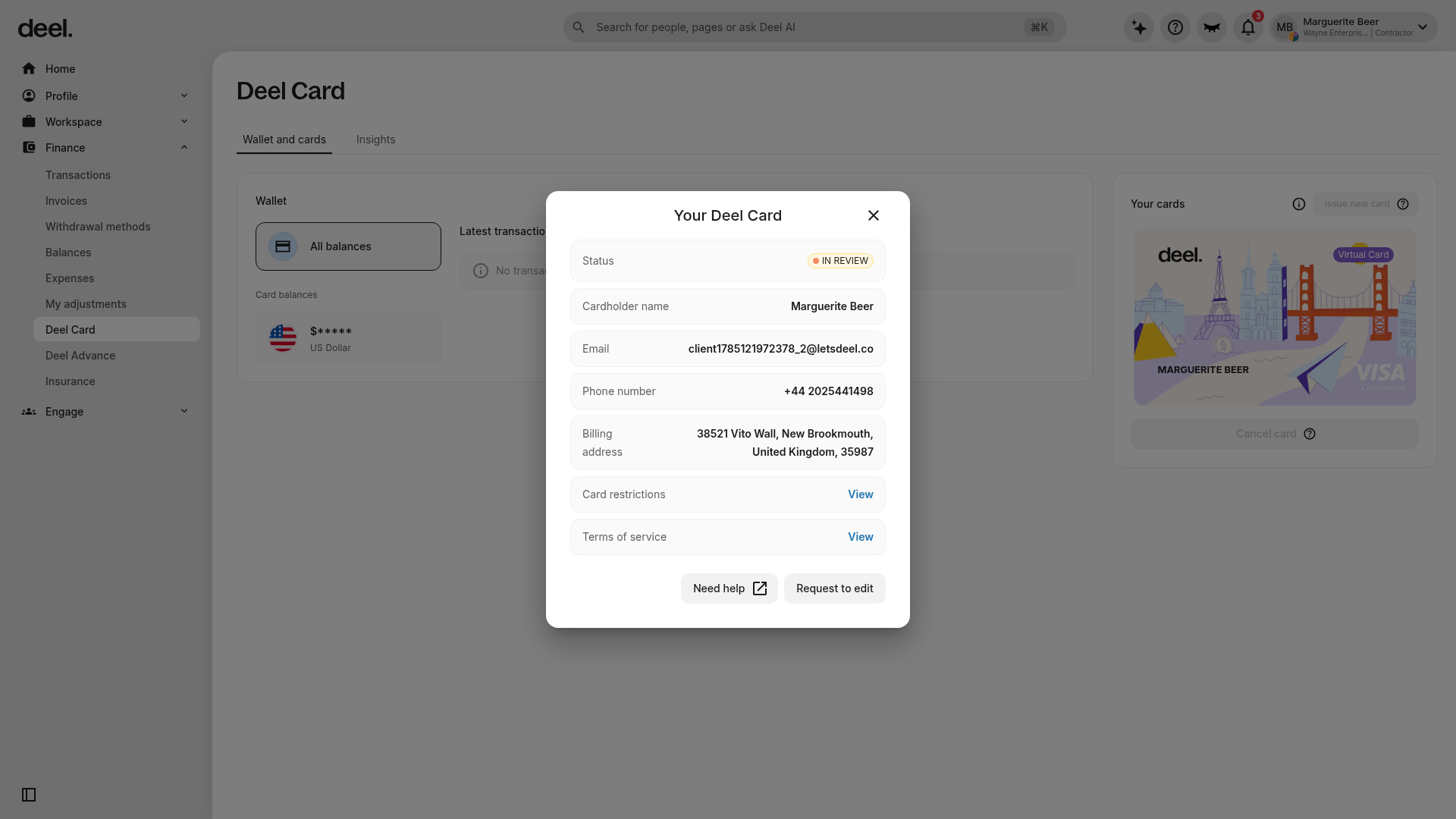
Wait for the Your Deel Card dialog to appear. Confirm that it displays a Status field, such as IN REVIEW.
FAQs
[ACCORDION] Do I need to sign up again?
Yes, you’ll need to apply for a new Deel Card account after the transition to AWX.
[ACCORDION] What happens to unpaid fees?
Any outstanding card issuance, delivery, or transaction fees will be deducted from your Deel Balance during the account closure process. No action is required on your part.