
The Talent feature streamlines hiring by connecting Deel clients with talent partners, either those already on the Deel platform or new partners introduced and onboarded by the clients. This feature enables clients to share their hiring needs, create specific job requests, and collaborate with talent partners to find suitable candidates.
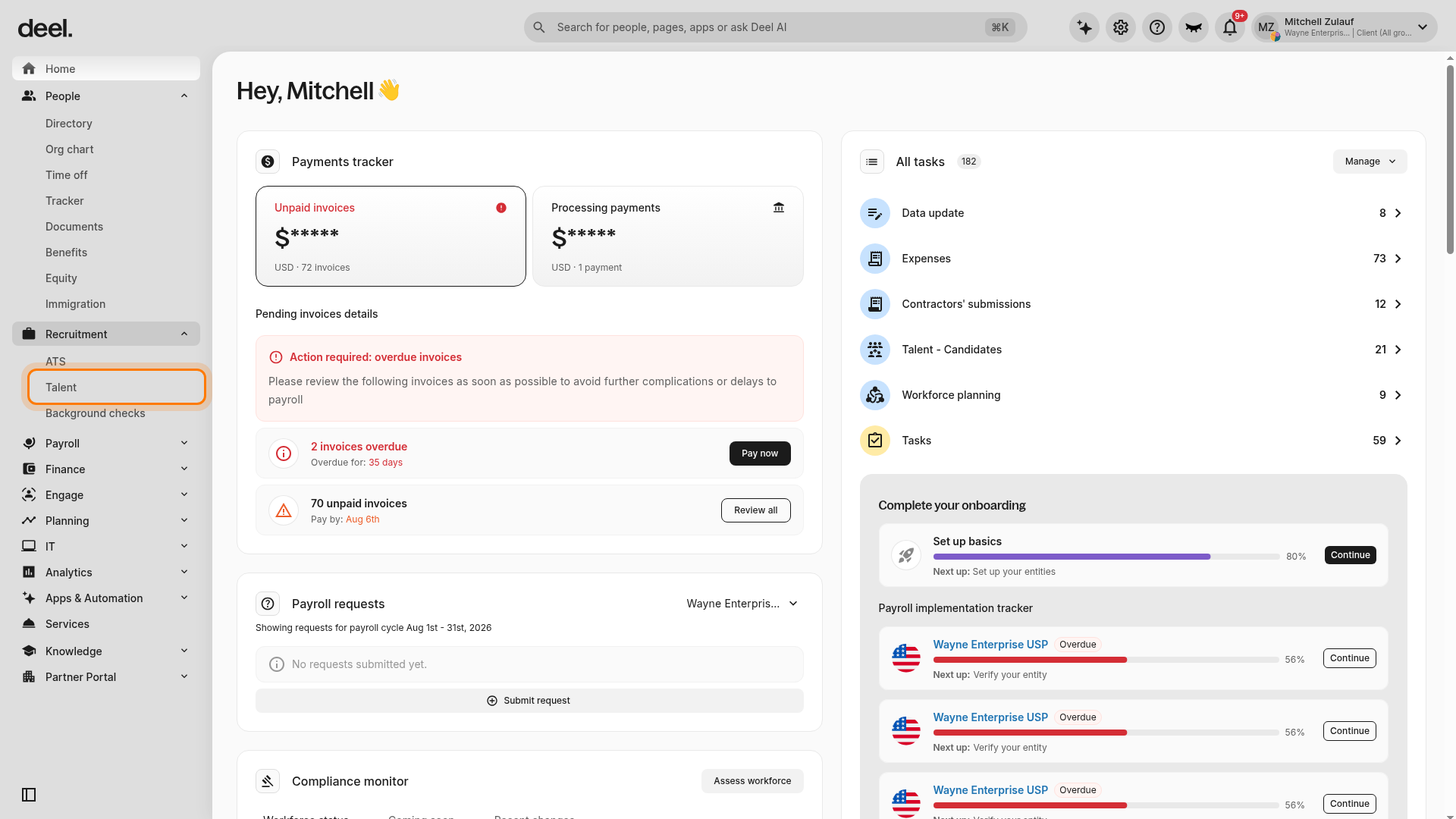
Clients can access Talent from the left sidebar by expanding Recruitment and selecting Talent under the ATS heading. If Talent is not available, clients should contact their Client Success Manager (CSM) to confirm that the feature is enabled for their account and that they have access.
Understanding the Talent Tab
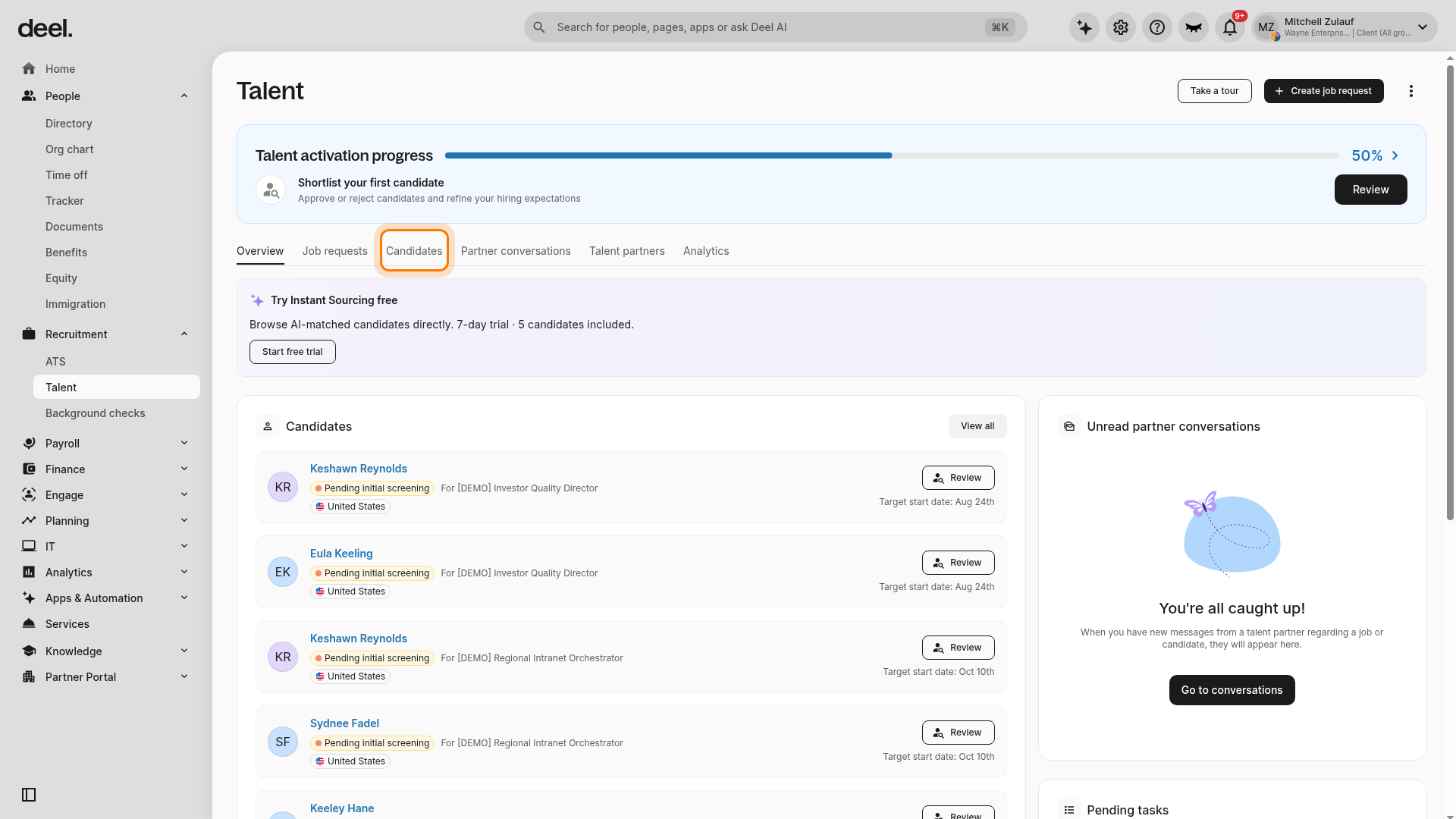
Clients can access the Talent workspace by expanding Recruitment in the left sidebar and selecting Talent under the ATS heading. If a Welcome to Talent! dialog appears, clients can select the X in its upper-right corner to close it. The Talent workspace includes the Overview, Job requests, Candidates, Partner conversations, Talent partners, and Analytics tabs, each providing specific functionality and content.
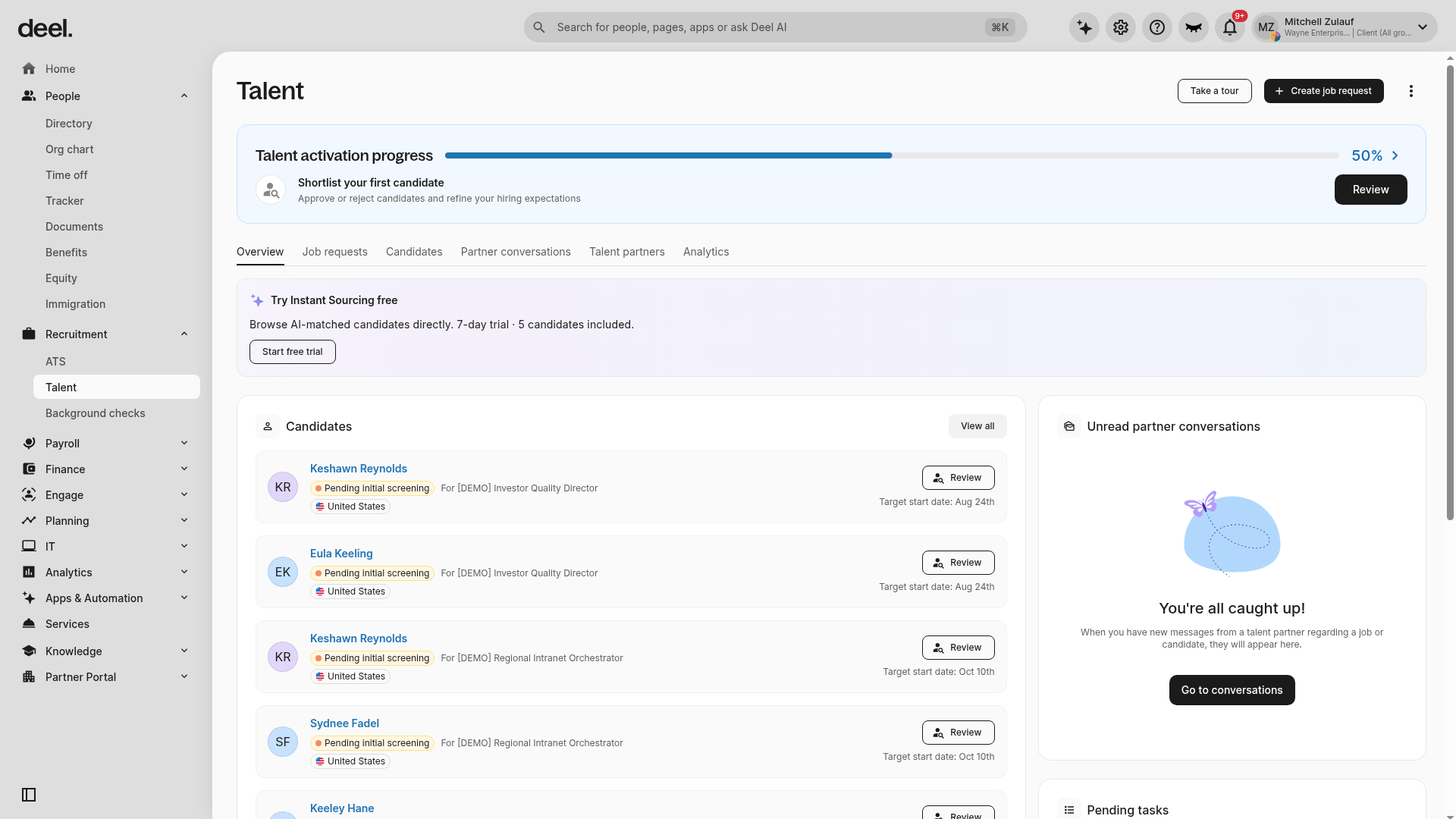
Overview Tab
From there, clients will have an overview of workforce management, including live job requests, approved candidates, hired candidates, and job request and candidate tracking.
Additionally, this is where clients can view all pending tasks related to their hiring process. A standalone Pending Tasks tab is not available in the current interface; depending on the available work and page position, a Pending tasks card may appear on the Overview page. Clients can review candidates marked Pending initial screening by selecting Review, then approving or rejecting the candidate for the next stage. When a candidate is ready to hire, clients can complete the available hiring action and create the worker profile to finish the hiring process.
Job Requests Tab
From the Talent workspace, clients can select Job requests in the horizontal tab bar to view live, paused, closed, and, when available, unsent job requests. They can review the request status cards and job-request table, then take action on requests, such as editing, duplicating, pausing, or closing them.
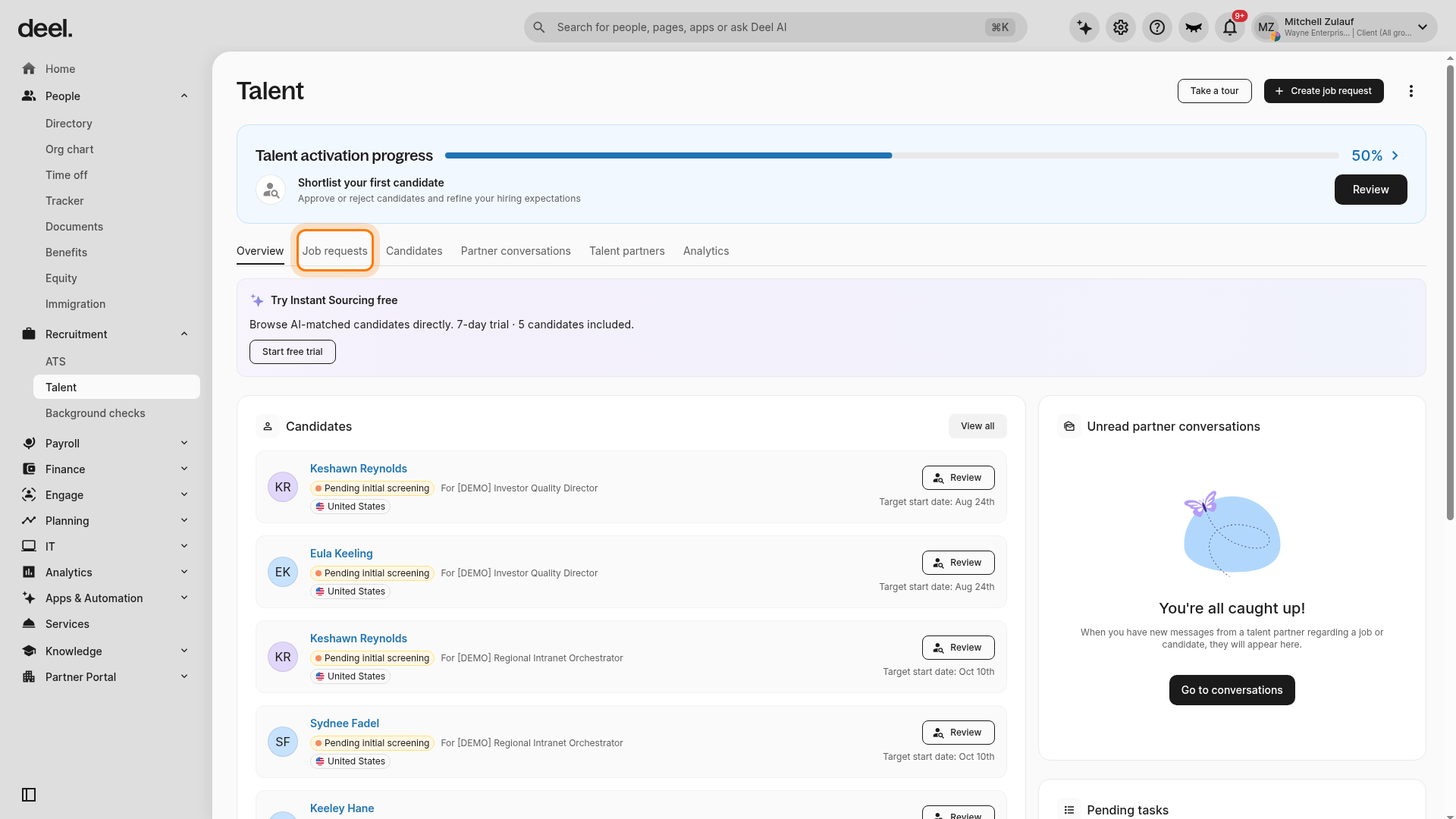
Job Request Statuses:
- Live: Talent partners can submit candidates for this job request.
- Closed: No candidates can be submitted to this job request.
- Paused: The job request is not yet closed, but talent partners cannot submit candidates.
- Unsent: This status may be available for requests that have not been sent.
Additionally, by clicking on a job request and selecting the Partners and fees tab, they can edit the fees or remove the talent partner from that specific request.
Candidates Tab
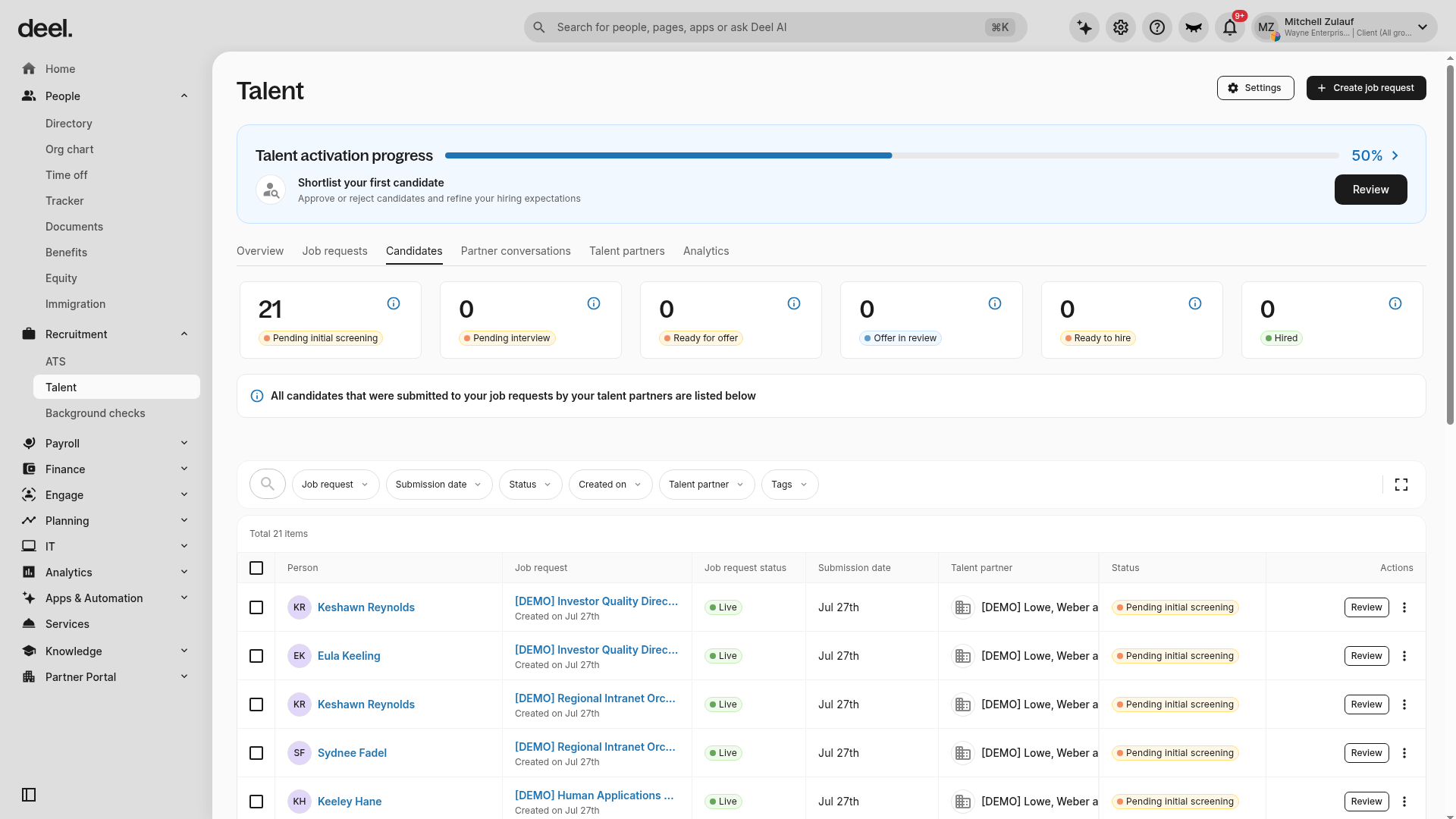
From the Talent workspace, clients can select Candidates in the horizontal tab bar to view all candidates submitted to job requests by talent partners. The page provides an overview of their experience, application status, rate, and more. Clients can use the available summary cards and filters to review candidates by status, job request, submission date, talent partner, or other available criteria, and can take appropriate actions for each candidate based on their application stage.
This is also where clients can check for duplicate candidates, categorized as either a Duplicate Candidate (same email within the same requisition) or a Previously Submitted Candidate (same email in a different requisition, whether active or closed). A duplication warning will be flagged at the top of the dashboard, and clients can take action by clicking Review in the warning. Clients can also do this directly from the candidate profile.
Partner Conversations Tab
The Partner Conversations tab centralizes all communication between clients and talent partners. Conversations are organized at the candidate, requisition, and client/talent partners level and can be filtered by candidate name, job request, talent partner, or client status.
Within this tab, clients can:
- View conversation threads with talent partners
- Post new messages directly on the platform
- Leave candidate, job request, or talent partner specific comments, which trigger email notifications for the other party
Talent Partners Tab
Talent partners are external companies that Deel has either onboarded to the platform or that clients bring in and sign up as talent partners. They work with clients to submit candidates for specific job requests, manage applications, and support the recruitment process.
In this tab, clients can view the talent partners they have added, along with their associated job requests. They can also enable or disable each talent partner. Additionally, to remove a talent partner from a job, clients can click the three vertical dots in the partner overview section and select Remove from job.
Please note that only Client Success Managers (CSMs) can add talent partners to the platform, so clients must reach out to them if they wish to add a new talent partner.
Within each talent partner profile, clients can upload an MSA (Master Service Agreement) file and set a fee policy.
Analytics Tab
In this tab, clients can see an analytics dashboard with an overview of main metrics, such as the number of candidates by talent partner, candidates by status over time, number of candidates by status, number of requisitions by status, percentage of closed requisitions by reason, and number of requisitions assigned by talent partner.