
This article outlines key information about setting your payment method on Deel, when you will receive invoices on the Deel platform, and more.
In this article:
Creating groups and accessing invoices
How do I setup my Payment Methods on Deel?
Follow these steps to open the payment-method setup form and start setting up a payment method for paying your team through Deel.
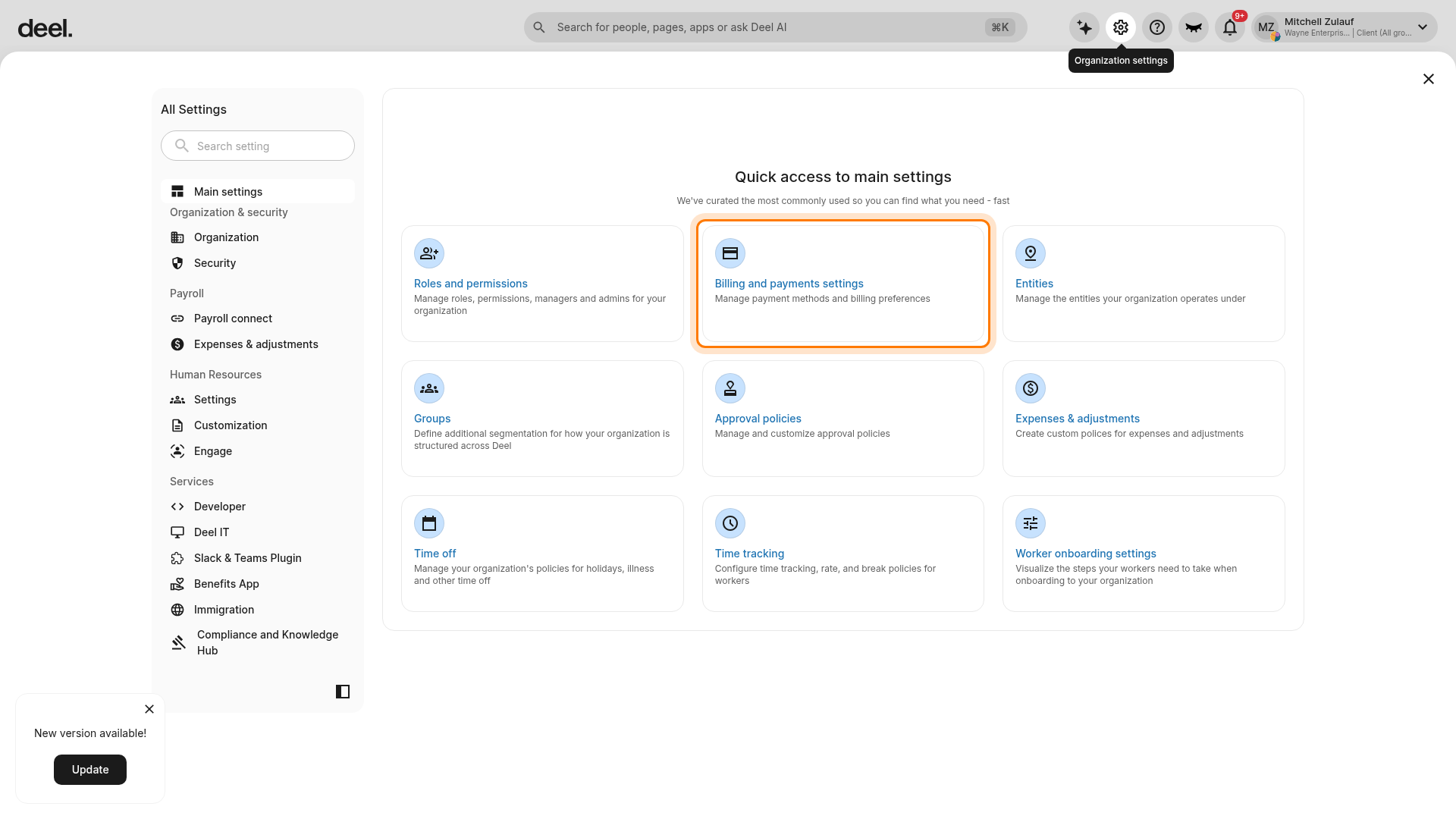
1) Log in to your Deel account, select the Organization settings gear icon in the top-right corner, and then select Billing and payments settings.
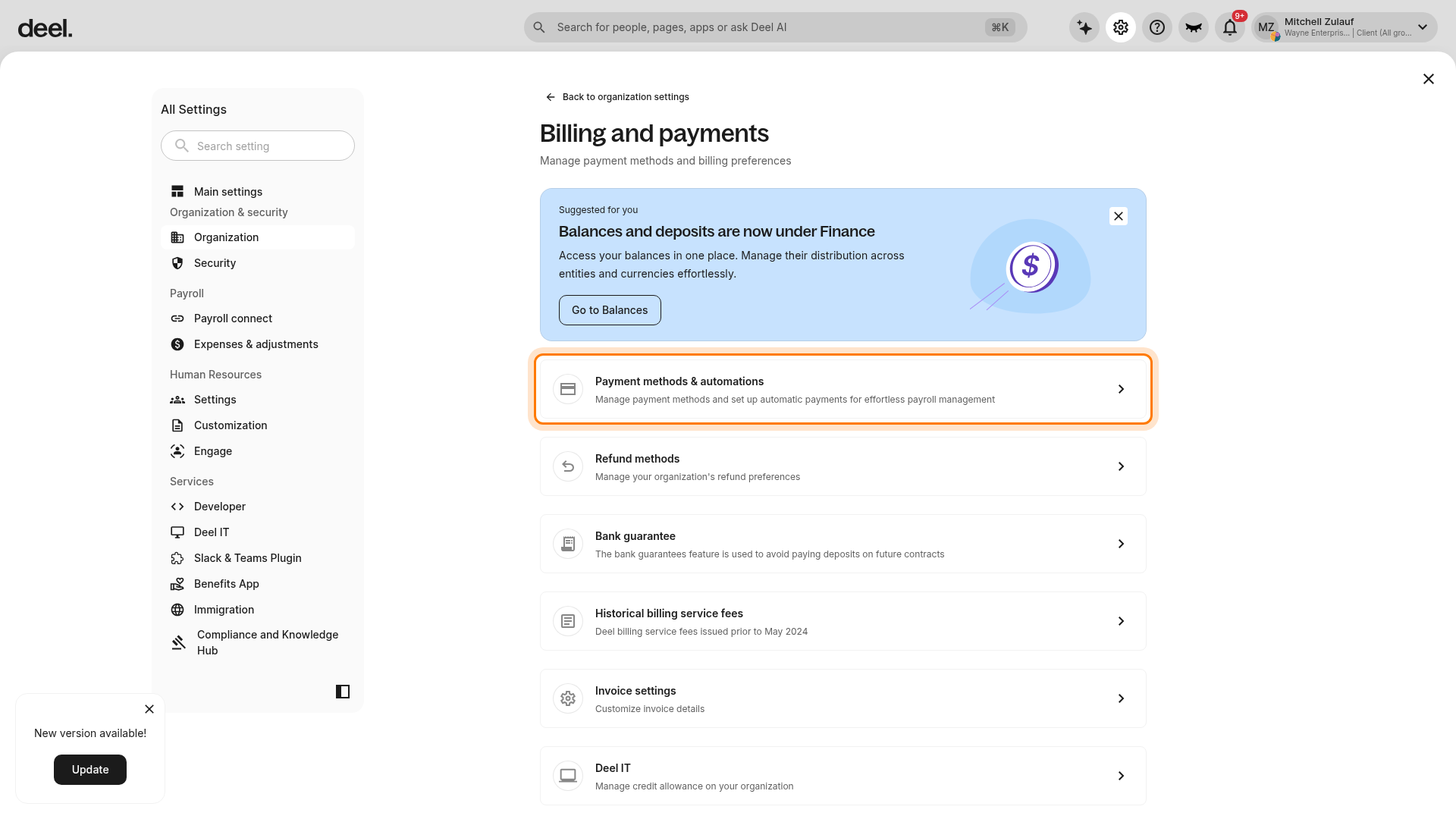
2) On the Billing and payments page, select Payment methods & automations.
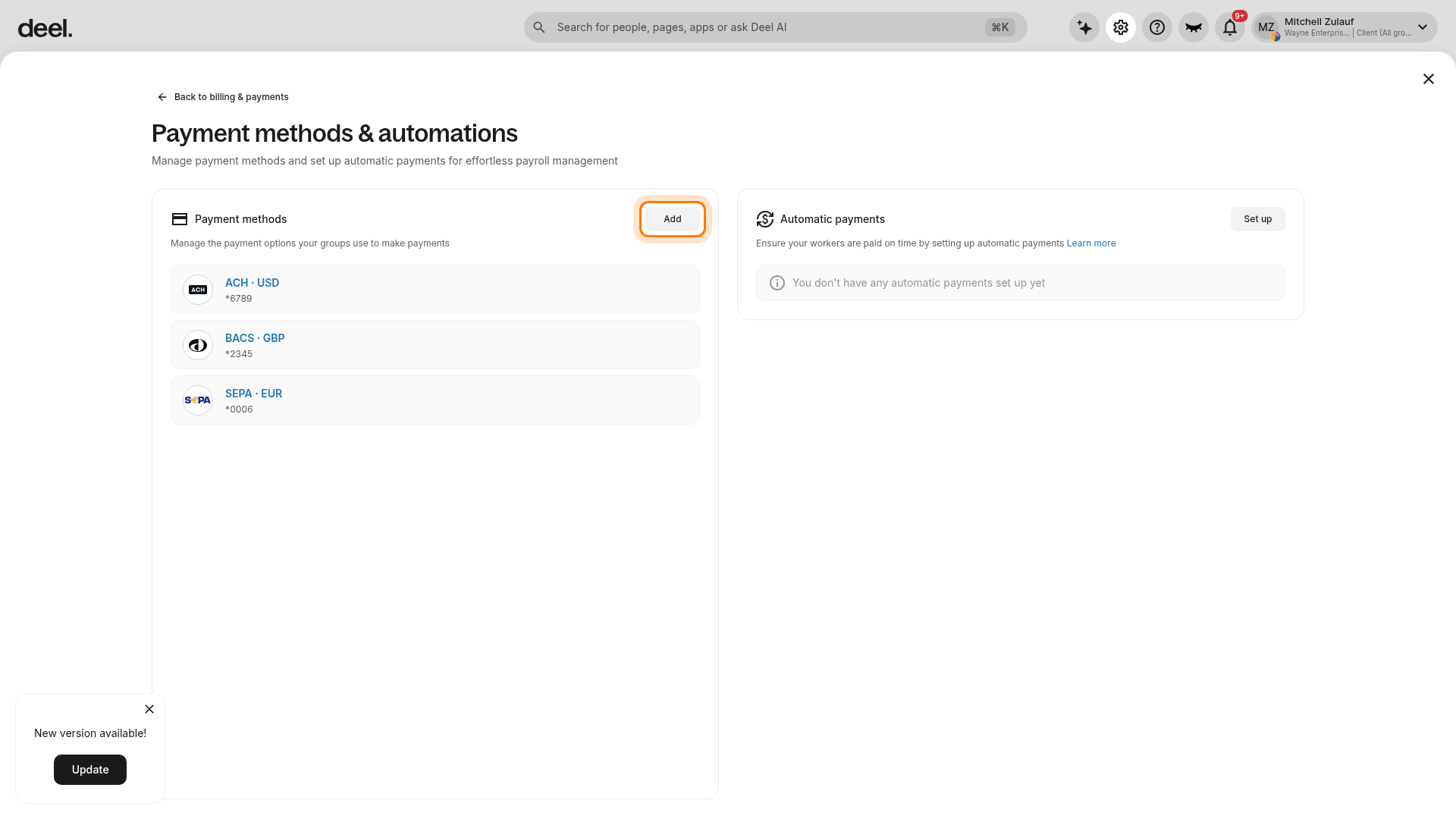
3) In the Payment methods card, select Add. Do not select Set up in the separate Automatic payments card.
4) Confirm that the Add payment method page opens and that 1 Payment method is active. The page displays available payment-method options and later steps, including 2 Verify method and 3 Review.
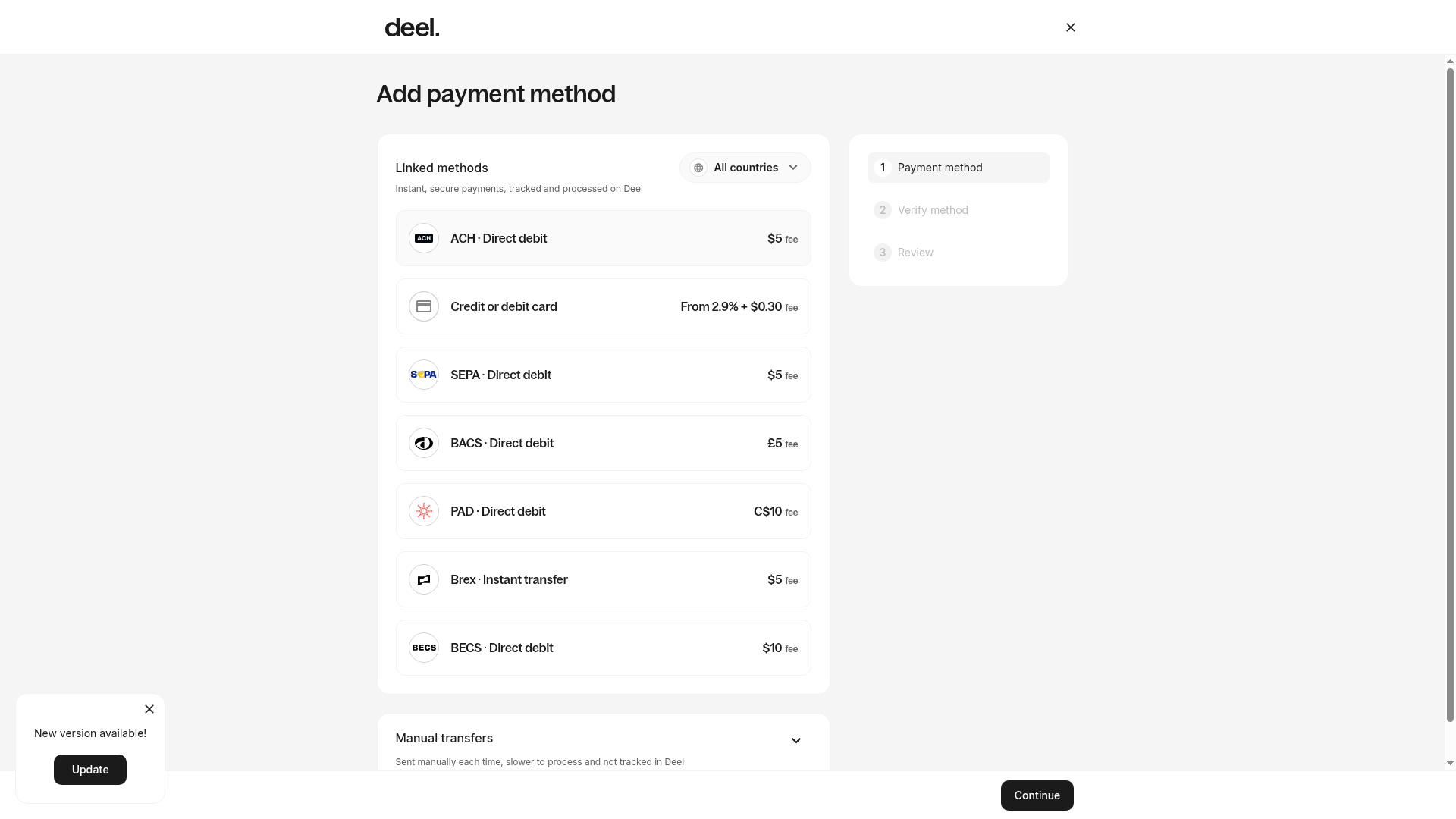
5) Choose an available payment method and select Continue to begin setup.
- Manual (e.g. bank transfer): you will manually initiate payments yourself
- Direct Debit: Linked payment method connected directly to your bank to pull funds when payments are initiated
- Other available options may include ACH, credit or debit card, or SEPA.
Complete the payment-method setup, including Verify method and Review.
6) After completing payment-method setup, choose Mass Pay or Autopay to pay your team:
- Mass Pay: review and pay all pending invoices manually in one go
- Autopay: set up automatic payments with no manual review required. When enabled, payments are automatically debited when due
Additional resources:
- Video walkthrough: on how to set up your payment method on Deel
- Help article: Managing Payment Methods on the Deel Platform
- Help article: How To Use the Mass Pay Feature on Deel
- Help article: How to Set Up Automatic Payments for Invoices
How do I get invoiced on Deel?
Deel’s invoicing and payment system varies by contract type, but follows a streamlined process for managing your global workforce. Deel issues payroll invoices separately from the Deel Fee invoice.
-
EOR Payroll Invoices
Generated (bi-)monthly per country in local currency—these cover payroll costs, taxes, and statutory contributions. - Deel issues individual invoices for each worker (EOR employee and contractor). Payments can be made in bulk.
- The invoice interface offers the ability to filter and oversee invoices as per client needs.
-
Deel Fee Invoices
Fee invoices are billed separately in USD; this will typically cover platform and service fees, and accompanies payroll invoices.
-
Contractor invoices
Contractors can generate invoices on their Deel accounts, which will then be available for you to pay. Management fees will be issued separately. Contractors will be able to get paid via Deel after invoices have been settled by you.
When are invoices issued?
- Invoices are automatically generated by default usually five days before payment is due, and can be paid anytime from the start of the cycle. For monthly pay cycles, invoices will be issued through Deel.
- There may be exceptions, where you will still receive an invoice from third party providers from Omnipresent as before. Those partiuclar invoices will not be accessible via the Deel platform and need to be settled independently.
- The cut-off dates for Omnipresent clients remain as they were before. Payroll adjustment cut-off dates are visible on the Deel platform
Please note:
- Invoices will be issued by Deel Inc., - which is a U.S.-based company - and local VAT will not be applied to invoices.
- Example: If you previously received invoices from Omnipresent Ltd. with VAT applied, you’ll now receive invoices from Deel Inc. without VAT.
How do I pay invoices on Deel?
Payments to Deel can be made in different currencies, which you can choose when initiating a payment via Deel
What are my payment terms and by when do I need to pay?
- Billing terms have been transitioned from your Omnipresent setup and MSA. For all invoices published via the Deel platform, you will be able to pay the invoices through the Deel platform in an easier way than before.
- The invoice due date is displayed on the Deel platform - we recommend to pay invoices as early as possible, since funds need to settle with Deel on time to ensure a smooth payroll run.
- Note: Rest assured that EORs are expected to be paid on time for the October cycle. Please ensure to settle invoices as soon as those get published to avoid additional costs.
How can my finance team access invoices via Deel and receive payment reminders?
- Organization Admins can create groups and add team members with permissions to handle invoicing and billing access : How to create groups and manage groups.
- We offer several pre-defined group admin roles with set permissions and restrictions, but if more flexibility is needed then admin clients can customize their group members' roles and permission levels.
- Notifications and email reminders can be also be configured: How to manage notifications
Our support team is available for you 24/7 via the Deel support chat on the Deel platform