
EOR (Employer of Record) invoices are designed to give clients full visibility into payroll costs, with a clear structure that separates payroll components from other charges. Deel’s invoicing format includes both the official invoice and a detailed breakdown to help clients reconcile and analyze monthly payroll costs more efficiently.
For information on off-cycle invocies and paymetns, please check the About Off-Cycle Payments and On-Demand Payroll for Employees article.
What’s Included in the Invoice Breakdown?
The Breakdown tab within each invoice offers an itemized view of each payroll component, including:
- Gross salary
- Employer contributions
- Bonuses
- Commissions
- Reimbursed expenses
These line items are grouped under key categories:
Total Employee Pay: Includes gross salary, commissions, and bonuses
Total Expenses: Expense reimbursements submitted through Deel
Employer Contributions: Employer-side taxes, social security, and statutory contributions
Benefits through Deel: The cost of any benefits managed or processed by Deel on the client's behalf
Additional employment costs that are not processed in payroll, such as severance accruals, deposits, and health training fees, will continue to be billed separately on your invoices
EOR invoices are issued on the 23rd of each month at 23:59 PST.
To Access and Download the Invoice Breakdown
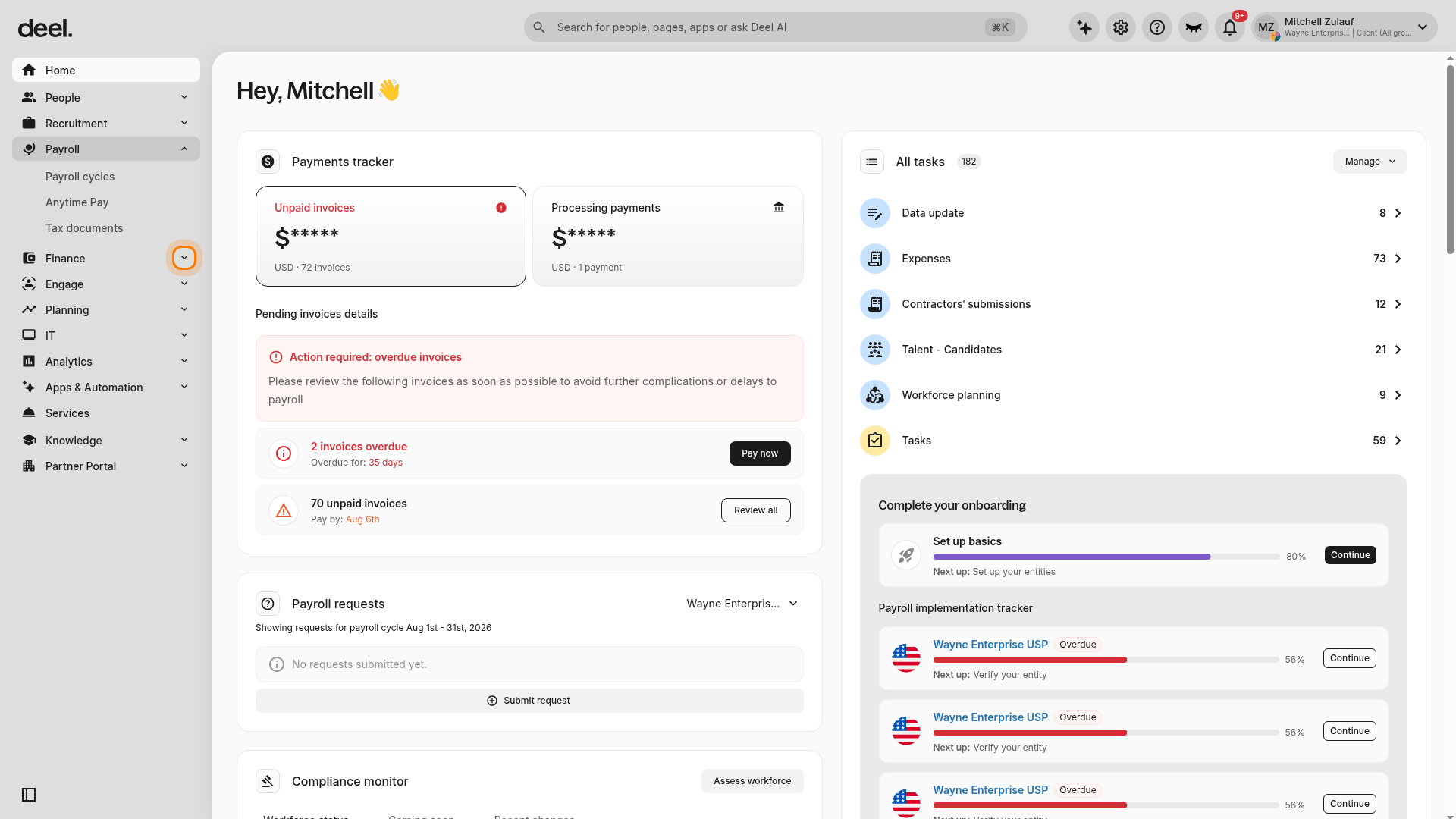
- In the left sidebar, locate Finance and select the expand arrow next to it.
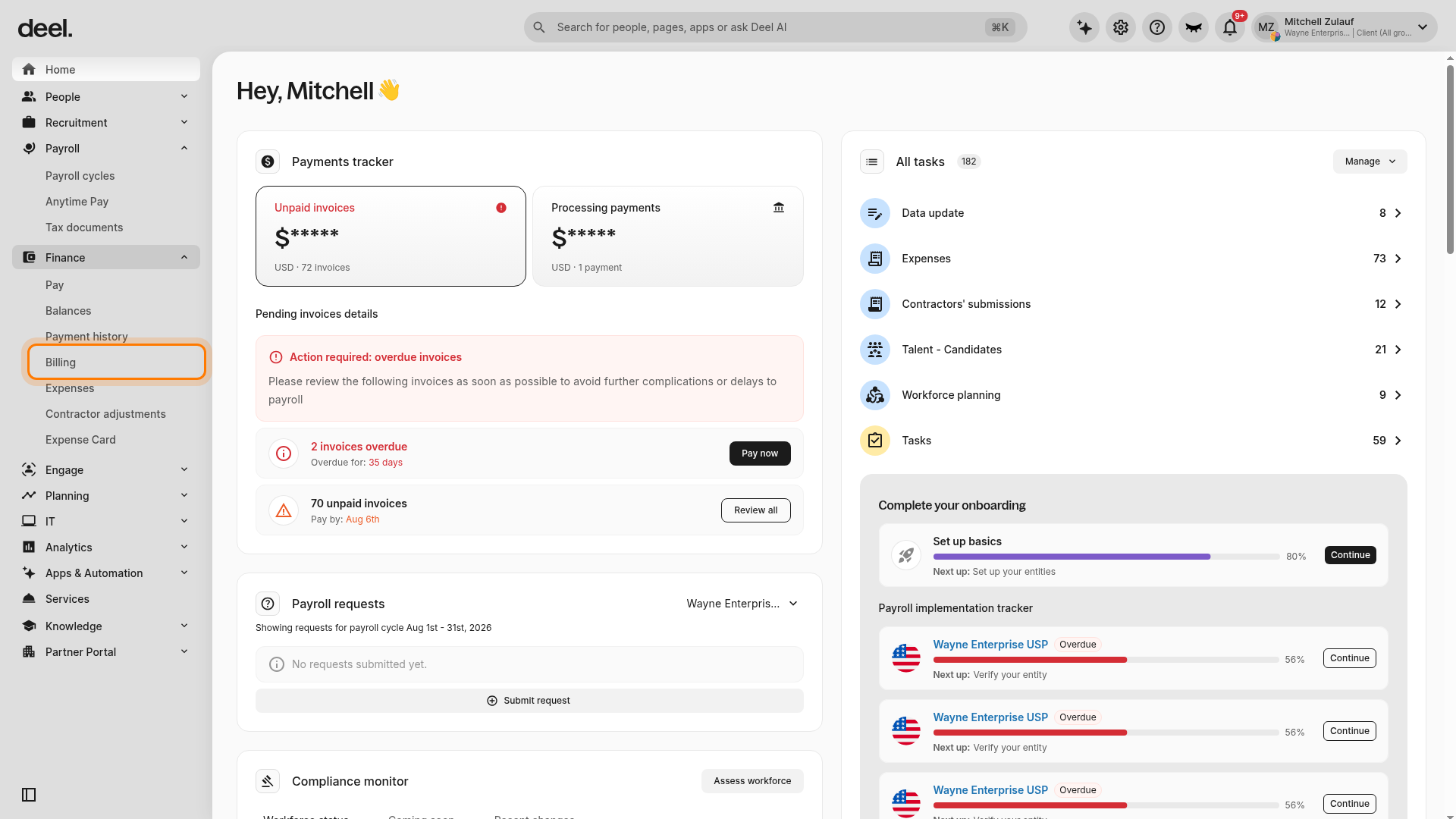
- Under the expanded Finance section, select Billing.
- Confirm that the Invoices tab is selected. Locate the invoice you want to view, using the available filters if needed.
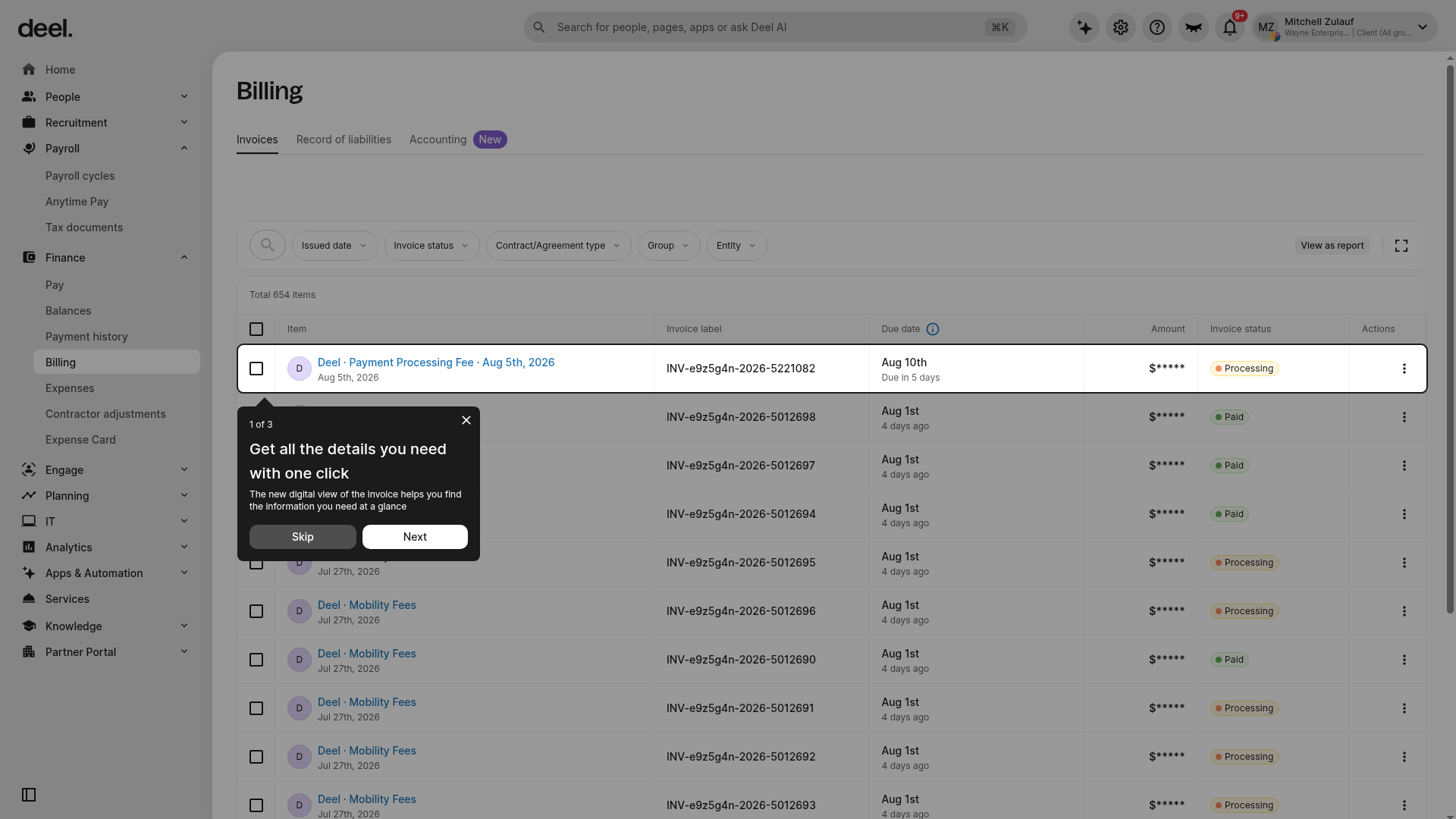
- Click on the invoice you want to view.
- Open the Breakdown tab.
- Click the download icon to download the breakdown.
Alternatively, clients can download the breakdown directly from the Invoices tab on the Billing page by clicking the three vertical dots next to the relevant invoice.
EOR Invoice Items
Net Pay
The total amount the employee receives after deductions.
Liabilities - Employee Taxes/Contributions
Any taxes the employee pays, including:
- Income taxes
- Social security payments
- Statutory health insurance deductions
- Employee Pension contributions
- Garnishments
Liabilities - Employer Contributions
We are introducing more granular line item breakdowns, including:
- Social Security
- Retirement and Pension
- Health and Insurance
- Other
Expense Reimbursement
- Even if there are no expenses for the pay period and the amount is 0, this will still be included
Benefits through Deel
Benefit plan cost amount for benefits managed/processed through Deel.
Clients can download the invoice breakdown by navigating to Finance in the left sidebar, expanding it, and clicking on the Billing tab. In the Invoices section, click the three vertical dots to the right of the desired invoice and select Download Breakdown.
EOR Invoicing Reports
To support more accurate reconciliation and financial planning, Deel has added expanded breakdowns and new data points to its existing invoicing reports for EOR clients:
-
Invoice Summary Report
Now includes more detailed breakdowns and additional data to help teams better understand total charges, especially useful for reconciliation and forecasting.
-
Other Adjustments Report
Now provides more granular itemization of non-standard payroll adjustments, offering improved clarity for finance and audit teams on costs that fall outside regular payroll.
These reports can be accessed by navigating to More → Analytics → Reports in the Deel platform.
Frequently Asked Questions
[ACCORDION] Can I revert to the old invoice formatting?
No. Once we have migrated the local country to the new format, we are unable to support the issuance in the old invoice format.
[ACCORDION] What is the difference between the invoice and the breakdown?
The first page of the PDF is the official version of the monthly invoice.
To offer even more granularity, clients can select the breakdown tab for a breakdown of all G2N payroll components like gross salary, employer contributions, bonuses, commissions, and expenses.
This supplemental statement is the second page of the invoice pdf.
Please keep in mind that this is a separate and supplemental document to the invoice, and not an official part of the invoice.
It will simply help clients understand the breakdown of each G2N category that contributes to the totals on the main invoice.
[ACCORDION] How can I see a breakdown of bonuses or allowances I have added since they are not on the invoice as distinct line items?
The supplementary breakdown page on the pdf will provide comprehensive payroll information, such as salary advances and separate bonus/expense categories.
You can always view your employee G2N reports in the Analytics and Reporting module at any time, and customize/build this report with greater flexibility.
[ACCORDION] Why is the benefit plan cost being invoiced instead of my nominated client contribution amount like previously?
With the new format, the client contribution and plan cost are reconciled within the payroll.
The plan cost is deducted from the employee Net Pay, while the client contribution is added as a benefit.
This is how benefits have always been calculated, but this just shows a little differently in the new invoice format. This does not change the amount you are invoiced for benefit provision in Deel.