
You can grant a certified Deel Partner access to your organization to support onboarding, payroll operations, hiring, or account management.
After Deel links the partner to your organization, you can control what they can see and do.
Before you begin
Make sure you understand how roles and groups work in Deel. These concepts determine what partners can see and manage once access is granted.
If you are unfamiliar with these concepts, review the following articles:
How it works
This process explains how a certified Deel Partner is linked to your organization and when access becomes effective.
-
Deel links the partner to your organization internally.
-
The partner appears under Roles & permissions → Admins in the dashboard.
- The partner is automatically added with the Partner Portal Accountant organization-level role.
- The partner has no visibility until you assign them to groups.
Manage your partner’s access
Anyone who can manage admin permissions can configure a partner’s access.
- Select the Organization settings cog icon in the top-right corner.
- In the left settings sidebar, select Security to expand its submenu.
- Select Roles and permissions, then open the Admin tab.
- Find the partner admin and assign them to the groups they need to access.
- Configure their access by choosing one of the following:
- Option A: Keep the default organization-level role and add the partner to the groups they need access to.
- Option B: Change their organization-level role, then assign groups as needed.
Group access is required for visibility. Organization-level access alone doesn’t grant access.
If you grant Organization Admin access, you can optionally include those admins in all groups automatically. To enable this:
- Select the Organization settings cog icon in the top-right corner.
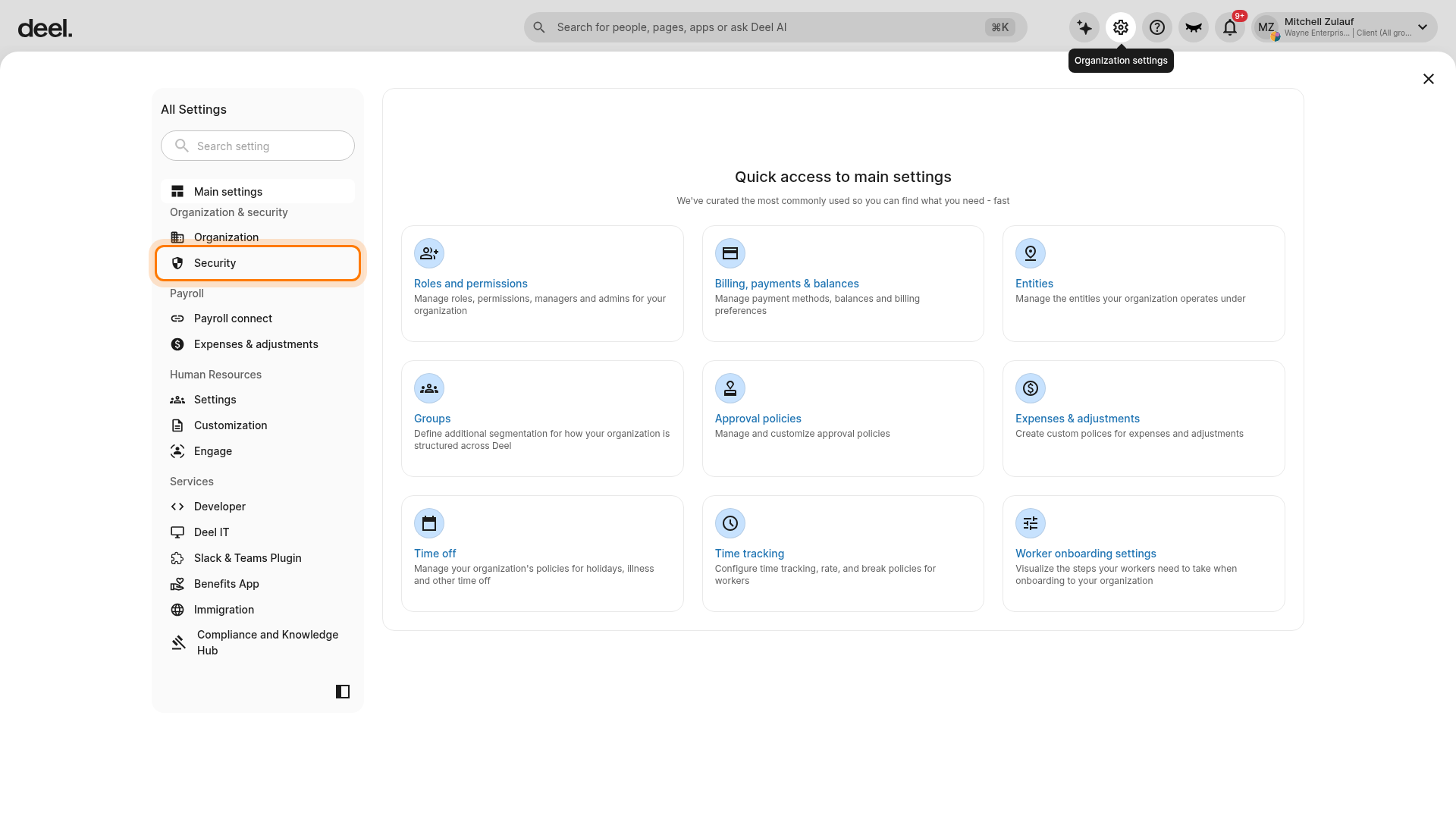
- In the left settings sidebar, select Security.
- The section expands to display its available settings.
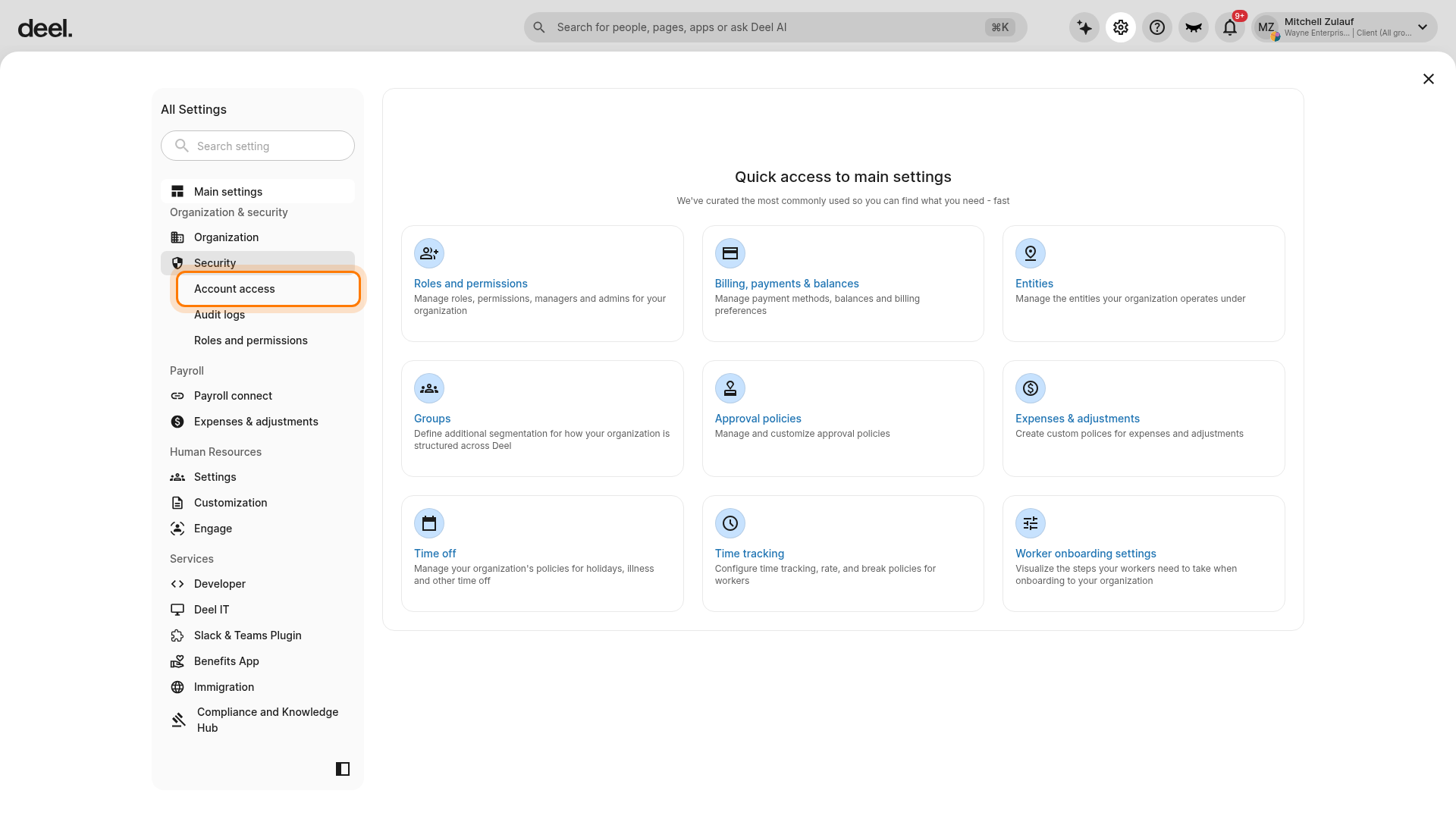
- Select Account access from the expanded Security submenu.
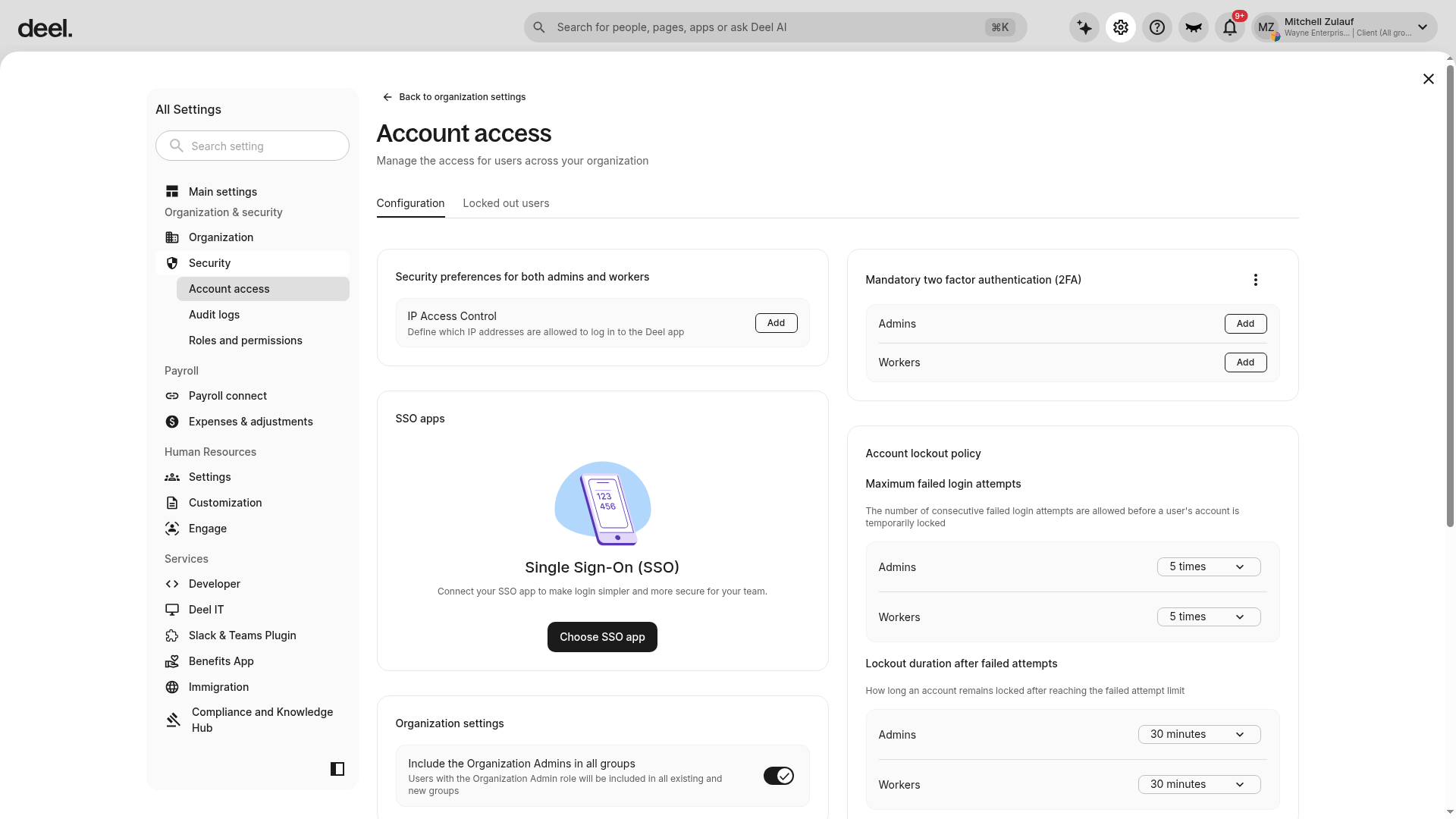
- Confirm that the page heading is Account access and the Configuration tab is open.
- Under Organization settings, enable Include the Organization Admins in all groups.
When enabled, Organization Admins, including partners, are added to existing and future groups automatically.
You can update or revoke partner access at any time from the Admins page.